
iam-to-english: Read Any AWS IAM Policy in Plain English and Catch Privilege Escalation Before It Ships
KloudSec
Open-source AWS security tools
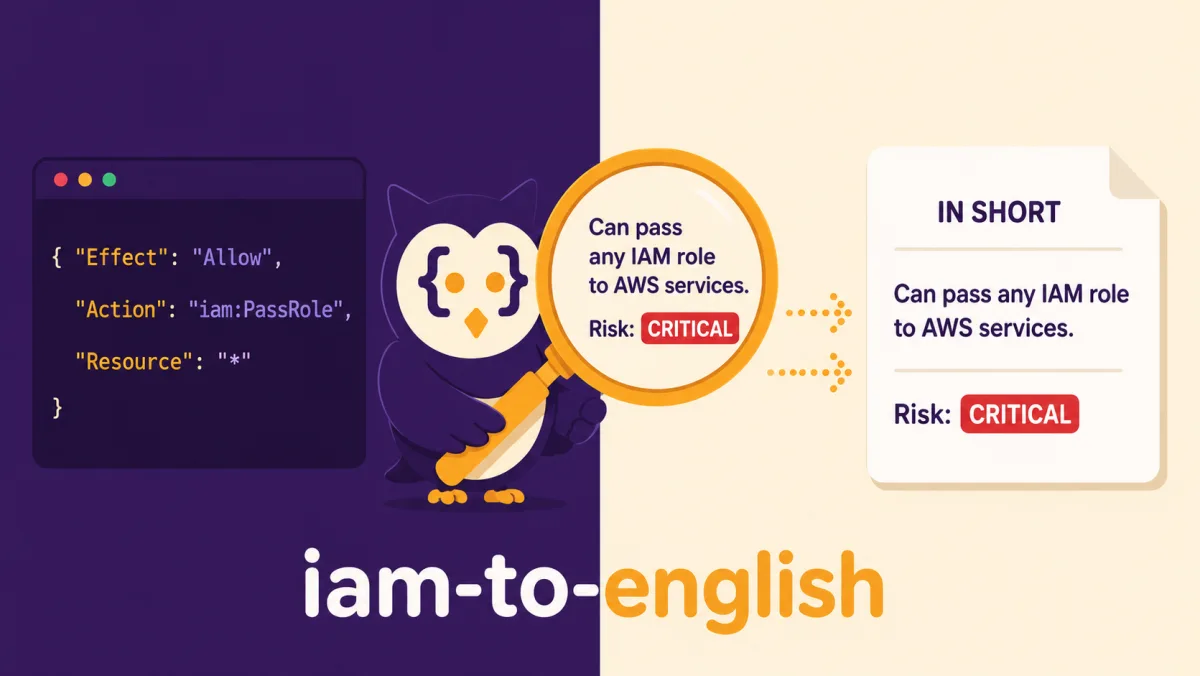
An open-source CLI from KloudSec that turns IAM JSON into sentences a reviewer can check, flags the permission combinations attackers look for, and runs in CI.
The Problem With Reviewing IAM Policies
Most AWS teams review IAM changes the way they review code: in a pull request, by reading a diff. A code diff shows logic. An IAM diff shows a JSON document whose real meaning depends on how AWS evaluates it.
Take this policy. Two statements, four actions, nothing alarming at first glance:
{
  "Version": "2012-10-17",
  "Statement": [
    {
      "Sid": "DeployLambdas",
      "Effect": "Allow",
      "Action": ["lambda:CreateFunction", "lambda:InvokeFunction", "lambda:GetFunction"],
      "Resource": "*"
    },
    {
      "Sid": "PassAnyRole",
      "Effect": "Allow",
      "Action": "iam:PassRole",
      "Resource": "*"
    }
  ]
}
Each statement is reasonable on its own. Together, they let whoever holds this policy create a Lambda function, attach any IAM role in the account to it, and run it. If an administrator role trusts Lambda, the holder of this policy can act as an administrator. This is a well-documented privilege escalation path, and it is invisible if you read the statements one at a time. We walk through twelve such paths, with the CloudTrail event each one leaves, in AWS IAM Privilege Escalation: Paths, CloudTrail Events, and the Controls That Block Them.
IAM review fails in a few predictable ways:
- The JSON is hard to read.
"NotAction": ["iam:*"]with"Resource": "*"means "everything except IAM, everywhere", and that is easy to misread under time pressure. - The risk is spread across statements. Escalation usually needs two or three permissions that live in different statements, sometimes in different files.
- Linters stop at syntax and obvious wildcards. They tell you
Action: "*"is bad. They rarely tell you thatiam:PassRoleplusec2:RunInstancesis just as bad. - Reviewers are not all IAM specialists. The person approving the pull request may be an excellent engineer who does not know what
iam:UpdateAssumeRolePolicyallows.
KloudSec built iam-to-english to close that gap.
What iam-to-english Does
You give it a policy. It tells you, in plain English, what the policy allows, who it allows, and what could go wrong. Save the policy above as policy.json and run the tool on it (the statement-by-statement details are trimmed):
$ iam-to-english policy.json

Policy: policy.json
2 statements | Services: IAM, Lambda
Risk: CRITICAL (1 privilege escalation path)

IN SHORT:
  #1 DeployLambdas: Can create Lambda functions, invoke Lambda functions and get Lambda function
      details, on all resources.
  #2 PassAnyRole: Can pass an IAM role to an AWS service, on all resources.

PRIVILEGE ESCALATION PATHS (ways to gain more access than granted):

  [CRITICAL] PassRole + Lambda Code Execution
    Found in: Statement #1 (DeployLambdas), Statement #2 (PassAnyRole)
    Risk: Can pass a high-privilege IAM role to a new or modified Lambda function and invoke it
      to execute arbitrary commands.
    Permissions involved: iam:PassRole, lambda:CreateFunction, lambda:InvokeFunction
    How to fix: Restrict iam:PassRole using 'iam:PassedToService' condition to specific services
      and scope Resource to non-privileged roles.
Every report follows the same structure:
- A risk verdict on the first lines: CRITICAL, HIGH, MEDIUM, LOW or CLEAN.
- "In short": one sentence per statement, written for a human. Who can do what, on which resources, under which condition.
- Statement by statement: each action and resource translated, with the raw value underneath for reference.
arn:aws:s3:::prod-data-*/*becomes "all objects in S3 buckets matching 'prod-data-*'".{"Bool": {"aws:SecureTransport": "false"}}becomes "Request does NOT use HTTPS (plain HTTP)". - Privilege escalation paths found across statements, each with the statements involved, the risk, and how to fix it.
- Other warnings, written as sentences that name the statement they come from.
The analysis runs entirely offline. There is no account to create, and the same policy always produces the same report. Nothing leaves your machine unless you fetch a policy from AWS or opt in to an AI review.
Privilege Escalation Detection That Follows IAM's Own Logic
The core of the tool is an engine that checks 21 known escalation paths, including combinations of permissions spread across several statements. This is the tool's own catalogue. It builds on the escalation methods Rhino Security Labs published and on follow-up research, and several of its paths (CodeBuild, ECS, SageMaker, SSM and EC2 Instance Connect) are not in Rhino's post. The catalogue covers: passing roles to Lambda, EC2, CloudFormation, Glue, CodeBuild, ECS, Data Pipeline or SageMaker; attaching or injecting policies; rewriting a role's trust policy; creating policy versions; removing permission boundaries; creating access keys or console passwords for other users; joining privileged groups; running commands through SSM; pushing SSH keys with EC2 Instance Connect; and hijacking existing Lambda functions, Glue endpoints or CodeBuild projects.
Matching action names is the easy part. The hard part is avoiding both false negatives and false alarms, and that requires following IAM's own logic:
- Wildcards and NotAction count.
iam:Put*grantsiam:PutUserPolicy. AnAllowwith"NotAction": "s3:*"on"*"grants every IAM action, which makes it effectively full administrator access. The report says which pattern granted the permission. - Explicit Deny wins. An unconditional
Denyoniam:PassRoleremoves every PassRole path. A conditional Deny is not assumed to apply, because the tool cannot know the request context. - Conditions matter.
iam:PassRolelimited byiam:PassedToServicetolambda.amazonaws.comdoes not enable the EC2 path. - Resources matter.
"Action": "*"scoped to a single S3 bucket is not reported as an IAM privilege escalation. It still gets a HIGH warning for the wildcard itself. - Scope changes the severity. PassRole limited to one named role is reported as MEDIUM with a note: this is only an escalation if that role has more permissions than the identity using it. Other paths limited to specific resources drop one level.
- Self-service is recognized.
iam:CreateAccessKeyon${aws:username}is the "manage your own keys" pattern and is not flagged. Attaching policies to your own user still is, because you can attachAdministratorAccessto yourself. - No noise on admin policies. A policy that already grants everything gets one CRITICAL finding, not twenty redundant escalation paths.
Low Noise, Checked on Real Policies
A security tool that flags everything gets ignored within a week. To check the signal, we run the analyzer against the AWS managed policies from the public MAMIP mirror and look at the verdicts, not only at whether the tool crashes. On October 18, 2026 that mirror held 1,668 policy files. Two of them are empty files, so 1,666 policies were analyzed, in a few seconds:
| Risk verdict | Managed policies |
|---|---|
| CLEAN | 622 |
| LOW | 453 |
| MEDIUM | 330 |
| HIGH | 172 |
| CRITICAL | 89 |
A few well-known policies show whether the verdicts make sense:
ViewOnlyAccess,SecurityAudit: CLEANReadOnlyAccess: MEDIUM, with notes onec2:GetPasswordDataandssm:GetParameter, which read secretsPowerUserAccess: HIGH. Everything except IAM, Organizations and Account actions (a few are granted back), with 5 escalation paths such as SSM command executionAWSLambda_FullAccess: CRITICAL.iam:PassRoleon all roles (to Lambda) together with Lambda creationIAMFullAccess: CRITICAL, with 8 escalation pathsAdministratorAccess: CRITICAL, as one finding: full administrator access
These counts come from one version of the mirror on one day. AWS updates its managed policies, so a later run can differ.
Trust Policies and Bucket Policies Too
Identity policies are only half the story. Many incidents start with a resource policy that opens the door to the wrong principal.
A common example is the trust policy of an AWS role that GitHub Actions uses to deploy. A trust policy says who is allowed to use a role. This one lets GitHub Actions workflows assume the role through OpenID Connect (OIDC), so no long-lived AWS keys are stored in GitHub:
{
  "Version": "2012-10-17",
  "Statement": [
    {
      "Effect": "Allow",
      "Principal": {
        "Federated": "arn:aws:iam::123456789012:oidc-provider/token.actions.githubusercontent.com"
      },
      "Action": "sts:AssumeRoleWithWebIdentity",
      "Condition": {
        "StringEquals": {
          "token.actions.githubusercontent.com:aud": "sts.amazonaws.com"
        }
      }
    }
  ]
}
It looks fine. It is not: nothing says which GitHub repository may use the role. Save it as trust-policy.json and run the tool (statement details trimmed):
$ iam-to-english trust-policy.json

Policy: trust-policy.json
1 statement | Services: STS
Risk: CRITICAL (1 warning)

IN SHORT:
  #1: GitHub Actions (OIDC) can assume this role with a web identity (OIDC) token, only if
      GitHub OIDC audience is 'sts.amazonaws.com'.

WARNINGS:
  [CRITICAL] Statement #1: Any GitHub repository can assume this role: the trust has no
      'token.actions.githubusercontent.com:sub' condition
GitHub's guide for configuring OIDC in AWS says you must define at least one condition so that untrusted repositories cannot request access tokens, and that the sub (subject) condition limits which GitHub Actions workflows can assume the role. The aud (audience) value is sts.amazonaws.com for the official AWS action, so in our reading the audience check by itself does not tell workflows from different repositories apart. The missing piece is a sub condition, such as repo:my-org/my-repo:*, which restricts the role to tokens issued for your repository.
The tool also distinguishes public read access (HIGH, because a public website bucket can be intentional) from public write access or a role anyone can assume (CRITICAL), and it stops flagging public statements that are narrowed by conditions such as aws:PrincipalOrgID or aws:SourceArn.
Reviewing What Changed
In a pull request, the question is rarely "is this policy safe?" It is "did this change make things worse?" The --diff option answers that semantically, by comparing (action, resource) grants instead of text (excerpt trimmed):
$ iam-to-english old.json --diff new.json

RISK INCREASED: MEDIUM -> CRITICAL

NEW PRIVILEGE ESCALATION PATHS:
  + [CRITICAL] PassRole + EC2 Instance Profile

Permissions Added (+):
  + Launch EC2 instances (ec2:RunInstances), on all resources
  + Pass an IAM role to an AWS service (iam:PassRole), on all resources

Permissions Removed (-):
  - Launch EC2 instances (ec2:RunInstances), on arn:aws:ec2:eu-west-1:123456789012:instance/*

Widened to All Resources (!):
  ! Launch EC2 instances (ec2:RunInstances) now applies to all resources

Deny Guardrails Removed (!):
  - Every IAM action (iam:*), on all resources
Reordering statements or changing the case of an action name is not reported as a change. An action quietly moving from one bucket to "Resource": "*", or a Deny guardrail disappearing, is.
Built for CI
The tool behaves like any good CLI in a pipeline:
--fail-on HIGHexits with code 1 when a finding reaches that severity and 0 otherwise. Exit code 2 means invalid input or an error, so a broken file is never reported as a pass.-f jsongives machine-readable output with asummary.risk_levelfield.-f markdownproduces a report ready for a pull request comment or a GitHub job summary.- Several files can be checked in one run:
iam-to-english policies/*.json --fail-on HIGH. - It reads raw AWS CLI output directly, so
aws iam get-policy-version ... | iam-to-english -works without a--query.
A GitHub Action and a pre-commit hook ship with the repository:
# .github/workflows/iam.yml
name: IAM policy review
on: pull_request
jobs:
  iam:
    runs-on: ubuntu-latest
    steps:
      - uses: actions/checkout@v4
      - uses: kloudsec-io/iam-to-english@v1.0.0
        with:
          files: "policies/*.json"
          fail-on: HIGH
The report is written to the job summary, so reviewers see the plain-English version of the policy next to the diff.
Optional AI Review, Four Backends
Rules are deterministic and fast, but they cannot know business intent: whether a policy looks like a deploy role, or how to rewrite it with least privilege for your use case. For that, you can append an AI review to the offline report with one flag:
- Offline (always on): no flag, no credentials
- Local LLM:
--ollama, no credentials, runs on your machine - Amazon Bedrock:
--ai, uses your AWS credentials - Anthropic API:
--anthropic, key inANTHROPIC_API_KEY - OpenAI API:
--openai, key inOPENAI_API_KEY
A few design choices worth knowing:
- The offline analysis always comes first. The AI review is an addition, never a replacement. If the AI backend fails, you still get the full deterministic report, and the exit code is 2.
- API keys are read from the environment only, never from the command line, so they do not end up in your shell history.
- Bedrock inference profiles are resolved for you. Some models are served only through cross-Region inference profiles (AWS documents this), and the prefix depends on the geography (for example
us.,eu.,apac.,au.,jp.orglobal.). The tool asks Bedrock which profiles exist in your region and picks the right one. Without permission to list them, it falls back to the regional prefix, thenglobal., then the plain model ID. - Ollama keeps sensitive policies on your machine. The tool picks the best installed model, sizes the context window to fit the whole policy (up to a cap), and caps the answer so a small local model cannot loop forever.
- JSON stays valid. With
-f json, the AI review is embedded as anai_analysisobject instead of being printed after the report.
When you use a hosted backend (Bedrock, Anthropic or OpenAI), the policy is sent to that backend. For sensitive policies, prefer the local Ollama option.
What It Does Not Do
It is better to state the limits than to oversell a security tool:
- It analyzes one policy at a time. It does not combine a user's attached policies, permission boundaries, session policies and Service Control Policies into final effective permissions.
- It cannot see the roles a policy passes. When PassRole is scoped to named roles, it tells you to review those roles instead of guessing their permissions.
- Conditions are translated and partly understood, not fully evaluated. Some keys are recognized as restricting access. Complex condition logic is explained, not proven.
- Descriptions vary in polish. The most common actions have hand-written descriptions. Rarer actions get descriptions generated from their names, which are accurate but plainer.
Getting Started
iam-to-english is written in Python (3.10 or newer) and released under the MIT license.
pipx install iam-to-english

iam-to-english policy.json                                  # a local file (JSON or YAML)
iam-to-english arn:aws:iam::aws:policy/ReadOnlyAccess       # an AWS managed policy
iam-to-english arn:aws:iam::123456789012:role/deploy        # a role's trust policy
iam-to-english s3://my-bucket                               # a bucket policy
iam-to-english old.json --diff new.json                     # what changed
iam-to-english policies/*.json --fail-on HIGH               # a CI gate
No Python on the machine? Use the Docker image, built for amd64 and arm64:
docker run --rm -v "$(pwd):/data:ro" kloudsecio/iam-to-english /data/policy.jsonThe repository's examples/ folder has ready-made policies to try each case: a clean read-only policy, a privilege escalation, a full admin policy, a GitHub OIDC trust policy without a sub condition, and a public website bucket.
If you prefer a browser, our IAM Policy Analyzer runs client-side on this site. For the full option list and the AI backends, see the iam-to-english documentation page. For the wider picture of how these controls fit together, start with our AWS Security guide and the IAM security hub.
Help Make It Better
The most useful contribution is a policy that produces a wrong or noisy result. If you find one, open an issue with a sanitized version (replace account IDs and names) and what you expected to see. New escalation paths, better descriptions for specific services and new input formats are all welcome.
IAM is the access control layer for almost everything in AWS, and too many policy reviews still come down to someone squinting at JSON and approving it. If iam-to-english makes one of those reviews faster and safer, it has done its job.
GitHub: github.com/kloudsec-io/iam-to-english
PyPI: pypi.org/project/iam-to-english
Docker Hub: kloudsecio/iam-to-english
About KloudSec
iam-to-english is maintained by KloudSec, an agentless AWS security platform. Read more about it on our KloudSec page.
Go Deeper: The State of AWS Security 2026
This article is just the start. Get the full picture with our free whitepaper - 8 chapters covering IAM, S3, VPC, monitoring, agentic AI security, compliance, and a prioritized action plan with 50+ CLI commands.
Related Services
AWS Security Assessment
A comprehensive review of your AWS environment to find misconfigurations, excessive access, and compliance gaps before they become incidents.
AWS Penetration Testing
Authorized, hands-on testing of your AWS-hosted applications and infrastructure to find exploitable vulnerabilities before an attacker does.
KloudSec, built by the team behind Toc Consulting
See AWS Security checked automatically, continuously
What you just read is a manual, one-time check. KloudSec runs this and 400+ more automated checks across 90+ AWS services, continuously, agentless, live in about 5 minutes.
Toc Consulting: AWS Security & Cloud Architecture
Want expert help with AWS Security?
Our team helps engineering teams secure and architect AWS the right way: assessment in week one, a prioritized action plan in week two.
More Articles
AWS IAM Privilege Escalation: Paths, CloudTrail Events, and the Controls That Block Them
Twelve documented ways a limited IAM identity can raise its own permissions, the CloudTrail event each one leaves, and the AWS controls that block them. Commands and policies follow AWS documentation examples and the AWS CLI v2 reference.
Anatomy of a Real AWS Breach: Capital One, 2019
How a misconfigured WAF, an unauthenticated metadata service, and an over-privileged IAM role combined to expose data on roughly 100 million people in the US and 6 million in Canada, and the specific checks that would have stopped it.
Anatomy of a Real AWS Breach: Code Spaces, 2014
A single compromised AWS console login, no MFA, and a company was gone within 12 hours. The full story, and why "our backups are in AWS too" was the real failure.