
Chaos Engineering on AWS: Dependency and API Faults with FIS
Tarek Cheikh
Founder & AWS Cloud Architect
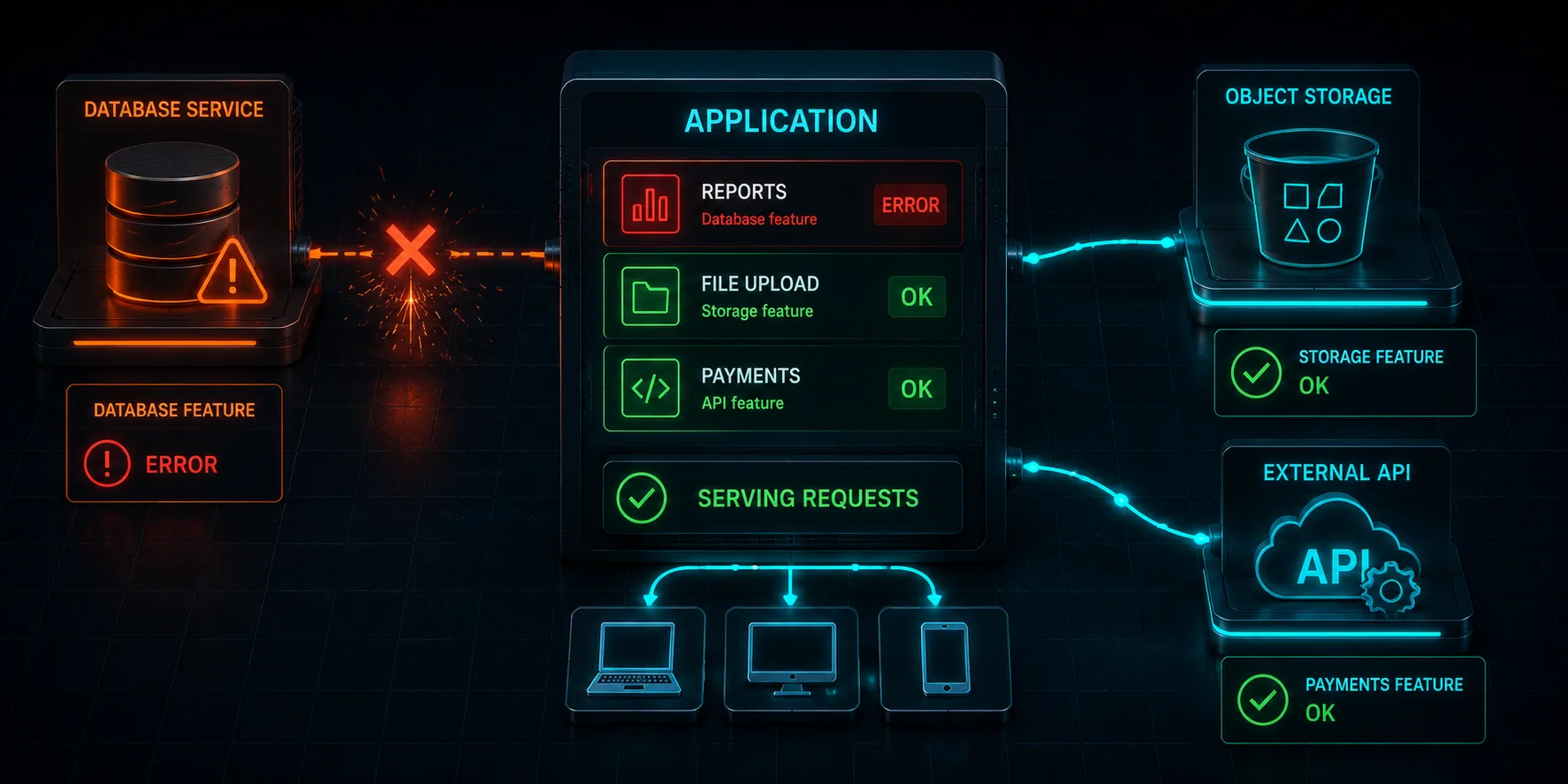
This is Article 7 in the "Chaos Engineering on AWS" series. We go after the dependencies an application leans on without thinking, DynamoDB and S3, and find out whether losing one of them quietly degrades a single feature or quietly takes the whole app down.
The Dependencies You Forget You Have
Every real application talks to more than its primary database. It reads a config file from S3, looks up reviews or sessions in DynamoDB, calls a payment API, fetches a feature flag. Each of those is a dependency, and each one can fail independently. The question that matters is not "what if my database goes down" (we covered that in Articles 3 and 4) but "what happens to everything else when one secondary dependency goes down." If the answer is "the whole app hangs," you have a cascading failure waiting to happen.
We extend the Chaos Shop with two secondary dependencies and then sever each one. The product catalog stays on Aurora. Product reviews now live in DynamoDB, and a promo banner lives in S3. Code at github.com/TocConsulting/chaos-on-aws, in 07-dependency-and-api-faults/terraform/.
You Cannot FIS-Throttle DynamoDB, So Block Its Endpoint
The instinct is to reach for an API-throttling fault. AWS FIS has aws:fis:inject-api-throttle-error, but its supported services are only ec2 and kinesis. There is no DynamoDB data-plane throttle action. The reliable way to simulate "DynamoDB is unreachable" is to block its regional endpoint from the application's subnets with aws:network:disrupt-connectivity using scope = dynamodb. The same action with scope = s3 blocks the S3 endpoint.
This works here precisely because the application reaches DynamoDB and S3 over the network from its subnets. (Contrast Article 4, where the application reached Aurora through RDS Proxy, a managed service whose connection is not severed by a subnet network ACL. The fault has to match how the dependency is actually reached.) We scope the block to just the dependency, not the whole subnet, so the catalog keeps working:
resource "aws_fis_experiment_template" "disrupt_dynamodb" {
  description = "Block the DynamoDB endpoint from the app subnets"
  role_arn    = aws_iam_role.fis.arn

  action {
    name      = "disrupt-dynamodb"
    action_id = "aws:network:disrupt-connectivity"
    parameter { key = "duration", value = "PT3M" }
    parameter { key = "scope", value = "dynamodb" }
    target    { key = "Subnets", value = "app-subnets" }
  }

  target {
    name           = "app-subnets"
    resource_type  = "aws:ec2:subnet"
    selection_mode = "ALL"
    resource_arns  = aws_subnet.private[*].arn
  }
}
Note the subnet target selects all the app subnets, so every instance loses DynamoDB at once. Blocking the dependency on one subnet while the load balancer routes to another would, again, prove nothing.
The One Line That Decides Everything: the Timeout
Whether a dependency failure stays contained comes down to a single configuration choice: the client timeout. The default boto3 timeout is sixty seconds with retries. If a request handler calls DynamoDB with the default and DynamoDB is unreachable, that handler hangs for up to sixty seconds, holding a worker the entire time. A few requests per second of that and every worker is stuck waiting on a dead dependency, and now your healthy endpoints are unreachable too because there is no worker free to serve them. That is how one dependency outage becomes a full outage.
So the reviews and promo endpoints use a short, no-retry timeout, which turns a dependency outage into a fast 503 instead of a sixty-second hang:
_boto_cfg = Config(connect_timeout=2, read_timeout=2, retries={"max_attempts": 0})
_ddb = boto3.resource("dynamodb", region_name=REGION, config=_boto_cfg)
_s3 = boto3.client("s3", region_name=REGION, config=_boto_cfg)


@app.route("/products//reviews")
def product_reviews(product_id):
    try:
        resp = _reviews_table.query(...)
        return jsonify({"reviews": ..., "source": "dynamodb"})
    except Exception as e:
        return jsonify({"error": "reviews temporarily unavailable"}), 503
The reviews and promo endpoints are also separate from the catalog endpoints, so a slow or failing dependency cannot block a catalog request even if the timeout were long. Isolation by endpoint and isolation by timeout are two different defenses, and you want both.
The Experiment
A probe hits all three endpoints every second: the catalog (/products, Aurora), reviews (/products/3/reviews, DynamoDB), and promo (/promo, S3). We capture a baseline, then block one dependency at a time. Real numbers from a live run.
Blocking DynamoDB
baseline (30s):  products ok=18/0   reviews ok=18/0   promo ok=18/0
during (120s):   products ok=29/0   reviews ok=0/29   promo ok=29/0
The moment the DynamoDB endpoint was blocked, the reviews endpoint went to 100 percent failure: zero successes, twenty-nine failures, every one a fast 503. The catalog and the promo banner were completely unaffected: zero failures on either. A customer browsing products during this outage would see every product and price normally, and only the reviews section would show "reviews temporarily unavailable." That is a degraded feature, not a degraded store.
Blocking S3
baseline (30s):  products ok=17/0   reviews ok=16/1   promo ok=17/0
during (120s):   products ok=13/0   reviews ok=13/0   promo ok=0/13
Symmetric result: blocking S3 took the promo banner to 100 percent failure while the catalog and reviews kept serving with zero failures. Each dependency outage was contained to exactly the one feature that depended on it.
Why This Is the Good Outcome, and How It Goes Wrong
This experiment "passed" in the sense that the blast radius stayed contained, and that is worth stating plainly: a dependency outage that only takes down the dependent feature is the goal. But it is only the good outcome because of two deliberate choices, and it is worth seeing how each one, removed, turns this into a disaster:
- Short timeouts. With the default sixty-second boto3 timeout, the twenty-nine failed reviews requests would each have held a worker for a minute. At four workers per instance, the worker pool fills in seconds, and then the catalog requests, which never touch DynamoDB, start failing too because there is no worker free to run them. The dependency outage cascades into a full outage. We did not see that here only because the timeout is two seconds with no retries.
- Feature isolation. If the reviews were rendered inline on the product page instead of fetched from a separate endpoint, blocking DynamoDB would have failed the product page itself, not just a reviews widget. The catalog only stayed up because it does not call DynamoDB at all.
The chaos experiment does not just tell you "we survived." It tells you exactly which design decisions you are depending on to survive, so you can defend them on purpose instead of by luck. Try this experiment against a service with default timeouts and you will watch the whole thing fall over from a single dependency blip.
What Is Next
We have degraded compute, database, an Availability Zone, and now individual dependencies, all on EC2. In Article 8, we leave virtual machines behind and inject faults into containers and serverless: ECS Fargate tasks and AWS Lambda, where the failure modes and the tools are different.
Cleanup
cd chaos-on-aws/07-dependency-and-api-faults/terraform
terraform destroy
Tear the lab down when you are done so it does not run up a bill.
References
Go Deeper: The State of AWS Security 2026
This article is just the start. Get the full picture with our free whitepaper - 8 chapters covering IAM, S3, VPC, monitoring, agentic AI security, compliance, and a prioritized action plan with 50+ CLI commands.
KloudSec, built by the team behind Toc Consulting
See Chaos Engineering checked automatically, continuously
What you just read is a manual, one-time check. KloudSec runs this and 400+ more automated checks across 90+ AWS services, continuously, agentless, live in about 5 minutes.
Toc Consulting: AWS Security & Cloud Architecture
Want expert help with Chaos Engineering?
Our team helps engineering teams secure and architect AWS the right way: assessment in week one, a prioritized action plan in week two.
More Articles
Chaos Engineering on AWS: Running a Program with GameDays and Continuous Chaos
One experiment is a demo. A program is what builds resilience. Turn FIS experiments into an ongoing practice: the resilience flywheel, GameDays, continuous automated chaos on a schedule and in CI/CD, and AWS Resilience Hub. Includes a real, validated EventBridge Scheduler setup and the jsonencode gotcha that makes a recurring schedule silently run only once.
Chaos Engineering on AWS: Multi-Region Disaster Recovery and Measuring Real RPO
Stop talking about disaster recovery and measure it. Pause DynamoDB global table replication with AWS FIS while a live two-Region application keeps writing, then count exactly how many records the surviving Region cannot see. Real Terraform, real RPO, real recovery time.
Chaos Engineering on AWS: Containers and Serverless with FIS (ECS Fargate and Lambda)
Leave EC2 behind. Stop a whole Fargate task set and force AWS Lambda invocations to error and to stall, using AWS FIS. Real Terraform, real numbers, and the exact setup gotchas for the Lambda fault-injection extension.