
Chaos Engineering on AWS: Containers and Serverless with FIS (ECS Fargate and Lambda)
Tarek Cheikh
Founder & AWS Cloud Architect
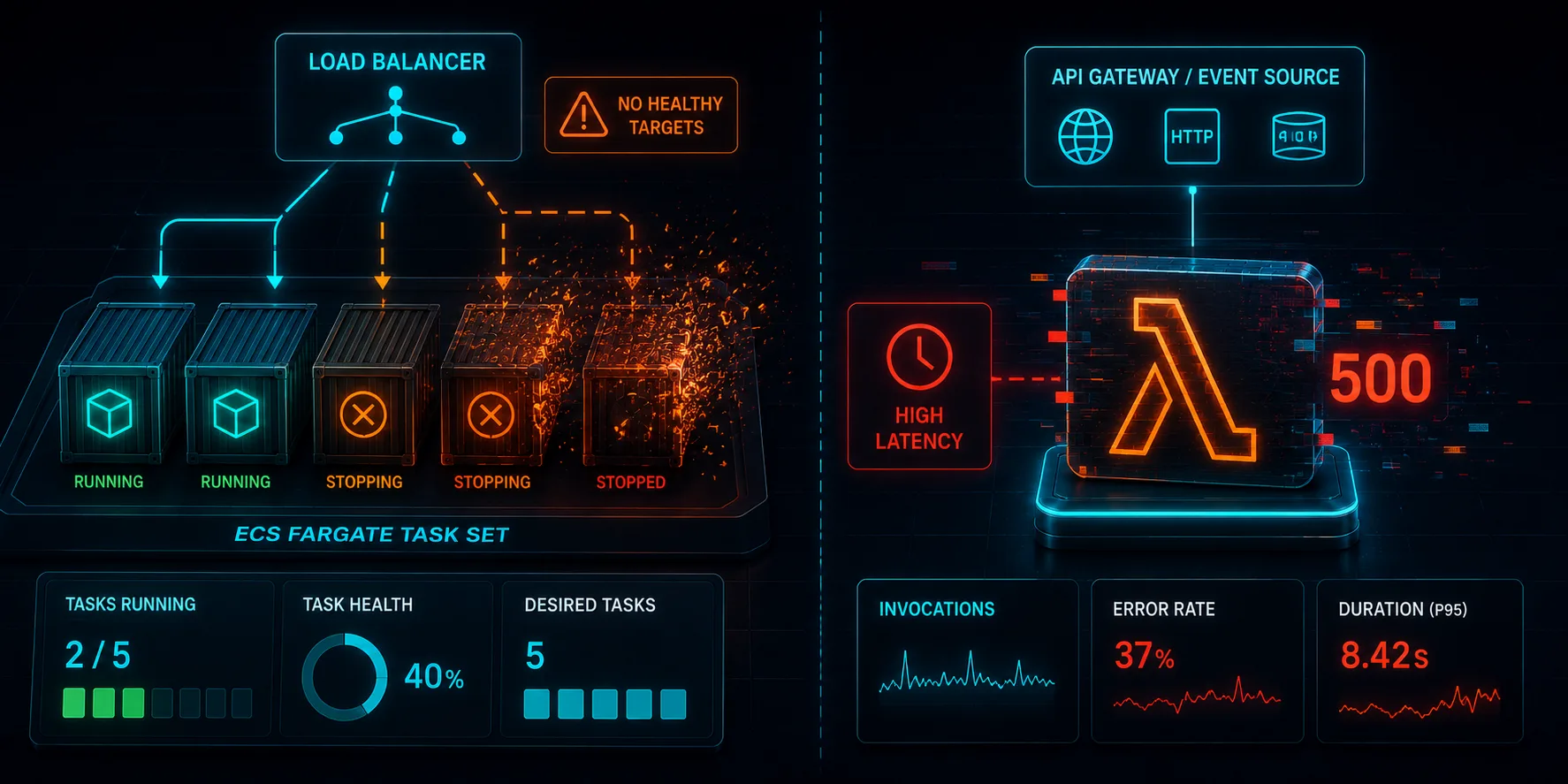
This is Article 8 in the "Chaos Engineering on AWS" series. Every experiment so far has run on EC2. Here we leave virtual machines behind and break containers and functions: an ECS Fargate service and an AWS Lambda, where the failure modes and the FIS tooling are different.
Different Compute, Different Tools
FIS does not treat every compute model the same. On EC2 you inject CPU and network faults through SSM documents (Article 5). On ECS you act on tasks. On Lambda you act on invocations through a dedicated extension. The actions, the targeting, and the setup all differ, and the differences are where people get stuck. This article covers the two that matter most outside of EC2: a Fargate service and a Lambda function, with the exact setup that actually works.
This is a standalone stack: an ECS Fargate service behind an ALB, and a Lambda behind an API Gateway HTTP API. Code at github.com/TocConsulting/chaos-on-aws, in 08-containers-and-serverless/terraform/.
Containers: Stopping a Fargate Task Set
For ECS, the FIS action aws:ecs:stop-task stops tasks the way a node failure or a deployment problem would. We target the whole service, not one task, so the load balancer has nowhere to route. The target uses parameters to name the cluster and service:
resource "aws_fis_experiment_template" "ecs_stop_tasks" {
  description = "Stop all Fargate tasks in the service"
  role_arn    = aws_iam_role.fis.arn

  action {
    name      = "stop-tasks"
    action_id = "aws:ecs:stop-task"
    target { key = "Tasks", value = "ecs-tasks" }
  }

  target {
    name           = "ecs-tasks"
    resource_type  = "aws:ecs:task"
    selection_mode = "ALL"
    parameters = {
      cluster = aws_ecs_cluster.main.arn
      service = aws_ecs_service.app.name
    }
  }
}
The FIS role uses the managed policy AWSFaultInjectionSimulatorECSAccess. No SSM sidecar is needed for stopping tasks (it would be for in-task CPU or network faults, which run through the SSM agent or the ECS fault-injection endpoints). The task definition sets enable_fault_injection = true so the more advanced task-level faults are available later.
Result
baseline: requests=44  ok=44  fail=0   p95=208ms
during:   requests=261 ok=221 fail=40
ecs status: completed
Stopping the whole task set produced a real outage window: 40 of 261 requests failed while the ALB had no healthy targets, until ECS launched replacement tasks and the service recovered. This is the container equivalent of the EC2 detection window from Article 1, and it is faster: ECS reschedules tasks more quickly than an Auto Scaling group launches and boots instances. But "faster" is not "instant," and the gap is real. If you run only one task, this is a full outage every time a task is replaced, which is why production services run at least two and spread them across AZs.
Serverless: Forcing Lambda to Fail and to Stall
Lambda fault injection works differently from everything else in FIS. You do not act on the function from the outside; you attach an FIS Lambda extension as a layer, and FIS writes fault configuration to an S3 location that the extension reads on each invocation. Two native actions matter here:
aws:lambda:invocation-errorwithpreventExecution = true: every invocation returns an error without running your code.aws:lambda:invocation-add-delaywithstartupDelayMilliseconds: every invocation is delayed. Per the AWS docs this applies to all execution environments, warm and cold, not just cold starts, and setting the delay above the function timeout gives you a clean timeout event.
The Setup That Actually Works (and the One That Does Not)
This is where I lost an hour, so learn from it. The function needs three things: the extension layer, two environment variables, and the right IAM on two roles.
environment {
  variables = {
    AWS_LAMBDA_EXEC_WRAPPER        = "/opt/aws-fis/bootstrap"
    # MUST be an S3 ARN, not an s3:// URI:
    AWS_FIS_CONFIGURATION_LOCATION = "arn:aws:s3:::your-bucket/FisConfigs/"
  }
}
layers = [data.aws_ssm_parameter.fis_lambda_extension.value]
The trap: AWS_FIS_CONFIGURATION_LOCATION must be an Amazon S3 ARN (arn:aws:s3:::bucket/FisConfigs/), not the s3://bucket/... URI form you use almost everywhere else. If you set it to an s3:// URI, every experiment fails at target resolution with a misleading error: "One or more Lambda Functions have an invalid value for the required environment variable AWS_FIS_CONFIGURATION_LOCATION." It is not a permissions or extension problem; it is the ARN format. Get the extension layer ARN from the public SSM parameter rather than hardcoding it:
data "aws_ssm_parameter" "fis_lambda_extension" {
  name = "/aws/service/fis/lambda-extension/AWS-FIS-extension-x86_64/1.x.x"
}
The IAM splits across two roles. The function execution role needs read on the config prefix (s3:ListBucket on the bucket scoped to the prefix, and s3:GetObject on FisConfigs/*). The FIS experiment role needs write (s3:PutObject, s3:DeleteObject on FisConfigs/*), plus lambda:GetFunction and tag:GetResources. And the S3 bucket must be in the same Region you start the experiment from.
One More Gotcha: the Terraform Provider and the Lambda Target
At the time of writing (AWS provider 5.100), defining the Lambda invocation experiment in aws_fis_experiment_template did not work for me: the action needs the target key Functions (paired with resourceType "aws:lambda:function"), and the provider version I used rejected it. So the function, its extension, the S3 bucket, and the IAM are all in Terraform, but the Lambda experiment template itself is created with the AWS CLI. If you are on a newer provider, check whether it now accepts the Functions key before reaching for the CLI:
aws fis create-experiment-template --cli-input-json file://lambda-error.jsonwhere the JSON targets "resourceType": "aws:lambda:function" with the key "Functions". This is worth knowing before you spend time fighting the provider.
Results
Forced errors (invocation-error, 100 percent, prevent execution):
during: requests=75 ok=3 fail=72 (codes: 3x 200, 72x 500)The extension polls for config on a slow cycle (up to 60 seconds by default per the docs), so faults ramp up rather than flip on instantly. We waited 75 seconds after starting the experiment before probing, so by then the config was essentially loaded: only the first three requests slipped through with a 200 before the fault took over. Across the capture, 96 percent of invocations returned 500 (72 of 75) without ever running the handler. For an API-fronted Lambda, that is a complete functional outage that no amount of Lambda "managed" infrastructure prevents, because the fault is in the invocation path your code lives in.
Added latency (invocation-add-delay, 8000 ms):
baseline: p50=288ms
during:   p50=8455ms  p95=9357ms
Warm-invocation latency jumped from a p50 of about 290 ms to roughly 8.5 seconds, exactly as the docs describe: the delay is billed and applies to all execution environments, not just cold starts. Set that delay above your function timeout and you get a clean, repeatable timeout event to test your callers against. This is the serverless version of the gray failure from Article 5: the function still "works," but it is far too slow to be useful, and your error-rate dashboard stays green.
What Is Next
We have broken EC2, containers, and functions, but always within a single Region. In Article 9, we go all the way up: a multi-Region architecture, and a Region-level failure, to test disaster recovery and measure real RTO and RPO.
Cleanup
cd chaos-on-aws/08-containers-and-serverless/terraform
terraform destroy
The Lambda experiment templates created with the CLI are not in Terraform state, so delete them too (aws fis delete-experiment-template); the capture script does this automatically. Then tear the stack down so it does not run up a bill.
References
Go Deeper: The State of AWS Security 2026
This article is just the start. Get the full picture with our free whitepaper - 8 chapters covering IAM, S3, VPC, monitoring, agentic AI security, compliance, and a prioritized action plan with 50+ CLI commands.
KloudSec, built by the team behind Toc Consulting
See Chaos Engineering checked automatically, continuously
What you just read is a manual, one-time check. KloudSec runs this and 400+ more automated checks across 90+ AWS services, continuously, agentless, live in about 5 minutes.
Toc Consulting: AWS Security & Cloud Architecture
Want expert help with Chaos Engineering?
Our team helps engineering teams secure and architect AWS the right way: assessment in week one, a prioritized action plan in week two.
More Articles
Chaos Engineering on AWS: Running a Program with GameDays and Continuous Chaos
One experiment is a demo. A program is what builds resilience. Turn FIS experiments into an ongoing practice: the resilience flywheel, GameDays, continuous automated chaos on a schedule and in CI/CD, and AWS Resilience Hub. Includes a real, validated EventBridge Scheduler setup and the jsonencode gotcha that makes a recurring schedule silently run only once.
Chaos Engineering on AWS: Multi-Region Disaster Recovery and Measuring Real RPO
Stop talking about disaster recovery and measure it. Pause DynamoDB global table replication with AWS FIS while a live two-Region application keeps writing, then count exactly how many records the surviving Region cannot see. Real Terraform, real RPO, real recovery time.
Chaos Engineering on AWS: Dependency and API Faults with FIS
Sever the DynamoDB and S3 endpoints an application quietly depends on, using AWS FIS, and watch whether one dependency outage stays contained or takes the whole app down. Real Terraform, real per-endpoint numbers.