
Chaos Engineering on AWS: Database Resilience with Aurora Failover, RDS Proxy, and Read/Write Separation
Tarek Cheikh
Founder & AWS Cloud Architect
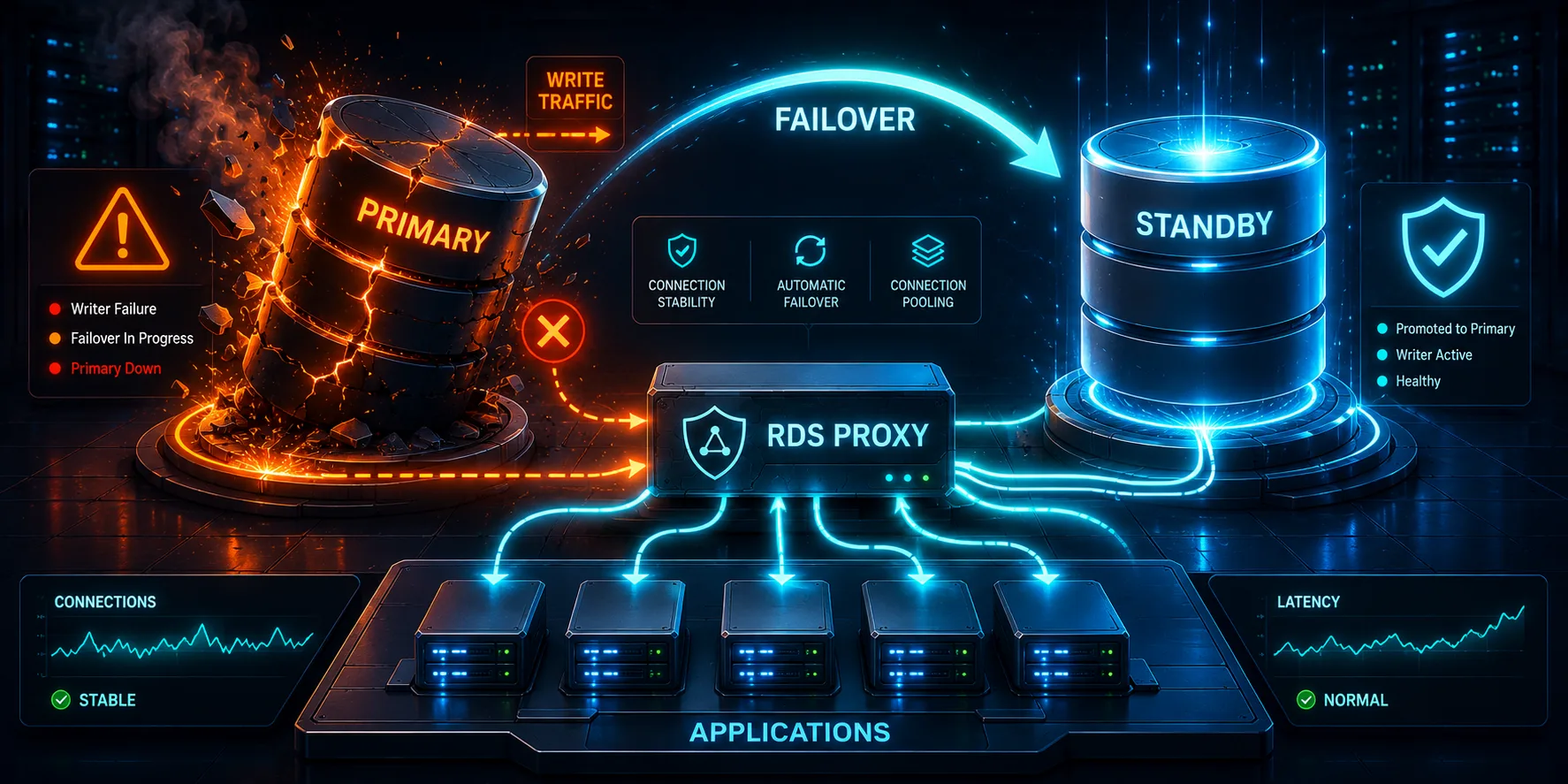
This is Article 3 in the "Chaos Engineering on AWS" series. We force an Aurora failover, watch the application permanently break, then fix it with RDS Proxy, read/write separation, and retry logic.
From Compute to Data
In Articles 1 and 2, we tested compute failures. We stopped and terminated EC2 instances, watched the ALB route around them, and measured the detection window. The database was never the problem because we never touched it.
That changes now. Compute is stateless. If an EC2 instance dies, the ASG launches another one. But when the database fails, every instance in the fleet loses the ability to read or write data. Orders fail. Product pages return errors. The entire application goes down, not because the servers are broken, but because the one thing they all depend on is gone.
The question for this article: when we force an Aurora failover, what actually happens to Chaos Shop? Do the connections recover? How many orders get lost? Does the app come back on its own, or does someone need to restart it?
The full code is at github.com/TocConsulting/chaos-on-aws, in the 03-database-resilience/terraform/ directory.
The Architecture (BEFORE)
We deploy Aurora with a writer instance and a reader instance. EC2 connects directly to the Aurora writer endpoint. No proxy, no retry logic, one persistent connection per Gunicorn worker. The variable enable_proxy defaults to false. This is what most people deploy.
The Aurora cluster and both instances:
resource "aws_rds_cluster" "main" {
  cluster_identifier     = "chaos-lab-aurora"
  engine                 = "aurora-postgresql"
  engine_mode            = "provisioned"
  engine_version         = "16.8"
  database_name          = var.db_name
  master_username        = var.db_username
  master_password        = random_password.db.result
  db_subnet_group_name   = aws_db_subnet_group.main.name
  vpc_security_group_ids = [aws_security_group.aurora.id]
  skip_final_snapshot    = true
  apply_immediately      = true

  serverlessv2_scaling_configuration {
    min_capacity = 0.5
    max_capacity = 2
  }

  tags = {
    Name = "chaos-lab-aurora"
  }
}

resource "aws_rds_cluster_instance" "writer" {
  identifier         = "chaos-lab-aurora-writer"
  cluster_identifier = aws_rds_cluster.main.id
  instance_class     = "db.serverless"
  engine             = aws_rds_cluster.main.engine
  engine_version     = aws_rds_cluster.main.engine_version

  tags = {
    Name = "chaos-lab-aurora-writer"
  }
}

# Reader instance: failover target. promotion_tier = 1 means Aurora
# promotes this instance first when the writer fails.
resource "aws_rds_cluster_instance" "reader" {
  identifier         = "chaos-lab-aurora-reader"
  cluster_identifier = aws_rds_cluster.main.id
  instance_class     = "db.serverless"
  engine             = aws_rds_cluster.main.engine
  engine_version     = aws_rds_cluster.main.engine_version
  promotion_tier     = 1

  tags = {
    Name = "chaos-lab-aurora-reader"
  }
}
The security group chain enforces the traffic flow. ALB accepts HTTP from the internet. EC2 accepts HTTP from the ALB. Aurora accepts PostgreSQL from EC2 directly (when enable_proxy = false):
# Aurora: accepts connections from RDS Proxy (when enabled) or EC2 directly (when disabled)
resource "aws_security_group" "aurora" {
  name_prefix = "chaos-lab-aurora-"
  vpc_id      = aws_vpc.main.id

  ingress {
    description     = var.enable_proxy ? "PostgreSQL from RDS Proxy" : "PostgreSQL from EC2 instances"
    from_port       = 5432
    to_port         = 5432
    protocol        = "tcp"
    security_groups = var.enable_proxy ? [aws_security_group.rds_proxy[0].id] : [aws_security_group.ec2.id]
  }

  tags = {
    Name = "chaos-lab-aurora-sg"
  }

  lifecycle {
    create_before_destroy = true
  }
}
One detail worth calling out in the compute layer: the ASG has a depends_on on the writer instance. The launch template references the Aurora cluster endpoint, which exists as soon as the cluster is created. But that endpoint does not serve traffic until the writer instance finishes provisioning. Without this dependency, EC2 instances launch, the app tries to connect, gets "connection refused", and the health check fails.
resource "aws_autoscaling_group" "app" {
  name                      = "chaos-lab-asg"
  min_size                  = var.asg_min
  max_size                  = var.asg_max
  desired_capacity          = var.asg_desired
  vpc_zone_identifier       = aws_subnet.private[*].id
  target_group_arns         = [aws_lb_target_group.main.arn]
  health_check_type         = "ELB"
  health_check_grace_period = 120

  # EC2 instances must not launch until the Aurora writer instance is
  # accepting connections. The launch template references the cluster
  # endpoint (available at cluster creation), but that endpoint does
  # not serve traffic until the writer instance is fully provisioned.
  depends_on = [aws_rds_cluster_instance.writer]

  launch_template {
    id      = aws_launch_template.app.id
    version = "$Latest"
  }

  tag {
    key                 = "Name"
    value               = "chaos-lab-app"
    propagate_at_launch = true
  }

  tag {
    key                 = "Project"
    value               = "chaos-lab"
    propagate_at_launch = true
  }
}
The naive application code (the else branch when enable_proxy = false) uses a single persistent connection with no health check and no retry:
_worker_conn = None


def get_db_connection():
    """Return the worker's persistent DB connection, creating one if needed.

    This is how most applications handle database connections: create once,
    reuse forever. There is no health check and no reconnection logic. If
    the connection breaks mid-query (e.g. during a failover), the request
    fails with a 500 error.
    """
    global _worker_conn
    if _worker_conn is None:
        _worker_conn = pg8000.connect(
            host=DB_ENDPOINT,
            port=DB_PORT,
            database=DB_NAME,
            user=DB_USERNAME,
            password=DB_PASSWORD,
        )
        _worker_conn.autocommit = True
    return _worker_conn
The FIS experiment template targets the Aurora cluster directly:
# Experiment: Force Aurora failover.
# Aurora promotes the reader instance to writer. The old writer
# becomes a reader. This tests whether the application handles
# the DNS endpoint change and stale connections gracefully.
resource "aws_fis_experiment_template" "failover_aurora" {
  description = "Force Aurora failover to test database resilience"
  role_arn    = aws_iam_role.fis.arn

  action {
    name      = "failover-cluster"
    action_id = "aws:rds:failover-db-cluster"

    target {
      key   = "Clusters"
      value = "chaos-lab-aurora"
    }
  }

  target {
    name           = "chaos-lab-aurora"
    resource_type  = "aws:rds:cluster"
    selection_mode = "ALL"

    resource_arns = [aws_rds_cluster.main.arn]
  }

  stop_condition {
    source = "aws:cloudwatch:alarm"
    value  = aws_cloudwatch_metric_alarm.unhealthy_hosts.arn
  }

  tags = {
    Name = "chaos-lab-failover-aurora"
  }
}
Deploy with enable_proxy = false (the default). The apply prints outputs like these (your ALB DNS, endpoints, and experiment id will differ from run to run):
Apply complete! Resources: 42 added, 0 changed, 0 destroyed.

alb_dns_name = "chaos-lab-alb-1454199242.us-east-1.elb.amazonaws.com"
aurora_writer_endpoint = "chaos-lab-aurora.cluster-c1l11rt7ly8s.us-east-1.rds.amazonaws.com"
aurora_reader_endpoint = "chaos-lab-aurora.cluster-ro-c1l11rt7ly8s.us-east-1.rds.amazonaws.com"
fis_failover_aurora_id = "EXT4ficHJwzn6pyvQ"
Verify the app is working (a representative response):
$ curl -s $ALB_URL/health/deep
{"database":"connected","latency_ms":130.78,"status":"healthy"}

$ curl -s $ALB_URL/products | python3 -m json.tool
{
    "count": 10,
    "db_latency_ms": 169.39,
    "products": [
        {"id": 1, "name": "Wireless Keyboard", "price": 49.99, "stock": 100},
        {"id": 2, "name": "USB-C Hub", "price": 34.99, "stock": 150},
        ...
    ]
}
Everything works. The app connects directly to the Aurora writer endpoint. Reads and writes both go through the same connection. Let us break it.
The BEFORE Experiment: Permanent Failure
The hypothesis: when Aurora fails over, the app will return errors for a few seconds while connections reset, then recover once DNS updates propagate.
The traffic generator sends 3 reads and 1 write per second for 120 seconds. Each write creates an order for USB-C Hub (product_id 2, starting stock 150). This gives us a clean way to count lost orders: compare the final stock to the number of confirmed orders. The generator prints a STATUS line every few seconds in the form reads=ok/fail writes_ok=.. writes_409=.. writes_fail=.., where 409 is the expected "insufficient stock" business response and writes_fail is a real failure.
The orchestrator (scripts/run-failover.sh) waits for two healthy hosts, starts the traffic generator, then triggers the failover 30 seconds in:
=== trigger Aurora failover at 22:43:37 UTC ===
experiment_id=EXPKoZg241ixaEh4H8
For the first half-minute, everything looks normal. The STATUS lines (printed on the traffic host, whose wall clock runs two hours ahead of the UTC trigger above) climb steadily with zero failures:
00:43:55 STATUS: reads=81/0 writes_ok=27 writes_409=0 writes_fail=0
00:44:07 STATUS: reads=99/0 writes_ok=32 writes_409=0 writes_fail=1
The first failure lands at 00:44:07, about 30 seconds after the trigger (the trigger's 22:43:37 UTC is 00:43:37 on the traffic host's clock). From there every request fails with a 500:
00:44:07 WRITE 500 FAIL
00:44:08 READ  500 FAIL
00:44:08 READ  500 FAIL
00:44:09 READ  500 FAIL
00:44:09 WRITE 500 FAIL
00:44:10 READ  500 FAIL
00:44:10 READ  500 FAIL
00:44:10 READ  500 FAIL
00:44:11 WRITE 500 FAIL
...
00:45:08 READ  500 FAIL
00:45:08 WRITE 500 FAIL
The reads_ok and writes_ok counters freeze at 99 and 32 for the rest of the run while the failure counters climb. The app never recovers. Not after 10 seconds, not after 30 seconds, not after the remaining minute of the test. It is permanently broken until someone restarts the Gunicorn process.
=== RESULTS ===
Reads:  99 OK / 105 FAILED
Writes: 32 OK / 0 insufficient-stock(409) / 36 REAL-FAILED
Real failures (reads_fail + writes_fail) = 141
And the app did not heal on its own. The orchestrator probes the deep health check after the experiment finishes:
health/deep now: {"database":"error","error":"network error","status":"unhealthy"}
products now: http=500
The damage: 32 orders went through before the failover. 36 write attempts after the failover failed outright. USB-C Hub stock went from 150 to 118 (150 minus 32 successful orders). Every customer who tried to read a product page or place an order after the failover got a 500, and those 36 order attempts were lost.
Why the App Never Recovers
This is the part that surprises people. The failover is done. Aurora promoted the reader to writer. DNS updated. The database is healthy. But the app stays broken. Here is why.
Look at get_db_connection() again:
def get_db_connection():
    global _worker_conn
    if _worker_conn is None:
        _worker_conn = pg8000.connect(
            host=DB_ENDPOINT,
            port=DB_PORT,
            database=DB_NAME,
            user=DB_USERNAME,
            password=DB_PASSWORD,
        )
        _worker_conn.autocommit = True
    return _worker_conn
The function only creates a new connection if _worker_conn is None. When Aurora demotes the old writer, it kills the TCP connection on the server side. But the connection object still exists in the Gunicorn worker's memory. It is not None. It just points to a dead socket.
Every subsequent query sends data down that dead socket and gets "network error" back. The function never sets _worker_conn = None, so it never creates a new connection. The worker is stuck in a loop: check if connection exists (yes, it does), use it (network error), return 500. Over and over, forever.
The only way out is to restart the Gunicorn process, which kills all workers and forces fresh connections to the new writer endpoint.
The Fix: RDS Proxy + Retry Logic + Read/Write Separation
Three changes turn this permanent outage into a roughly 15-second blip.
1. RDS Proxy
RDS Proxy sits between EC2 and Aurora. It maintains its own connection pool to the database. When Aurora fails over, the proxy detects it, drops stale connections to the old writer, and reconnects to the new writer. The app's connection to the proxy stays alive. The proxy absorbs the failover instead of passing it through to every application instance.
2. Retry with Reconnection
The retry_on_connection_error() function catches connection exceptions, resets the broken connection, waits with exponential backoff, and retries. This handles the brief moment when the proxy itself is reconnecting to the new Aurora backend.
3. Read/Write Separation
Reads go to the proxy reader endpoint. Writes go to the proxy writer endpoint. This means read traffic can continue even during a writer failover. The reader instance is unaffected by a writer promotion.
Apply with the proxy enabled:
$ terraform apply -var="enable_proxy=true"Terraform adds 9 new resources (every resource guarded by count = var.enable_proxy ? 1 : 0): the Secrets Manager secret and its version, the RDS Proxy, the proxy default target group, the proxy target, the proxy reader endpoint, the proxy security group, and the proxy IAM role with its policy. A few existing resources also change in place, because their attributes depend on enable_proxy: the launch template (the app's DB endpoints switch to the proxy) and the Aurora security group (its ingress now allows the proxy instead of EC2 directly).
The proxy resources in database.tf use count = var.enable_proxy ? 1 : 0 so they only exist when the proxy is enabled:
# Store DB credentials in Secrets Manager (required by RDS Proxy)
resource "aws_secretsmanager_secret" "db_credentials" {
  count                   = var.enable_proxy ? 1 : 0
  name                    = "chaos-lab/db-credentials"
  recovery_window_in_days = 0

  tags = {
    Name = "chaos-lab-db-credentials"
  }
}

resource "aws_secretsmanager_secret_version" "db_credentials" {
  count     = var.enable_proxy ? 1 : 0
  secret_id = aws_secretsmanager_secret.db_credentials[0].id

  secret_string = jsonencode({
    username = var.db_username
    password = random_password.db.result
  })
}

resource "aws_db_proxy" "main" {
  count                  = var.enable_proxy ? 1 : 0
  name                   = "chaos-lab-proxy"
  engine_family          = "POSTGRESQL"
  role_arn               = aws_iam_role.rds_proxy[0].arn
  vpc_subnet_ids         = aws_subnet.private[*].id
  vpc_security_group_ids = [aws_security_group.rds_proxy[0].id]
  require_tls            = false

  auth {
    auth_scheme = "SECRETS"
    iam_auth    = "DISABLED"
    secret_arn  = aws_secretsmanager_secret.db_credentials[0].arn
  }

  tags = {
    Name = "chaos-lab-proxy"
  }
}

resource "aws_db_proxy_default_target_group" "main" {
  count         = var.enable_proxy ? 1 : 0
  db_proxy_name = aws_db_proxy.main[0].name

  connection_pool_config {
    max_connections_percent      = 100
    connection_borrow_timeout    = 120
    max_idle_connections_percent = 50
  }
}

resource "aws_db_proxy_target" "main" {
  count                 = var.enable_proxy ? 1 : 0
  db_proxy_name         = aws_db_proxy.main[0].name
  target_group_name     = aws_db_proxy_default_target_group.main[0].name
  db_cluster_identifier = aws_rds_cluster.main.cluster_identifier
}

# Read-only proxy endpoint: routes traffic to Aurora reader instances
resource "aws_db_proxy_endpoint" "reader" {
  count                  = var.enable_proxy ? 1 : 0
  db_proxy_name          = aws_db_proxy.main[0].name
  db_proxy_endpoint_name = "chaos-lab-proxy-reader"
  target_role            = "READ_ONLY"
  vpc_subnet_ids         = aws_subnet.private[*].id
  vpc_security_group_ids = [aws_security_group.rds_proxy[0].id]

  tags = {
    Name = "chaos-lab-proxy-reader"
  }
}
With the proxy in the middle, the security group chain changes. EC2 no longer connects directly to Aurora:
# RDS Proxy: sits between EC2 and Aurora (only when proxy is enabled)
resource "aws_security_group" "rds_proxy" {
  count       = var.enable_proxy ? 1 : 0
  name_prefix = "chaos-lab-rds-proxy-"
  vpc_id      = aws_vpc.main.id

  ingress {
    description     = "PostgreSQL from EC2 instances"
    from_port       = 5432
    to_port         = 5432
    protocol        = "tcp"
    security_groups = [aws_security_group.ec2.id]
  }

  egress {
    from_port   = 0
    to_port     = 0
    protocol    = "-1"
    cidr_blocks = ["0.0.0.0/0"]
  }

  tags = {
    Name = "chaos-lab-rds-proxy-sg"
  }

  lifecycle {
    create_before_destroy = true
  }
}
The launch template switches endpoints based on the proxy flag:
user_data = base64encode(templatefile("${path.module}/templates/userdata.sh.tpl", {
  db_endpoint        = var.enable_proxy ? aws_db_proxy.main[0].endpoint : aws_rds_cluster.main.endpoint
  db_reader_endpoint = var.enable_proxy ? aws_db_proxy_endpoint.reader[0].endpoint : ""
  db_port            = tostring(aws_rds_cluster.main.port)
  db_name            = var.db_name
  db_username        = var.db_username
  enable_proxy       = var.enable_proxy
}))
The resilient app code (the if enable_proxy branch) has separate connections for reading and writing, health checks on each connection, reset functions, and the retry wrapper:
_writer_conn = None
_reader_conn = None


def get_writer_connection():
    """Return the worker's persistent writer connection, reconnecting if needed."""
    global _writer_conn
    if _writer_conn is not None:
        try:
            c = _writer_conn.cursor()
            c.execute("SELECT 1")
            c.fetchone()
            c.close()
            return _writer_conn
        except Exception:
            try:
                _writer_conn.close()
            except Exception:
                pass
            _writer_conn = None
    _writer_conn = pg8000.connect(
        host=DB_ENDPOINT,
        port=DB_PORT,
        database=DB_NAME,
        user=DB_USERNAME,
        password=DB_PASSWORD,
    )
    _writer_conn.autocommit = True
    return _writer_conn


def get_reader_connection():
    """Return the worker's persistent reader connection, reconnecting if needed."""
    global _reader_conn
    if _reader_conn is not None:
        try:
            c = _reader_conn.cursor()
            c.execute("SELECT 1")
            c.fetchone()
            c.close()
            return _reader_conn
        except Exception:
            try:
                _reader_conn.close()
            except Exception:
                pass
            _reader_conn = None
    _reader_conn = pg8000.connect(
        host=DB_READER_ENDPOINT,
        port=DB_PORT,
        database=DB_NAME,
        user=DB_USERNAME,
        password=DB_PASSWORD,
    )
    _reader_conn.autocommit = True
    return _reader_conn


def reset_writer_connection():
    """Force the writer connection to reconnect on next use."""
    global _writer_conn
    if _writer_conn is not None:
        try:
            _writer_conn.close()
        except Exception:
            pass
        _writer_conn = None


def reset_reader_connection():
    """Force the reader connection to reconnect on next use."""
    global _reader_conn
    if _reader_conn is not None:
        try:
            _reader_conn.close()
        except Exception:
            pass
        _reader_conn = None


def retry_on_connection_error(func, max_retries=3):
    """Retry a database operation with exponential backoff on connection errors.

    Catches pg8000 connection-related exceptions (InterfaceError for closed
    connections, and general Exception for socket/network errors during failover).
    Resets both connections and retries with increasing delay.
    """
    last_error = None
    for attempt in range(max_retries + 1):
        try:
            return func()
        except (pg8000.InterfaceError, OSError, ConnectionError) as e:
            last_error = e
            if attempt < max_retries:
                reset_writer_connection()
                reset_reader_connection()
                wait = 0.5 * (2 ** attempt)
                time.sleep(wait)
    raise last_error
The key differences from the naive version:
- Two connections instead of one.
get_writer_connection()connects toDB_ENDPOINT(the proxy writer).get_reader_connection()connects toDB_READER_ENDPOINT(the proxy reader). - Health check before use. Each function runs
SELECT 1before returning the connection. If the ping fails, it closes the dead connection, sets it toNone, and creates a new one. This is the fix for the "dead socket" problem. - Reset functions.
reset_writer_connection()andreset_reader_connection()force a reconnect on next use. The retry wrapper calls both after every failed attempt. - Exponential backoff. The retry waits 0.5s, 1s, 2s between attempts. This prevents a thundering herd where every worker hammers the proxy with reconnection attempts at the same time.
The exception types in the retry are specific: pg8000.InterfaceError for closed/invalid connections, OSError for low-level socket errors (connection reset, broken pipe), and ConnectionError for Python's built-in connection exceptions.
The AFTER Experiment: A Roughly 15-Second Blip
Same traffic generator. Same FIS failover. Different result.
The orchestrator triggers the failover 30 seconds into the run:
=== trigger Aurora failover at 23:40:35 UTC ===
experiment_id=EXPtE9JPMtbX8F617Y
This time the writes order Mechanical Keyboard (product_id 3, starting stock 50). As before, the STATUS lines are printed on the traffic host, whose clock runs two hours ahead of the UTC trigger.
Before the failover, everything is normal:
01:40:44 STATUS: reads=66/0 writes_ok=22 writes_409=0 writes_fail=0At 01:40:58, about 23 seconds after the trigger (the trigger's 23:40:35 UTC is 01:40:35 on the traffic host's clock), the proxy starts holding connections while it reconnects to the new Aurora backend. A handful of reads time out on the client side:
01:40:58 READ  0 FAIL
01:41:03 READ  0 FAIL
01:41:08 READ  0 FAIL
01:41:08 STATUS: reads=78/3 writes_ok=27 writes_409=0 writes_fail=0
01:41:14 READ  0 FAIL
01:41:20 STATUS: reads=83/4 writes_ok=29 writes_409=0 writes_fail=0
These are client-side timeouts (the generator records a status of 0 when the request never completes), not 500 errors. The proxy was holding the connections open, waiting for the backend to stabilize. The client's 5-second timeout fired before the proxy responded. Notice writes_fail stays at 0 the entire time.
By 01:41:20 the read failures stop at 4, the proxy has reconnected, and traffic resumes cleanly:
01:41:31 STATUS: reads=101/4 writes_ok=35 writes_409=0 writes_fail=0
01:41:42 STATUS: reads=119/4 writes_ok=41 writes_409=0 writes_fail=0
01:41:53 STATUS: reads=137/4 writes_ok=47 writes_409=0 writes_fail=0
01:42:04 STATUS: reads=155/4 writes_ok=50 writes_409=3 writes_fail=0
Watch the writes_ok column: 35, 41, 47, 50. Every write that the database accepted succeeded. Zero 500 errors on writes, zero network errors (writes_fail=0 throughout). The proxy absorbed the failover.
Near the end of the run the Mechanical Keyboard sells out, and the last STATUS line shows writes_409=3:
01:42:04 STATUS: reads=155/4 writes_ok=50 writes_409=3 writes_fail=0That 409 is not an error. The app correctly rejected the order because all 50 units sold. By the end of the run there are 4 such "insufficient stock" responses. They are counted separately from real failures, which is exactly the point of the experiment.
=== RESULTS ===
Reads:  158 OK / 4 FAILED
Writes: 50 OK / 4 insufficient-stock(409) / 0 REAL-FAILED
Real failures (reads_fail + writes_fail) = 4
And the app healed itself. The orchestrator's post-experiment probe comes back healthy with no manual intervention:
health/deep now: {"database":"connected","latency_ms":6.55,"status":"healthy"}
products now: http=200
All 50 Mechanical Keyboards sold. Stock went from 50 to 0. Zero lost orders. Zero 500 errors. The only blip was 4 read timeouts during a roughly 15-second window (the first timeout at 01:40:58 and the last at 01:41:14) while the proxy reconnected.
BEFORE vs AFTER
| BEFORE (no proxy) | AFTER (with proxy) | |
|---|---|---|
| Read failures | 105 (500 network error) | 4 (client timeout) |
| Write failures (real) | 36 (500 network error) | 0 |
| Recovery | Never recovered | ~15 seconds |
| Data loss | 36 lost orders | Zero |
| App state after | Permanently broken | Fully operational |
The BEFORE app required a manual restart to recover: its post-failover health check still reported "database":"error" and product reads returned http 500. The AFTER app healed itself in about 15 seconds, came back to "database":"connected" on its own, and did not lose a single order.
Beyond the Lab: Production Patterns
The retry logic with RDS Proxy works. But it is a safety net, not a good user experience. During the retry window, the user is staring at a spinner. In production, you need patterns that keep the user experience intact even when the database is down.
For Reads: Cache-First Architecture
Put ElastiCache (Redis) or DynamoDB between your app and Aurora. The app reads from cache first, falls back to the database on cache miss. During a failover, users still see products. Stale data is better than a 500 error.
                          +----------------+
                          |  ElastiCache   |
                          |   (Redis)      |
                          +-------+--------+
                                  ^
                                  | cache hit? return
                                  |
User ---> ALB ---> EC2 ----------+
                          |
                          | cache miss? query DB
                          v
                   +------+--------+
                   | Aurora via    |
                   | RDS Proxy     |
                   +---------------+
The cache-first pattern also reduces load on Aurora during normal operation. Most product catalog reads are identical across users. Serving them from Redis at sub-millisecond latency is faster and cheaper than querying PostgreSQL every time.
For Writes: Queue-Based Write Buffering
Accept the order into SQS immediately and return "Order received" to the user. A worker process reads from SQS and writes to Aurora. If the database is down, the message stays in the queue until the database recovers. A dead letter queue catches messages that fail after max retries.
User ---> ALB ---> EC2 ---> SQS (order queue)
                              |
                              | poll messages
                              v
                     Lambda / Worker ---> Aurora via RDS Proxy
                              |
                              | failed after max retries
                              v
                     SQS (dead letter queue)
The user gets an immediate response. The actual database write happens asynchronously. If Aurora is mid-failover, the message sits in SQS for 10 seconds and then processes normally. The user never sees an error.
The tradeoff is eventual consistency. The user's order confirmation means "we received your order" not "your order is in the database." For most e-commerce flows, this is fine. The user does not care whether the row was inserted now or ten seconds later. They care that their order was not lost.
Circuit Breaker Pattern
Stop hitting the broken database entirely after N consecutive failures. Return a cached response or a friendly "try again in a moment" message. Periodically check if the database is back, then close the circuit and resume normal traffic.
              +------------ CLOSED (normal) -----------+
              |                                         |
              |  N consecutive failures                 |
              v                                         |
         OPEN (failing fast)                            |
              |                                         |
              |  after timeout, allow one request        |
              v                                         |
         HALF-OPEN (testing) -- success? ------------->+
              |
              |  failure? back to OPEN
              v
         OPEN (failing fast)
Without a circuit breaker, every request during a database outage waits for a timeout before failing. If you have 100 requests per second and each one waits 5 seconds for a timeout, you quickly exhaust your connection pool and thread pool. The database outage cascades into the application layer, and now your healthy services are also down because they share the same thread pool or connection pool.
This is the failure mode behind many large-scale outages: a single dependency's slowdown cascades through shared thread and connection pools because nothing fails fast. Circuit breakers exist to isolate that blast radius so one struggling backend does not drag down otherwise healthy services.
Further Reading
The patterns above are documented in the AWS Well-Architected guidance and the Amazon Builders' Library:
- AWS Well-Architected Framework: Reliability Pillar (graceful degradation, retries with backoff and jitter, throttling)
- Amazon Builders' Library: Timeouts, retries, and backoff with jitter
- Amazon RDS documentation: Using Amazon RDS Proxy for Aurora
Cleanup
cd chaos-on-aws/03-database-resilience/terraform
terraform destroy -var="enable_proxy=true"
RDS Proxy and the proxy reader endpoint take a few minutes to delete. The Secrets Manager secret is deleted immediately because we set recovery_window_in_days = 0.
What's Next
We proved that RDS Proxy, retry logic, and read/write separation turn a permanent outage into a roughly 15-second blip. But there is a scenario none of these fixes handle: what happens when the database is completely unreachable? Not a failover where a reader gets promoted in seconds, but an extended outage where Aurora is down for minutes or hours. RDS Proxy cannot help if there is no backend to connect to. Retry logic just retries into nothing.
Article 4 will implement the production patterns from this article: a circuit breaker, SQS write buffering, and a DynamoDB read cache. When the database goes down, the app stays up, and no order is lost.
Go Deeper: The State of AWS Security 2026
This article is just the start. Get the full picture with our free whitepaper - 8 chapters covering IAM, S3, VPC, monitoring, agentic AI security, compliance, and a prioritized action plan with 50+ CLI commands.
KloudSec, built by the team behind Toc Consulting
See Chaos Engineering checked automatically, continuously
What you just read is a manual, one-time check. KloudSec runs this and 400+ more automated checks across 90+ AWS services, continuously, agentless, live in about 5 minutes.
Toc Consulting: AWS Security & Cloud Architecture
Want expert help with Chaos Engineering?
Our team helps engineering teams secure and architect AWS the right way: assessment in week one, a prioritized action plan in week two.
More Articles
Chaos Engineering on AWS: Running a Program with GameDays and Continuous Chaos
One experiment is a demo. A program is what builds resilience. Turn FIS experiments into an ongoing practice: the resilience flywheel, GameDays, continuous automated chaos on a schedule and in CI/CD, and AWS Resilience Hub. Includes a real, validated EventBridge Scheduler setup and the jsonencode gotcha that makes a recurring schedule silently run only once.
Chaos Engineering on AWS: Multi-Region Disaster Recovery and Measuring Real RPO
Stop talking about disaster recovery and measure it. Pause DynamoDB global table replication with AWS FIS while a live two-Region application keeps writing, then count exactly how many records the surviving Region cannot see. Real Terraform, real RPO, real recovery time.
Chaos Engineering on AWS: Containers and Serverless with FIS (ECS Fargate and Lambda)
Leave EC2 behind. Stop a whole Fargate task set and force AWS Lambda invocations to error and to stall, using AWS FIS. Real Terraform, real numbers, and the exact setup gotchas for the Lambda fault-injection extension.