
Vault Authentication and Python Integration: From AppRole to Production Code
Tarek Cheikh
Founder & AWS Cloud Architect
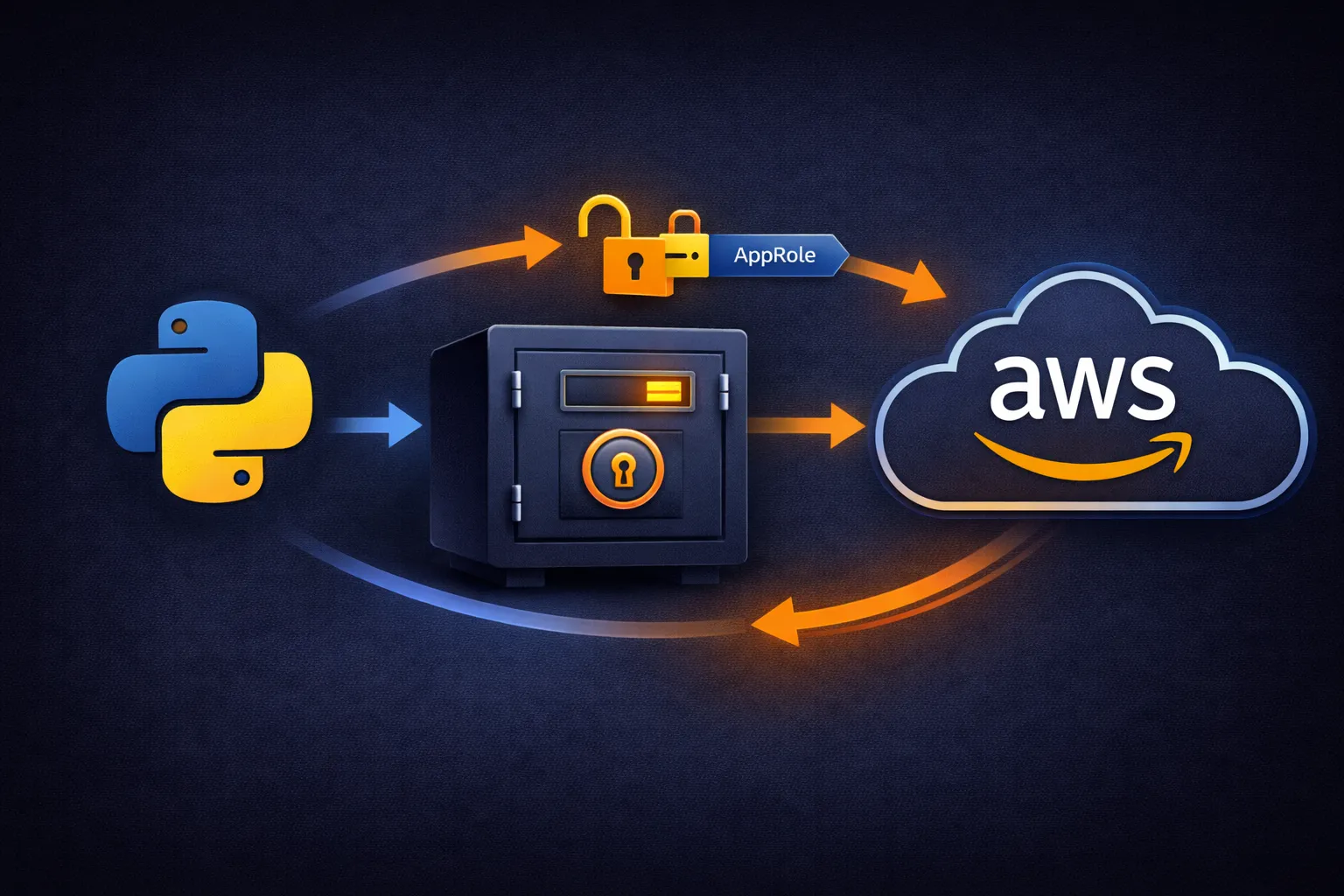
In the previous article, we covered what HashiCorp Vault is, why dynamic secrets matter, and how to configure the AWS secrets engine to generate temporary credentials. We ended with Vault generating AWS access keys on demand — but we used the root token for everything, which defeats the purpose of access control.
In a real environment, applications need to authenticate to Vault before they can request credentials. Vault must know who is asking before it decides what to give them. This article covers how authentication works, the two most important authentication methods for AWS environments, and how to build a Python application that uses dynamic credentials transparently.
Why Authentication Matters
Vault can generate powerful AWS credentials. Without authentication, anyone who can reach Vault's API could request credentials for any role. Authentication solves this by requiring every request to prove the caller's identity.
Vault separates two concepts:
- Authentication — proving who you are. “I am the webapp application.”
- Authorization — checking what you can do. “The webapp application is allowed to read from
aws/creds/webappbut not fromaws/creds/backup.”
Authentication is handled by auth methods (AppRole, AWS IAM, Kubernetes, LDAP, etc.). Authorization is handled by Vault policies — HCL documents attached to tokens that define which paths and operations are permitted.
The flow for every request is:
- Application authenticates using an auth method
- Vault returns a client token with attached policies
- Application includes this token in subsequent requests
- Vault checks the token's policies before processing each request
Vault Policies
Before setting up authentication, we need policies that define what authenticated applications can do. A Vault policy is written in HCL and specifies paths and capabilities:
# webapp-policy.hcl
# Allow the webapp to read AWS credentials from the webapp role
path "aws/creds/webapp" {
  capabilities = ["read"]
}

# Allow the webapp to renew its own token
path "auth/token/renew-self" {
  capabilities = ["update"]
}

# Allow the webapp to look up its own token info
path "auth/token/lookup-self" {
  capabilities = ["read"]
}
The capabilities map to HTTP verbs: read = GET, create = POST, update = PUT, delete = DELETE, list = LIST. There is also deny which explicitly blocks access and sudo for privileged operations.
Key points about policies:
- Policies are deny by default — if a path is not listed, access is denied
- Multiple policies can be attached to a single token — the effective permissions are the union of all policies
- The
defaultpolicy is automatically attached to every token and includes basic self-management operations - Policies use glob patterns —
aws/creds/*would match all AWS roles
# Create the policy in Vault
vault policy write webapp-policy webapp-policy.hcl

# Or inline
vault policy write webapp-policy - <<EOF
path "aws/creds/webapp" {
  capabilities = ["read"]
}
EOF
AppRole Authentication
AppRole is Vault's authentication method designed specifically for automated systems like applications, CI/CD pipelines, and scripts. It works on a two-part credential model:
- Role ID — identifies which application this is. Think of it as a username. It is not secret and can be embedded in configuration files or environment variables.
- Secret ID — proves the application is legitimate. Think of it as a password. It must be kept secret and delivered securely to the application at startup.
Both are required to authenticate. An attacker who discovers the Role ID cannot authenticate without the Secret ID, and vice versa. This two-part model allows you to deliver each piece through a different channel — for example, the Role ID in a config file and the Secret ID through a secure deployment pipeline.
Setting Up AppRole
# Enable the AppRole auth method
vault auth enable approle
Create an AppRole for the webapp application:
vault write auth/approle/role/webapp \
    token_policies="webapp-policy" \
    token_ttl=1h \
    token_max_ttl=4h \
    bind_secret_id=true
Understanding each parameter:
token_policies="webapp-policy"— tokens issued by this AppRole will have thewebapp-policypermissions. The application can only access paths allowed by this policy.token_ttl=1h— tokens expire after 1 hour. The application must renew its token or re-authenticate before this time.token_max_ttl=4h— even with renewals, the token must be completely re-created after 4 hours. This limits the blast radius if a token is compromised.bind_secret_id=true— requires a Secret ID in addition to the Role ID. Setting this to false would mean only the Role ID is needed, which is less secure.
Retrieving AppRole Credentials
# Get the Role ID (not secret - can be stored in config)
vault read auth/approle/role/webapp/role-id
Output:
Key        Value
---        -----
role_id    a1b2c3d4-e5f6-7890-abcd-ef1234567890
# Generate a Secret ID (secret - deliver securely)
vault write -f auth/approle/role/webapp/secret-idOutput:
Key                   Value
---                   -----
secret_id             z9y8x7w6-v5u4-3210-zyxw-vu9876543210
secret_id_accessor    abc123def456
The secret_id_accessor is a handle that lets you manage the Secret ID (revoke it, check its status) without knowing the actual secret value.
Testing AppRole Authentication
vault write auth/approle/login \
    role_id="a1b2c3d4-e5f6-7890-abcd-ef1234567890" \
    secret_id="z9y8x7w6-v5u4-3210-zyxw-vu9876543210"
Vault returns a client token:
Key                     Value
---                     -----
token                   hvs.CAESIGh2cy5hYmMxMjM0NTY3ODkw
token_accessor          accessor-abc123
token_duration          1h
token_renewable         true
token_policies          ["default" "webapp-policy"]
This token can now be used to request AWS credentials:
VAULT_TOKEN=hvs.CAESIGh2cy5hYmMxMjM0NTY3ODkw vault read aws/creds/webappThe complete authentication flow:
- Application starts with Role ID + Secret ID
- Authenticates to Vault, receives a client token
- Uses the client token to request AWS credentials
- Gets temporary AWS access keys, uses them to call AWS APIs
- Before the Vault token expires, renews it (or re-authenticates)
- Before the AWS credentials expire, requests new ones from Vault
AWS IAM Authentication
For applications running on AWS infrastructure (EC2 instances, ECS tasks, Lambda functions), there is a more elegant option: authenticating with the application's existing IAM identity. The application does not need any Vault-specific credentials at all — it proves its identity using the AWS credentials it already has.
# Enable AWS auth method
vault auth enable aws

# Configure Vault to verify AWS identities
vault write auth/aws/config/client \
    access_key=AKIAIOSFODNN7EXAMPLE \
    secret_key=wJalrXUtnFEMI/K7MDENG/bPxRfiCYEXAMPLEKEY
Vault uses these credentials to call the AWS STS GetCallerIdentity API to verify that the authenticating entity is who it claims to be.
# Create an auth role for specific EC2 instances
vault write auth/aws/role/ec2-webapp \
    auth_type=ec2 \
    policies=webapp-policy \
    max_ttl=500h \
    bound_instance_ids=i-1234567890abcdef0
The bound_instance_ids parameter restricts which EC2 instances can authenticate with this role. You can also bind by AMI ID, IAM role, account ID, VPC ID, or subnet ID to control which AWS resources can access which Vault secrets.
From an EC2 instance, authentication uses the instance identity document:
# On the EC2 instance
vault write auth/aws/login \
    role=ec2-webapp \
    pkcs7="$(curl -s http://169.254.169.254/latest/dynamic/instance-identity/pkcs7 | tr -d '\n')" \
    nonce="$(uuidgen)"
The instance metadata service (169.254.169.254) provides a cryptographically signed identity document. Vault verifies this signature with AWS to confirm the instance's identity. No secrets are exchanged — the instance proves who it is using AWS's own infrastructure.
Python Application Integration
Now let's build a complete Python application that uses Vault for dynamic AWS credentials. The key design principle: the application code that interacts with AWS should not know or care about Vault. A credential manager class handles all Vault interactions transparently.
The Credential Manager
#!/usr/bin/env python3
"""AWS credential manager using HashiCorp Vault dynamic secrets."""

import os
from datetime import datetime, timedelta
import hvac
import boto3


class VaultAWSCredentialManager:
    """Manage AWS credentials through Vault dynamic secrets.

    This class handles the complete lifecycle:
    1. Authenticate to Vault using AppRole
    2. Request AWS credentials from a specified Vault role
    3. Cache credentials until they approach expiration
    4. Transparently refresh credentials when needed

    The rest of the application just calls get_s3_client() or
    get_aws_session() and gets back a working AWS client with
    valid credentials.
    """

    def __init__(self):
        # Connect to Vault
        self.vault_client = hvac.Client(url=os.environ['VAULT_ADDR'])

        # Which Vault AWS role to request credentials from
        self.aws_role = os.environ['AWS_ROLE']

        # Credential cache - avoids hitting Vault for every AWS call
        self.credentials = None
        self.credentials_expiry = None

        # Authenticate on startup
        self.authenticate_to_vault()

    def authenticate_to_vault(self):
        """Authenticate to Vault using AppRole credentials.

        Role ID and Secret ID come from environment variables.
        In production, the Secret ID would be delivered through
        a secure channel (deployment pipeline, instance metadata, etc.)
        """
        role_id = os.environ['VAULT_ROLE_ID']
        secret_id = os.environ['VAULT_SECRET_ID']

        response = self.vault_client.auth.approle.login(
            role_id=role_id,
            secret_id=secret_id
        )

        # The hvac library automatically sets the client token
        # from the login response, so subsequent calls are authenticated
        lease_duration = response['auth']['lease_duration']
        print(f"[OK] Authenticated to Vault, token valid for {lease_duration}s")

    def get_aws_credentials(self):
        """Get AWS credentials from Vault, using cache when possible.

        Credentials are cached until 5 minutes before expiration.
        This avoids hitting Vault for every AWS API call while
        ensuring credentials are always valid.
        """
        # Return cached credentials if still valid
        if self.credentials and self.credentials_expiry > datetime.utcnow():
            return self.credentials

        # Request fresh credentials from Vault
        response = self.vault_client.secrets.aws.generate_credentials(
            name=self.aws_role
        )

        # Extract credentials from the response
        self.credentials = {
            'aws_access_key_id': response['data']['access_key'],
            'aws_secret_access_key': response['data']['secret_key'],
            'aws_session_token': response['data'].get('security_token')
        }

        # Cache until 5 minutes before expiration
        # The early refresh prevents using credentials that are
        # about to expire during a long-running operation
        lease_duration = response['lease_duration']
        self.credentials_expiry = datetime.utcnow() + timedelta(
            seconds=lease_duration - 300
        )

        print(f"[OK] Retrieved fresh AWS credentials, valid for {lease_duration}s")
        return self.credentials

    def get_s3_client(self):
        """Get a boto3 S3 client with current dynamic credentials."""
        creds = self.get_aws_credentials()
        return boto3.client(
            's3',
            aws_access_key_id=creds['aws_access_key_id'],
            aws_secret_access_key=creds['aws_secret_access_key'],
            aws_session_token=creds.get('aws_session_token')
        )

    def get_aws_session(self):
        """Get a boto3 Session for creating any AWS service client."""
        creds = self.get_aws_credentials()
        return boto3.Session(
            aws_access_key_id=creds['aws_access_key_id'],
            aws_secret_access_key=creds['aws_secret_access_key'],
            aws_session_token=creds.get('aws_session_token')
        )
The credential caching is important for performance. If your application handles 1,000 requests per minute, you do not want to call Vault 1,000 times. The cached credentials are reused until they approach expiration, at which point the next request triggers a refresh.
The 5-minute early refresh buffer prevents a subtle race condition: if credentials expire at 14:00:00 and your application starts a large S3 upload at 13:59:58, the upload might fail partway through when the credentials expire. Refreshing 5 minutes early ensures there is always a comfortable margin.
Flask Application
Using the credential manager in a web application:
from flask import Flask, request, jsonify

app = Flask(__name__)
credential_manager = VaultAWSCredentialManager()


@app.route('/health', methods=['GET'])
def health():
    """Health check endpoint."""
    return jsonify({
        'status': 'healthy',
        'vault_authenticated': credential_manager.vault_client.is_authenticated(),
        'aws_role': credential_manager.aws_role
    })


@app.route('/files', methods=['GET'])
def list_files():
    """List files in S3 using dynamic credentials."""
    s3 = credential_manager.get_s3_client()

    response = s3.list_objects_v2(
        Bucket=os.environ.get('S3_BUCKET', 'my-webapp-bucket'),
        MaxKeys=100
    )

    files = []
    for obj in response.get('Contents', []):
        files.append({
            'name': obj['Key'],
            'size': obj['Size'],
            'last_modified': obj['LastModified'].isoformat()
        })

    return jsonify({'status': 'success', 'files': files, 'count': len(files)})


@app.route('/files', methods=['POST'])
def upload_file():
    """Upload a file to S3 using dynamic credentials."""
    if 'file' not in request.files:
        return jsonify({'status': 'error', 'message': 'No file provided'}), 400

    file = request.files['file']
    s3 = credential_manager.get_s3_client()
    bucket = os.environ.get('S3_BUCKET', 'my-webapp-bucket')

    s3.upload_fileobj(
        file,
        bucket,
        f"uploads/{file.filename}",
        ExtraArgs={'ContentType': file.content_type}
    )

    return jsonify({
        'status': 'success',
        'message': f'File {file.filename} uploaded to {bucket}'
    })


if __name__ == '__main__':
    print(f"[OK] Starting with Vault role: {credential_manager.aws_role}")
    app.run(host='0.0.0.0', port=5000)
The Flask routes have no awareness of Vault. They call credential_manager.get_s3_client() and get a working S3 client. The credential manager handles authentication, caching, and refresh transparently.
Running the Application
# Set environment variables
export VAULT_ADDR='http://127.0.0.1:8200'
export VAULT_ROLE_ID='a1b2c3d4-e5f6-7890-abcd-ef1234567890'
export VAULT_SECRET_ID='z9y8x7w6-v5u4-3210-zyxw-vu9876543210'
export AWS_ROLE='webapp'
export S3_BUCKET='my-webapp-bucket'

# Install dependencies
pip install hvac boto3 flask

# Run the application
python app.py
You should see:
[OK] Authenticated to Vault, token valid for 3600s
[OK] Starting with Vault role: webapp
 * Running on http://0.0.0.0:5000
When you make your first request to /files, the credential manager requests fresh AWS credentials from Vault, and subsequent requests use the cached credentials until they approach expiration.
Token Renewal
For long-running applications, you should also handle Vault token renewal. The AppRole token expires after token_ttl (1 hour in our configuration). If the application runs longer than that, it needs to renew its token or re-authenticate:
import threading

def start_token_renewal(vault_client, interval=1800):
    """Renew Vault token periodically in background.

    Runs every interval seconds (default 30 minutes) to renew
    the Vault token before it expires.
    """
    def renew():
        while True:
            try:
                vault_client.auth.token.renew_self()
                print("[OK] Vault token renewed")
            except Exception as e:
                print(f"[WARN] Token renewal failed: {e}")
            threading.Event().wait(interval)

    thread = threading.Thread(target=renew, daemon=True)
    thread.start()
Call start_token_renewal(credential_manager.vault_client) after initializing the credential manager. The daemon thread will renew the token every 30 minutes, well before the 1-hour expiration.
Security Considerations
Secret ID Delivery
The Secret ID is the most sensitive piece of the AppRole authentication. How you deliver it to your application matters:
- Environment variables — acceptable for development, but environment variables can leak through process inspection, crash dumps, or logging
- Response wrapping — Vault can wrap the Secret ID in a single-use token. The deployment pipeline gets the wrapped token and the application unwraps it on first use. If the token has already been unwrapped (by an attacker), the application knows it has been compromised.
- Instance metadata — for cloud environments, deliver the Secret ID through cloud-specific secure channels (EC2 user data with encryption, ECS task secrets, etc.)
Token Security
- Never log Vault tokens or AWS credentials
- Store tokens only in memory, never on disk
- Use the shortest practical TTLs — 1-4 hours for application tokens
- Monitor for token creation spikes in Vault's audit log, which could indicate a compromised Secret ID
Credential Isolation
- Create one AppRole per application with a dedicated policy
- Never share AppRole credentials between applications
- Use the most restrictive Vault policy possible — an application that only needs S3 access should not be able to read database credentials
Key Takeaways
- Authentication separates who is asking from what they can access — Vault policies define the authorization rules
- AppRole authentication is designed for automated systems with a two-part credential model (Role ID + Secret ID)
- AWS IAM authentication lets EC2 instances authenticate using their existing IAM identity — no Vault-specific secrets needed
- The credential manager pattern abstracts Vault from your application code — business logic never touches Vault directly
- Credential caching with early refresh prevents both excessive Vault calls and mid-operation expiration
- Token renewal keeps long-running applications authenticated without re-delivering the Secret ID
- Secret ID delivery is the most critical security decision in AppRole — use response wrapping in production
In the next article, we will cover production Vault deployment on AWS — Terraform infrastructure, KMS auto-unseal, Raft storage, TLS configuration, load balancing, monitoring, and backup strategies for a production-grade Vault cluster.
Go Deeper: The State of AWS Security 2026
This article is just the start. Get the full picture with our free whitepaper - 8 chapters covering IAM, S3, VPC, monitoring, agentic AI security, compliance, and a prioritized action plan with 50+ CLI commands.
Toc Consulting: AWS Security & Cloud Architecture
Want expert help with AWS Security?
Our team helps engineering teams secure and architect AWS the right way: assessment in week one, a prioritized action plan in week two.
More Articles
Anatomy of a Real AWS Breach: Capital One, 2019
How a misconfigured WAF, an unauthenticated metadata service, and an over-privileged IAM role combined to expose data on roughly 100 million people in the US and 6 million in Canada, and the specific checks that would have stopped it.
Anatomy of a Real AWS Breach: Code Spaces, 2014
A single compromised AWS console login, no MFA, and a company was gone within 12 hours. The full story, and why "our backups are in AWS too" was the real failure.
Anatomy of a Real AWS Breach: Imperva, 2019
A security company got breached through one exposed AWS API key on an internet-reachable instance. Even the people who build WAFs for a living can miss this.