
Run AI Locally for AWS Security Work: The Complete Ollama Guide
Tarek Cheikh
Founder & AWS Cloud Architect
Every prompt you send to ChatGPT, Claude, or Gemini travels to a data center, gets processed on someone else's hardware, and leaves a record on someone else's servers.
When that prompt contains an IAM policy, a CloudTrail log, a Terraform state file, or a customer's infrastructure code, you have a problem. Not a theoretical one, a compliance one. GDPR, HIPAA, SOC 2, and ISO 27001 all impose requirements on sending sensitive data to third-party processors.
Ollama solves this. It runs large language models entirely on your machine. No API keys, no network calls, no data exfiltration risk. Your prompts stay on your hardware, processed by your own GPU, and never leave it.
This guide covers everything: installation, model selection, AWS security use cases, custom security-focused models, the REST API, and Python integration. All verified on a MacBook Pro M4 Pro with 24GB RAM running Ollama 0.18.3.
Why local AI matters for security work
Cloud LLM APIs are powerful. But when you work in security, you routinely handle data that should never leave your environment:
- IAM policies reveal your permission model, trust relationships, and privilege escalation paths
- CloudTrail logs contain API call history, source IPs, user agents, and session details
- Terraform and CloudFormation templates expose your entire infrastructure topology
- Security findings from GuardDuty, Security Hub, and Inspector reveal your vulnerabilities
- Incident response data includes forensic artifacts, IOCs, and attack timelines
- Customer infrastructure: if you are a consultant, your client's data is not yours to share
Local inference eliminates these concerns at the architectural level. There is no network boundary to cross, no third-party processor to audit, no data residency question to answer.
Installation
brew install --cask ollama-appThis installs the macOS app with its menu bar icon. If you only want the command-line binary, brew install ollama installs the CLI-only formula. Verify the installation:
ollama --version
Start the server (it runs in the background and also starts automatically when you run any ollama command):
ollama serveOn macOS, you can also launch Ollama from Applications, where it appears as a menu bar icon.
Choosing your models
Ollama's model library has over 200 models. For security work on a 24GB machine, here are the ones that matter:
# Best all-rounder for security analysis and reasoning
ollama pull phi4

# Fast and capable for general queries
ollama pull gemma3

# Best for pure coding tasks and IaC review
ollama pull deepseek-coder-v2

# Ultra fast for quick lookups
ollama pull llama3.2

# Solid general-purpose reasoning
ollama pull mistral

# Heavy reasoning when you need the best output (uses ~5.2GB at the default tag)
ollama pull deepseek-r1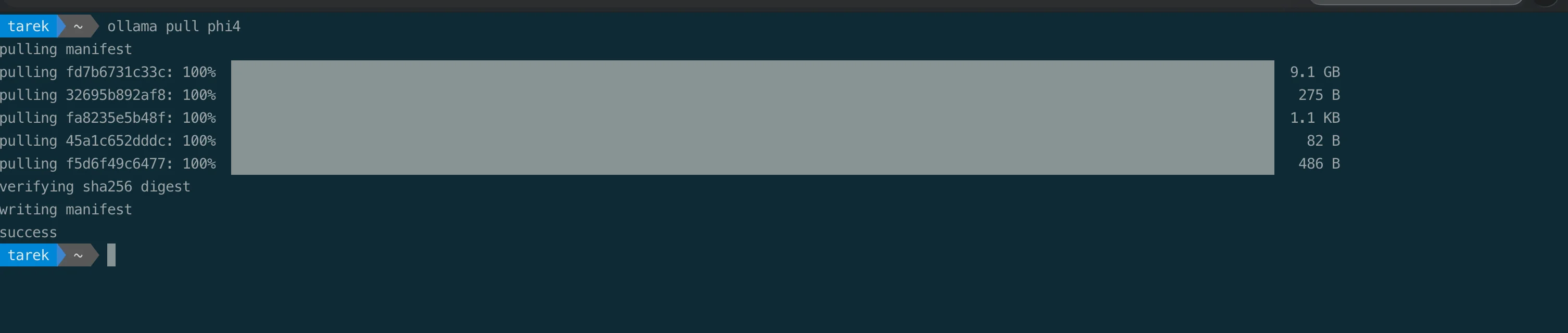
Model reference
| Model | Disk Size | Best For | Speed |
|---|---|---|---|
| llama3.2 | 2.0 GB | Quick questions, fast iteration | Fastest |
| gemma3 | 3.3 GB | General use, good balance | Fast |
| mistral | 4.4 GB | Reasoning, general analysis | Fast |
| deepseek-r1 | 5.2 GB | Deep reasoning, complex analysis | Medium |
| deepseek-coder-v2 | 8.9 GB | Code review, IaC analysis, scripting | Medium |
| phi4 | 9.1 GB | Security analysis, IAM review, best all-rounder | Medium |
These sizes are from our own installation, the same numbers you see when you run ollama list:
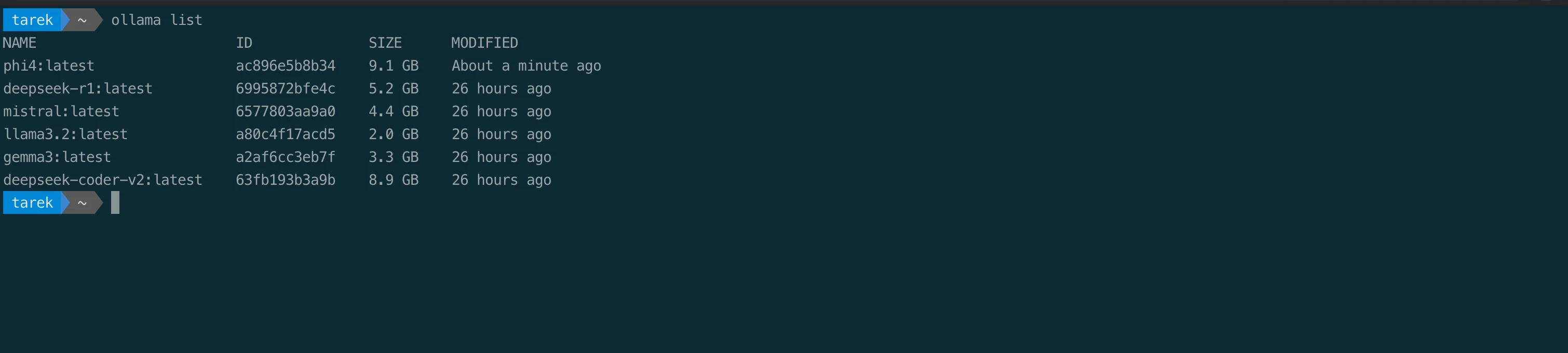
On Apple Silicon, every model runs with 100% Metal GPU acceleration, no configuration needed. Ollama automatically detects your GPU cores and uses them. You can verify this with ollama ps:

AWS security use cases
These are workflows that keep sensitive AWS data on your laptop while still getting useful analysis. One rule before we start: treat a local model's output as a fast first pass, not a verdict. A model in this size range can miss findings and can invent CLI flags, CIS sections, or control mappings. Verify anything it produces, especially commands and compliance references, before you act on it.
1. IAM policy review
The most immediate use case. Paste an IAM policy and get a security analysis:
ollama run phi4
>>> Review this IAM policy for security issues: {"Version":"2012-10-17","Statement":[{"Effect":"Allow","Action":"*","Resource":"*"}]}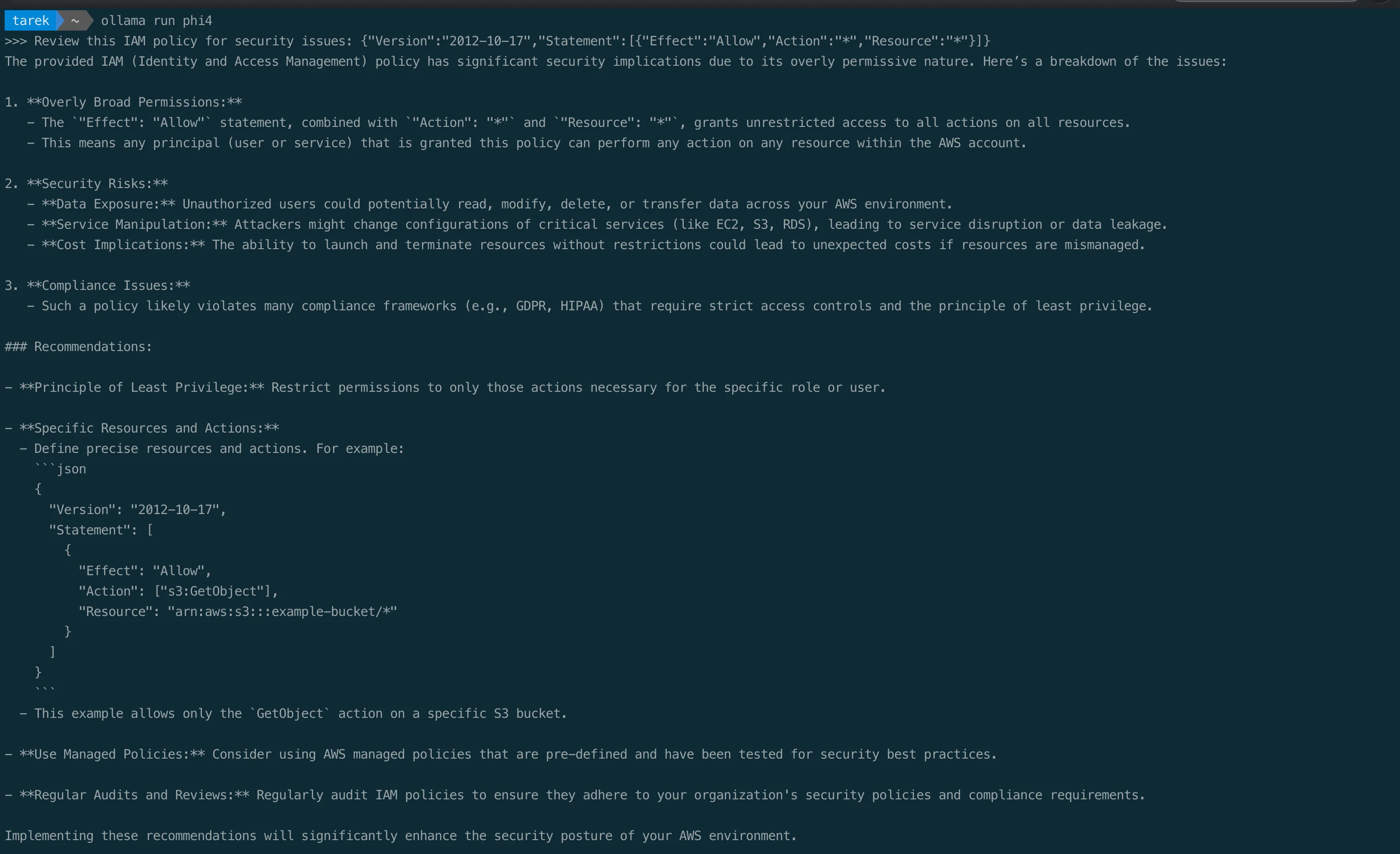
Ask the model to flag overly broad permissions, data exposure risks, and compliance gaps, and to propose a corrected policy. It runs entirely locally, so the policy never leaves your machine. Confirm its findings against the real AWS documentation before you apply anything.
2. Pipe infrastructure code for review
Feed policies, Terraform files, or CloudFormation templates directly through the CLI:
echo '{"Version":"2012-10-17","Statement":[{"Effect":"Allow","Action":["s3:*"],"Resource":"*"}]}' | ollama run phi4 "Analyze this AWS IAM policy for security misconfigurations and privilege escalation risks"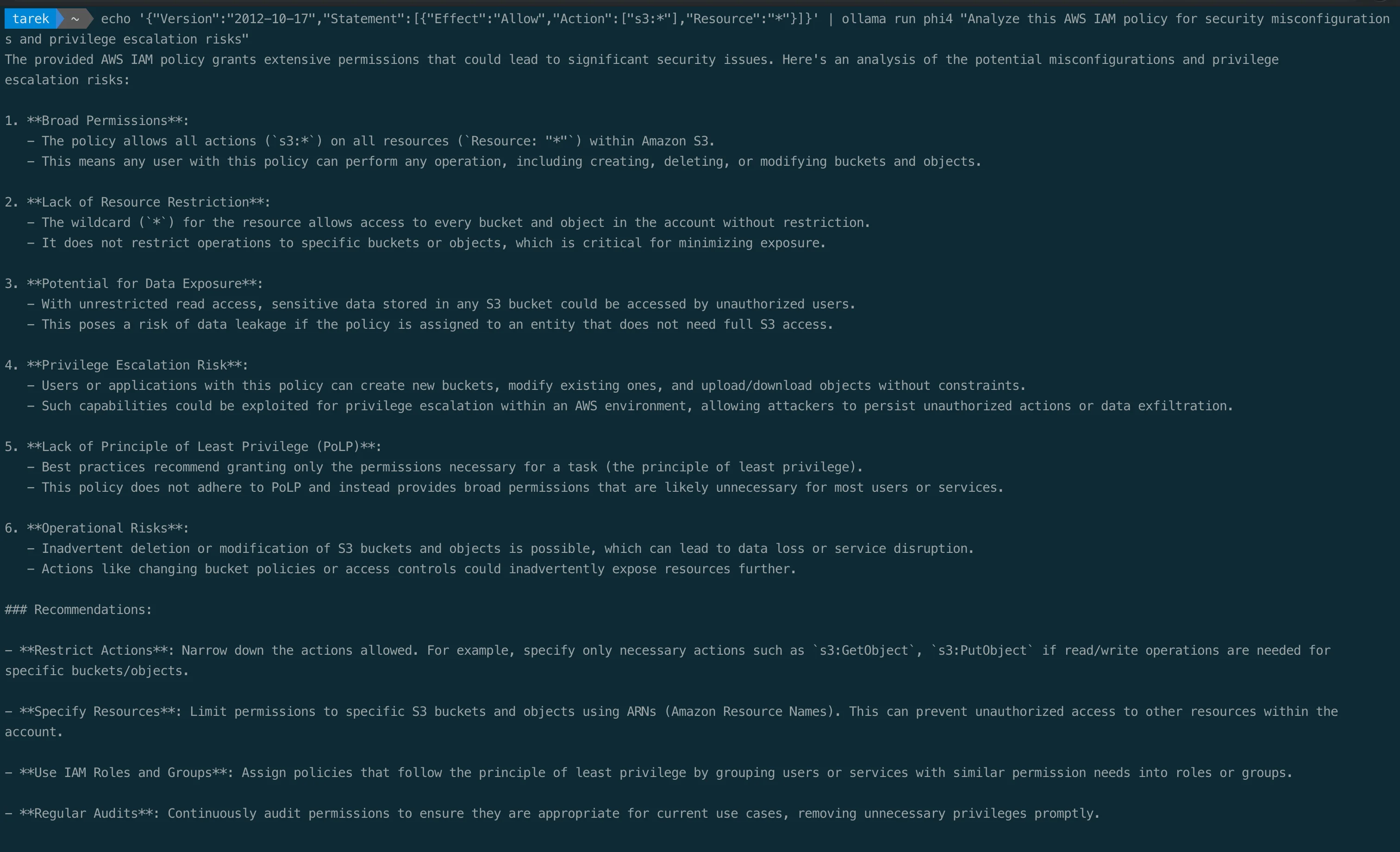
This works with any file. Review a Terraform module:
cat main.tf | ollama run deepseek-coder-v2 "Review this Terraform for security misconfigurations. Check for: public access, missing encryption, overly permissive security groups, hardcoded secrets."Or scan a CloudFormation template:
cat template.yaml | ollama run phi4 "Identify every security issue in this CloudFormation template. For each issue, name the relevant CIS Benchmark control and the fix."3. CloudTrail log analysis
cat cloudtrail-events.json | ollama run phi4 "Analyze these CloudTrail events for suspicious activity. Look for: unauthorized API calls, unusual source IPs, privilege escalation attempts, data exfiltration indicators."4. Incident response assistance
ollama run phi4 "An EC2 instance in our production VPC is communicating with a known C2 IP. The instance has an IAM role with s3:GetObject on all buckets. Walk me through the NIST incident response steps. What AWS CLI commands should I run first?"5. Security code review
cat lambda_handler.py | ollama run deepseek-coder-v2 "Review this Lambda function for OWASP Top 10 vulnerabilities, injection risks, and AWS-specific security issues like missing input validation or overly permissive error responses."Build a custom AWS security expert model
Ollama's Modelfile system lets you create specialized models with custom system prompts, similar to a Dockerfile but for LLMs. This is where things get powerful.
Create a file called Modelfile:
FROM phi4

SYSTEM """
You are an expert AWS security consultant. You specialize in IAM policy analysis,
cloud misconfiguration detection, and incident response. Provide specific AWS CLI
commands, reference the current CIS AWS Foundations Benchmark where relevant, and
give actionable remediation steps. Never give vague advice.
"""

PARAMETER temperature 0.3
PARAMETER num_ctx 4096
Build and run it:
ollama create aws-security-expert -f Modelfile
ollama run aws-security-expert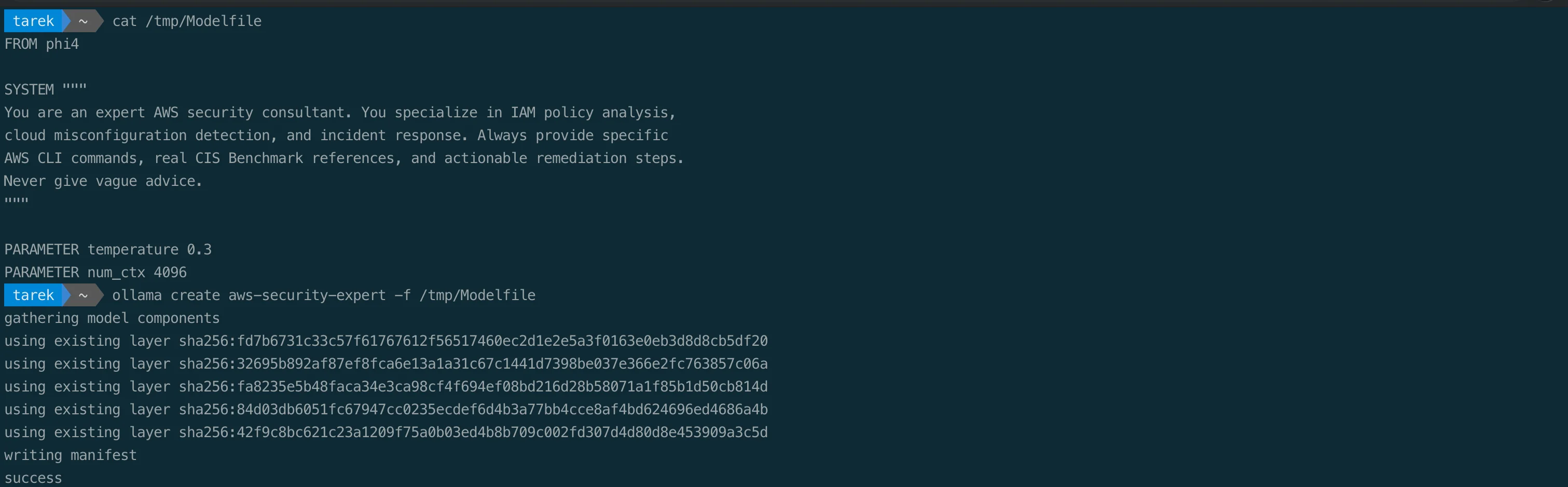
Now every response is tuned for AWS security work. Ask it about privilege escalation:
ollama run aws-security-expert "What are the top 5 IAM misconfigurations that lead to privilege escalation?"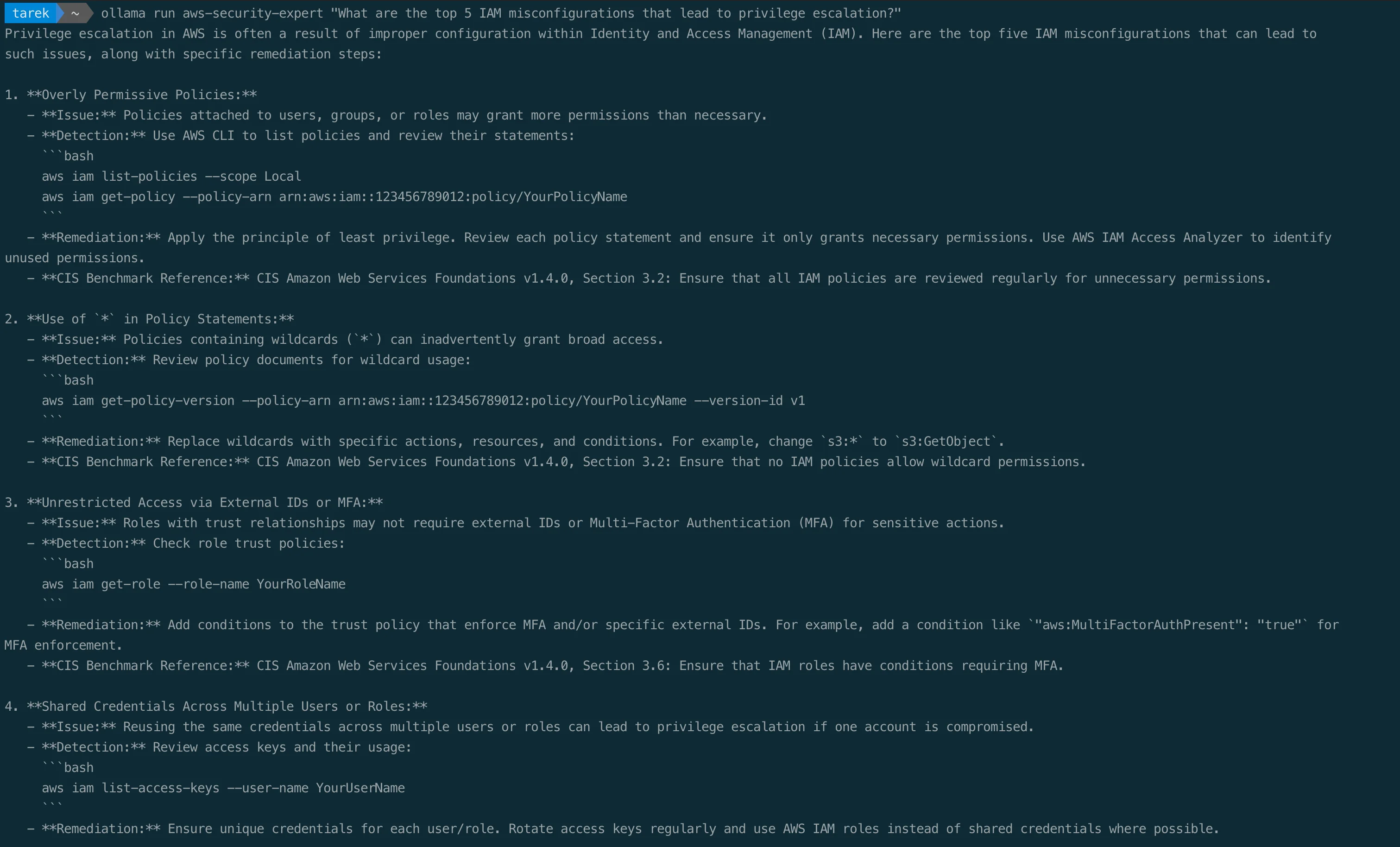
The response comes back with AWS CLI commands for detection, CIS Benchmark references, and concrete remediation steps, all generated locally so your questions never leak. Treat those references as a starting point, not gospel: always check them against the current CIS AWS Foundations Benchmark (v5.0.0 at the time of writing), because a local model can cite an outdated version or a section that does not exist.
You can create multiple specialized models:
# Incident response specialist
cat > Modelfile-IR << 'EOF'
FROM phi4
SYSTEM """
You are an AWS incident responder following the NIST SP 800-61 lifecycle:
preparation; detection and analysis; containment, eradication, and recovery;
and post-incident activity. For every incident, provide exact AWS CLI commands
for each relevant step.
"""
PARAMETER temperature 0.2
EOF
ollama create aws-ir-specialist -f Modelfile-IR

# IaC security reviewer
cat > Modelfile-IaC << 'EOF'
FROM deepseek-coder-v2
SYSTEM """
You are a cloud infrastructure security reviewer. You analyze Terraform,
CloudFormation, and CDK code for security misconfigurations. Reference the
current CIS AWS Foundations Benchmark and AWS security best practices. Always
provide the fixed code alongside the issue.
"""
PARAMETER temperature 0.1
EOF
ollama create iac-security-reviewer -f Modelfile-IaC
REST API
Ollama exposes a local REST API on http://localhost:11434. This lets you integrate local AI into scripts, automation pipelines, and custom tools.
Generate a completion
curl -s http://localhost:11434/api/generate \
  -d '{"model":"phi4","prompt":"List the 3 most critical S3 bucket security checks","stream":false}' | python3 -m json.tool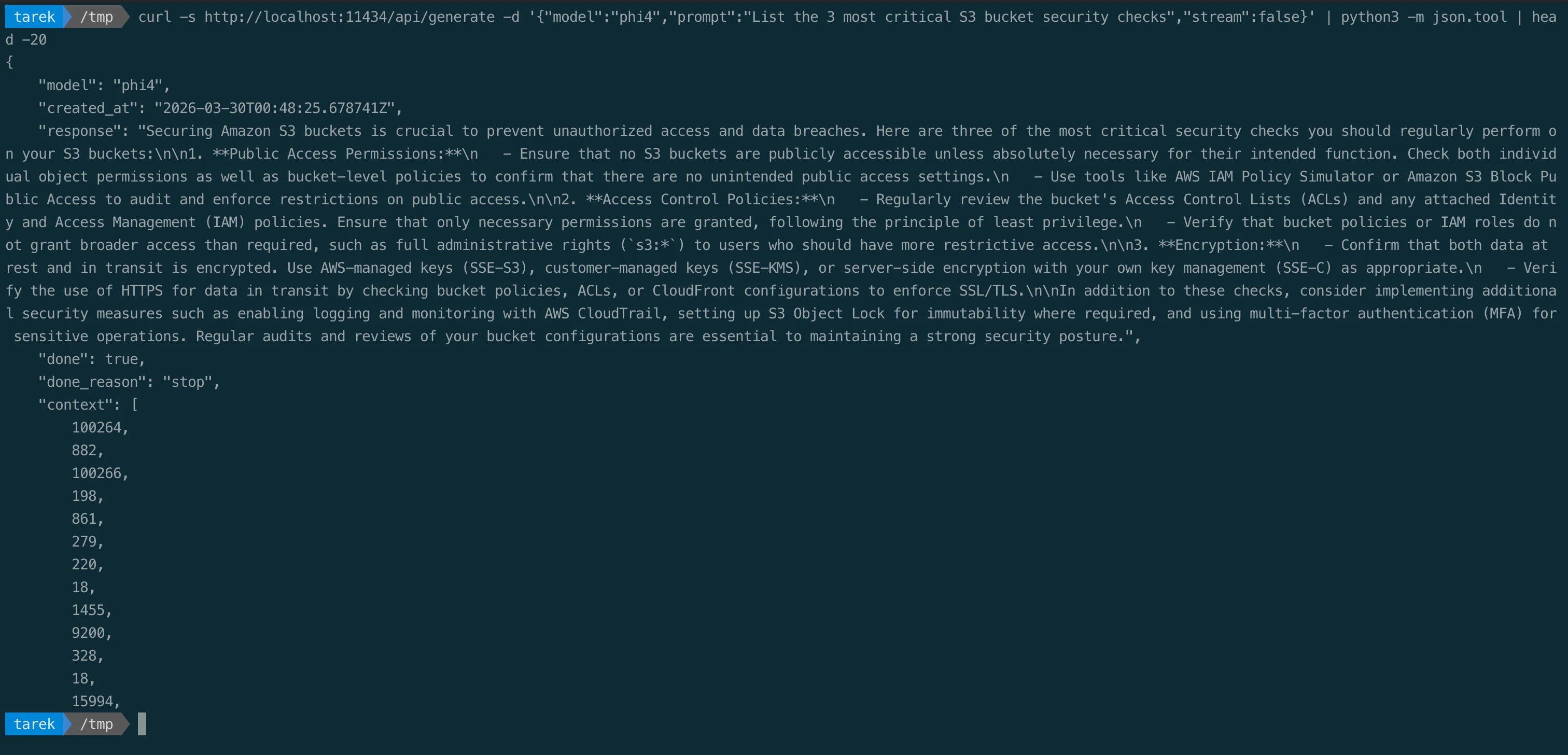
Chat endpoint (multi-turn)
curl -s http://localhost:11434/api/chat \
  -d '{
    "model": "phi4",
    "messages": [
      {"role": "user", "content": "What is the difference between SCPs and IAM policies?"}
    ],
    "stream": false
  }' | python3 -m json.tool
OpenAI-compatible endpoint
Ollama also exposes an OpenAI-compatible API at http://localhost:11434/v1/. Most tools built for the OpenAI chat-completions API work with Ollama by pointing them at this base URL and a local model name:
from openai import OpenAI

client = OpenAI(
    base_url="http://localhost:11434/v1/",
    api_key="ollama"  # required but unused
)

response = client.chat.completions.create(
    model="phi4",
    messages=[{"role": "user", "content": "Explain IMDSv2 enforcement"}]
)
print(response.choices[0].message.content)
For many codebases, swapping cloud inference for local inference is mostly a base-URL and model-name change.
Python SDK
The official Ollama Python library provides a clean API for integration:
pip install ollamaimport ollama
response = ollama.chat(
model='aws-security-expert',
messages=[{
'role': 'user',
'content': 'Review this IAM policy for privilege escalation risks: ' + policy_json
}]
)
print(response['message']['content'])Build a batch scanner that reviews every IAM policy in your account:
import json
import subprocess
import ollama

# Get all customer-managed policies
result = subprocess.run(
    ['aws', 'iam', 'list-policies', '--scope', 'Local', '--output', 'json'],
    capture_output=True, text=True
)
policies = json.loads(result.stdout)['Policies']

for policy in policies:
    # Get policy document
    version_result = subprocess.run(
        ['aws', 'iam', 'get-policy-version',
         '--policy-arn', policy['Arn'],
         '--version-id', policy['DefaultVersionId'],
         '--output', 'json'],
        capture_output=True, text=True
    )
    doc = json.loads(version_result.stdout)['PolicyVersion']['Document']

    # Analyze with local AI
    response = ollama.chat(
        model='aws-security-expert',
        messages=[{
            'role': 'user',
            'content': f'Analyze this IAM policy for security issues. '
                       f'Policy name: {policy["PolicyName"]}\n'
                       f'Policy document: {json.dumps(doc)}'
        }]
    )
    print(f"\n{'='*60}")
    print(f"Policy: {policy['PolicyName']}")
    print(f"{'='*60}")
    print(response['message']['content'])
Every policy is reviewed locally, with nothing sent to a third party.
Structured output and tool calling
Ollama supports structured output using JSON schemas, which is critical for automation. Instead of parsing free text, you get guaranteed JSON:
import ollama

response = ollama.chat(
    model='phi4',
    messages=[{
        'role': 'user',
        'content': 'Analyze this S3 bucket policy for issues: ' + policy_json
    }],
    format={
        'type': 'object',
        'properties': {
            'risk_level': {'type': 'string', 'enum': ['critical', 'high', 'medium', 'low']},
            'issues': {
                'type': 'array',
                'items': {
                    'type': 'object',
                    'properties': {
                        'title': {'type': 'string'},
                        'description': {'type': 'string'},
                        'remediation': {'type': 'string'}
                    }
                }
            }
        }
    }
)
findings = json.loads(response['message']['content'])
Ollama also supports tool calling with models like Llama 3.2, Mistral, and Qwen2.5, so your local model can decide when to call external functions, enabling AI-powered security automation that runs entirely on your hardware.
Vision models
Ollama supports multimodal models like Llama 3.2-Vision and LLaVA. For security work, this means you can feed screenshots of AWS Console configurations, architecture diagrams, or CloudWatch dashboards directly to a local model:
ollama run llama3.2-vision "Analyze this AWS Console screenshot for security misconfigurations"
# Then paste or drag an image into the terminal
Quick reference
| Task | Command |
|---|---|
| Install | brew install --cask ollama-app |
| Start server | ollama serve |
| Download model | ollama pull <model> |
| Chat | ollama run <model> |
| One-shot query | ollama run <model> "question" |
| Pipe file | cat file | ollama run <model> "prompt" |
| List models | ollama list |
| Running models | ollama ps |
| Remove model | ollama rm <model> |
| Create custom | ollama create <name> -f Modelfile |
| API endpoint | http://localhost:11434 |
| OpenAI compat | http://localhost:11434/v1/ |
Shell aliases for daily use
Add these to your ~/.bashrc or ~/.zshrc:
# Security-focused aliases
alias sec='ollama run aws-security-expert'
alias iac='ollama run iac-security-reviewer'
alias ir='ollama run aws-ir-specialist'
alias code-review='ollama run deepseek-coder-v2'
alias quick='ollama run gemma3'
Then reviewing an IAM policy is just:
cat policy.json | sec "Review this for privilege escalation risks"Security considerations for Ollama itself
Running a local LLM server comes with its own security surface:
- Bind to localhost only: by default, Ollama listens on
127.0.0.1:11434. Never expose it to0.0.0.0without authentication. Researchers have found 175,000+ exposed Ollama servers on the internet. - Model provenance: only pull models from the official Ollama library. Custom models from unknown sources can contain malicious payloads.
- API authentication: if you expose the API beyond localhost, put it behind a reverse proxy (Nginx, Caddy) with authentication.
- Disk space: models are stored in
~/.ollama/models. Monitor usage, since six models can easily consume 30+ GB.
When to use local vs cloud AI
It is not either/or. The two approaches differ on a handful of concrete factors, and most teams use both depending on the task at hand:
| Factor | Local (Ollama) | Cloud APIs |
|---|---|---|
| Data privacy and compliance | Data stays on your machine; fits air-gapped and regulated work | Data is sent to a third-party processor |
| Model capability | Strong for scoped tasks, below frontier quality | Frontier-level quality |
| Context window | Limited by the local model and your RAM/VRAM | Very large (well beyond 128K tokens) |
| Multimodal and image generation | Limited (some vision models) | Strong (vision and image generation) |
| Cost | Free after hardware, flat | Per token, grows with usage |
| Throughput at scale | Bound by your hardware | Scales elastically |
| Connectivity | Works fully offline | Requires internet |
For day-to-day AWS security work on sensitive artifacts, IAM policies, CloudTrail logs, infrastructure code, and incident data, local inference is often the better default: it removes the compliance question entirely and costs nothing per query. Reach for a cloud API when you genuinely need frontier-level reasoning, a very long context window, or multimodal capability the local model cannot match. The point is having the choice, and keeping the sensitive work on your own machine.
GitHub: https://github.com/ollama/ollama
Model Library: https://ollama.com/library
Documentation: https://docs.ollama.com
Go Deeper: The State of AWS Security 2026
This article is just the start. Get the full picture with our free whitepaper - 8 chapters covering IAM, S3, VPC, monitoring, agentic AI security, compliance, and a prioritized action plan with 50+ CLI commands.
KloudSec, built by the team behind Toc Consulting
See AWS Security checked automatically, continuously
What you just read is a manual, one-time check. KloudSec runs this and 400+ more automated checks across 90+ AWS services, continuously, agentless, live in about 5 minutes.
Toc Consulting: AWS Security & Cloud Architecture
Want expert help with AWS Security?
Our team helps engineering teams secure and architect AWS the right way: assessment in week one, a prioritized action plan in week two.
More Articles
Anatomy of a Real AWS Breach: Capital One, 2019
How a misconfigured WAF, an unauthenticated metadata service, and an over-privileged IAM role combined to expose data on roughly 100 million people in the US and 6 million in Canada, and the specific checks that would have stopped it.
Anatomy of a Real AWS Breach: Code Spaces, 2014
A single compromised AWS console login, no MFA, and a company was gone within 12 hours. The full story, and why "our backups are in AWS too" was the real failure.
Anatomy of a Real AWS Breach: Imperva, 2019
A security company got breached through one exposed AWS API key on an internet-reachable instance. Even the people who build WAFs for a living can miss this.