
Building a Production-Ready Serverless File Sharing Platform on AWS
Tarek Cheikh
Founder & AWS Cloud Architect
How I built a secure, scalable file sharing solution using AWS Lambda, API Gateway, and Cognito — with zero infrastructure to manage
Your team needs a secure way to share files with external partners. You could use a third-party service, but you need full control over your data. You could build a traditional server-based solution, but that means managing infrastructure, scaling issues, and security headaches.
What if you could build an enterprise-grade file sharing platform that scales automatically, costs pennies to run, and requires zero infrastructure management?
That's exactly what I built with SmallFileSharing — and today, I'm sharing the blueprint with you.
The Challenge
In my consulting work at Toc Consulting, I frequently encounter enterprises that need:
- Complete data sovereignty — files must stay in their AWS accounts
- Enterprise-grade security — with proper authentication and authorization
- Cost efficiency — no paying for idle servers
- Scalability — from 10 to 10,000 users without code changes
- Email notifications — because not everyone checks apps constantly
Traditional solutions either lack features, cost too much, or require significant operational overhead.
The solution? Go serverless.
Architecture That Scales
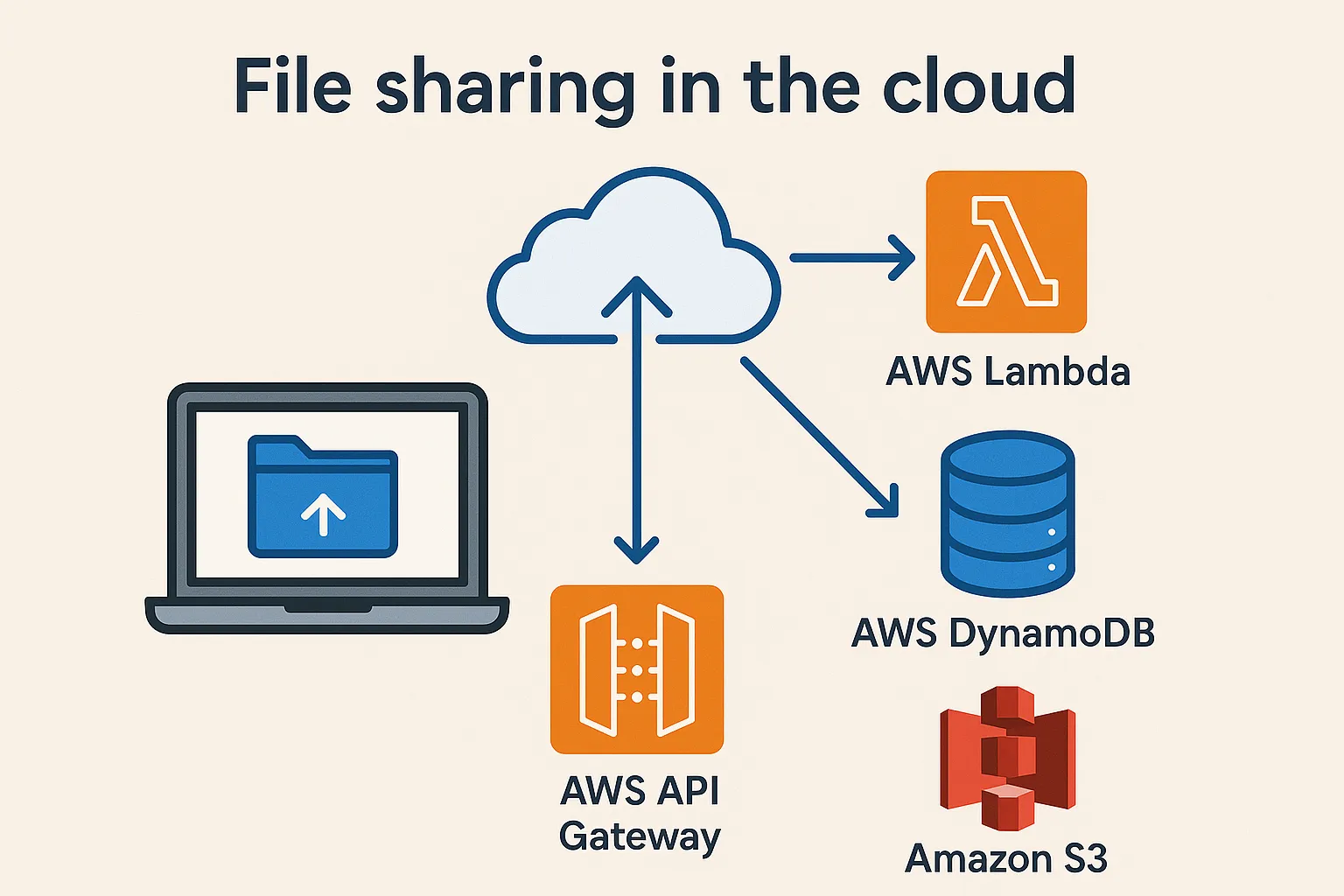
Here's the beauty of serverless architecture — every component automatically scales.
Why These Services?
AWS Cognito: Handles user authentication with zero code. It provides:
- JWT tokens for stateless authentication
- User registration and password reset flows
- Multi-factor authentication support
AWS Lambda: Executes our business logic without servers:
- Pay only for execution time (milliseconds!)
- Automatic scaling from 0 to thousands of concurrent requests
- No patching, no maintenance
DynamoDB: Tracks file metadata with predictable performance:
- Single-digit millisecond latency at any scale
- Automatic backups and encryption
S3: Stores the actual files with 99.999999999% durability:
- Automatic encryption at rest
- Lifecycle policies for cost optimization
SES: Sends sharing notifications reliably:
- High deliverability rates
- Detailed tracking and analytics
Key Design Decisions
1. Base64 Encoding for Simplicity
Yes, I chose to base64-encode files in the API payload. Why?
{
    "file_data": "iVBORw0KGgoAAAANSUhEUgAAB0QAAANi...",
    "remote_file_name": "document.pdf"
}- Simplicity: No multipart form handling needed
- Compatibility: Works with any HTTP client
- Trade-off: Limited to 10MB files (API Gateway limit)
For larger files, I'd implement direct S3 uploads with presigned URLs — but for 90% of business documents, 10MB is plenty.
2. JWT-Based Authorization
Every Lambda function validates the JWT token and checks ownership:
def is_user_authorized(user_id, event):
    '''Check if the user is authorized to access the file'''
    url_user_id = event['path'].split('/')[3]
    file_id = event['path'].split('/')[5]

    if url_user_id != user_id:
        return False, None

    is_owned_by_user, file_infos = is_file_owned_by_user(user_id, file_id)
    if not is_owned_by_user:
        return False, None

    return True, file_infos
This ensures users can only access their own files — critical for multi-tenant scenarios.
3. Time-Limited Sharing Links
When sharing files, the system generates presigned S3 URLs that expire after 1 hour:
s3_client = boto3.client('s3', conf_values['REGION'])
response = s3_client.generate_presigned_url(
    'get_object',
    Params={
        'Bucket': bucket_name,
        'Key': file_path
    },
    ExpiresIn=3600  # 1 hour
)
This provides security without complexity — no need for recipient accounts or passwords.
Real-World Implementation
Here's how the file sharing flow works:
1. Upload a File
POST /v1/users/{user_id}/files

Payload:

{
  "file_data": "base64_encoded_data",
  "remote_file_name": "document.pdf"
}

Response:
{
    "file_id": "70ffa2f2-b106-4cbc-86c6-d5bab6959dcd",
    "status": "UPLOADED"
}
The Lambda function:
- Validates the JWT token
- Decodes the base64 file data
- Stores it in S3 under
{user_id}/{filename} - Records metadata in DynamoDB
2. Share with Email
POST /v1/users/{user_id}/files/{file_id}/share

{
    "share_with": ["partner@company.com"]
}
The magic happens here:
- Generate a presigned S3 URL
- Send a beautifully formatted email via SES
- Recipients get a secure link that works for 1 hour
3. Automatic Cleanup
Files can be deleted programmatically:
DELETE /v1/users/{user_id}/files/{file_id}This removes both the S3 object and DynamoDB record — keeping storage costs minimal.
The Cost Advantage
Let's talk numbers. For a typical usage pattern (1000 files/month, 5MB average):
Traditional Server Approach:
- EC2 instance (t3.medium): ~$30/month
- Load balancer: ~$20/month
- Database: ~$15/month
- Total: ~$65/month minimum
Serverless Approach:
- Lambda: ~$0.50
- API Gateway: ~$3.50
- S3 storage: ~$1.15
- DynamoDB: ~$0.25
- Total: ~$5.40/month
That's a 91% cost reduction — and it scales linearly with usage!
Security Best Practices Implemented
- Input Validation: JSON schemas validate every request
- Authentication: JWT tokens expire and must be refreshed
- Authorization: Row-level security ensures data isolation
- Encryption: Data encrypted at rest and in transit
- Audit Trail: CloudWatch logs every action for compliance
Lessons Learned
After deploying this in production environments, here are my key takeaways:
- Start simple: Base64 encoding isn't elegant, but it works and ships fast
- Embrace managed services: Let AWS handle the undifferentiated heavy lifting
- Design for failure: Every Lambda includes comprehensive error handling
- Monitor everything: CloudWatch dashboards catch issues before users do
- Document extensively: Your future self will thank you
Try It Yourself
The complete source code is available on GitHub under the MIT license: TocConsulting/small-file-sharing
Quick Start:
- Clone the repository
- Deploy the CognitoApi dependency
- Follow the README steps
- Import the Postman collection
- Start sharing files securely!
What's Next?
I'm actively working on:
- Terraform templates for one-click deployment
- Support for larger files via multipart upload
- End-to-end encryption options
- Admin dashboard for monitoring
Final Thoughts
Serverless isn't just about cost savings — it's about focusing on what matters: solving business problems instead of managing infrastructure.
This file sharing platform handles production workloads for multiple enterprises, costs almost nothing to run, and required zero infrastructure decisions beyond the initial architecture.
The future of enterprise applications is serverless. Are you ready to make the jump?
Found this helpful? Give the GitHub repository a star and share this article with your network!
Go Deeper: The State of AWS Security 2026
This article is just the start. Get the full picture with our free whitepaper - 8 chapters covering IAM, S3, VPC, monitoring, agentic AI security, compliance, and a prioritized action plan with 50+ CLI commands.
KloudSec, built by the team behind Toc Consulting
See Serverless checked automatically, continuously
What you just read is a manual, one-time check. KloudSec runs this and 400+ more automated checks across 90+ AWS services, continuously, agentless, live in about 5 minutes.
Toc Consulting: AWS Security & Cloud Architecture
Want expert help with Serverless?
Our team helps engineering teams secure and architect AWS the right way: assessment in week one, a prioritized action plan in week two.
More Articles
Mastering AWS SAM for Python Lambda: The Ultimate Hands-On Guide
A complete beginner-to-builder guide for AWS SAM with Python. Learn to create, test locally, deploy, debug, and manage serverless APIs step by step.
Stop Reinventing Authentication: How I Built a Production-Ready Auth API That Scales to 50K Users for Free
How I built CognitoApi, an open-source serverless authentication API on AWS Cognito that handles 50,000 users for free with MFA, token management, and complete user lifecycle support.
Anatomy of a Real AWS Breach: Capital One, 2019
How a misconfigured WAF, an unauthenticated metadata service, and an over-privileged IAM role combined to expose data on roughly 100 million people in the US and 6 million in Canada, and the specific checks that would have stopped it.