
Run Real AWS Lambda on Your Laptop
Tarek Cheikh
Founder & AWS Cloud Architect

Deploy and run Python and Node.js functions locally, with no AWS account.
When people hear “AWS emulator,” the fair question is always the same: is it actually running my code, or is it just returning a canned response that looks right?
For Lambda in LocalEmu, the answer is that it runs your code, for real, inside the same runtime images AWS uses. In this article I will deploy two functions, in Python and in Node.js, invoke them, and then prove that genuine runtime containers are doing the work. Everything below is actual output from a clean run. No AWS account, no credentials, no cost.
Setup
LocalEmu is a free, open-source AWS cloud emulator. Install it and start it:
pip install "localemu[runtime]"
localemu start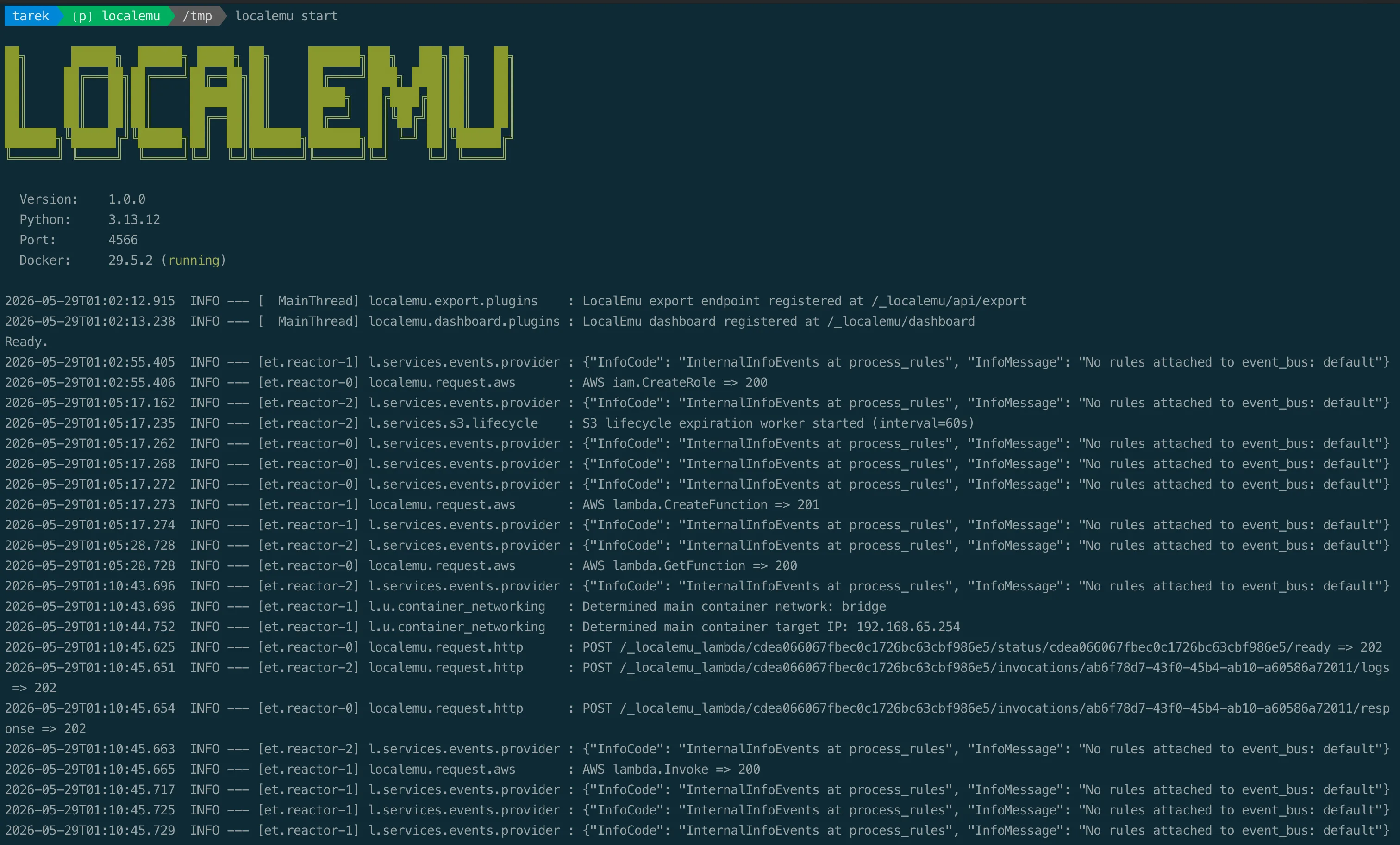
One prerequisite for this walkthrough: Docker must be installed and running, because LocalEmu executes Lambda functions inside real containers. With Docker in place, point the standard AWS CLI at the local endpoint. The clean way is one environment variable that both the AWS CLI and boto3 understand:
export AWS_ENDPOINT_URL=http://localhost:4566
export AWS_ACCESS_KEY_ID=AKIAIOSFODNN7EXAMPLE
export AWS_SECRET_ACCESS_KEY=wJalrXUtnFEMI/K7MDENG/bPxRfiCYEXAMPLEKEY
export AWS_DEFAULT_REGION=us-east-1
The nice part: unset AWS_ENDPOINT_URL and the exact same commands talk to real AWS. Your code does not change.
We need a role ARN for the function. IAM is local too, so this costs nothing:
ROLE_ARN=$(aws iam create-role --role-name lambda-demo \
  --assume-role-policy-document '{"Version":"2012-10-17","Statement":[{"Effect":"Allow","Principal":{"Service":"lambda.amazonaws.com"},"Action":"sts:AssumeRole"}]}' \
  --query Role.Arn --output text)
A Python function
Here is a function that doubles a number and reports the Python version it is running on. That second part matters: it lets the function tell us, from the inside, exactly which interpreter is executing it.
# handler.py
import sys

def handler(event, context):
    return {
        "doubled": int(event.get("x", 0)) * 2,
        "runtime": "python " + sys.version.split()[0],
    }
Package and deploy it:
zip fn.zip handler.py

aws lambda create-function --function-name doubler-py \
  --runtime python3.14 --handler handler.handler \
  --role "$ROLE_ARN" --zip-file fileb://fn.zip --timeout 30

aws lambda wait function-active-v2 --function-name doubler-py
Now invoke it. Put the payload in a file and pass it with fileb://, which sends the bytes as-is. This works the same on AWS CLI v1 and v2.
echo '{"x":21}' > payload.json

aws lambda invoke --function-name doubler-py \
  --payload fileb://payload.json out.json

cat out.json
Output:
{"doubled": 42, "runtime": "python 3.14.5"}
The function did the arithmetic, and it reported python 3.14.5. That version string did not come from a mock. It came from a real CPython interpreter running inside the official AWS Lambda Python image.
Proof: a real runtime container
While the function is warm, look at what is running on your Docker host:
docker ps --filter "ancestor=public.ecr.aws/lambda/python:3.14"Output:
IMAGE                                STATUS
public.ecr.aws/lambda/python:3.14    Up Less than a second
That is the official AWS Lambda Python runtime image, pulled from Amazon’s public registry, executing your handler. LocalEmu packaged your zip, started the container, ran your code, and returned the result, the same shape of work AWS does for you in the cloud. Because it is the real runtime, your packaging, your dependencies, your handler signature, and your timeouts all behave the way they will when you deploy.
Same idea, a different language
To show this is not Python-specific, here is the same logic in Node.js:
// index.mjs
export const handler = async (event) => ({
  doubled: (event.x ?? 0) * 2,
  runtime: "nodejs " + process.version,
});
Deploy and invoke it:
zip fn.zip index.mjs

aws lambda create-function --function-name doubler-node \
  --runtime nodejs24.x --handler index.handler \
  --role "$ROLE_ARN" --zip-file fileb://fn.zip --timeout 30

aws lambda wait function-active-v2 --function-name doubler-node

aws lambda invoke --function-name doubler-node \
  --payload fileb://payload.json out.json

cat out.json
Output:
{"doubled":42,"runtime":"nodejs v24.14.1"}Node.js 24 itself, reporting v24.14.1 from inside the container. Same workflow, different language, no extra setup.
Why this matters
A mock that returns a plausible JSON body can pass a happy-path test and still hide every interesting bug. Running the real runtime changes that. You find out locally whether your dependencies actually import, whether your handler signature is right, whether your function fits in memory, and how it behaves on a cold start, all before you spend a cent or wait on a deploy. The feedback loop shrinks from minutes to seconds, and you can run it on a plane with no internet.
Where it fits
This is for local development, testing, and learning, not for production. What you get is the loop: write, run real code, see the result, adjust, repeat, at zero cost and with no account. For Lambda, running your code in the official runtime image is exactly the part you most want to be true locally, and it is.
Try it
pip install "localemu[runtime]"
localemu start
Or run the multi-architecture Docker image (Intel and Apple Silicon):
docker run --rm -p 4566:4566 -v /var/run/docker.sock:/var/run/docker.sock localemu/localemuDocumentation and runnable examples are at localemu.cloud. The source is at github.com/localemu/localemu, and it is free and open under Apache 2.0.
If it is useful to you, a star on the repository, an issue, or a feature request genuinely helps the project grow. It is maintained in the open, and contributions are welcome.
Go Deeper: The State of AWS Security 2026
This article is just the start. Get the full picture with our free whitepaper - 8 chapters covering IAM, S3, VPC, monitoring, agentic AI security, compliance, and a prioritized action plan with 50+ CLI commands.
Toc Consulting: AWS Security & Cloud Architecture
Want expert help with AWS Tools?
Our team helps engineering teams secure and architect AWS the right way: assessment in week one, a prioritized action plan in week two.
More Articles
Meet LocalEmu, the Free Successor to LocalStack
An open-source AWS emulator for your laptop. No account, no token. LocalEmu is a maintained fork of the archived LocalStack Community edition, kept free and open under Apache 2.0.
cloudstorm: Load Testing From Many AWS Regions With One Command Line
cloudstorm is a free, open-source CLI that runs Locust, k6, JMeter or Artillery on EC2 instances in several AWS regions, merges the results into one report, and cleans up after itself.
iam-to-english: Read Any AWS IAM Policy in Plain English and Catch Privilege Escalation Before It Ships
KloudSec releases iam-to-english, a free open-source CLI that explains AWS IAM policies in plain English, flags 21 known privilege escalation paths, including combinations spread across statements, diffs policy changes and gates CI. It runs offline.