
EKS: Kubernetes on AWS Deep Dive (Part 3/3)
Tarek Cheikh
Founder & AWS Cloud Architect
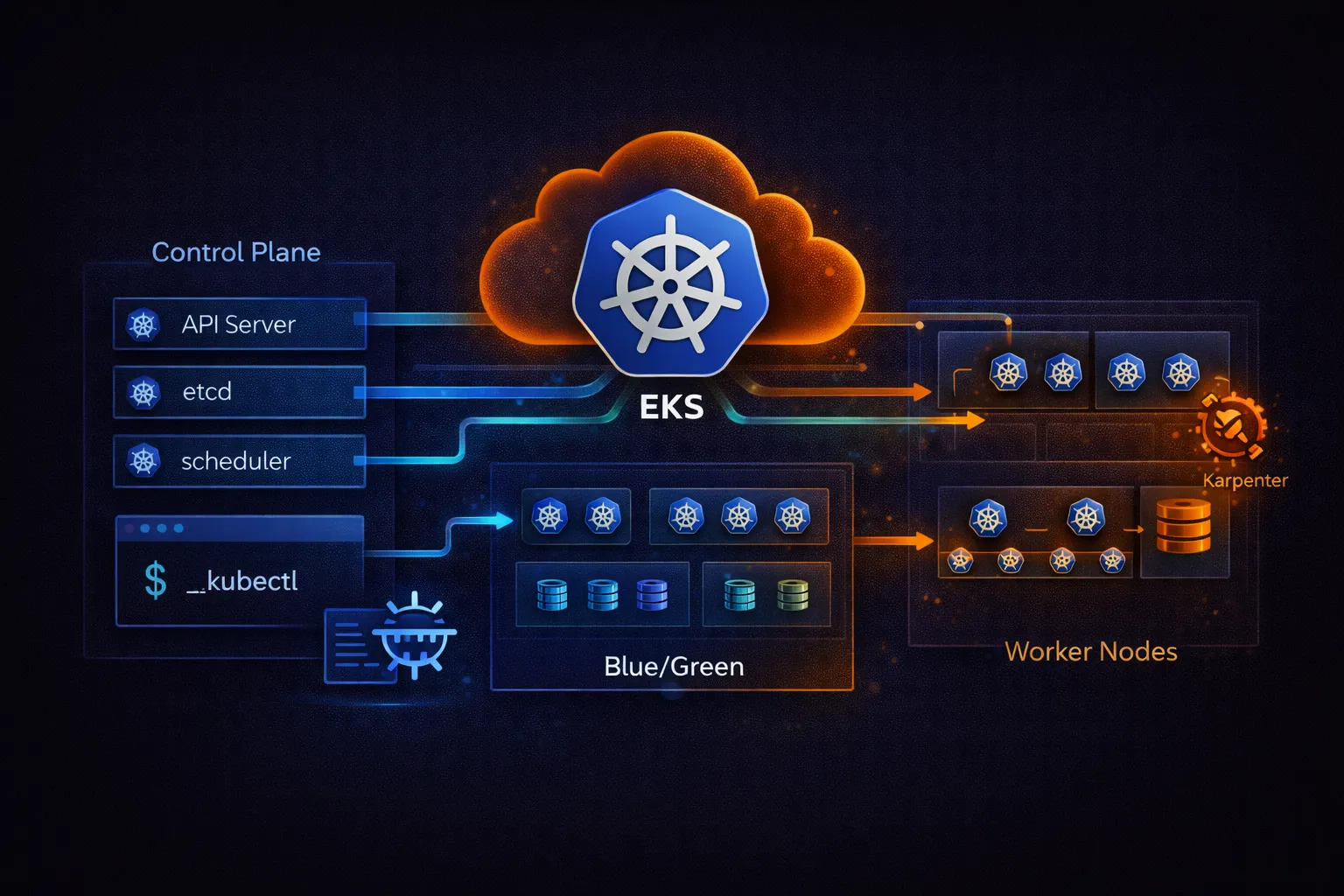
This is Part 3 of 3 in the Containers on AWS series. Part 1 covered ECR, ECS, and Fargate fundamentals. Part 2 covered ECS production patterns. This part covers EKS (Elastic Kubernetes Service): cluster creation, managed node groups, Fargate on EKS, Kubernetes manifests, IRSA, EKS Pod Identity, the AWS Load Balancer Controller, Karpenter, and the ECS vs EKS decision guide.
What Is EKS
Amazon EKS is a managed Kubernetes service. AWS runs the Kubernetes control plane (API server, etcd, scheduler, controller manager) across three Availability Zones. You manage the worker nodes where your pods run -- or let Fargate manage them for you.
EKS runs upstream Kubernetes with no AWS-specific modifications. Any Kubernetes manifest, Helm chart, or operator that works on standard Kubernetes works on EKS. This is the key difference from ECS: full Kubernetes API compatibility and portability.
# EKS architecture:
#
# AWS Managed (control plane)                Your Account (data plane)
# +-----------------------------------+     +--------------------------------+
# | EKS Control Plane ($0.10/hr)      |     | Worker Nodes                   |
# |                                   |     |                                |
# | [API Server] [etcd] [Scheduler]   |<--->| [Node 1]  [Node 2]  [Node 3]  |
# | [Controller Manager]             |     | pod pod   pod pod   pod pod    |
# |                                   |     |                                |
# | 3 AZ redundancy                   |     | Managed Node Group (EC2)       |
# | Automatic upgrades                |     | or Fargate (serverless)        |
# | Integrated with IAM               |     | or Self-managed (your AMI)     |
# +-----------------------------------+     +--------------------------------+
#
# EKS pricing:
# Control plane: $0.10/hour ($73/month based on 730 hours)
# Worker nodes: EC2 or Fargate pricing (same as ECS)
# EKS on Fargate: ECS Fargate pricing + $0.10/hr control plane
Cluster Creation with eksctl
eksctl is the official CLI tool for creating and managing EKS clusters. It generates CloudFormation stacks for the VPC, control plane, and node groups.
# Install eksctl
# macOS
brew tap aws/tap
brew install aws/tap/eksctl

# Linux
curl --silent --location "https://github.com/eksctl-io/eksctl/releases/latest/download/eksctl_Linux_amd64.tar.gz" | tar xz -C /tmp
sudo mv /tmp/eksctl /usr/local/bin

# Verify
eksctl version
# cluster.yaml -- EKS cluster configuration
apiVersion: eksctl.io/v1alpha5
kind: ClusterConfig
metadata:
name: prod-cluster
region: us-east-1
version: "1.32"
# EKS version support:
# - Standard support: ~14 months from release, included in $0.10/hr control plane cost
# - Extended support: additional ~12 months beyond standard support
# Pricing: $0.60/hr for the control plane (6x the standard price)
# Use extended support only when you need more time to validate upgrades
iam:
withOIDC: true # Required for IRSA (IAM Roles for Service Accounts)
vpc:
cidr: 10.0.0.0/16
nat:
gateway: HighlyAvailable # NAT Gateway in each AZ
managedNodeGroups:
- name: general
instanceType: m7g.large # Graviton3 (ARM64)
desiredCapacity: 3
minSize: 2
maxSize: 10
volumeSize: 50
volumeType: gp3
privateNetworking: true # Nodes in private subnets
labels:
role: general
iam:
withAddonPolicies:
albIngress: true
cloudWatch: true
- name: spot
instanceTypes:
- m7g.large
- m6g.large
- m7g.xlarge
spot: true # Use Spot Instances
desiredCapacity: 3
minSize: 0
maxSize: 20
privateNetworking: true
labels:
role: spot
taints:
- key: spot
value: "true"
effect: NoSchedule # Only pods that tolerate spot run here
addons:
- name: vpc-cni
version: latest
- name: coredns
version: latest
- name: kube-proxy
version: latest
- name: aws-ebs-csi-driver
version: latest
attachPolicyARNs:
- arn:aws:iam::aws:policy/service-role/AmazonEBSCSIDriverPolicy# Create the cluster (takes 15-20 minutes)
eksctl create cluster -f cluster.yaml
# This creates:
# - VPC with public and private subnets across 3 AZs
# - EKS control plane
# - Managed node groups (EC2 instances)
# - OIDC identity provider (for IRSA)
# - IAM roles for nodes and add-ons
# - kubeconfig updated automatically (~/.kube/config)
# Verify
kubectl get nodes
kubectl get pods -A # List all pods in all namespacesManaged Node Groups vs Fargate vs Self-Managed
# Three ways to run worker nodes on EKS:

# 1. Managed Node Groups (recommended for most workloads)
#    - AWS manages the EC2 instances (provisioning, AMI updates, draining)
#    - You choose instance types, sizes, and scaling
#    - Supports On-Demand and Spot instances
#    - Automatic OS and Kubernetes version updates
#    - Uses EKS-optimized AMIs
#    - Supports Linux (x86 and ARM), Windows, GPU, and Bottlerocket

# 2. Fargate (serverless)
#    - No EC2 instances to manage
#    - Each pod gets its own isolated compute environment
#    - Pay per pod (same pricing as ECS Fargate)
#    - Limitations: no DaemonSets, no GPUs, no privileged containers,
#      no hostNetwork, 20 GiB default ephemeral storage (configurable up to 175 GiB)
#    - Best for: batch jobs, dev/test, low-traffic services

# 3. Self-Managed Nodes
#    - Full control over AMIs, instance types, and OS
#    - You handle all patching and upgrades
#    - Primarily needed for: custom AMIs or special kernel configurations
#    - Most operational overhead
#    - Managed node groups now support Windows, GPU, and Bottlerocket,
#      so self-managed is rarely necessary for those use cases

# Create a Fargate profile
eksctl create fargateprofile \
    --cluster prod-cluster \
    --name batch-profile \
    --namespace batch \
    --labels workload=batch

# Any pod in the "batch" namespace with label workload=batch
# will run on Fargate instead of EC2 nodes
Kubernetes Manifests on EKS
Deployment and Service
# deployment.yaml
apiVersion: apps/v1
kind: Deployment
metadata:
  name: api-service
  namespace: production
  labels:
    app: api-service
spec:
  replicas: 3
  selector:
    matchLabels:
      app: api-service
  strategy:
    type: RollingUpdate
    rollingUpdate:
      maxSurge: 1
      maxUnavailable: 0    # Zero downtime
  template:
    metadata:
      labels:
        app: api-service
    spec:
      serviceAccountName: api-service   # For IRSA
      terminationGracePeriodSeconds: 30
      containers:
        - name: api
          image: 123456789012.dkr.ecr.us-east-1.amazonaws.com/api-service:v1.2.3
          ports:
            - containerPort: 8080
          resources:
            requests:
              cpu: 250m       # 0.25 vCPU guaranteed
              memory: 512Mi   # 512 MB guaranteed
            limits:
              cpu: 500m       # 0.5 vCPU maximum
              memory: 1Gi     # 1 GB maximum
          env:
            - name: APP_ENV
              value: production
            - name: DB_PASSWORD
              valueFrom:
                secretKeyRef:
                  name: db-credentials
                  key: password
          livenessProbe:
            httpGet:
              path: /health
              port: 8080
            initialDelaySeconds: 15
            periodSeconds: 10
            failureThreshold: 3
          readinessProbe:
            httpGet:
              path: /ready
              port: 8080
            initialDelaySeconds: 5
            periodSeconds: 5
            failureThreshold: 3
          startupProbe:
            httpGet:
              path: /health
              port: 8080
            initialDelaySeconds: 10
            periodSeconds: 5
            failureThreshold: 30   # Allow up to 150s for slow starts
      topologySpreadConstraints:
        - maxSkew: 1
          topologyKey: topology.kubernetes.io/zone
          whenUnsatisfiable: DoNotSchedule
          labelSelector:
            matchLabels:
              app: api-service
        # Spread pods across AZs for high availability
---
apiVersion: v1
kind: Service
metadata:
  name: api-service
  namespace: production
spec:
  type: ClusterIP
  selector:
    app: api-service
  ports:
    - port: 80
      targetPort: 8080
      protocol: TCP
Ingress with AWS Load Balancer Controller
# The AWS Load Balancer Controller creates ALBs/NLBs from Kubernetes Ingress resources.
# It replaces the legacy aws-alb-ingress-controller.

# Install with Helm
helm repo add eks https://aws.github.io/eks-charts
helm repo update

helm install aws-load-balancer-controller eks/aws-load-balancer-controller \
    -n kube-system \
    --set clusterName=prod-cluster \
    --set serviceAccount.create=false \
    --set serviceAccount.name=aws-load-balancer-controller

# The controller needs an IAM role via IRSA (see IRSA section below)
# ingress.yaml -- creates an ALB
apiVersion: networking.k8s.io/v1
kind: Ingress
metadata:
name: api-ingress
namespace: production
annotations:
alb.ingress.kubernetes.io/scheme: internet-facing
alb.ingress.kubernetes.io/target-type: ip
alb.ingress.kubernetes.io/listen-ports: '[{"HTTPS": 443}]'
alb.ingress.kubernetes.io/certificate-arn: arn:aws:acm:us-east-1:123456789012:certificate/abc-123
alb.ingress.kubernetes.io/healthcheck-path: /health
alb.ingress.kubernetes.io/healthcheck-interval-seconds: "15"
alb.ingress.kubernetes.io/group.name: shared-alb # Share ALB across Ingresses
spec:
ingressClassName: alb
rules:
- host: api.myapp.com
http:
paths:
- path: /
pathType: Prefix
backend:
service:
name: api-service
port:
number: 80
- host: admin.myapp.com
http:
paths:
- path: /
pathType: Prefix
backend:
service:
name: admin-service
port:
number: 80
# group.name: multiple Ingress resources with the same group share one ALB
# This saves cost -- one ALB instead of one per serviceIAM Roles for Service Accounts (IRSA)
IRSA is the EKS equivalent of ECS task roles. It associates a Kubernetes service account with an IAM role, so pods running with that service account automatically get the IAM permissions. This is the recommended approach -- do not use node-level IAM roles for application permissions.
# Create an IAM role linked to a Kubernetes service account
eksctl create iamserviceaccount \
    --cluster prod-cluster \
    --namespace production \
    --name api-service \
    --attach-policy-arn arn:aws:iam::123456789012:policy/api-service-policy \
    --approve

# This creates:
# 1. An IAM role with a trust policy that allows the EKS OIDC provider
# 2. A Kubernetes service account "api-service" in namespace "production"
# 3. The service account is annotated with the IAM role ARN
#
# Any pod using serviceAccountName: api-service gets the IAM role's permissions
# automatically via the AWS SDK credential chain.
#
# How it works:
# Pod -> mounts a projected token -> AWS SDK detects the token ->
# calls STS AssumeRoleWithWebIdentity -> gets temporary credentials

# Verify the service account
kubectl describe sa api-service -n production
# Look for: eks.amazonaws.com/role-arn annotation
# IAM policy for the api-service role (least privilege)
{
"Version": "2012-10-17",
"Statement": [
{
"Effect": "Allow",
"Action": [
"dynamodb:GetItem",
"dynamodb:PutItem",
"dynamodb:Query",
"dynamodb:UpdateItem",
"dynamodb:DeleteItem"
],
"Resource": "arn:aws:dynamodb:us-east-1:123456789012:table/products*"
},
{
"Effect": "Allow",
"Action": [
"s3:GetObject",
"s3:PutObject"
],
"Resource": "arn:aws:s3:::my-app-uploads/*"
}
]
}
# Common IRSA service accounts:
# - aws-load-balancer-controller: manages ALBs/NLBs
# - external-dns: manages Route 53 records
# - cluster-autoscaler: manages Auto Scaling Groups
# - aws-ebs-csi-driver: manages EBS volumes
# Each needs its own IAM role with specific permissionsEKS Pod Identity
EKS Pod Identity was launched in November 2023 as a simpler alternative to IRSA for granting IAM permissions to Kubernetes pods. With Pod Identity, you do not need to set up an OIDC provider or annotate service accounts manually. Instead, you create a pod identity association directly through the EKS API.
# Step 1: Install the EKS Pod Identity Agent add-on
aws eks create-addon \
    --cluster-name prod-cluster \
    --addon-name eks-pod-identity-agent

# Step 2: Create an IAM role with the Pod Identity trust policy
# The trust policy trusts the pods.eks.amazonaws.com service principal
# (AWS provides a managed trust policy template for this)

# Step 3: Associate the role with a service account
aws eks create-pod-identity-association \
    --cluster-name prod-cluster \
    --namespace production \
    --service-account api-service \
    --role-arn arn:aws:iam::123456789012:role/api-service-pod-identity-role

# That is it. Any pod running with serviceAccountName: api-service
# in the production namespace now gets the IAM role's permissions.
# No OIDC provider configuration, no service account annotations.

# List associations
aws eks list-pod-identity-associations --cluster-name prod-cluster

# Delete an association
aws eks delete-pod-identity-association \
    --cluster-name prod-cluster \
    --association-id a-1234567890abcdef0
# IRSA vs EKS Pod Identity -- when to use each:
#
# EKS Pod Identity (recommended for new clusters):
# - Simpler setup: no OIDC provider needed
# - Managed entirely through the EKS API
# - Easier to audit: list all associations with one API call
# - Works with any AWS SDK that supports the container credential provider
#
# IRSA (still needed in some cases):
# - Cross-account access: IRSA lets you assume roles in other AWS accounts
# by configuring the OIDC provider as a trusted entity in the target account
# - Fine-grained audience/subject control for advanced trust policy conditions
# - Required if you are on an older EKS platform version that does not support Pod Identity
#
# For most single-account workloads on new clusters, Pod Identity is the simpler choice.Horizontal Pod Autoscaler (HPA)
# hpa.yaml
apiVersion: autoscaling/v2
kind: HorizontalPodAutoscaler
metadata:
  name: api-service
  namespace: production
spec:
  scaleTargetRef:
    apiVersion: apps/v1
    kind: Deployment
    name: api-service
  minReplicas: 3
  maxReplicas: 50
  metrics:
    - type: Resource
      resource:
        name: cpu
        target:
          type: Utilization
          averageUtilization: 70
    - type: Resource
      resource:
        name: memory
        target:
          type: Utilization
          averageUtilization: 80
  behavior:
    scaleDown:
      stabilizationWindowSeconds: 300   # Wait 5 min before scaling down
      policies:
        - type: Percent
          value: 25                     # Remove max 25% of pods at a time
          periodSeconds: 60
    scaleUp:
      stabilizationWindowSeconds: 0     # Scale up immediately
      policies:
        - type: Percent
          value: 100                    # Double pods if needed
          periodSeconds: 60
        - type: Pods
          value: 5                      # Or add 5 pods, whichever is greater
          periodSeconds: 60
      selectPolicy: Max
# Install metrics-server (required for HPA to read CPU/memory)
kubectl apply -f https://github.com/kubernetes-sigs/metrics-server/releases/latest/download/components.yaml
# Verify HPA
kubectl get hpa -n production
kubectl describe hpa api-service -n production
# For custom metrics (request rate, queue depth, etc.),
# install Prometheus Adapter or KEDAPodDisruptionBudget
A PodDisruptionBudget (PDB) ensures that a minimum number of pods remain available during voluntary disruptions such as node drains, cluster upgrades, or Karpenter consolidation. Without a PDB, a node drain could terminate all your pods simultaneously.
# pdb.yaml
apiVersion: policy/v1
kind: PodDisruptionBudget
metadata:
  name: api-service
  namespace: production
spec:
  minAvailable: 2              # At least 2 pods must remain running at all times
  selector:
    matchLabels:
      app: api-service

# Alternative: use maxUnavailable instead of minAvailable
# maxUnavailable: 1            # At most 1 pod can be down at a time
#
# During a node drain or upgrade:
# - Kubernetes checks the PDB before evicting pods
# - If evicting a pod would violate the PDB, the drain waits
# - This prevents situations where all replicas are terminated at once
#
# Best practice: set minAvailable to at least replicas - 1,
# or use maxUnavailable: 1 for services with 3+ replicas
Karpenter (Node Autoscaling)
Karpenter is the recommended node autoscaler for EKS (replacing Cluster Autoscaler). It provisions right-sized EC2 instances directly based on pending pod requirements, without using Auto Scaling Groups.
# NodePool defines what instances Karpenter can provision
apiVersion: karpenter.sh/v1
kind: NodePool
metadata:
  name: general
spec:
  template:
    spec:
      requirements:
        - key: kubernetes.io/arch
          operator: In
          values: ["arm64"]            # Graviton for cost savings
        - key: karpenter.sh/capacity-type
          operator: In
          values: ["on-demand", "spot"]
        - key: karpenter.k8s.aws/instance-category
          operator: In
          values: ["m", "c", "r"]      # General, compute, memory optimized
        - key: karpenter.k8s.aws/instance-generation
          operator: Gt
          values: ["5"]                # Only 6th gen and newer
      nodeClassRef:
        group: karpenter.k8s.aws
        kind: EC2NodeClass
        name: default
  limits:
    cpu: 100                           # Max 100 vCPUs total
    memory: 400Gi                      # Max 400 GB memory total
  disruption:
    consolidationPolicy: WhenEmptyOrUnderutilized
    consolidateAfter: 1m
---
apiVersion: karpenter.k8s.aws/v1
kind: EC2NodeClass
metadata:
  name: default
spec:
  amiSelectorTerms:
    - alias: al2023@latest             # Amazon Linux 2023 EKS-optimized
  subnetSelectorTerms:
    - tags:
        karpenter.sh/discovery: prod-cluster
  securityGroupSelectorTerms:
    - tags:
        karpenter.sh/discovery: prod-cluster
  instanceStorePolicy: RAID0           # Use NVMe instance store if available
  blockDeviceMappings:
    - deviceName: /dev/xvda
      ebs:
        volumeSize: 50Gi
        volumeType: gp3
# How Karpenter works:
#
# 1. Pod is pending (no node has capacity)
# 2. Karpenter evaluates pod requirements (CPU, memory, arch, tolerations)
# 3. Karpenter selects the cheapest instance type that fits
# 4. Launches the instance directly (no ASG, no launch template delays)
# 5. Pod is scheduled within ~60 seconds
#
# Karpenter vs Cluster Autoscaler:
#
# Feature Karpenter Cluster Autoscaler
# -------------------------------------------------------------------
# Provisioning Direct EC2 API Via Auto Scaling Groups
# Instance selection Automatic, optimal Fixed per ASG
# Speed ~60 seconds ~3-5 minutes
# Consolidation Built-in No
# Spot handling Native, diverse pools Limited
# Configuration NodePool CRD ASG configuration
#
# Consolidation: Karpenter moves pods to fewer, better-utilized nodes
# and terminates underutilized nodes to reduce cost.EKS Add-ons and Ecosystem
# Essential EKS add-ons:

# VPC CNI (networking)
# Assigns VPC IP addresses to pods. Each pod gets a real VPC IP.
# Enables security groups for pods and direct VPC communication.
aws eks create-addon --cluster-name prod-cluster --addon-name vpc-cni

# CoreDNS (DNS)
# Provides DNS resolution inside the cluster.
# Pods reach services by name: api-service.production.svc.cluster.local
aws eks create-addon --cluster-name prod-cluster --addon-name coredns

# kube-proxy (networking)
# Maintains network rules on nodes for Service routing.
aws eks create-addon --cluster-name prod-cluster --addon-name kube-proxy

# EBS CSI Driver (storage)
# Manages EBS volumes as Kubernetes PersistentVolumes.
aws eks create-addon --cluster-name prod-cluster --addon-name aws-ebs-csi-driver

# List installed add-ons
aws eks list-addons --cluster-name prod-cluster

# Common third-party tools for EKS:
# - Helm: package manager for Kubernetes manifests
# - ArgoCD: GitOps continuous delivery
# - External DNS: automatic Route 53 record management
# - cert-manager: automatic TLS certificate management
# - External Secrets Operator: sync secrets from Secrets Manager to k8s Secrets
# - Prometheus + Grafana: monitoring and dashboards (or use CloudWatch Container Insights)
Secrets on EKS
# Option 1: Kubernetes Secrets (base64 encoded, stored in etcd)
kubectl create secret generic db-credentials \
    --namespace production \
    --from-literal=username=admin \
    --from-literal=password=s3cur3P@ss

# Important: EKS encrypts the underlying EBS volumes used by the control plane
# at rest, but Kubernetes Secrets stored in etcd are NOT envelope-encrypted
# by default. This means anyone with etcd access or the right Kubernetes API
# permissions can read Secrets in plaintext.
#
# To enable envelope encryption for Secrets, you must explicitly configure
# a customer-managed KMS key:
aws eks create-cluster \
    --name prod-cluster \
    --encryption-config '[{
        "resources": ["secrets"],
        "provider": {"keyArn": "arn:aws:kms:us-east-1:123456789012:key/abc-123"}
    }]' \
    ...

# With envelope encryption enabled, Kubernetes encrypts each Secret with a
# data encryption key (DEK), and the DEK is encrypted with your KMS key.
# This is strongly recommended for production clusters.

# Option 2: External Secrets Operator (recommended for production)
# Syncs secrets from AWS Secrets Manager / SSM Parameter Store
# into Kubernetes Secrets automatically

# Install External Secrets Operator
helm repo add external-secrets https://charts.external-secrets.io
helm repo update

helm install external-secrets external-secrets/external-secrets \
    -n external-secrets --create-namespace
# ExternalSecret syncs from AWS Secrets Manager to a k8s Secret
apiVersion: external-secrets.io/v1
kind: ExternalSecret
metadata:
name: db-credentials
namespace: production
spec:
refreshInterval: 1h
secretStoreRef:
name: aws-secrets
kind: ClusterSecretStore
target:
name: db-credentials # Kubernetes Secret name
data:
- secretKey: username
remoteRef:
key: prod/api/db-credentials
property: username
- secretKey: password
remoteRef:
key: prod/api/db-credentials
property: password
# Benefits over plain k8s Secrets:
# - Single source of truth in Secrets Manager
# - Automatic rotation (refreshInterval)
# - Audit trail via CloudTrail
# - No secrets in Git repos or CI/CD pipelinesEKS Pricing
# EKS pricing breakdown (using 730 hours/month = 365.25 * 24 / 12):

# Control plane: $0.10/hour ($73/month) -- fixed cost per cluster
# Worker nodes: depends on launch type

# Example: 3 m7g.large instances (2 vCPU, 8 GB each, Graviton3)
# On-Demand: 3 * $0.082/hr * 730 = $179.58/month
# Spot:      3 * ~$0.025/hr * 730 = ~$54.75/month (70% savings typical)
# Reserved (1yr): 3 * $0.052/hr * 730 = $113.88/month (37% savings)
#
# Note: Spot prices are variable and the numbers shown are illustrative.
# Actual Spot pricing depends on instance type, AZ, and current demand.
#
# + Control plane: $73/month
# Total On-Demand: $252.58/month for a 3-node cluster

# EKS on Fargate (serverless):
# Same Fargate pricing as ECS + $73/month control plane
# 1 vCPU, 2 GB pod running 24/7: ~$28.44/month + share of $73

# Cost comparison: ECS vs EKS (same workload)
#
#                     ECS (Fargate)    EKS (Managed Nodes)  EKS (Fargate)
# Control plane       $0               $73/month            $73/month
# Compute (3 tasks)   $85.32           $179.58 (On-Demand)  $85.32
#                                      ~$54.75 (Spot)
# Total               $85.32           $252.58 / ~$127.75   $158.32
#
# ECS is cheaper for small workloads.
# EKS becomes cost-effective when you run many services on shared nodes.
ECS vs EKS Decision Guide
# Choose ECS when:
# - Your team does not already know Kubernetes
# - You are building exclusively on AWS (no multi-cloud requirement)
# - You want the simplest operational model (especially with Fargate)
# - You have fewer than 10-15 services
# - You want to avoid the Kubernetes learning curve and ecosystem complexity
# - Cost is a primary concern for small deployments

# Choose EKS when:
# - Your team already has Kubernetes experience
# - You need multi-cloud or hybrid-cloud portability
# - You need the Kubernetes ecosystem (Helm, ArgoCD, Istio, custom operators)
# - You have complex scheduling requirements (affinity, taints, topology)
# - You are running 20+ services and need a unified orchestration platform
# - You want to use the same tooling as on-premises Kubernetes clusters

# Common mistake: choosing EKS "because Kubernetes is the standard"
# without having the team expertise to operate it.
# EKS requires knowledge of: Kubernetes API, RBAC, networking (CNI),
# storage (CSI), node management, Helm, and the AWS-specific integrations.
#
# ECS requires knowledge of: task definitions, services, and IAM roles.
# The operational gap is significant.

# Feature comparison:
#
# Feature                ECS                  EKS
# ---------------------------------------------------------------
# Container runtime      containerd           containerd
# Orchestration API      AWS API               Kubernetes API
# Service mesh           Service Connect       Istio, Linkerd, App Mesh
# Package manager        CloudFormation/CDK    Helm
# GitOps                 CodePipeline          ArgoCD, Flux
# Node management        Fargate or EC2        Managed nodes, Fargate, Karpenter
# Secrets                Secrets Manager/SSM   External Secrets Operator, CSI driver
# Monitoring             Container Insights    Container Insights, Prometheus
# Multi-cloud            No                    Yes (standard k8s)
# Cost (control plane)   Free                  $73/month
# Learning curve         Low                   High
# Community ecosystem    AWS-specific          Vast (CNCF)
Best Practices for EKS
Security
- Use IRSA or EKS Pod Identity for all application IAM permissions -- never attach policies to node IAM roles for application use
- Enable envelope encryption for Kubernetes Secrets using a customer-managed KMS key (this is not enabled by default)
- Use the External Secrets Operator to sync credentials from Secrets Manager instead of storing them in manifests
- Restrict API server access: use private endpoint or limit public access to specific CIDR blocks
- Use Pod Security Standards (restricted, baseline) to prevent privileged containers
- Run nodes in private subnets with no public IP addresses
- Enable Kubernetes Network Policies to control pod-to-pod traffic. The VPC CNI requires the network policy agent to be enabled (available as an EKS add-on) before Network Policies are enforced.
Reliability
- Spread pods across AZs with
topologySpreadConstraints - Set resource requests and limits on every container to prevent noisy neighbor issues
- Use PodDisruptionBudgets to ensure minimum availability during node drains and upgrades
- Configure liveness, readiness, and startup probes to handle slow starts and deadlocks
- Use Karpenter for fast, right-sized node provisioning (replaces Cluster Autoscaler)
Cost
- Use Graviton (ARM64) nodes for 20% cost savings
- Mix Spot and On-Demand instances with Karpenter NodePools
- Use Compute Savings Plans (1-year or 3-year) for steady workloads
- Right-size pods: set CPU/memory requests based on actual usage, not guesses
- Enable Karpenter consolidation to bin-pack pods and terminate underutilized nodes
- Share ALBs across services with Ingress group.name to avoid one ALB per service
Operations
- Use eksctl or Terraform for cluster lifecycle management (not manual console)
- Keep EKS and node group versions within one minor version of the latest release
- Use managed add-ons (vpc-cni, coredns, kube-proxy) for automatic updates
- Implement GitOps with ArgoCD or Flux for declarative, auditable deployments
- Enable CloudWatch Container Insights or deploy Prometheus/Grafana for monitoring
- Use EKS access entries for managing cluster access instead of the aws-auth ConfigMap. Access entries are managed through the EKS API and are simpler to audit and automate than editing a ConfigMap manually.
Go Deeper: The State of AWS Security 2026
This article is just the start. Get the full picture with our free whitepaper - 8 chapters covering IAM, S3, VPC, monitoring, agentic AI security, compliance, and a prioritized action plan with 50+ CLI commands.
Toc Consulting: AWS Security & Cloud Architecture
Want expert help with AWS Mastery?
Our team helps engineering teams secure and architect AWS the right way: assessment in week one, a prioritized action plan in week two.
More Articles
AWS Architecture Patterns: Proven Blueprints for Scalable Cloud Applications
Six production-proven AWS architecture patterns: three-tier web apps, serverless APIs, event-driven processing, static websites, data lakes, and multi-region disaster recovery with diagrams and implementation guides.
AWS Cost Optimization: Reduce Your Cloud Bill Without Sacrificing Performance
Complete guide to AWS cost optimization covering Cost Explorer, Compute Optimizer, Savings Plans, Spot Instances, S3 lifecycle policies, gp2 to gp3 migration, scheduling, budgets, and production best practices.
AWS AI and ML Services: Add Intelligence to Your Applications
Complete guide to AWS AI services including Rekognition, Comprehend, Textract, Polly, Translate, Transcribe, and Bedrock with CLI commands, pricing, and production best practices.