
The Agent's AWS Footprint
Tarek Cheikh
Founder & AWS Cloud Architect
Part 15 of 16 in the AWS Security Agent: From Zero to Hero series
The previous post looked at the agent from the outside, as an attack surface. This post looks at it from the inside of my own account. Every pentest the agent runs leaves a trail: CloudTrail records every API call, Secrets Manager holds any credentials I gave it, and VPC Flow Logs capture every packet it sends at the target. I downloaded all three and reverse engineered exactly what the agent's own AWS activity looks like.
This matters because the agent runs from an AWS account you control. That is the whole security model: the detailed pentest execution logs (including the vulnerabilities discovered) land in CloudWatch in your own account, the findings and other customer data are encrypted at rest with AWS KMS, the credentials live in your own Secrets Manager, and the API calls show up in your own CloudTrail. You can audit and observe the agent the same way you would audit any other workload. This post is the field guide for doing that.
For readers who have not worked with these services: CloudTrail is the AWS audit log, it records every API call made in your account. Secrets Manager stores and retrieves credentials. VPC Flow Logs record network traffic metadata (source IP, destination, port, bytes, accept or reject) for a VPC.
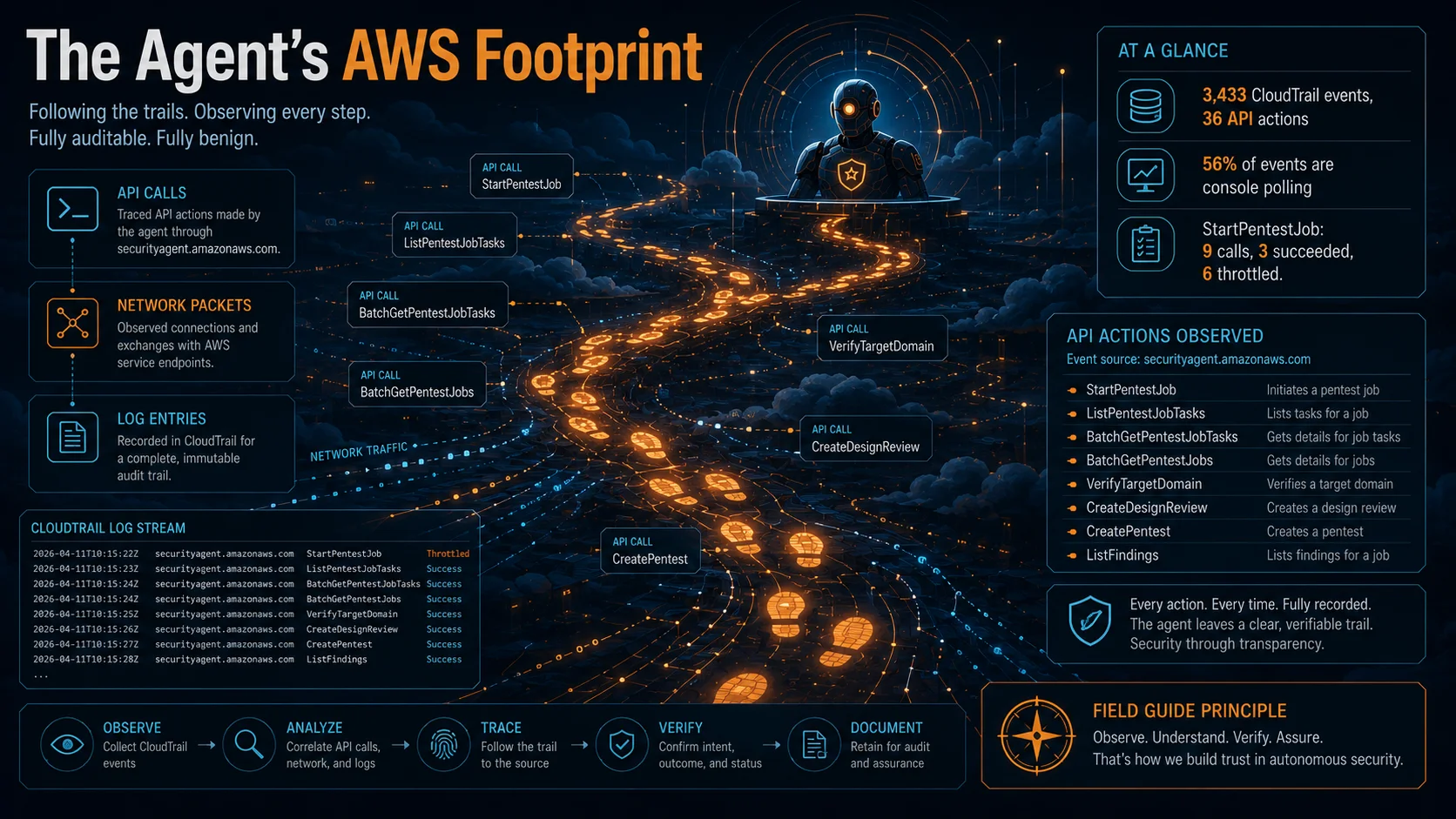
CloudTrail: 3,433 Events, 36 API Actions
Every interaction with AWS Security Agent generates CloudTrail events under the event source securityagent.amazonaws.com. Over my testing period (March 20 to 22, 2026) I collected 3,433 events across 36 unique API actions. That covers everything: setup, design reviews, GitHub integration, and three real pentest runs.
To see them, filter CloudTrail by event source:
Event source: securityagent.amazonaws.comOr download them with the CLI:
aws cloudtrail lookup-events \
  --lookup-attributes AttributeKey=EventSource,AttributeValue=securityagent.amazonaws.com \
  --start-time 2026-03-20T00:00:00Z \
  --end-time 2026-03-23T00:00:00Z \
  --max-results 1000
lookup-events returns at most 1,000 results per call, so I paginated through all 3,433. A sanitized sample of these events (account IDs and resource UUIDs replaced with placeholders) is available in the companion repository at securityagent-events-sample.json.
What an event looks like
Here is a StartPentestJob event from my logs, with the account ID and resource IDs replaced by placeholders:
{
  "eventTime": "2026-03-21T22:49:19Z",
  "eventSource": "securityagent.amazonaws.com",
  "eventName": "StartPentestJob",
  "recipientAccountId": "123456789012",
  "requestParameters": {
    "pentestId": "pt-XXXXXXXX-XXXX-XXXX-XXXX-XXXXXXXXXXXX",
    "agentSpaceId": "as-XXXXXXXX-XXXX-XXXX-XXXX-XXXXXXXXXXXX"
  }
}
When I tried to start another pentest while my account was already at its concurrency quota, the same call returned a ThrottlingException:
{
  "eventTime": "2026-03-21T22:50:03Z",
  "eventSource": "securityagent.amazonaws.com",
  "eventName": "StartPentestJob",
  "errorCode": "ThrottlingException"
}
More on that error in a moment.
The full event breakdown
| Event | Count | What it does |
|---|---|---|
| ListPentestJobTasks | 671 | Web app polls to update the pentest monitor view |
| BatchGetPentestJobTasks | 664 | Same, batch variant |
| BatchGetPentestJobs | 601 | Same, checks overall pentest status |
| VerifyTargetDomain | 316 | Re-verifies domain ownership |
| BatchGetAgentSpaces | 180 | Web app loads Agent Space data |
| ListFindings | 117 | Retrieves pentest findings |
| ListPentestJobsForPentest | 98 | Lists tasks within a pentest |
| ListApplications | 89 | Web app UI |
| GetApplication | 87 | Web app UI |
| CreateOneTimeLoginSession | 82 | Generates a one-time URL to launch the web app |
| ListDesignReviews | 78 | Design review UI |
| ListIntegrations | 71 | GitHub integration UI |
| ListIntegratedResources | 68 | GitHub integration UI |
| BatchGetFindings | 53 | Batch findings retrieval |
| BatchGetPentests | 47 | Batch pentest metadata |
| ListMemberships | 38 | Access management |
| ListSecurityRequirements | 31 | Requirements UI |
| ListPentests | 29 | Pentest list page |
| ListAgentSpaces | 27 | Console UI |
| ListDesignReviewComments | 22 | Design review comments |
| GetDesignReview | 11 | Individual design review |
| StartPentestJob | 9 | Start a pentest execution (3 succeeded, 6 throttled) |
| ListArtifacts | 7 | Resource management |
| UpdateAgentSpace | 7 | Configuration changes |
| CreateDesignReview | 7 | The 7 design reviews in this capture window (2 later prompt-injection reviews fall outside it) |
| CreatePentest | 5 | My 5 pentest configurations |
| ListDiscoveredEndpoints | 5 | Endpoints the Crawler found |
| CreateAgentSpace | 2 | I created 2 Agent Spaces |
| UpdateIntegratedResources | 2 | GitHub repo config |
| ListResourcesFromIntegration | 2 | GitHub repo listing |
| BatchGetPentestJobContentMetadata | 2 | Pentest metadata (undocumented) |
| BatchDeletePentests | 1 | Cleanup |
| CreateSecurityRequirement | 1 | My IDOR requirement |
| CreateIntegration | 1 | GitHub integration |
| InitiateProviderRegistration | 1 | GitHub OAuth flow (undocumented) |
| CreateApplication | 1 | Internal (undocumented) |
The web app polls constantly
The top three events account for 1,936 of 3,433 events, or 56 percent. These are the web app polling for pentest status while a run is in progress. Every few seconds the monitor view calls ListPentestJobTasks, BatchGetPentestJobTasks, and BatchGetPentestJobs to refresh. Each refresh generates three CloudTrail events. It is normal behavior, but it means your CloudTrail fills up fast during a pentest, and any per-event log processing you run should expect the volume.
Domain verification happens 316 times
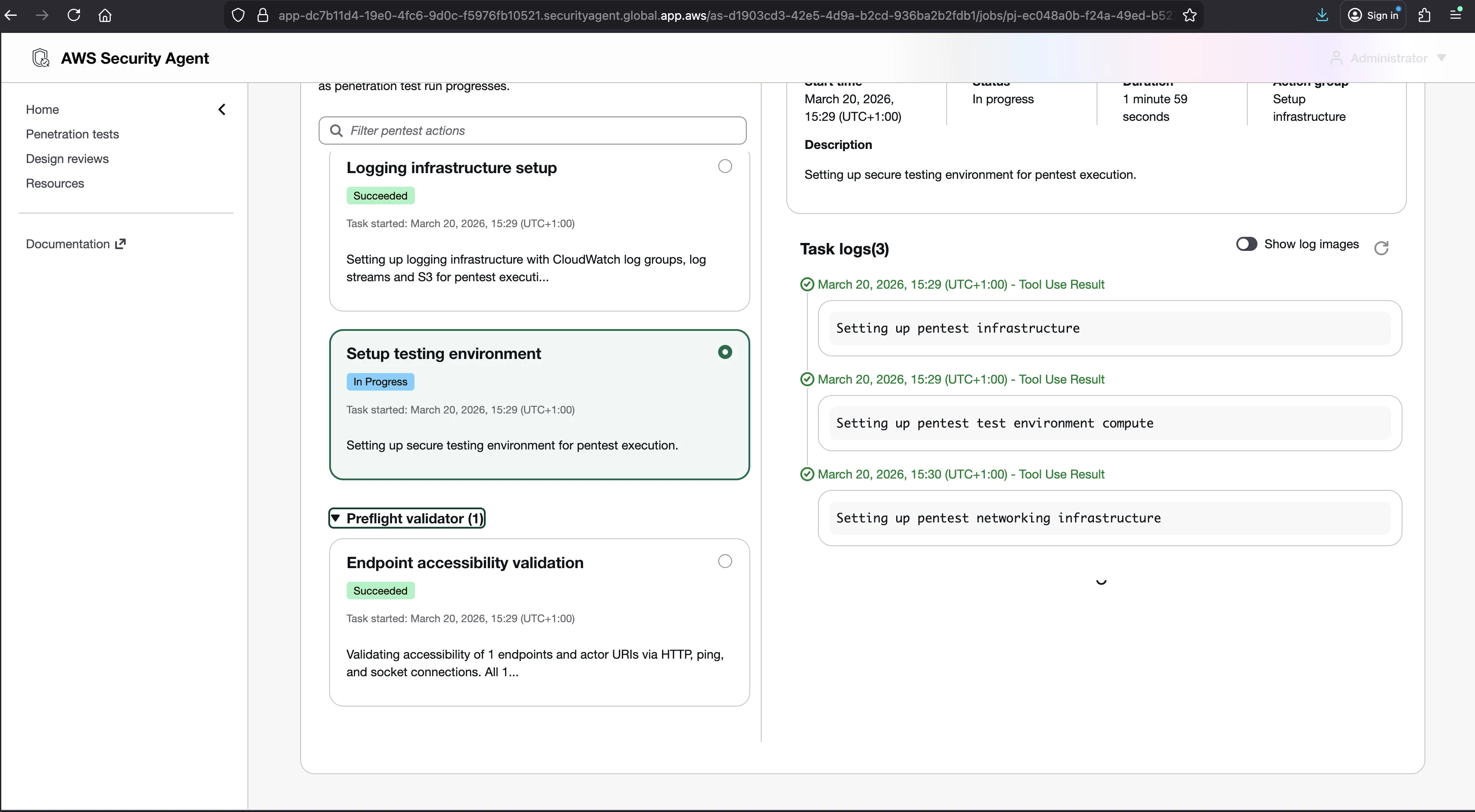
VerifyTargetDomain was called 316 times across the testing period. Not just at initial setup. In my logs the call kept firing well beyond setup, which suggests the service re-checks ownership beyond the initial verification rather than only once. The first call was during setup on March 20, the last was during a pentest two days later.
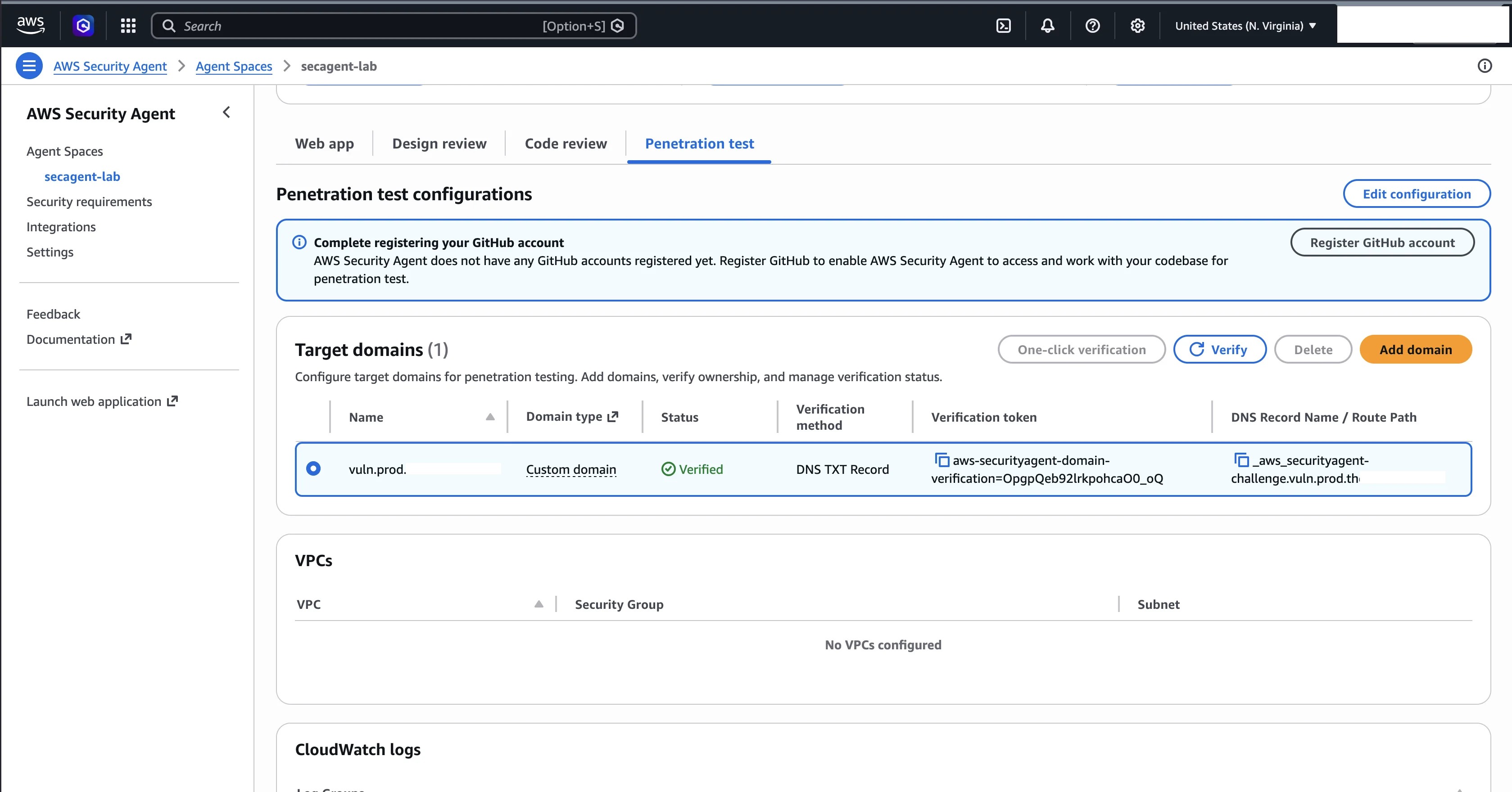
This is a security feature. If someone removes the DNS TXT record or the HTTP validation token (the two ownership-verification methods; AWS verifies public targets with a DNS TXT record, which the Route 53 one-click button creates for you, or an HTTP route returning a validation string), the next pentest fails verification. The practical consequence is that your verification record must stay in place permanently, not just during initial setup.
Undocumented API actions
Several event names reveal internal API actions that are not in the public documentation or SDK:
CreateOneTimeLoginSession, generates a one-time URL when you click "Launch web application" in the consoleBatchGetPentestJobTasks, task-level monitoring used by the web app's live update viewBatchGetPentestJobContentMetadata, retrieves metadata about pentest job contentInitiateProviderRegistration, the start of the GitHub OAuth flowListDiscoveredEndpoints, returns the endpoints the Crawler found during a pentest
These appear in your own CloudTrail, which means you can build CloudWatch alarms on them. Alarm on CreatePentest or StartPentestJob and you will know every time someone starts a test in your account.
The complete timeline of my experiments
CloudTrail gives a full audit trail. Here is what my testing period looked like (times are in my local zone, UTC+1, the raw CloudTrail eventTime values shown in the JSON blocks are UTC, one hour behind):
| Date | Time (UTC+1) | Event | What I did |
|---|---|---|---|
| March 20 | 10:11 | CreateAgentSpace | Created "secagent-lab" |
| March 20 | 15:28 | CreatePentest + StartPentestJob | Run-001 (no credentials) |
| March 20 | 20:32-20:52 | CreateDesignReview x7 | 7 design reviews (the FileDrop and VulnCatalog format experiment) |
| March 20 | 21:09 | CreateIntegration | Connected GitHub |
| March 20 | 23:28 | CreateSecurityRequirement | Created IDOR authorization requirement |
| March 21 | 01:50 | CreatePentest | Created run-002 (with credentials) |
| March 21 | 02:00 | StartPentestJob | Run-002 started |
| March 21 | 23:49 | StartPentestJob | Trap-app pentest started |
| March 21 | 23:50 | StartPentestJob x3 | ThrottlingException x3, concurrency quota hit |
| March 21 | 23:59 | CreateAgentSpace | Created "subtle-app" (testing concurrency across spaces) |
| March 22 | 00:02 | StartPentestJob x3 | ThrottlingException x3, confirmed it is per account |
This capture window ends here. Two further design reviews, the adversarial prompt-injection tests covered in the trick-the-agent post, ran later on March 22 and so fall outside the CloudTrail snapshot above, which is why the CreateDesignReview count here is 7 rather than the 9 design reviews I ran in total.
The Concurrency Quota in the Logs
A pentest project is limited by a concurrent pentest quota. The generally available default is 5 per account per region, adjustable by submitting an AWS Support case (quotas page). When I ran these experiments in March 2026, around the March 31 GA cutover, my account's effective limit was still 1, and CloudTrail captured exactly what hitting it looks like. The throttle response names the limit in force at the time:
"responseElements": { "message": "Too many concurrent pentest executions. Maximum allowed: 1" }Six of nine StartPentestJob calls returned ThrottlingException:
| Time (UTC+1) | Result |
|---|---|
| March 20, 15:28:25 | SUCCESS (run-001) |
| March 21, 02:00:59 | SUCCESS (run-002) |
| March 21, 23:49:19 | SUCCESS (trap-app) |
| March 21, 23:50:03 | ThrottlingException |
| March 21, 23:50:04 | ThrottlingException |
| March 21, 23:50:05 | ThrottlingException |
| March 22, 00:02:43 | ThrottlingException |
| March 22, 00:02:43 | ThrottlingException |
| March 22, 00:02:44 | ThrottlingException |
When the three calls at 23:50 were throttled, exactly one pentest (trap-app) was running, which is why the response named "Maximum allowed: 1": that was the effective limit on my account at the time. The GA default is now 5, so reproducing this today takes five concurrent runs rather than two. The mechanics are the same either way. The web application surfaced the same limit when I tried to launch the extra runs:
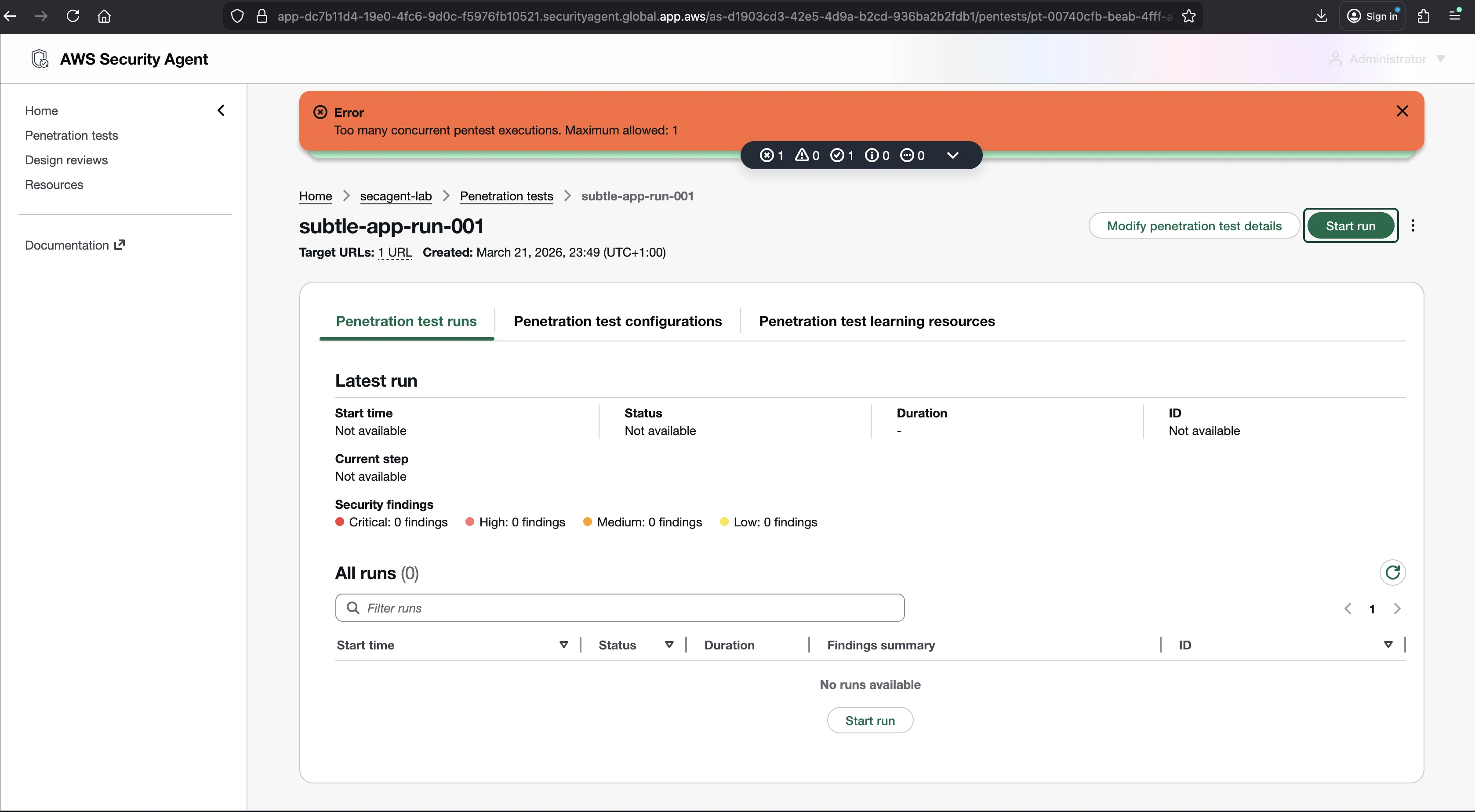
The trap-app and subtle-app runs in this timeline were short exploratory runs I used to probe how concurrency behaves across Agent Spaces; I do not break out their findings elsewhere in the series, which focuses on the two primary runs (run-001 and run-002). They appear here only as CloudTrail evidence of the quota in action.
The error type is ThrottlingException, not LimitExceededException. The service treats concurrency as a rate limit, not a hard wall. The throttled calls came first from the same Agent Space as the running pentest, and then from a second Agent Space I created at 23:59 to test whether the quota was per space. It is not. The quota is enforced per account per region, regardless of how many Agent Spaces you spread the work across. If you genuinely need more concurrent pentests than your quota allows, raise it by submitting an AWS Support case rather than splitting across spaces.
The useful audit takeaway is that you can detect quota pressure straight from CloudTrail: filter for eventName = StartPentestJob and errorCode = ThrottlingException.
Secrets Manager: Credentials Stay in Your Account
When you run an authenticated pentest, you give the agent credentials so it can log in to the target. AWS Security Agent supports several auth methods (static credentials, IAM role assumption, Secrets Manager secrets, an API key stored in Secrets Manager, and dynamically retrieved credentials via Lambda, with TOTP-based 2FA, the only 2FA type supported). For the static-credential path, the agent stores what you provide in AWS Secrets Manager in your own account, not in AWS infrastructure.
I found this secret after running run-002 (the authenticated run, with credentials admin / admin123):
| Field | Value |
|---|---|
| Secret name | secagent-lab-run-002-with-credentials-secret-XXXXXXXX |
| Created | March 21, 2026 01:50, same timestamp as the CreatePentest event |
| Description | "This secret contains your authentication credentials used by your secagent-lab AWS Security Agent instance to access target domains as part of penetration test run-002-with-credentials." |
| Content | {"username": "admin", "password": "admin123"} |
The naming pattern is:
{agent-space-name}-{pentest-name}-secret-{random-suffix}So in a lab named secagent-lab the secrets all start secagent-lab-*, and in general they follow {agent-space}-{pentest}-secret-{random}.
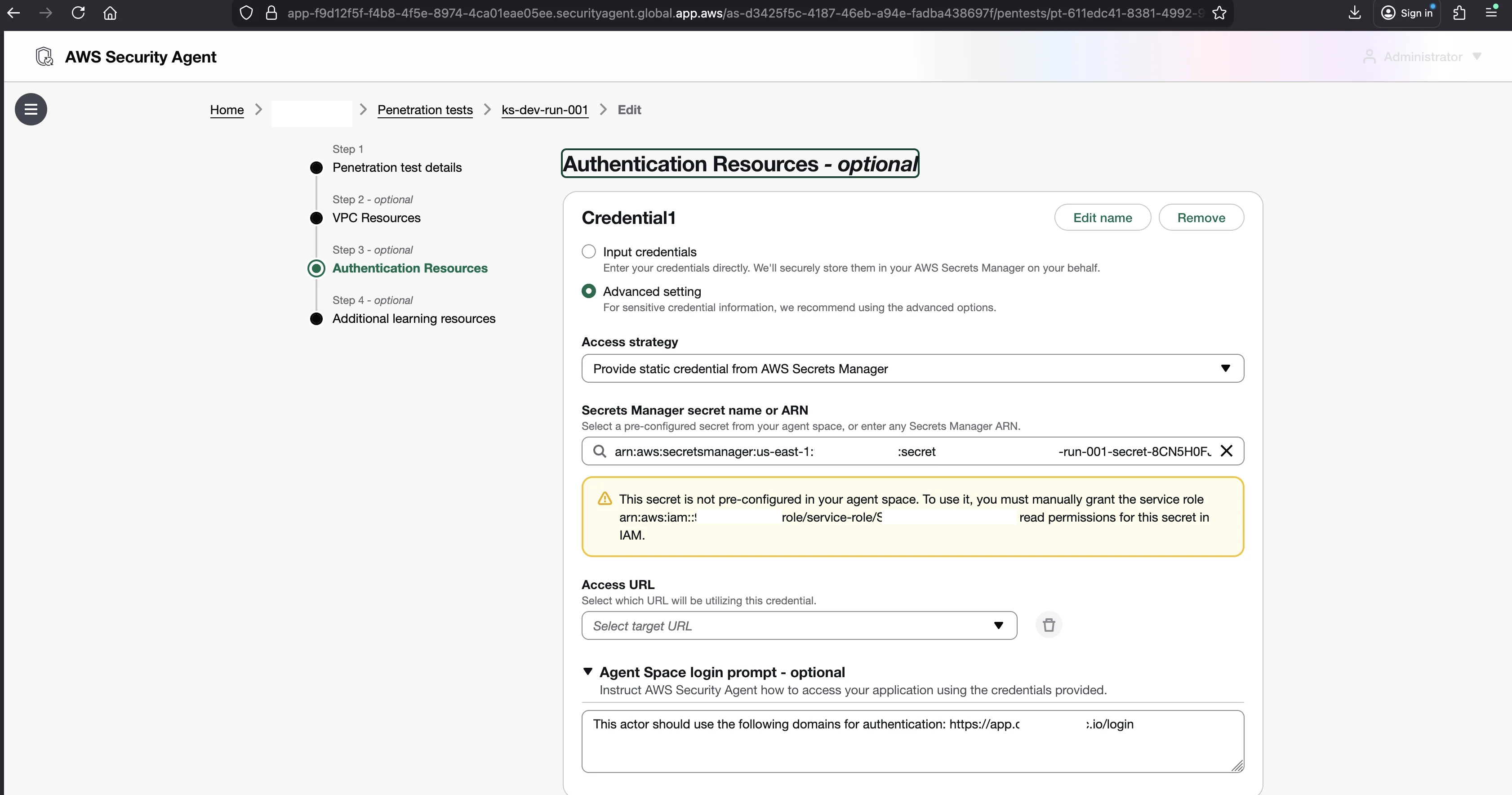
A few things stood out about the lifecycle:
- The secret lives in your account. You own it, and you can read or delete it.
- It is created at the exact moment the pentest is created, not when it starts running. The
CreatePentestCloudTrail event and the secret creation share a timestamp. - Only authenticated runs create a secret. Run-001 (no credentials) created none. Only run-002 did.
- The secret stays after the pentest finishes. AWS does not auto-delete it. If you provide production credentials for a test, they sit in Secrets Manager until you remove them by hand.
You can list the secrets the agent created with a name filter on your Agent Space prefix:
aws secretsmanager list-secrets \
  --filter Key=name,Values=secagent \
  --query 'SecretList[].{Name:Name,Created:CreatedDate}'
Check your own account. If you ran authenticated pentests months ago, those credentials may still be sitting there. This is the single most important cleanup item in this post.
VPC Flow Logs: 64,814 Connections During One Run
VPC Flow Logs record network traffic metadata for a VPC: source IP, destination IP, port, protocol, and whether the connection was accepted or rejected. During run-002 (2 hours 38 minutes) I recorded 64,814 ACCEPT events from the agent.
I extracted these from the flow log group /aws/vpc/secagent-lab-flow-logs, across the three ENIs (Elastic Network Interfaces) attached to my ALB (Application Load Balancer, the AWS service that spreads incoming traffic across targets) and EC2 instance.
The agent attacks from an IP range, not one IP
The agent does not attack from a single source address. It distributes requests across a large block: a /22 range (1,024 addresses) plus additional IPs from a separate /24 block (256 addresses). Every external source hit port 443 (HTTPS to the ALB). The ALB terminated TLS and forwarded to the EC2 instance on port 80.
Agent (1,024+ IPs) --HTTPS:443--> ALB (public) --HTTP:80--> EC2 (private)| Metric | Value |
|---|---|
| Total ACCEPT events during pentest | 64,814 |
| Pentest duration | 2h 38m (~9,500 seconds) |
| Average rate | ~7 connections/second |
| Agent source IPs on port 443 | 1,024+ unique IPs across two blocks |
| Internal ALB-to-EC2 traffic | port 80 (private subnets) |
| Background noise | REJECT entries from internet scanners on random ports |
The flow logs also showed REJECT entries from random internet IPs on non-standard ports. Those are background internet scans unrelated to the pentest, and the security groups correctly rejected them. Useful to know when you read these logs: not everything in there is the agent.
Why the wide IP range matters for WAF and rate limiting
A WAF (Web Application Firewall) filters HTTP traffic by rule, blocking known attack patterns and rate limiting by source IP. If you have a WAF or CDN in front of your application, the agent's IP spread is the thing that will trip you up. You cannot whitelist one address. Two options:
- Whitelist the agent's IP blocks in your WAF before the run. I am not publishing the exact ranges here, because they belong to AWS infrastructure and can change. You can read them straight out of your own VPC Flow Logs during a run, which is the right place to get the current values anyway.
- Match on the User-Agent header. The agent uses
securityagentas its default User-Agent (configurable in the pentest wizard). A WAF rule that lets requests with that User-Agent bypass rate limiting is more durable than an IP allowlist.
If you do neither, your WAF may block the agent and the pentest produces fewer findings, or none. The documentation does not warn about this.
Accessible URLs: The Silent Failure
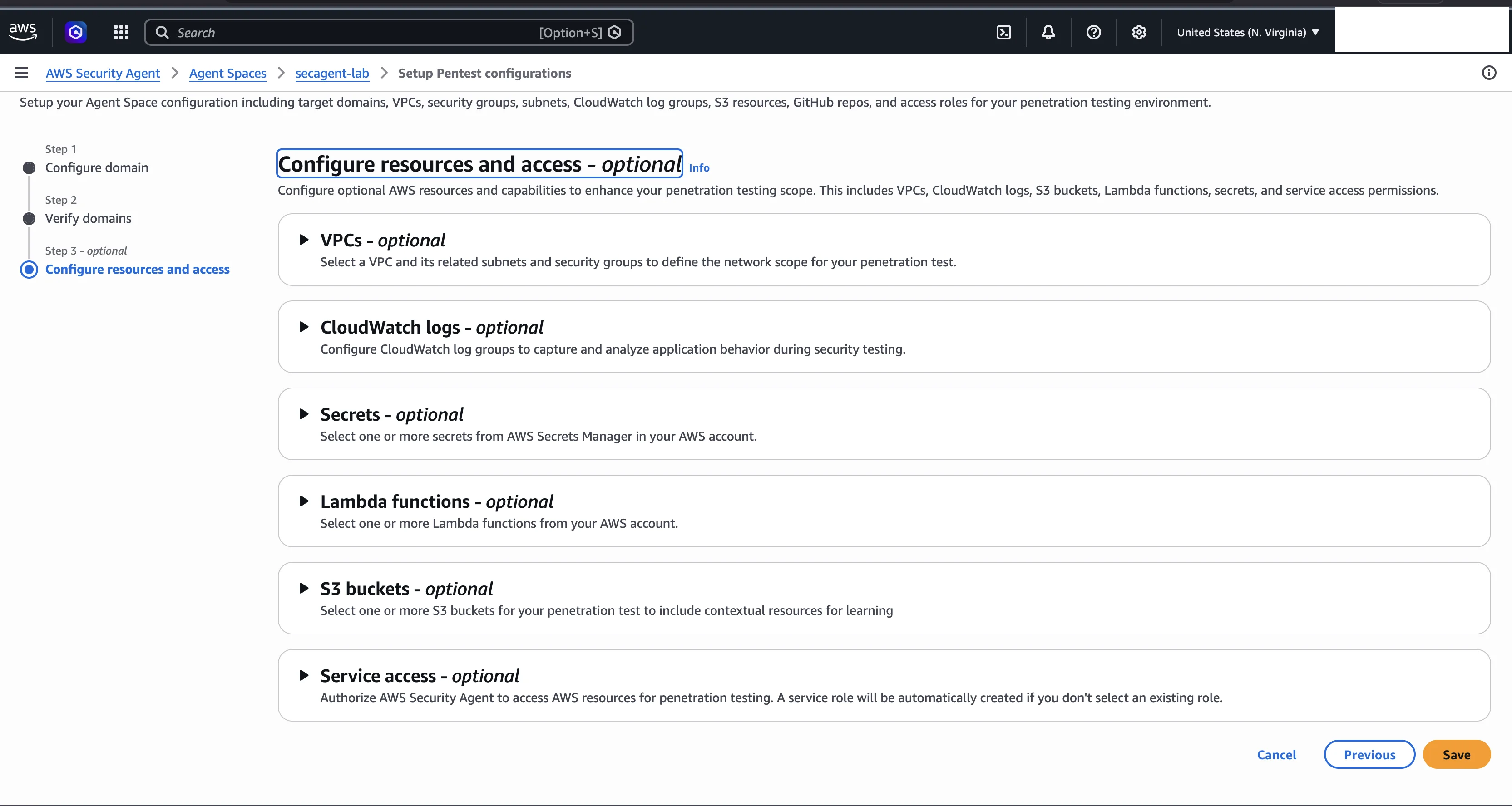
There is one more footprint worth reading from the logs, because it explains a failure mode that looks like nothing at all. The agent's container networking only allows connections to the target URL domain. Everything else is blocked at DNS resolution. If your frontend calls an API on a different domain, those requests fail silently.
I hit this with a multi-domain application:
- Target URL:
https://app.dev.example-saas.com(frontend via CloudFront) - API backend:
https://api.dev.example-saas.com(API Gateway)
The authentication agent opened the browser, navigated to the login page, typed credentials, and clicked Continue. The frontend JavaScript then called api.dev.example-saas.com to authenticate, and the CloudWatch agent log recorded:
POST to /auth/login failed: Failed to resolve 'api.dev.example-saas.com'The pentest stopped after the login stage with zero findings. No console error, no warning. A silent failure.
The fix is the Accessible URLs field in Step 1 of the pentest wizard. Add the API domain there and the container is allowed to reach it without attacking it.
| Architecture | Accessible URL needed? |
|---|---|
Frontend and API on the same domain (app.example.com/api/) | No |
| Frontend and API on different subdomains | Yes, add the API subdomain |
| Frontend calls an external auth provider (Auth0, Cognito hosted UI) | Yes, add the provider domain |
| Single-page app with all API calls to the target domain | No |
How to Audit and Observe the Agent in Your Own Account
Pulling it together, here is the checklist I would hand to anyone running this service in an account they have to answer for.
Set up CloudTrail alerts. Create a CloudWatch alarm on eventSource = securityagent.amazonaws.com with eventName matching CreatePentest or StartPentestJob. You will know every time a pentest starts in your account, including ones you did not start.
Watch for throttling. Filter for StartPentestJob with errorCode = ThrottlingException to spot when you are hitting the concurrency quota, then raise it by submitting an AWS Support case if you need more concurrency than your quota allows.
Clean up Secrets Manager. Search for secrets matching your Agent Space prefix and delete any holding credentials from finished pentests.
aws secretsmanager list-secrets \
  --filter Key=name,Values=secagent \
  --query 'SecretList[].Name' --output text
Prepare your WAF. Before a run, either whitelist the agent's IP blocks (read them from your VPC Flow Logs) or add a User-Agent bypass rule for securityagent. Otherwise the WAF can quietly starve the pentest of traffic.
Configure Accessible URLs. If your application calls any domain other than the target, add those domains as Accessible URLs. Otherwise the pentest fails silently with zero findings.
Remember where the data lives. The detailed pentest execution logs, including the vulnerabilities discovered, are stored in CloudWatch in your own account, and the findings and other customer data are encrypted at rest with AWS KMS. That is what made this entire series possible: every claim I have made about how the agent reasons came from reading those logs. The same access is yours.
That is the agent's full AWS footprint: a stream of API calls in CloudTrail, one secret per authenticated run in Secrets Manager, tens of thousands of connections in VPC Flow Logs, detailed execution logs in CloudWatch, and KMS-encrypted findings. None of it is hidden, and all of it is in an account you control. Observe it like you would any other workload.
Next up: closing out this series, four months after GA. What changed in the product since I did this testing, and how AI pentesting stacks up against traditional pentest consultancy.
Go Deeper: The State of AWS Security 2026
This article is just the start. Get the full picture with our free whitepaper - 8 chapters covering IAM, S3, VPC, monitoring, agentic AI security, compliance, and a prioritized action plan with 50+ CLI commands.
KloudSec, built by the team behind Toc Consulting
See AWS Security checked automatically, continuously
What you just read is a manual, one-time check. KloudSec runs this and 400+ more automated checks across 90+ AWS services, continuously, agentless, live in about 5 minutes.
Toc Consulting: AWS Security & Cloud Architecture
Want expert help with AWS Security?
Our team helps engineering teams secure and architect AWS the right way: assessment in week one, a prioritized action plan in week two.
More Articles
iam-to-english: Read Any AWS IAM Policy in Plain English and Catch Privilege Escalation Before It Ships
KloudSec releases iam-to-english, a free open-source CLI that explains AWS IAM policies in plain English, flags 21 known privilege escalation paths, including combinations spread across statements, diffs policy changes and gates CI. It runs offline.
AWS IAM Privilege Escalation: Paths, CloudTrail Events, and the Controls That Block Them
Twelve documented ways a limited IAM identity can raise its own permissions, the CloudTrail event each one leaves, and the AWS controls that block them. Commands and policies follow AWS documentation examples and the AWS CLI v2 reference.
Anatomy of a Real AWS Breach: Capital One, 2019
How a misconfigured WAF, an unauthenticated metadata service, and an over-privileged IAM role combined to expose data on roughly 100 million people in the US and 6 million in Canada, and the specific checks that would have stopped it.