
cloudstorm: Load Testing From Many AWS Regions With One Command Line
Tarek Cheikh
Founder & AWS Cloud Architect
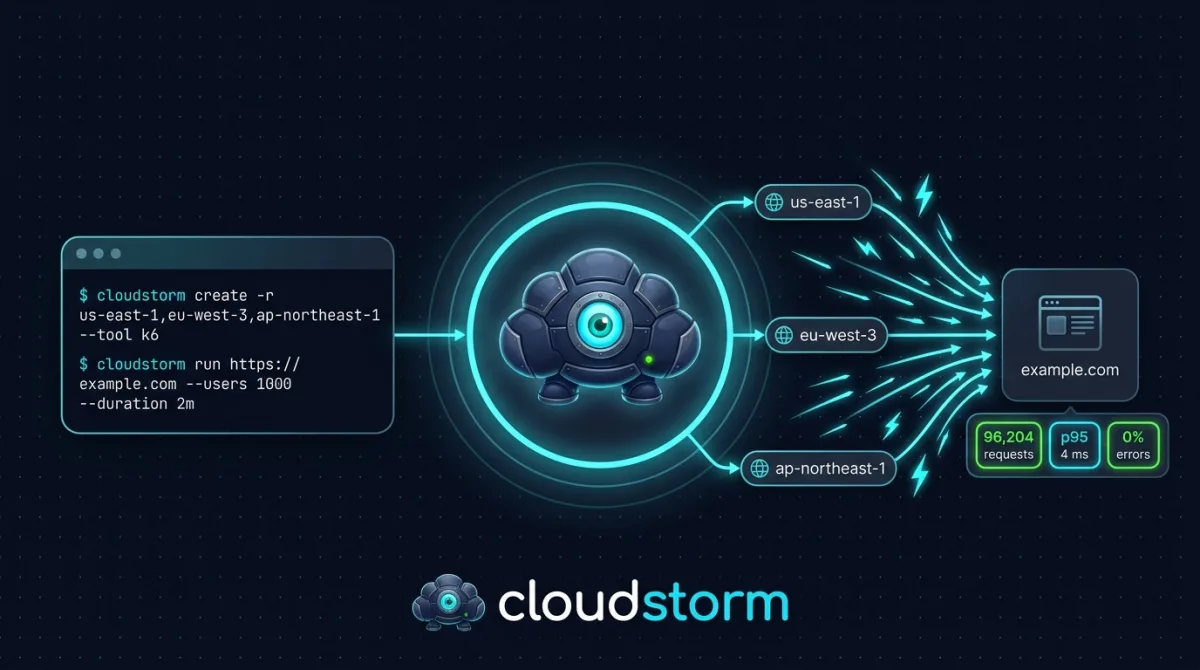
An open-source tool that runs Locust, k6, JMeter or Artillery on EC2 instances around the world, merges the results, and cleans up after itself.
If you load test from your laptop, you measure your laptop. One machine has limited CPU, a limited network connection, and a single location. Traffic that comes from one IP address in one city does not look like traffic from real users, and it often hits rate limits or a single network path long before it hits your application.
The usual fix is to run the test from several cloud machines in several regions. That works, but it means creating instances, installing a tool on each one, starting the test everywhere at the same time, collecting the outputs, adding them up, and then remembering to delete everything. Doing this by hand is slow and easy to get wrong, and a forgotten instance keeps costing money.
cloudstorm does all of that for you. It is a command line tool, written in Python, that provisions the instances, runs the test, builds one report, and removes what it created.
What it does
cloudstorm launches EC2 instances in the regions you choose and installs the load testing tool you pick on them: Locust, k6, JMeter or Artillery. It talks to the instances through AWS Systems Manager, so you do not need SSH keys. It starts the test on every instance, collects the results from each one, and merges them into a single report in JSON, CSV or HTML. When you are done, one command terminates the instances and deletes the security groups and VPCs that cloudstorm created. With --all, it also deletes the IAM role and instance profile it created.
A complete test in five commands
# Check your AWS credentials
cloudstorm auth -p my-profile

# Create 2 instances in each of 3 regions with Locust
cloudstorm create -p my-profile -r us-east-1,eu-west-1,ap-northeast-1 -n 2 --tool locust

# Run the test with 1,000 users for 5 minutes
cloudstorm run https://example.com -p my-profile -u 1000 -s 50 -d 5m -o results.json

# Build an HTML report
cloudstorm report results.json -f html -o report.html

# Remove everything cloudstorm created
cloudstorm cleanup --all -p my-profile -y
The number of users you give to run is the total. cloudstorm divides it across all instances. Before it creates anything, create prints the estimated hourly cost of the instances, so there are no surprises.
Four tools, one workflow
You choose the tool with --tool, and everything else stays the same:
- Locust (Python)
- k6 (Go)
- JMeter (Java)
- Artillery (Node.js)
Each tool has its own strengths, and you can use your own test scripts with --script if the default GET requests are not enough. The repository contains an example script for each tool.
Pass or fail for your CI pipeline
You can set thresholds on the result. If one is broken, cloudstorm exits with code 1, so your pipeline fails.
cloudstorm run https://staging.example.com --tool k6 -u 10000 -d 60s \
  --threshold "p95 < 500" \
  --threshold "error_rate < 1" \
  -y
The available metrics are p90, p95, p99, avg, median, min, max, error_rate, rps and total_requests.
One caveat: the percentiles (p90, p95, p99) of the merged result are computed as weighted averages across regions and instances, which is an approximation, as the tool's source code states. Treat a p95 threshold as a good gate, not as an exact global percentile.
Tested at 100,000 users
Before the release, I ran every tool with 100,000 users for 2 minutes, spread over four AWS regions (us-east-1, us-west-2, eu-west-1 and eu-central-1), against three sites that I own. Here is what happened, including the parts that are not perfect.
- k6: 20 instances with 5,000 users each. Between 4.2 and 5.9 million requests per test, with 0% errors.
- Locust: 15 instances with about 6,700 users each. Between 1.1 and 1.5 million requests per test, with an error rate between 0% and 0.0001%. This run used 15 instances instead of 20 because the installation did not finish in one region.
- JMeter: 20 instances with 5,000 users each. Between 1.3 and 3.7 million requests per test, with 0.2% to 1.9% errors. 5,000 users per instance is more than JMeter handles comfortably, and some instances timed out. For JMeter, use more instances or a larger instance type.
- Artillery: 16 instances (c5.xlarge) with 6,250 users each, about 499,500 requests per test, with at most 3 failed requests. Artillery runs on a single Node.js thread, so one instance sends at most about 300 requests per second, whatever its size. Its 100,000 users hold open connections and send far fewer requests than the same number of users in k6. If you need raw throughput, use k6.
The tests also took longer than 2 minutes in total: about 2.3 minutes for Artillery, about 3 minutes for k6 and Locust, and between 3.5 and 10 minutes for JMeter.
The README has the details on instance counts and users per instance for each tool. These are my own measurements on my own sites. Your results will depend on your target, your instance types and your regions.
A real example: breaking a WordPress site
To see what cloudstorm can do to a real application, I tested a WordPress site that I deployed for this purpose on a domain I own. It ran on a small t3.small instance (2 GiB of RAM) with nginx, PHP-FPM and MariaDB.
I used 10 JMeter instances (t3.large) in us-east-1 and eu-west-3, with 50,000 users for 60 seconds.
- 609,199 requests were sent
- 99.89% of them failed, and only 676 succeeded
- The server load average reached 49.17 on a machine with 2 vCPUs
- The CPU stayed at 96.9%, with all PHP-FPM workers blocked
Every request to WordPress goes through PHP and the database, and a small server cannot take that. This is the kind of weak point you want to find before your users do.
Things to know before you use it
- Test only what you are allowed to test. Only test systems you own or have written authorization to test. Generating this much traffic against a system without permission is illegal in many jurisdictions and can break the terms of your cloud provider. Notify your hosting provider if they require it. For systems hosted on AWS, read AWS's penetration testing page, which links to its Stress Test policy.
- It costs real money while the instances run. cloudstorm uses on-demand EC2 instances. Always run
cloudstorm cleanupwhen you are done. T3 instances launch in unlimited mode by default, and AWS bills surplus CPU credits when the average CPU use over 24 hours exceeds the baseline. - Check your EC2 quotas. AWS sets a limit on the vCPUs you can run On-Demand in each Region, so a large test needs enough quota in every region you use.
- Your AWS user needs permissions for EC2, Systems Manager and IAM. The README contains the full policy. Read it before you attach it: it lets the user create IAM roles, attach policies to them and pass them to EC2 instances, on all resources. iam-to-english rates that policy CRITICAL, with three privilege escalation paths. Use a dedicated, isolated AWS account for load tests, and do not attach this policy to an identity in an account that holds production workloads.
Get it
Install it with pip (Python 3.10 or newer):
pip install cloudstormOr use the Docker image, built for both amd64 and arm64:
docker run --rm \
  -v ~/.aws:/home/cloudstorm/.aws:ro \
  -v ~/.cloudstorm:/home/cloudstorm/.cloudstorm \
  -v "$PWD":/work \
  tarekcheikh/cloudstorm auth -p my-profile
Create ~/.cloudstorm on the host first, and use the same three mounts for every command.
The source code, the documentation and the issue tracker are on GitHub. The Docker image is on Docker Hub. The tool also has its own page in the tools section.
cloudstorm is released under the MIT license. If you find a bug or you want another tool added, open an issue.
Go Deeper: The State of AWS Security 2026
This article is just the start. Get the full picture with our free whitepaper - 8 chapters covering IAM, S3, VPC, monitoring, agentic AI security, compliance, and a prioritized action plan with 50+ CLI commands.
Toc Consulting: AWS Security & Cloud Architecture
Want expert help with Developer Tools?
Our team helps engineering teams secure and architect AWS the right way: assessment in week one, a prioritized action plan in week two.
More Articles
awsmap v1.9.0: Scan Your Entire AWS Organization in One Command
awsmap v1.9.0 adds awsmap org: one profile, every account of your AWS Organization, read-only sessions, and an explicit report of what it could not read.
awsmap v1.5.0: Your AWS Inventory Now Has a Brain
A few weeks ago I published awsmap. Scan your AWS account. 140 services. One command. This is v1.5.0 with SQLite storage, natural language queries, pre-built security audits, and multi-account support.
awsmap — Find Everything Running in Your AWS Account
A CLI tool that scans 140+ AWS services across all regions in about 130 seconds, generating HTML, JSON, or CSV inventory reports for audits, cost analysis, and security reviews.