
awsmap v1.5.0: Your AWS Inventory Now Has a Brain
Tarek Cheikh
Founder & AWS Cloud Architect
A few weeks ago I published awsmap. Scan your AWS account. 140 services. One command.
2,300 pip installs. 650 Docker pulls. 35 GitHub stars. Two pull requests from strangers. A few comments. Some feature requests. People were actually using it.
So I kept building. This is v1.5.0.
New Report
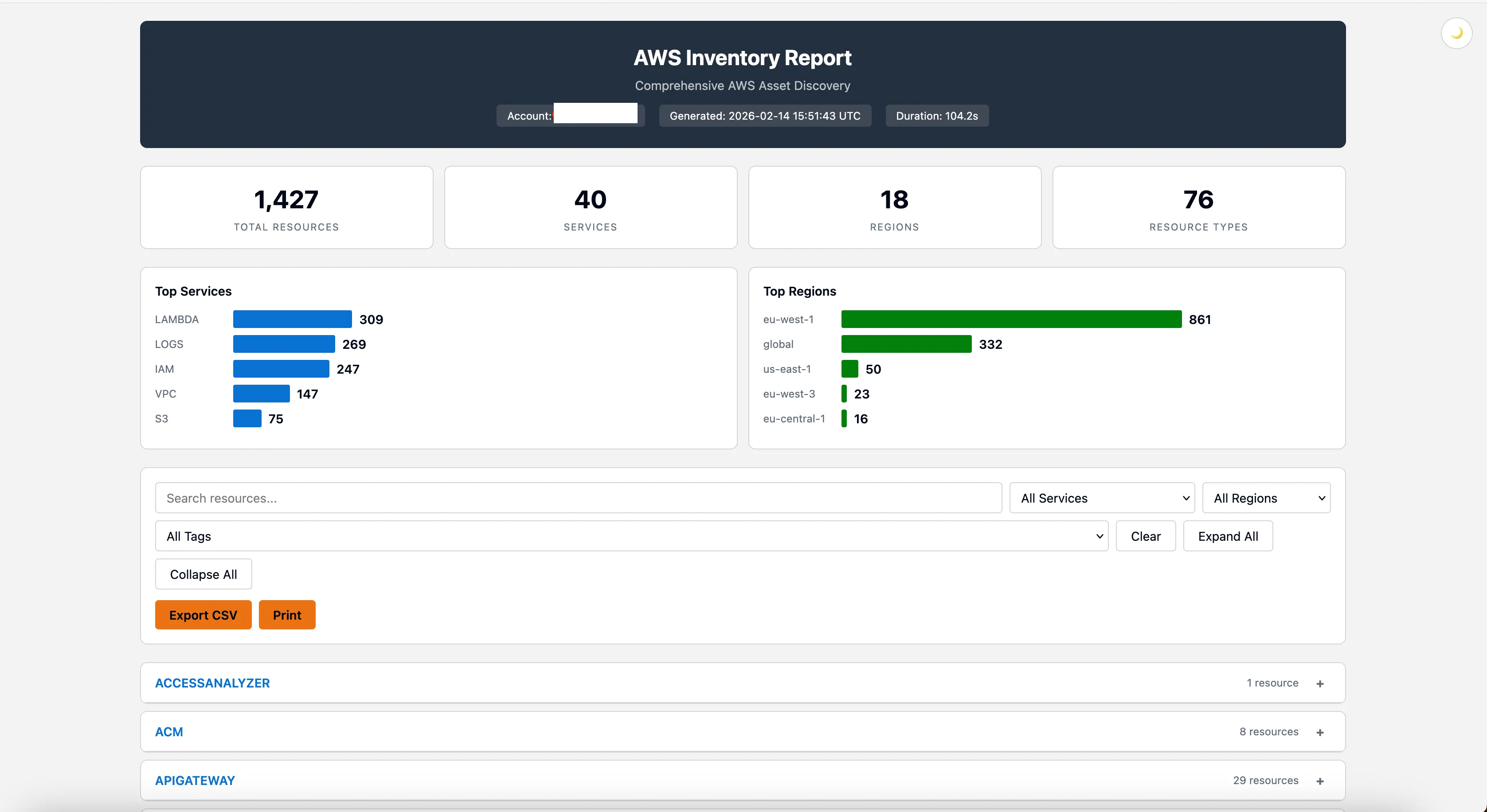
The HTML report got rebuilt from the ground up. The design now follows the Cloudscape design system, same design language used by the AWS Console.
Dashboard cards. Top services chart. Top regions chart. Region-coded badges, blue for us-*, green for eu-*, orange for ap-*. Dark mode. Global search across every resource. Filter by service, region, or tag. Click an ARN, it copies. Click a tag badge, it expands. Export the filtered view to CSV. Print it.
Still a single HTML file. No dependencies. Open it in any browser, share it on Slack, attach it to a ticket.
Everything Goes to SQLite
This is the biggest change in v1.5.0.
Every time you scan, every resource goes into a local SQLite database. Automatically. No setup. No config.
~/.awsmap/inventory.dbScan again next week, both scans are stored. Scan a different account, same database. You're building an inventory history without trying.
Why does this matter? Because the scan is no longer a one-shot event. The data lives. You can query it tomorrow, next week, next month.
Don't want the database? --no-db skips it. You still get your HTML/JSON/CSV report, same as before. Nothing breaks.
awsmap query
New command. Raw SQL against your inventory.
awsmap query "SELECT service, COUNT(*) as count FROM resources GROUP BY service ORDER BY count DESC"service count
------------- -----
vpc 1047
iam 842
lambda 631
logs 551
Want JSON? -f json. CSV? -f csv. Pipe it. Script it. Cron it.
awsmap query "SELECT * FROM resources WHERE service='lambda'" -f json
awsmap query "SELECT service, id, name FROM resources" -f csv
But I realized something. Most people don't want to write SQL.
Pre-Built Queries
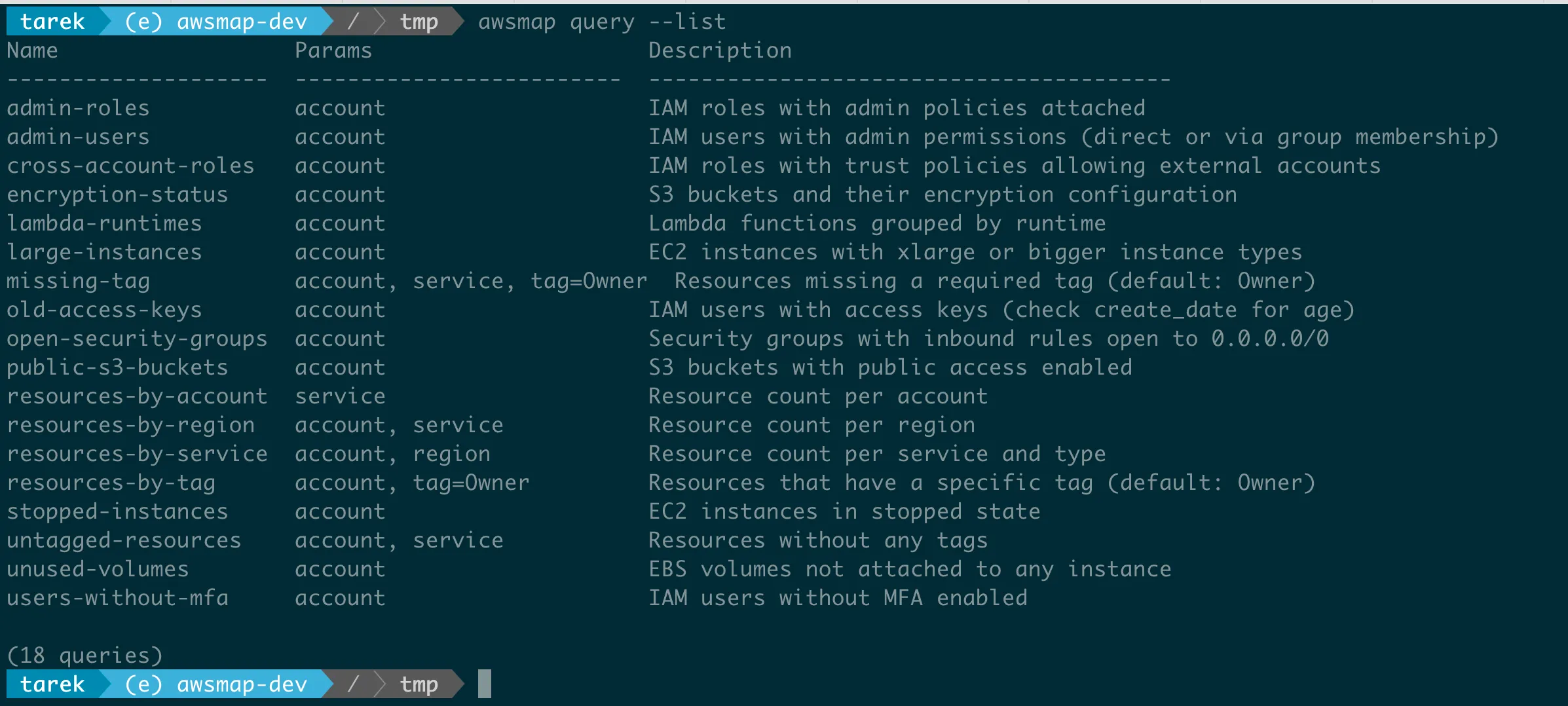
Security audit Monday morning. You need to know which IAM users have admin permissions. Including users who get admin through group membership. That's a self-join with EXISTS subqueries. Nobody wants to type that.
So awsmap ships 30 pre-built queries. One flag:
awsmap query -n admin-usersname account_id mfa groups admin_source
--------- ------------ --- ------------ ------------
tarek-adm 012345678912 0 ["adminGrp"] DIRECT
tarek 012345678912 0 ["adminGrp"] VIA GROUP
tarek 000011112222 1 [] DIRECTThat tells you which users have admin directly and which get it through group membership. No MFA on an admin account? That's a finding.
Security
awsmap query -n admin-users
awsmap query -n admin-roles
awsmap query -n users-without-mfa
awsmap query -n iam-inactive-users
awsmap query -n old-access-keys
awsmap query -n cross-account-roles
awsmap query -n open-security-groups
awsmap query -n secrets-no-rotation
S3
awsmap query -n public-s3-buckets
awsmap query -n encryption-status
awsmap query -n s3-no-versioning
awsmap query -n s3-no-logging
EC2 / EBS
awsmap query -n stopped-instances
awsmap query -n unused-volumes
awsmap query -n ebs-unencrypted
awsmap query -n unused-eips
awsmap query -n default-vpcs
RDS
awsmap query -n rds-public
awsmap query -n rds-unencrypted
awsmap query -n rds-no-multi-az
awsmap query -n rds-engines
Lambda & Inventory
awsmap query -n lambda-runtimes
awsmap query -n lambda-high-memory
awsmap query -n resources-by-service
awsmap query -n resources-by-region
awsmap query -n resources-by-account
awsmap query -n resources-per-account-service
Tags & Compliance
awsmap query -n untagged-resources
awsmap query -n missing-tag -P tag=Environment
awsmap query -n resources-by-tag -P tag=Owner
List them all with awsmap query --list. See the SQL behind any query with awsmap query -n admin-users.
You can add your own. Drop a .sql file in ~/.awsmap/queries/ and it shows up in the list.
awsmap ask
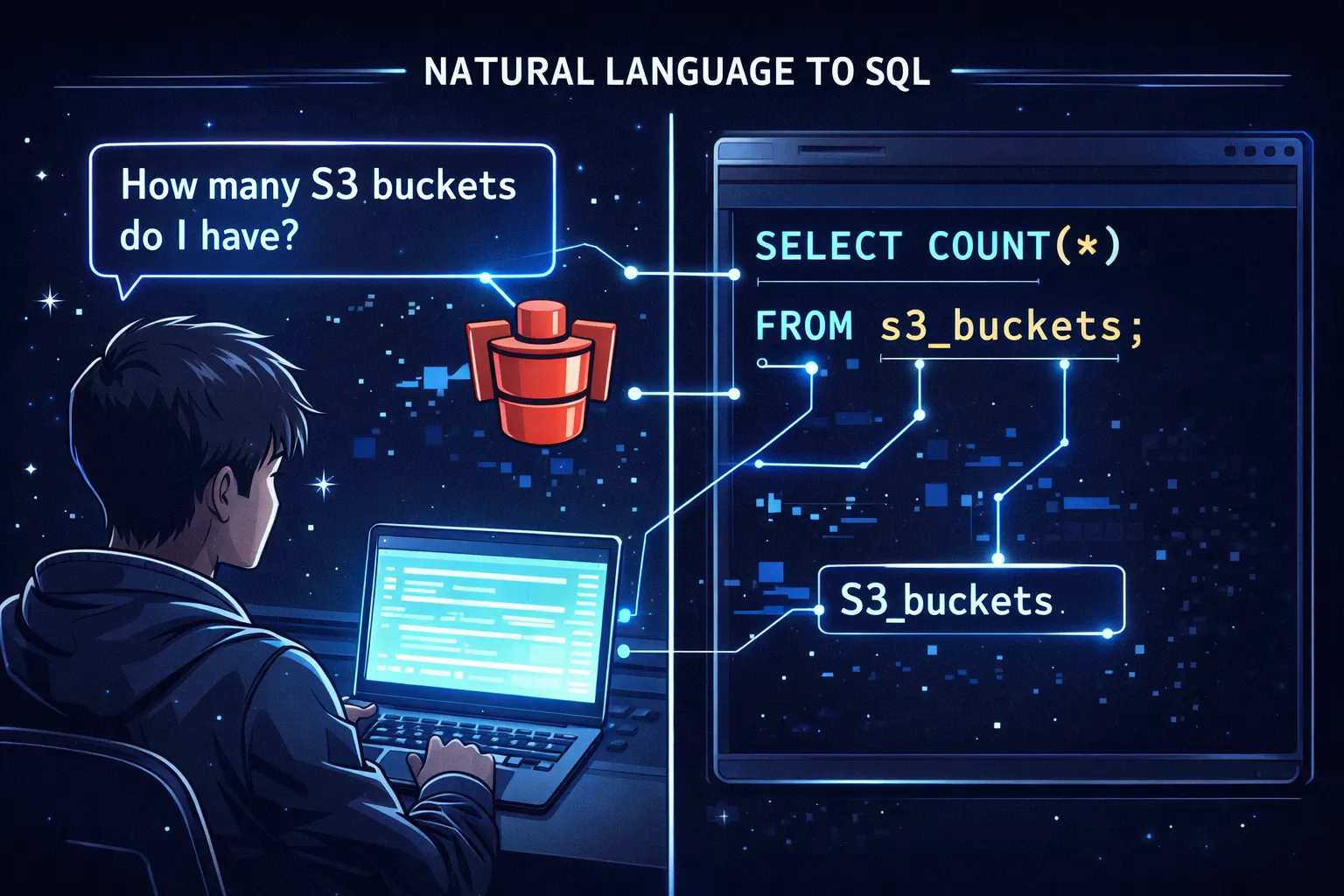
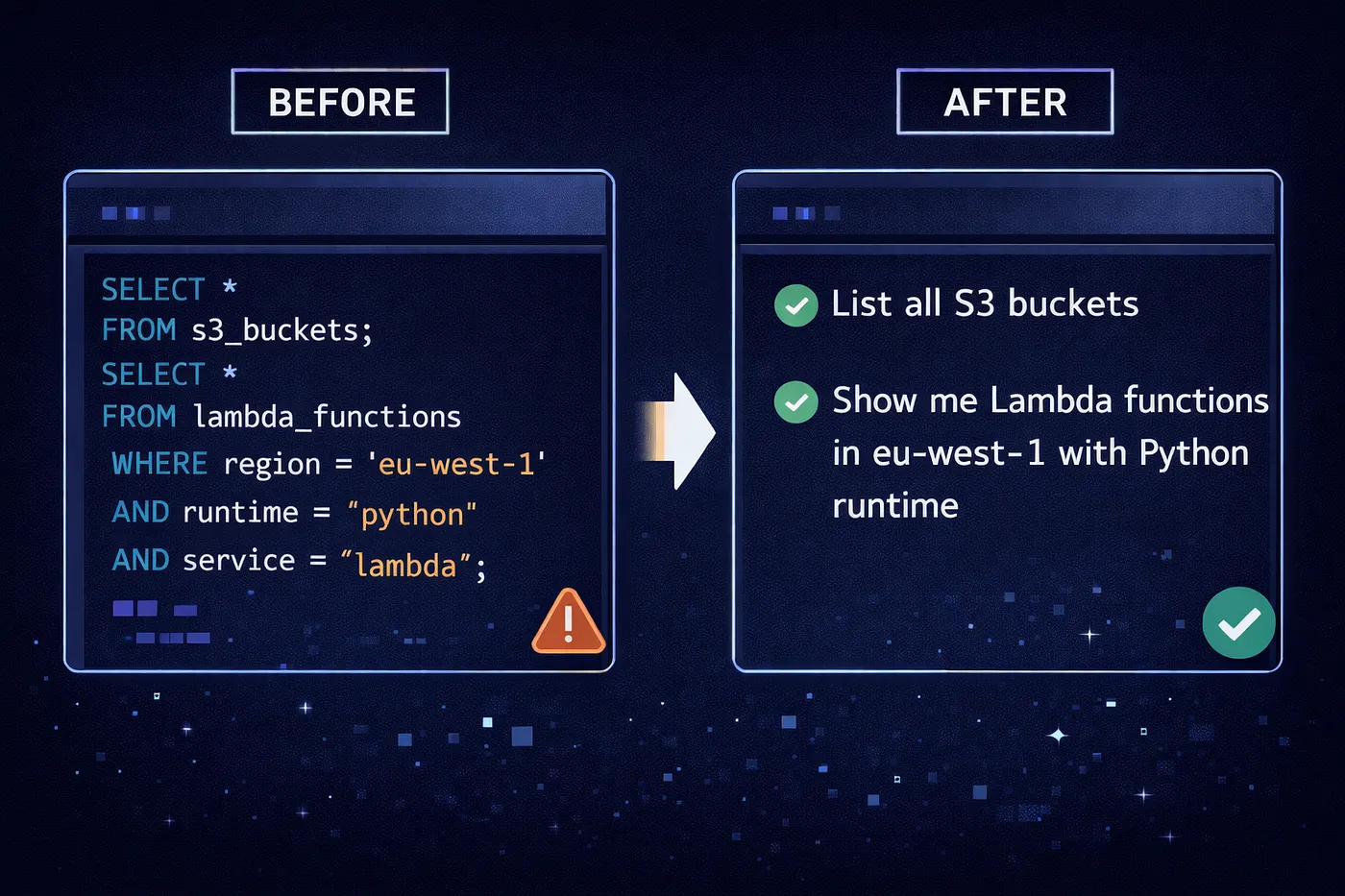
Some people don't want SQL at all. They want to ask a question in English.
awsmap ask how many Lambda functions per regionregion count
------------- -----
eu-west-1 45
us-east-1 32
eu-central-1 12awsmap translates your question to SQL using a built-in zero-dependency parser. Everything runs on your machine. No API keys. No cloud calls. Your data stays on your laptop.
awsmap ask show me all EC2 instances without Owner tag
awsmap ask which S3 buckets are in eu-west-1
awsmap ask find IAM users without MFA
awsmap ask count RDS instances using mysql per region
awsmap ask show me my databases
awsmap ask show me secrets older than 90 days
Why Not Use an LLM?
I tried. Ollama with local models gave ~80% accuracy. One in five queries returned wrong SQL. OpenAI and Anthropic APIs were better but cost money and require network.
So I built a deterministic parser from scratch. Zero dependencies. Tested against 1500 realistic questions with 100% pass rate. It handles:
- Synonyms: "databases" finds RDS, "containers" finds ECS, "certs" finds ACM
- Typo tolerance: "lamda" matches Lambda, "instaces" matches instances
- Engine patterns: "RDS using postgres", "ElastiCache using redis"
- Numeric fields: "with allocated_storage greater than 50", "with iops greater than 3000"
- Relative time: "created in the last 30 days", "older than 90 days"
- Keyword-value: "with storage type gp3", "with scheduling strategy REPLICA"
No API keys. No network. No cost. Instant results.
awsmap examples
1381 pre-built questions, organized by service. Browse them, search them, run them.
# List all services with question counts
awsmap examples

# Browse questions for a service
awsmap examples lambda

# Run question #5 directly
awsmap examples lambda 5

# Search across everything
awsmap examples --search "public"
awsmap examples --search "encryption"
You don't have to memorize the query syntax. Just browse and pick.
awsmap config
Set persistent defaults so you stop repeating flags.
awsmap config set profile production
awsmap config set regions us-east-1,eu-west-1
awsmap config set exclude_defaults true

# Now just run:
awsmap
# Equivalent to: awsmap -p production -r us-east-1,eu-west-1 --exclude-defaults
Available keys: profile, regions, services, format, workers, exclude_defaults, db, query_format. CLI flags always override config.
Multi-Account

In Part 1, awsmap scanned one account at a time. Now it scans many and stores them in the same database.
awsmap -p production
awsmap -p staging
awsmap -p dev
Three scans. One database. Query across all of them:
awsmap query -n resources-by-account
awsmap ask how many resources per account
Or scope to one:
awsmap query -n admin-users -a production
awsmap ask -a staging show me all Lambda functions
Tag Filtering
You tag your AWS resources. Now you can scan by tags.
awsmap -p prod -t Owner=John -t Environment=ProductionSame key = OR logic. Different keys = AND logic. So -t Owner=John -t Owner=Jane -t Environment=Production returns resources where Owner is John OR Jane, AND Environment is Production.
Typo Protection
Small thing, big time saver.
$ awsmap -s labda
Error: Unknown service 'labda'. Did you mean: lambda?

$ awsmap -r eu-wst-1
Error: Unknown region 'eu-wst-1'. Did you mean: eu-west-1?
No more silent failures from mistyped service names. awsmap validates against real AWS service names and regions before making a single API call.
Default Resource Filtering
Every AWS account has default VPCs, default security groups, default route tables, default NACLs in every region. They clutter every inventory report.
awsmap -p prod --exclude-defaultsWhen you don't use the flag, defaults are still collected but marked with a "DEFAULT" badge in the HTML report so you can tell them apart.
Quick Reference
| What | Command |
|---|---|
| Full scan | awsmap -p profile |
| Specific services | awsmap -p profile -s ec2,rds,lambda |
| Filter by tags | awsmap -p profile -t Owner=DevOps |
| Exclude defaults | awsmap -p profile --exclude-defaults |
| SQL query | awsmap query "SELECT ..." |
| Named query | awsmap query -n admin-users |
| List queries | awsmap query --list |
| Ask in English | awsmap ask how many Lambda per region |
| Browse examples | awsmap examples lambda |
| Run example | awsmap examples lambda 5 |
| Set config | awsmap config set profile production |
| Scope to account | awsmap query -n admin-users -a prod |
Upgrade
pip install --upgrade awsmapdocker pull tarekcheikh/awsmapIf awsmap helped you, a star goes a long way
Building and maintaining open-source tools takes time, but knowing that people actually use and benefit from them makes it all worth it. If awsmap saved you time, gave you visibility into your AWS environment, or just made your life a little easier, I'd really appreciate a star on the GitHub repo.
It's a small thing, but it helps more than you'd think: it helps others discover the tool, motivates continued development, and tells me this work matters to the community.
And if you have ideas, feedback, or a cool use case - open an issue, submit a PR, or just drop a comment. This project is better because of the people who use it.
Links
GitHub: https://github.com/TocConsulting/awsmap
PyPI: https://pypi.org/project/awsmap/
Docker: https://hub.docker.com/r/tarekcheikh/awsmap
Part 1: awsmap - Find Everything Running in Your AWS Account
Go Deeper: The State of AWS Security 2026
This article is just the start. Get the full picture with our free whitepaper - 8 chapters covering IAM, S3, VPC, monitoring, agentic AI security, compliance, and a prioritized action plan with 50+ CLI commands.
KloudSec, built by the team behind Toc Consulting
See Developer Tools checked automatically, continuously
What you just read is a manual, one-time check. KloudSec runs this and 400+ more automated checks across 90+ AWS services, continuously, agentless, live in about 5 minutes.
Toc Consulting: AWS Security & Cloud Architecture
Want expert help with Developer Tools?
Our team helps engineering teams secure and architect AWS the right way: assessment in week one, a prioritized action plan in week two.
More Articles
cloudstorm: Load Testing From Many AWS Regions With One Command Line
cloudstorm is a free, open-source CLI that runs Locust, k6, JMeter or Artillery on EC2 instances in several AWS regions, merges the results into one report, and cleans up after itself.
awsmap v1.9.0: Scan Your Entire AWS Organization in One Command
awsmap v1.9.0 adds awsmap org: one profile, every account of your AWS Organization, read-only sessions, and an explicit report of what it could not read.
awsmap — Find Everything Running in Your AWS Account
A CLI tool that scans 140+ AWS services across all regions in about 130 seconds, generating HTML, JSON, or CSV inventory reports for audits, cost analysis, and security reviews.