

Amazon WorkSpaces Security
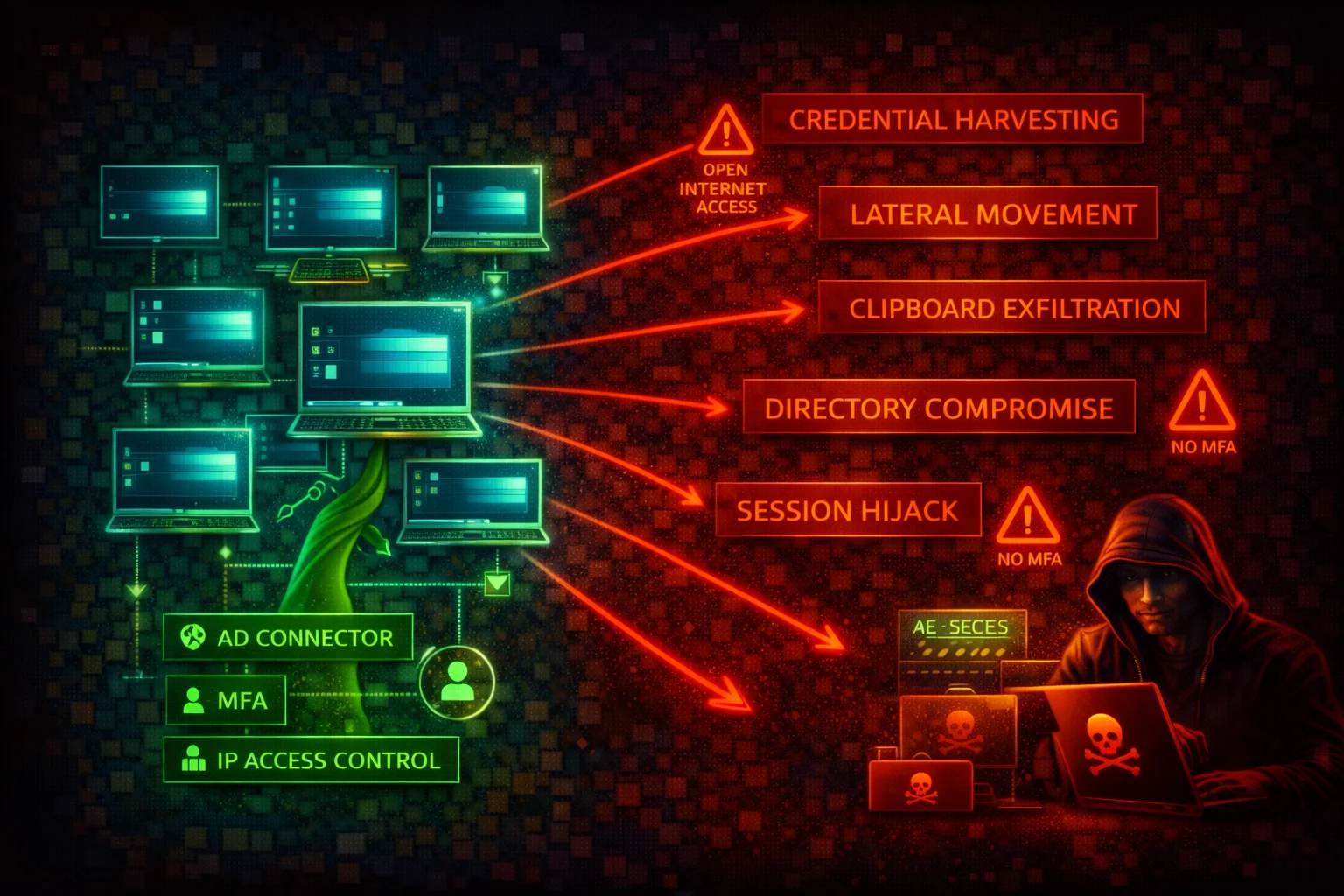
END-USER COMPUTINGAmazon WorkSpaces is a managed Desktop-as-a-Service (DaaS) that provisions cloud-based Windows or Linux virtual desktops. Each WorkSpace is associated with a directory (AD) and runs inside a customer VPC. A compromised WorkSpace gives an attacker a foothold inside the VPC with AD-joined credentials.
📋Service Overview
Virtual Desktop Environment
WorkSpaces provisions cloud-based Windows or Linux desktops associated with a directory (AWS Managed Microsoft AD, AD Connector, or Simple AD). Supports PCoIP and DCV streaming protocols. Clients connect via native apps or web browser. Features include clipboard, drive, and USB redirection.
Attack note: WorkSpaces are full virtual desktops with persistent storage. They sit outside traditional EC2-based detection, creating monitoring blind spots.
Active Directory Integration
The directory backing WorkSpaces is the single authentication plane. Compromising it grants access to all WorkSpaces in the directory, and potentially to on-premises AD via trust relationships. RADIUS-based MFA is supported but not configured by default.
Attack note: Without IP access control groups and MFA, WorkSpaces can be accessed from any IP with valid AD credentials.
Security Risk Assessment
WorkSpaces provide full desktop environments inside the VPC with Active Directory credentials. Clipboard and drive redirection create data exfiltration channels. Without IP access control groups and MFA, WorkSpaces can be accessed from any IP with valid AD credentials. WorkSpaces run on AWS-managed compute not visible in the EC2 console, creating monitoring blind spots.
⚔️Attack Vectors
Initial Access & Credential Abuse
- •Credential stuffing against AD -- compromised AD credentials grant full desktop access
- •No MFA enforcement -- stolen AD credentials alone provide WorkSpace access from any location
- •No IP access control -- WorkSpaces accept connections from any public IP
- •Phishing for WorkSpace registration codes combined with AD credentials
- •WorkSpaces Web (browser access) abuse from unmanaged devices
Post-Compromise & Lateral Movement
- •VPC network pivoting -- compromised WorkSpace can scan and reach internal resources
- •Clipboard exfiltration -- two-way clipboard redirection enabled by default
- •Drive redirection data theft -- local drive mapping for file transfers
- •AD credential harvesting with Mimikatz on compromised Windows WorkSpace
- •Persistence via D: drive payloads that survive WorkSpace rebuilds
⚠️Misconfigurations
Access Control Gaps
- •No IP access control groups configured -- accepts connections from any IP
- •MFA not enabled -- RADIUS MFA not configured by default
- •Web Access enabled without need -- bypasses client-side controls
- •Overly permissive security groups -- allows outbound to internet for C2
- •Unrestricted device types -- all client types allowed by default
Configuration & Data Protection Gaps
- •Clipboard redirection left enabled -- data exfiltration vector
- •Drive redirection not disabled -- file transfer between WorkSpace and local
- •Root volume not encrypted -- encryption not enabled by default
- •Running mode set to ALWAYS_ON without justification -- increases attack window
- •No user volume backup strategy beyond WorkSpace snapshots
🔍Enumeration
aws workspaces describe-workspacesaws workspaces describe-workspace-directoriesaws workspaces describe-workspaces-connection-statusaws workspaces describe-workspace-bundles --owner AMAZONaws workspaces describe-ip-groupsaws workspaces describe-workspace-directories --query "Directories[*].{DirectoryId:DirectoryId,DeviceTypeWindows:WorkspaceAccessProperties.DeviceTypeWindows,DeviceTypeMacOs:WorkspaceAccessProperties.DeviceTypeMacOs,DeviceTypeWeb:WorkspaceAccessProperties.DeviceTypeWeb}"aws workspaces describe-workspaces-poolsaws workspaces describe-connection-aliases📈Privilege Escalation
Escalation Techniques
- •workspaces:CreateWorkspaces with AD admin credentials to get a domain-joined desktop in the target VPC
- •workspaces:ModifyWorkspaceProperties to upgrade a WorkSpace to a larger instance for resource-intensive attacks
- •workspaces:ModifyWorkspaceCreationProperties to weaken security posture for future WorkSpaces
- •workspaces:ModifyClientProperties to re-enable reconnect capability, changing session behavior
- •workspaces:ModifyWorkspaceAccessProperties to re-enable device types like Web Access
- •AD-level escalation: compromised Windows WorkSpace with local admin runs BloodHound, Rubeus, Mimikatz against the domain, escalating to domain admin
- •workspaces:RebuildWorkspaces abuse -- rebuild resets root volume but preserves user volume, so persistence survives
📜WorkSpaces Policy Examples
{
  "Version": "2012-10-17",
  "Statement": [{
    "Effect": "Allow",
    "Action": "workspaces:*",
    "Resource": "*"
  }]
}
Grants full WorkSpaces control including creating, terminating, modifying, and rebuilding any WorkSpace. An attacker can create rogue WorkSpaces, disable security controls, or terminate legitimate ones.
{
  "Version": "2012-10-17",
  "Statement": [{
    "Effect": "Allow",
    "Action": [
      "workspaces:DescribeWorkspaces",
      "workspaces:DescribeWorkspaceDirectories",
      "workspaces:DescribeWorkspaceBundles",
      "workspaces:DescribeWorkspacesConnectionStatus",
      "workspaces:DescribeIpGroups",
      "workspaces:DescribeWorkspacesPoolSessions"
    ],
    "Resource": "*"
  }]
}
Read-only access for monitoring and auditing. Cannot create, modify, or terminate WorkSpaces.
{
  "Version": "2012-10-17",
  "Statement": [{
    "Effect": "Allow",
    "Action": [
      "workspaces:CreateWorkspaces",
      "workspaces:TerminateWorkspaces",
      "workspaces:RebuildWorkspaces",
      "workspaces:StartWorkspaces",
      "workspaces:StopWorkspaces"
    ],
    "Resource": "*",
    "Condition": {
      "StringEquals": {
        "aws:ResourceTag/DirectoryId": "d-1234567890"
      }
    }
  }]
}
Restricts WorkSpace lifecycle actions to resources tagged with a specific directory ID, preventing cross-directory abuse.
🛡️Defense Recommendations
Enforce IP Access Control Groups
Create IP access control groups to restrict WorkSpace access to known corporate IP ranges or VPN egress IPs. Associate the group with each directory.
aws workspaces create-ip-group \
  --group-name "CorporateVPN" \
  --group-desc "Allow access from corporate VPN only" \
  --user-rules "ipRule=203.0.113.0/24,ruleDesc=Corporate VPN"

aws workspaces associate-ip-groups \
  --directory-id d-1234567890 \
--group-ids wsipg-abcdef123Enable RADIUS MFA
Configure RADIUS-based multi-factor authentication on the directory. Use multiple RADIUS server IPs for redundancy.
Disable Clipboard and Drive Redirection
For Windows WorkSpaces, use Group Policy to disable or restrict clipboard redirection direction. For Linux, modify the DCV configuration file. Closes a primary data exfiltration channel.
Restrict Device Types
Disable unnecessary device types (especially Web Access) to reduce the attack surface from unmanaged devices.
aws workspaces modify-workspace-access-properties \
  --resource-id d-1234567890 \
  --workspace-access-properties \
DeviceTypeWindows=ALLOW,DeviceTypeOsx=ALLOW,DeviceTypeWeb=DENY,DeviceTypeIos=DENY,DeviceTypeAndroid=DENY,DeviceTypeLinux=DENYEnable Encryption at Rest
Encrypt both root and user volumes with AWS KMS when creating WorkSpaces. Encryption must be set at creation time and cannot be enabled later.
Use AUTO_STOP Running Mode
Set WorkSpaces to AUTO_STOP to reduce the attack window during idle periods and reduce cost.
aws workspaces modify-workspace-properties \
  --workspace-id ws-abc123def \
--workspace-properties RunningMode=AUTO_STOP,RunningModeAutoStopTimeoutInMinutes=60Monitor with CloudTrail and VPC Flow Logs
Enable CloudTrail logging for all workspaces:* API calls. Enable VPC Flow Logs on WorkSpaces subnets to detect lateral movement. Monitor CloudWatch metrics for unusual connection patterns.
Restrict Outbound Network Access
Apply restrictive security groups and NACLs to WorkSpaces subnets. Block direct internet access; route traffic through a proxy or NAT Gateway with URL filtering.
Amazon WorkSpaces Security Card • Toc Consulting
Always obtain proper authorization before testing
KloudSec, built by the team behind Toc Consulting
See Amazon WorkSpaces security checked automatically, continuously
What you just read is a manual, one-time check. KloudSec runs this and 400+ more automated checks across 90+ AWS services, continuously, agentless, live in about 5 minutes.
Toc Consulting: AWS Security & Cloud Architecture
Securing your AWS estate?
Our team helps engineering teams secure and architect AWS the right way: assessment in week one, a prioritized action plan in week two.