

AWS Firewall Manager Security
MANAGEMENTAWS Firewall Manager is a centralized security management service that configures and deploys firewall rules and protections across multiple accounts and resources in an AWS Organization. It manages WAF, Shield Advanced, VPC Security Groups, Network ACLs, Network Firewall, Route 53 Resolver DNS Firewall, and third-party firewalls.
📋Service Overview
Centralized Policy Management
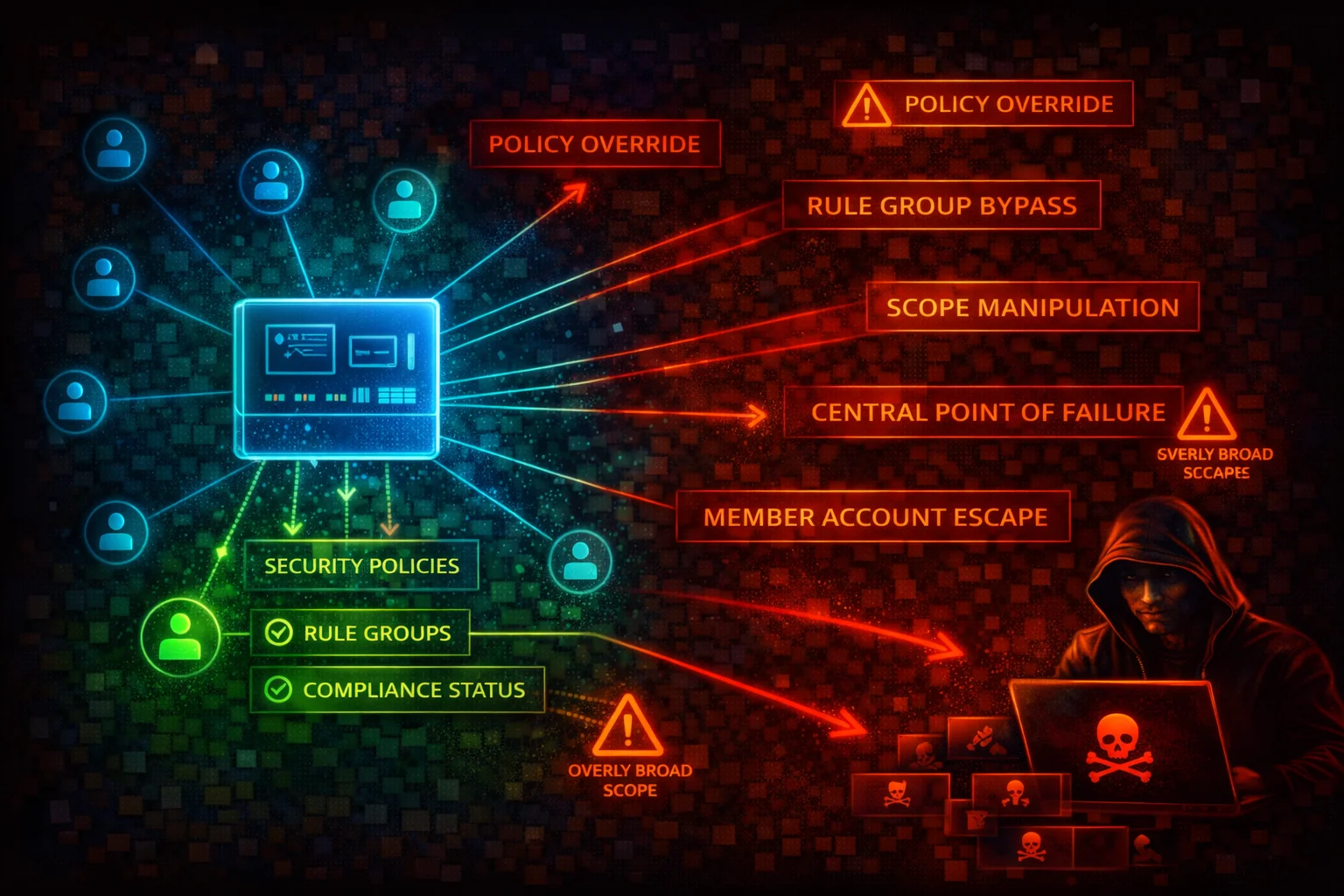
Firewall Manager enforces security policies across all accounts in an AWS Organization. Policies are automatically applied to new accounts and resources. The FMS administrator account has authority to create, modify, and delete policies affecting every member account.
Attack note: Compromising the FMS administrator account grants the ability to weaken or delete security policies across the entire organization in a single operation.
Auto-Remediation and Scope Control
Policies can automatically remediate non-compliant resources. Scope is controlled via account inclusion/exclusion maps, resource tags, and resource types. Disabling auto-remediation or narrowing scope silently removes protections.
Attack note: An attacker with fms:PutPolicy can modify a policy's scope or disable remediation, leaving resources unprotected without triggering obvious alerts.
Security Risk Assessment
Firewall Manager is an organization-wide security control plane. Compromise of the FMS administrator account or misconfiguration of policies can silently remove WAF rules, security group restrictions, and Network Firewall protections across every account. The blast radius is the entire AWS Organization.
⚔️Attack Vectors
Policy Manipulation
- •Disable RemediationEnabled to stop auto-fix
- •Change IncludeMap/ExcludeMap to remove accounts from scope
- •Switch policy rules to permissive configurations
- •Delete critical policies with fms:DeletePolicy
- •Narrow admin scope to push policies OUT_OF_ADMIN_SCOPE
Administrative Takeover
- •fms:PutAdminAccount to register rogue admin
- •fms:AssociateAdminAccount for attacker-controlled admin
- •Modify admin scope to limit legitimate admin visibility
- •fms:DeleteNotificationChannel to suppress alerts
- •fms:DisassociateAdminAccount to remove legitimate admin
⚠️Misconfigurations
Policy Scope Issues
- •RemediationEnabled set to false (report only, never fix)
- •Overly broad tag exclusions leaving resources unprotected
- •IncludeMap limited to subset of accounts
- •Policies only in one Region while resources span multiple
- •DeleteUnusedFMManagedResources set to false
Operational Gaps
- •AWS Config not enabled in all accounts/Regions
- •No SNS notification channel configured
- •Security group policies in audit mode only
- •WAF policies using COUNT instead of BLOCK
- •Third-party firewall integration not verified
🔍Enumeration
aws fms get-admin-accountaws fms list-policiesaws fms get-policy \
--policy-id a1b2c3d4-5678-90ab-cdef-EXAMPLE11111aws fms list-member-accountsaws fms list-compliance-status \
--policy-id a1b2c3d4-5678-90ab-cdef-EXAMPLE11111aws fms get-notification-channel📈Privilege Escalation
fms:PutPolicy - Weaken Org-Wide Security
- •Disable remediation on existing policies
- •Narrow scope to exclude critical accounts
- •Change managed service data to permissive rules
- •Remove security controls across all in-scope accounts
- •No direct access to member accounts needed
Administrative Takeover Paths
- •fms:AssociateAdminAccount from management account
- •fms:PutAdminAccount to create additional FMS admins
- •fms:DeletePolicy removes org-wide protections at scale
- •fms:DeleteNotificationChannel hides policy deletions
- •Combined: delete policies + suppress alerts = stealth
Key insight: fms:PutPolicy is the most dangerous single permission. It can silently weaken security across the entire organization without triggering obvious alerts.
💻Exploitation Commands
aws fms list-admin-accounts-for-organizationaws fms get-compliance-detail \
--policy-id a1b2c3d4-5678-90ab-cdef-EXAMPLE11111 \
--member-account 123456789012aws fms get-violation-details \
--policy-id a1b2c3d4-5678-90ab-cdef-EXAMPLE11111 \
--member-account 123456789012 \
--resource-id sg-0123456789abcdef0 \
--resource-type AWS::EC2::SecurityGroupaws fms list-resource-sets📜Firewall Manager Policy Examples
{
  "PolicyName": "WAFPolicy",
  "SecurityServicePolicyData": {
    "Type": "WAFV2",
    "ManagedServiceData": "{\"type\":\"WAFV2\",\"defaultAction\":{\"type\":\"ALLOW\"}}"
  },
  "ResourceType": "AWS::ElasticLoadBalancingV2::LoadBalancer",
  "ExcludeResourceTags": true,
  "RemediationEnabled": false,
  "ExcludeMap": {
    "ACCOUNT": ["111111111111", "222222222222"]
  }
}
Default action is ALLOW, remediation disabled, two accounts excluded, Dev-tagged resources excluded. Non-compliant resources will never be fixed.
{
  "PolicyName": "WAFPolicy-AllAccounts",
  "SecurityServicePolicyData": {
    "Type": "WAFV2",
    "ManagedServiceData": "{\"type\":\"WAFV2\",\"defaultAction\":{\"type\":\"BLOCK\"}}"
  },
  "ResourceTypeList": [
    "AWS::ElasticLoadBalancingV2::LoadBalancer",
    "AWS::CloudFront::Distribution",
    "AWS::ApiGateway::Stage"
  ],
  "ExcludeResourceTags": false,
  "RemediationEnabled": true,
  "DeleteUnusedFMManagedResources": true,
  "IncludeMap": {}
}
Default action BLOCK, AWS Managed Rules enforced, remediation enabled, no exclusions, multiple resource types covered, orphaned resources cleaned up.
🛡️Defense Recommendations
Restrict FMS Administrative Permissions
Limit fms:PutPolicy, fms:DeletePolicy, fms:AssociateAdminAccount, and fms:PutAdminAccount to the absolute minimum number of principals. Use SCPs to prevent member accounts from calling FMS write actions.
Enable Auto-Remediation on All Policies
Set RemediationEnabled: true on every Firewall Manager policy. Audit-only mode is useful during rollout, but production policies must enforce compliance automatically.
Configure SNS Notification Channel
Send compliance findings to an SNS topic monitored by your security team. Without this, policy violations are only visible in the FMS console.
aws fms put-notification-channel --sns-topic-arn SNS_TOPIC_ARN --sns-role-name FMS_SNS_ROLEEnable AWS Config in All Accounts and Regions
Firewall Manager depends on AWS Config to detect resource compliance. If Config is not enabled, FMS cannot evaluate or remediate resources.
Monitor FMS API Calls with CloudTrail
Alert on fms:PutPolicy, fms:DeletePolicy, fms:AssociateAdminAccount, fms:DisassociateAdminAccount, fms:PutAdminAccount, and fms:DeleteNotificationChannel.
Apply Policies Across All Regions
FMS policies are Regional. Create policies in every Region where you have resources, or use SCPs to deny resource creation in Regions without FMS policies.
Default to All Accounts in Scope
Leave IncludeMap empty (all accounts) rather than listing specific accounts. Use ExcludeMap only for well-justified exceptions and audit exclusions regularly.
AWS Firewall Manager Security Card • Toc Consulting
Always obtain proper authorization before testing
KloudSec, built by the team behind Toc Consulting
See AWS Firewall Manager security checked automatically, continuously
What you just read is a manual, one-time check. KloudSec runs this and 400+ more automated checks across 90+ AWS services, continuously, agentless, live in about 5 minutes.
Toc Consulting: AWS Security & Cloud Architecture
Securing your AWS estate?
Our team helps engineering teams secure and architect AWS the right way: assessment in week one, a prioritized action plan in week two.