
Amazon RDS Deep Dive: Managed Relational Databases on AWS
Tarek Cheikh
Founder & AWS Cloud Architect
In the previous articles, we covered compute (EC2 and Lambda) and storage (S3). Most applications also need a relational database, and managing one in production — backups, replication, failover, patching, scaling — is operationally demanding. Amazon RDS (Relational Database Service) handles all of that, letting you run production databases without managing the underlying infrastructure.
This article covers RDS from first principles to production patterns: supported engines, instance sizing, storage options, Multi-AZ deployments, read replicas, backups, security, monitoring, Aurora, and the operational patterns that make managed databases reliable at scale.
What Is RDS?
RDS is a managed database service that automates the undifferentiated heavy lifting of running relational databases: hardware provisioning, OS patching, database installation, backups, replication, failover, and scaling. You choose the engine, instance size, and storage. AWS handles the rest.
What RDS manages for you:
- Automated backups: Daily snapshots plus continuous transaction log backups
- Software patching: OS and database engine patches applied during maintenance windows
- Multi-AZ failover: Automatic promotion of standby in a different Availability Zone
- Monitoring: CloudWatch metrics, Enhanced Monitoring, Performance Insights
- Storage scaling: Automatic storage expansion when running low
- Encryption: At-rest and in-transit encryption with KMS
What you still manage:
- Schema design, indexing, and query optimization
- Application-level connection management
- Database parameter tuning for your workload
- IAM policies and security group rules
- Choosing the right instance type and storage configuration
Supported Engines
# RDS supports six database engines:

Engine           Versions               Use Case
--------------------------------------------------------------
PostgreSQL       13, 14, 15, 16         General purpose, GIS, JSON
MySQL            8.0                    Web applications, CMS
MariaDB          10.6, 10.11           MySQL-compatible, open source
Oracle           19c, 21c              Enterprise applications
SQL Server       2019, 2022            Windows/.NET applications
IBM Db2          11.5                  Legacy enterprise workloads

# Aurora (AWS-built, covered separately below):
Aurora MySQL     MySQL 8.0 compatible
Aurora PostgreSQL  PostgreSQL 14, 15, 16 compatible
Creating an RDS Instance
# Create a PostgreSQL instance with recommended production settings
aws rds create-db-instance \
    --db-instance-identifier my-app-db \
    --db-instance-class db.r6g.large \
    --engine postgres \
    --engine-version 16.4 \
    --master-username dbadmin \
    --manage-master-user-password \
    --allocated-storage 100 \
    --storage-type gp3 \
    --storage-throughput 125 \
    --multi-az \
    --backup-retention-period 14 \
    --storage-encrypted \
    --kms-key-id alias/rds-key \
    --db-subnet-group-name my-db-subnet-group \
    --vpc-security-group-ids sg-0123456789abcdef0 \
    --no-publicly-accessible \
    --enable-performance-insights \
    --monitoring-interval 60 \
    --monitoring-role-arn arn:aws:iam::123456789012:role/rds-monitoring-role

# --manage-master-user-password: stores the password in Secrets Manager
#   (never pass passwords in CLI arguments -- visible in process list and shell history)
# --no-publicly-accessible: the instance has no public IP
# --multi-az: creates a synchronous standby in a different AZ
# --storage-encrypted: encrypts data at rest with KMS
DB Subnet Groups
RDS instances run inside your VPC. A DB subnet group defines which subnets (and therefore which Availability Zones) RDS can use. Always use private subnets.
# Create a DB subnet group spanning two AZs
aws rds create-db-subnet-group \
    --db-subnet-group-name my-db-subnet-group \
    --db-subnet-group-description "Private subnets for RDS" \
    --subnet-ids subnet-abc123 subnet-def456

# These should be private subnets with no internet gateway route
# Database traffic stays within the VPC
Instance Classes
# RDS instance families:

# General Purpose (db.m6g, db.m7g) -- balanced compute and memory
db.m6g.large      2 vCPU    8 GB RAM     ~$0.178/hr
db.m6g.xlarge     4 vCPU   16 GB RAM     ~$0.356/hr
db.m6g.2xlarge    8 vCPU   32 GB RAM     ~$0.712/hr

# Memory Optimized (db.r6g, db.r7g) -- for memory-intensive workloads
db.r6g.large      2 vCPU   16 GB RAM     ~$0.252/hr
db.r6g.xlarge     4 vCPU   32 GB RAM     ~$0.504/hr
db.r6g.2xlarge    8 vCPU   64 GB RAM     ~$1.008/hr

# Burstable (db.t4g) -- for dev/test and low-traffic workloads
db.t4g.micro      2 vCPU    1 GB RAM     ~$0.016/hr
db.t4g.small      2 vCPU    2 GB RAM     ~$0.032/hr
db.t4g.medium     2 vCPU    4 GB RAM     ~$0.065/hr
db.t4g.large      2 vCPU    8 GB RAM     ~$0.129/hr

# Graviton (g suffix) instances offer ~20% better price-performance
# than equivalent Intel instances. Prefer db.m6g/r6g over db.m6i/r6i

# Pricing shown is Single-AZ, on-demand, us-east-1, PostgreSQL
# Multi-AZ roughly doubles the cost
Storage Options
# RDS storage types:

# gp3 (General Purpose SSD) -- RECOMMENDED for most workloads
# - Baseline: 3,000 IOPS, 125 MB/s throughput (included)
# - Scalable: up to 16,000 IOPS, 1,000 MB/s (independent of size)
# - Price: $0.08/GB/month + IOPS/throughput above baseline
# - Minimum: 20 GB, Maximum: 64 TB

# io1 / io2 (Provisioned IOPS SSD) -- for I/O-intensive workloads
# - Provisioned: up to 256,000 IOPS (io2 Block Express)
# - Price: $0.125/GB/month + $0.10/IOPS/month (io1)
# - Use when you need > 16,000 IOPS or predictable latency

# gp2 (previous generation) -- being replaced by gp3
# - IOPS scales with volume size (3 IOPS/GB, baseline 100)
# - Avoid for new deployments -- gp3 is cheaper and more flexible
# Enable storage autoscaling (recommended)
aws rds modify-db-instance \
--db-instance-identifier my-app-db \
--max-allocated-storage 500
# RDS automatically expands storage when:
# - Free storage falls below 10%
# - Low storage condition lasts at least 5 minutes
# - At least 6 hours since last modification
# Storage can only grow, never shrinkMulti-AZ Deployments
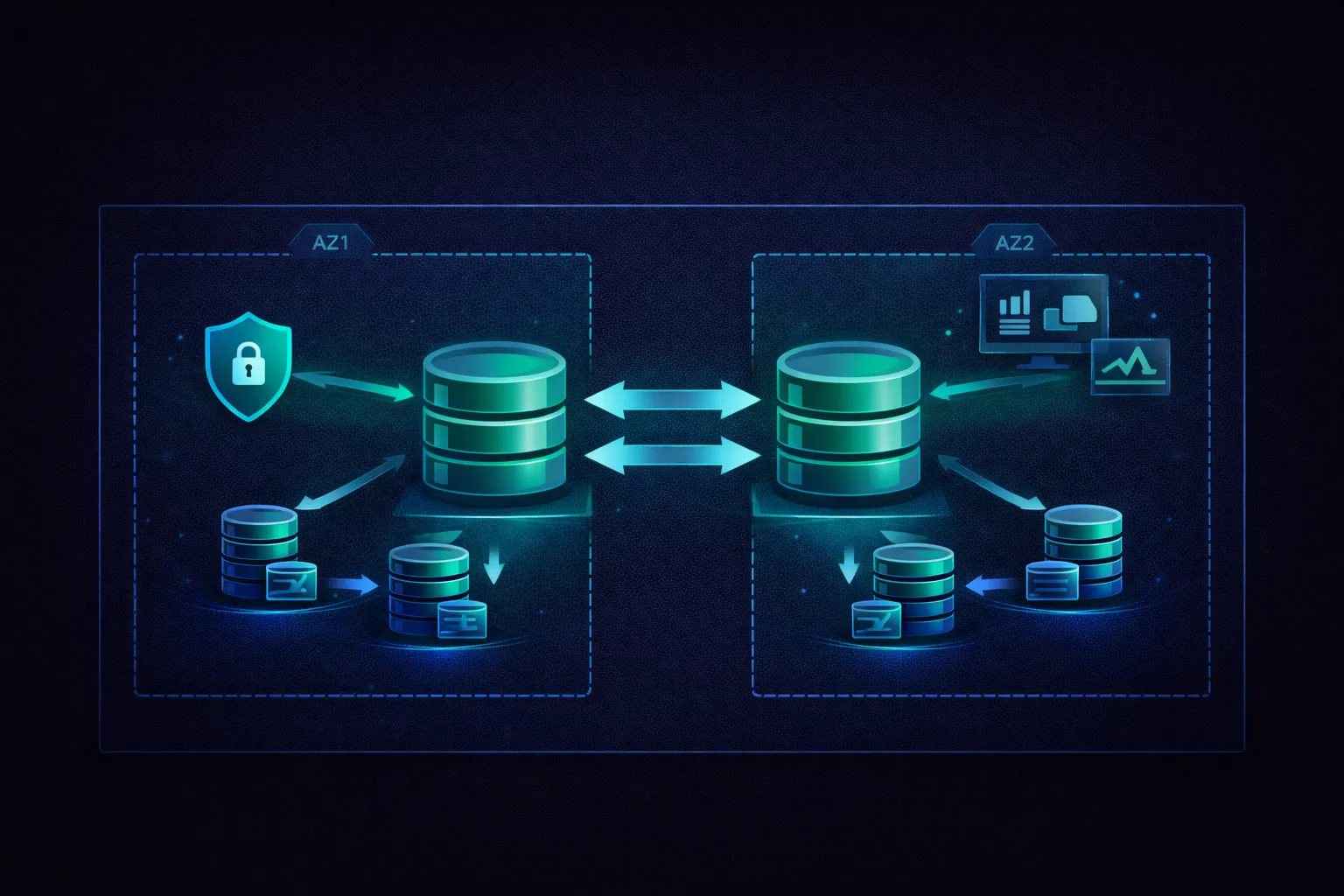
Multi-AZ creates a synchronous standby replica in a different Availability Zone. If the primary instance fails, RDS automatically fails over to the standby. The failover updates the DNS record for the endpoint — your application reconnects to the same hostname and reaches the new primary.
# Multi-AZ architecture:

Availability Zone A              Availability Zone B
+-------------------+           +-------------------+
| Primary Instance  |  ------>  | Standby Instance  |
| (reads + writes)  |  sync     | (no connections)  |
+-------------------+  repl.    +-------------------+
        |                               |
        v                               v
   EBS Storage                    EBS Storage
   (encrypted)                    (encrypted)

# Failover triggers:
# - Primary instance failure
# - AZ outage
# - Instance type change
# - Manual failover (for testing)
# - Software patching (during maintenance window)

# Failover duration: typically 60-120 seconds
# DNS TTL is 5 seconds so applications reconnect quickly
# Enable Multi-AZ on an existing instance
aws rds modify-db-instance \
--db-instance-identifier my-app-db \
--multi-az \
--apply-immediately
# Test failover manually
aws rds reboot-db-instance \
--db-instance-identifier my-app-db \
--force-failoverConnection Handling During Failover
import psycopg2
from psycopg2 import pool
import time

# Use a connection pool with retry logic
class DatabasePool:
    def __init__(self, host, database, user, password):
        self.config = {
            'host': host,
            'database': database,
            'user': user,
            'password': password,
            'connect_timeout': 5,
            'options': '-c statement_timeout=30000'  # 30s query timeout
        }
        self._create_pool()

    def _create_pool(self):
        self.pool = pool.ThreadedConnectionPool(
            minconn=2,
            maxconn=10,
            **self.config
        )

    def execute_with_retry(self, query, params=None, max_retries=3):
        """Execute a query with automatic retry on connection failure."""
        for attempt in range(max_retries):
            conn = None
            try:
                conn = self.pool.getconn()
                conn.autocommit = True
                cursor = conn.cursor()
                cursor.execute(query, params)
                result = cursor.fetchall() if cursor.description else None
                self.pool.putconn(conn)
                return result
            except psycopg2.OperationalError:
                # Connection lost -- likely a failover
                if conn:
                    self.pool.putconn(conn, close=True)
                if attempt < max_retries - 1:
                    time.sleep(2 ** attempt)  # Exponential backoff
                    try:
                        self._create_pool()
                    except Exception:
                        pass
                else:
                    raise
Read Replicas
Read replicas use asynchronous replication to offload read traffic from the primary instance. They are independent instances with their own endpoints.
# Create a read replica
aws rds create-db-instance-read-replica \
    --db-instance-identifier my-app-db-read1 \
    --source-db-instance-identifier my-app-db \
    --db-instance-class db.r6g.large

# Create a cross-region read replica (for DR or latency reduction)
aws rds create-db-instance-read-replica \
    --db-instance-identifier my-app-db-eu \
    --source-db-instance-identifier my-app-db \
    --db-instance-class db.r6g.large \
    --region eu-west-1

# Promote a read replica to standalone primary (for DR or migration)
aws rds promote-read-replica \
    --db-instance-identifier my-app-db-eu
# Read replica limits:
# MySQL: up to 5 replicas
# PostgreSQL: up to 5 replicas
# MariaDB: up to 5 replicas
# Aurora: up to 15 replicas (with much lower replication lag)
# Replication lag:
# RDS MySQL/PostgreSQL: typically seconds, can grow under heavy write load
# Aurora: typically < 100ms (shared storage architecture)Read/Write Routing
# Route reads to replicas, writes to primary
class ReadWriteRouter:
    def __init__(self, write_host, read_hosts):
        self.write_pool = create_pool(write_host)
        self.read_pools = [create_pool(h) for h in read_hosts]
        self._current_read = 0

    def write(self, query, params=None):
        """Send writes to the primary instance."""
        conn = self.write_pool.getconn()
        try:
            cursor = conn.cursor()
            cursor.execute(query, params)
            conn.commit()
        finally:
            self.write_pool.putconn(conn)

    def read(self, query, params=None):
        """Round-robin reads across replicas."""
        pool = self.read_pools[self._current_read % len(self.read_pools)]
        self._current_read += 1
        conn = pool.getconn()
        try:
            cursor = conn.cursor()
            cursor.execute(query, params)
            return cursor.fetchall()
        finally:
            pool.putconn(conn)

# Usage
router = ReadWriteRouter(
    write_host='my-app-db.abc123.us-east-1.rds.amazonaws.com',
    read_hosts=[
        'my-app-db-read1.abc123.us-east-1.rds.amazonaws.com',
        'my-app-db-read2.abc123.us-east-1.rds.amazonaws.com'
    ]
)
RDS Proxy
RDS Proxy sits between your application and the database, pooling and sharing database connections. It is essential for Lambda functions (which can open hundreds of connections during scale-up) and applications with many short-lived connections.
# Create an RDS Proxy
aws rds create-db-proxy \
    --db-proxy-name my-app-proxy \
    --engine-family POSTGRESQL \
    --auth '[{
        "AuthScheme": "SECRETS",
        "SecretArn": "arn:aws:secretsmanager:us-east-1:123456789012:secret:db-creds",
        "IAMAuth": "DISABLED"
    }]' \
    --role-arn arn:aws:iam::123456789012:role/rds-proxy-role \
    --vpc-subnet-ids subnet-abc123 subnet-def456 \
    --vpc-security-group-ids sg-0123456789abcdef0

# Register the target database
aws rds register-db-proxy-targets \
    --db-proxy-name my-app-proxy \
    --db-instance-identifiers my-app-db
# RDS Proxy benefits:
# 1. Connection pooling
# Without proxy: 100 Lambda invocations = 100 DB connections
# With proxy: 100 Lambda invocations = 10-20 pooled connections
# 2. Faster failover
# Without proxy: DNS propagation + new connections = 60-120s
# With proxy: Proxy handles failover transparently = ~30s
# 3. IAM authentication
# Applications authenticate to the proxy with IAM tokens
# Proxy authenticates to the database with stored credentials
# Connect to the proxy endpoint instead of the DB endpoint:
# my-app-proxy.proxy-abc123.us-east-1.rds.amazonaws.comBackups and Recovery
Automated Backups
# RDS takes two types of backups automatically:

# 1. Daily snapshots (during the backup window)
#    - Full snapshot of the DB instance
#    - Stored in S3 (managed by AWS, not visible in your S3 console)
#    - Retention: 1-35 days (default: 7)

# 2. Transaction logs (continuous)
#    - Backed up every 5 minutes
#    - Enable point-in-time recovery (PITR)
#    - Allows restore to any second within the retention period

# Set backup retention and window
aws rds modify-db-instance \
    --db-instance-identifier my-app-db \
    --backup-retention-period 14 \
    --preferred-backup-window "03:00-04:00"

# Backup storage: free up to the size of your DB instance
# Beyond that: $0.095/GB/month
Manual Snapshots
# Create a manual snapshot (retained until explicitly deleted)
aws rds create-db-snapshot \
    --db-instance-identifier my-app-db \
    --db-snapshot-identifier my-app-db-before-migration

# List snapshots
aws rds describe-db-snapshots \
    --db-instance-identifier my-app-db

# Copy snapshot to another region (for DR)
aws rds copy-db-snapshot \
    --source-db-snapshot-identifier arn:aws:rds:us-east-1:123456789012:snapshot:my-app-db-before-migration \
    --target-db-snapshot-identifier my-app-db-dr-copy \
    --region eu-west-1

# Share snapshot with another AWS account
aws rds modify-db-snapshot-attribute \
    --db-snapshot-identifier my-app-db-before-migration \
    --attribute-name restore \
    --values-to-add 987654321098
Point-in-Time Recovery
# Restore to a specific point in time (creates a NEW instance)
aws rds restore-db-instance-to-point-in-time \
    --source-db-instance-identifier my-app-db \
    --target-db-instance-identifier my-app-db-restored \
    --restore-time "2025-04-07T14:30:00Z" \
    --db-instance-class db.r6g.large

# Restore from a snapshot (creates a NEW instance)
aws rds restore-db-instance-from-db-snapshot \
    --db-instance-identifier my-app-db-restored \
    --db-snapshot-identifier my-app-db-before-migration \
    --db-instance-class db.r6g.large

# IMPORTANT: Restores always create a NEW instance
# You must update your application to point to the new endpoint
# Or rename the old instance, then rename the restored one to the original name
Security
Network Security
# RDS instances should be in private subnets with restricted security groups

# Security group: allow only your application servers
aws ec2 authorize-security-group-ingress \
    --group-id sg-rds-group \
    --protocol tcp \
    --port 5432 \
    --source-group sg-app-servers

# Never allow 0.0.0.0/0 access to a database security group
# Never set --publicly-accessible on a production database
Encryption
# Encryption at rest (must be enabled at creation, cannot add later)
# Uses AES-256 encryption with KMS keys
# Encrypts: storage, backups, snapshots, read replicas

# Encryption in transit (SSL/TLS)
# Download the RDS CA certificate bundle
wget https://truststore.pki.rds.amazonaws.com/global/global-bundle.pem
# Connect with SSL/TLS encryption
conn = psycopg2.connect(
host='my-app-db.abc123.us-east-1.rds.amazonaws.com',
database='myapp',
user='dbadmin',
password=password,
sslmode='verify-full',
sslrootcert='global-bundle.pem'
)# Force SSL connections at the database level (PostgreSQL)
# In the parameter group:
aws rds modify-db-parameter-group \
--db-parameter-group-name my-params \
--parameters "ParameterName=rds.force_ssl,ParameterValue=1,ApplyMethod=pending-reboot"IAM Database Authentication
# Enable IAM authentication on the instance
aws rds modify-db-instance \
    --db-instance-identifier my-app-db \
    --enable-iam-database-authentication

# Create a database user that authenticates via IAM (PostgreSQL)
# Connect to the database and run:
# CREATE USER iam_user WITH LOGIN;
# GRANT rds_iam TO iam_user;
# Connect using IAM authentication token
import boto3
rds_client = boto3.client('rds')
token = rds_client.generate_db_auth_token(
DBHostname='my-app-db.abc123.us-east-1.rds.amazonaws.com',
Port=5432,
DBUsername='iam_user',
Region='us-east-1'
)
conn = psycopg2.connect(
host='my-app-db.abc123.us-east-1.rds.amazonaws.com',
database='myapp',
user='iam_user',
password=token, # token is valid for 15 minutes
sslmode='verify-full',
sslrootcert='global-bundle.pem'
)
# Benefits: no long-lived passwords, authentication via IAM policies
# Works with EC2 instance roles, Lambda execution roles, etc.Parameter Groups
Parameter groups control database engine configuration. The default parameter group is read-only. Create a custom one to tune settings for your workload.
# Create a custom parameter group
aws rds create-db-parameter-group \
    --db-parameter-group-name my-postgres-params \
    --db-parameter-group-family postgres16 \
    --description "Custom PostgreSQL 16 parameters"

# Key PostgreSQL parameters to tune:
aws rds modify-db-parameter-group \
    --db-parameter-group-name my-postgres-params \
    --parameters \
        "ParameterName=shared_buffers,ParameterValue={DBInstanceClassMemory/4},ApplyMethod=pending-reboot" \
        "ParameterName=effective_cache_size,ParameterValue={DBInstanceClassMemory*3/4},ApplyMethod=pending-reboot" \
        "ParameterName=work_mem,ParameterValue=65536,ApplyMethod=immediate" \
        "ParameterName=maintenance_work_mem,ParameterValue=524288,ApplyMethod=immediate" \
        "ParameterName=max_connections,ParameterValue=200,ApplyMethod=pending-reboot" \
        "ParameterName=log_min_duration_statement,ParameterValue=1000,ApplyMethod=immediate"

# shared_buffers: ~25% of instance memory (RDS default)
# effective_cache_size: ~75% of instance memory
# work_mem: per-sort/hash memory (be conservative with many connections)
# log_min_duration_statement: log queries taking > 1 second

# Apply the parameter group to your instance
aws rds modify-db-instance \
    --db-instance-identifier my-app-db \
    --db-parameter-group-name my-postgres-params
Monitoring
CloudWatch Metrics
# Key RDS metrics to monitor:

CPUUtilization           # Percentage of CPU used
FreeableMemory           # Available RAM in bytes
DatabaseConnections      # Number of active connections
ReadIOPS / WriteIOPS     # I/O operations per second
ReadLatency / WriteLatency  # Average I/O latency
FreeStorageSpace         # Available storage in bytes
DiskQueueDepth           # Number of outstanding I/O requests
ReplicaLag               # Replication delay on read replicas (seconds)
BurstBalance             # Remaining burst credits (gp2/t-class only)

# Set alarms for critical thresholds
aws cloudwatch put-metric-alarm \
    --alarm-name rds-high-cpu \
    --namespace AWS/RDS \
    --metric-name CPUUtilization \
    --dimensions Name=DBInstanceIdentifier,Value=my-app-db \
    --statistic Average \
    --period 300 \
    --threshold 80 \
    --comparison-operator GreaterThanThreshold \
    --evaluation-periods 3 \
    --alarm-actions arn:aws:sns:us-east-1:123456789012:ops-alerts

# Critical alarms to set:
# CPU > 80% sustained   -- consider scaling up
# FreeableMemory < 10%  -- instance needs more RAM
# FreeStorageSpace < 20% -- storage running low
# DatabaseConnections > 80% of max_connections
# DiskQueueDepth > 10 sustained -- storage bottleneck
# ReplicaLag > 30 seconds -- replica falling behind
Performance Insights
Performance Insights shows you exactly which queries are consuming the most database resources, broken down by waits, SQL statements, and sessions. It is included free for 7 days of retention, or $0 additional for the basic tier.
# Enable Performance Insights
aws rds modify-db-instance \
    --db-instance-identifier my-app-db \
    --enable-performance-insights \
    --performance-insights-retention-period 7

# Performance Insights reveals:
#
# Top SQL by load:
#   SELECT * FROM orders WHERE status = 'pending'    -- 45% of DB load
#   INSERT INTO audit_log (...)                      -- 20% of DB load
#   UPDATE users SET last_login = now() WHERE ...    -- 15% of DB load
#
# Top waits:
#   IO:DataFileRead     -- reading data from disk (need more RAM or IOPS)
#   Lock:tuple          -- row-level lock contention
#   CPU                 -- compute-bound queries (need better indexes)
#
# This tells you exactly which query to optimize first
Enhanced Monitoring
# Enhanced Monitoring provides OS-level metrics at 1-60 second granularity
# (CloudWatch only provides 1-minute intervals)
#
# Additional metrics: per-process CPU, memory, file system usage, I/O stats
#
# Enable with --monitoring-interval (1, 5, 10, 15, 30, or 60 seconds)
aws rds modify-db-instance \
    --db-instance-identifier my-app-db \
    --monitoring-interval 15 \
    --monitoring-role-arn arn:aws:iam::123456789012:role/rds-monitoring-role
Blue/Green Deployments
Blue/Green deployments let you make major changes (engine upgrades, parameter changes, schema migrations) with minimal downtime by creating a staging environment that stays in sync with production.
# Create a blue/green deployment
aws rds create-blue-green-deployment \
    --blue-green-deployment-name my-upgrade \
    --source arn:aws:rds:us-east-1:123456789012:db:my-app-db \
    --target-engine-version 16.4

# This creates:
# - Blue environment: your current production (unchanged)
# - Green environment: a copy with the new engine version
# - Logical replication keeps green in sync with blue

# After testing the green environment:
aws rds switchover-blue-green-deployment \
    --blue-green-deployment-identifier my-upgrade

# Switchover:
# 1. Blocks writes briefly
# 2. Ensures green is caught up
# 3. Renames instances (green gets the blue name)
# 4. Applications reconnect to the same endpoint
# Typical downtime: under 1 minute
Amazon Aurora
Aurora is AWS's cloud-native relational database, compatible with MySQL and PostgreSQL. It uses a different architecture from standard RDS that provides better performance, higher availability, and simpler operations.
Aurora Architecture
# Aurora separates compute from storage:

                  Writer Instance    Reader Instance(s)
                       |                   |
                       v                   v
              +------------------------------------+
              |     Shared Distributed Storage     |
              |  (6 copies across 3 AZs)           |
              |                                    |
              |  AZ-a: copy1, copy2                |
              |  AZ-b: copy3, copy4                |
              |  AZ-c: copy5, copy6                |
              +------------------------------------+

# Key differences from standard RDS:
# - Storage is shared between writer and readers (no replication lag for reads)
# - 6 copies of data across 3 AZs (tolerates loss of 2 copies for writes, 3 for reads)
# - Storage auto-scales from 10 GB to 128 TB (no pre-provisioning)
# - Replication lag: typically < 100ms (vs seconds for standard RDS)
# - Up to 15 read replicas (vs 5 for standard RDS)
# - Continuous backup to S3 (no backup window, no performance impact)
# - Writer failover to a reader: typically 10-30 seconds
Aurora Endpoints
# Aurora provides multiple endpoints:

# Cluster endpoint (writer) -- for all write operations
my-cluster.cluster-abc123.us-east-1.rds.amazonaws.com

# Reader endpoint (load-balanced across readers) -- for read operations
my-cluster.cluster-ro-abc123.us-east-1.rds.amazonaws.com

# Instance endpoints (specific instance) -- for direct access
my-cluster-instance-1.abc123.us-east-1.rds.amazonaws.com

# Custom endpoints -- for routing specific queries to specific instances
# e.g., route analytics queries to larger reader instances
Creating an Aurora Cluster
# Create an Aurora PostgreSQL cluster
aws rds create-db-cluster \
    --db-cluster-identifier my-aurora-cluster \
    --engine aurora-postgresql \
    --engine-version 16.4 \
    --master-username dbadmin \
    --manage-master-user-password \
    --storage-encrypted \
    --db-subnet-group-name my-db-subnet-group \
    --vpc-security-group-ids sg-0123456789abcdef0

# Add the writer instance
aws rds create-db-instance \
    --db-instance-identifier my-aurora-writer \
    --db-cluster-identifier my-aurora-cluster \
    --db-instance-class db.r6g.large \
    --engine aurora-postgresql

# Add reader instance(s)
aws rds create-db-instance \
    --db-instance-identifier my-aurora-reader-1 \
    --db-cluster-identifier my-aurora-cluster \
    --db-instance-class db.r6g.large \
    --engine aurora-postgresql
Aurora Serverless v2
Aurora Serverless v2 automatically scales compute capacity based on demand, measured in Aurora Capacity Units (ACUs). Each ACU provides approximately 2 GB of memory. Scaling is continuous and happens in increments of 0.5 ACU, with no interruption to connections.
# Create an Aurora Serverless v2 cluster
aws rds create-db-cluster \
    --db-cluster-identifier my-serverless-cluster \
    --engine aurora-postgresql \
    --engine-version 16.4 \
    --serverless-v2-scaling-configuration MinCapacity=0.5,MaxCapacity=32 \
    --master-username dbadmin \
    --manage-master-user-password \
    --storage-encrypted

# Add a Serverless v2 instance
aws rds create-db-instance \
    --db-instance-identifier my-serverless-instance \
    --db-cluster-identifier my-serverless-cluster \
    --db-instance-class db.serverless \
    --engine aurora-postgresql

# Scaling range:
# MinCapacity: 0.5 ACU (1 GB RAM)  -- scales down to save costs
# MaxCapacity: up to 256 ACU (512 GB RAM)
# Each ACU: ~$0.12/hr (us-east-1)

# Use cases:
# - Variable workloads (high during business hours, low at night)
# - Development/staging environments
# - New applications with unpredictable traffic
Aurora Global Database
# Aurora Global Database replicates across regions with < 1 second lag
# Use for: disaster recovery, low-latency global reads

# Create a global cluster from an existing Aurora cluster
aws rds create-global-cluster \
    --global-cluster-identifier my-global-db \
    --source-db-cluster-identifier arn:aws:rds:us-east-1:123456789012:cluster:my-aurora-cluster

# Add a secondary region
aws rds create-db-cluster \
    --db-cluster-identifier my-aurora-eu \
    --engine aurora-postgresql \
    --global-cluster-identifier my-global-db \
    --region eu-west-1

# Failover to secondary region (RPO: typically < 1 second)
aws rds failover-global-cluster \
    --global-cluster-identifier my-global-db \
    --target-db-cluster-identifier arn:aws:rds:eu-west-1:123456789012:cluster:my-aurora-eu
Database Migration with DMS
# AWS Database Migration Service (DMS) migrates databases to RDS
# with minimal downtime using change data capture (CDC)

# Migration types:
# full-load              -- one-time migration of existing data
# cdc                    -- ongoing replication of changes only
# full-load-and-cdc      -- initial load + continuous sync (recommended)

# Workflow:
# 1. Create a DMS replication instance
# 2. Create source and target endpoints
# 3. Create and start the replication task
# 4. Monitor until source and target are in sync
# 5. Switch application to the new RDS endpoint
# 6. Stop the replication task

# Supported sources: on-premises MySQL, PostgreSQL, Oracle, SQL Server,
#   MongoDB, Amazon Aurora, S3, and more
# Supported targets: RDS, Aurora, DynamoDB, S3, Redshift, and more
Cost Optimization
# RDS pricing components:
# 1. Instance hours (compute)
# 2. Storage (GB/month)
# 3. I/O requests (Aurora only)
# 4. Backup storage (beyond free allocation)
# 5. Data transfer (cross-AZ, cross-region)

# Cost-saving strategies:

# 1. Reserved Instances (1 or 3 year commitment)
#    db.r6g.large on-demand:   $0.252/hr  = $2,207/yr
#    db.r6g.large 1-yr RI:    $0.159/hr  = $1,393/yr  (37% savings)
#    db.r6g.large 3-yr RI:    $0.101/hr  = $884/yr    (60% savings)

# 2. Use Graviton instances (db.r6g/m6g instead of db.r6i/m6i)
#    ~20% cheaper with equivalent or better performance

# 3. Aurora Serverless v2 for variable workloads
#    Scales down to 0.5 ACU during low traffic
#    No cost for idle instances (unlike provisioned Aurora)

# 4. Right-size instances using Performance Insights
#    Monitor CPU, memory, and I/O to find over-provisioned instances

# 5. Stop dev/test instances when not in use
aws rds stop-db-instance --db-instance-identifier dev-db
# Automatically restarts after 7 days (or manually start it)

# 6. Use gp3 storage instead of io1
#    gp3 baseline: 3,000 IOPS free
#    io1 at 3,000 IOPS: $0.10 * 3000 = $300/month additional
Maintenance Windows
# RDS applies patches during the maintenance window
# Default: 30-minute window assigned by AWS
# Customize to match your low-traffic period

aws rds modify-db-instance \
    --db-instance-identifier my-app-db \
    --preferred-maintenance-window "sun:03:00-sun:04:00"

# For Multi-AZ instances:
# Patches are applied to the standby first, then failover, then patch the old primary
# Total downtime during patching: typically 60-120 seconds

# For Aurora:
# Zero-downtime patching (ZDP) applies patches without failover when possible
Best Practices
Production Readiness
- Enable Multi-AZ for all production databases
- Set backup retention to at least 14 days
- Enable encryption at rest (must be set at creation)
- Force SSL/TLS connections in the parameter group
- Place instances in private subnets with restricted security groups
- Use
--manage-master-user-passwordto store credentials in Secrets Manager - Enable auto-scaling for storage with
--max-allocated-storage - Test failover regularly with
--force-failover
Performance
- Use Performance Insights to identify slow queries and bottlenecks
- Create custom parameter groups and tune for your workload
- Use read replicas to offload read-heavy traffic
- Use RDS Proxy for connection pooling (especially with Lambda)
- Use gp3 storage and scale IOPS independently of storage size
- Monitor
DiskQueueDepthandReadLatency/WriteLatencyfor storage bottlenecks
Operations
- Use Blue/Green deployments for major version upgrades
- Schedule maintenance windows during low-traffic periods
- Set CloudWatch alarms for CPU, memory, connections, storage, and replica lag
- Use DMS for migrations with minimal downtime
- Copy snapshots cross-region for disaster recovery
- Stop dev/test instances outside business hours to save costs
Go Deeper: The State of AWS Security 2026
This article is just the start. Get the full picture with our free whitepaper - 8 chapters covering IAM, S3, VPC, monitoring, agentic AI security, compliance, and a prioritized action plan with 50+ CLI commands.
Toc Consulting: AWS Security & Cloud Architecture
Want expert help with AWS Mastery?
Our team helps engineering teams secure and architect AWS the right way: assessment in week one, a prioritized action plan in week two.
More Articles
AWS Architecture Patterns: Proven Blueprints for Scalable Cloud Applications
Six production-proven AWS architecture patterns: three-tier web apps, serverless APIs, event-driven processing, static websites, data lakes, and multi-region disaster recovery with diagrams and implementation guides.
AWS Cost Optimization: Reduce Your Cloud Bill Without Sacrificing Performance
Complete guide to AWS cost optimization covering Cost Explorer, Compute Optimizer, Savings Plans, Spot Instances, S3 lifecycle policies, gp2 to gp3 migration, scheduling, budgets, and production best practices.
AWS AI and ML Services: Add Intelligence to Your Applications
Complete guide to AWS AI services including Rekognition, Comprehend, Textract, Polly, Translate, Transcribe, and Bedrock with CLI commands, pricing, and production best practices.