
AWS Lambda Deep Dive: Serverless Computing from First Function to Production
Tarek Cheikh
Founder & AWS Cloud Architect
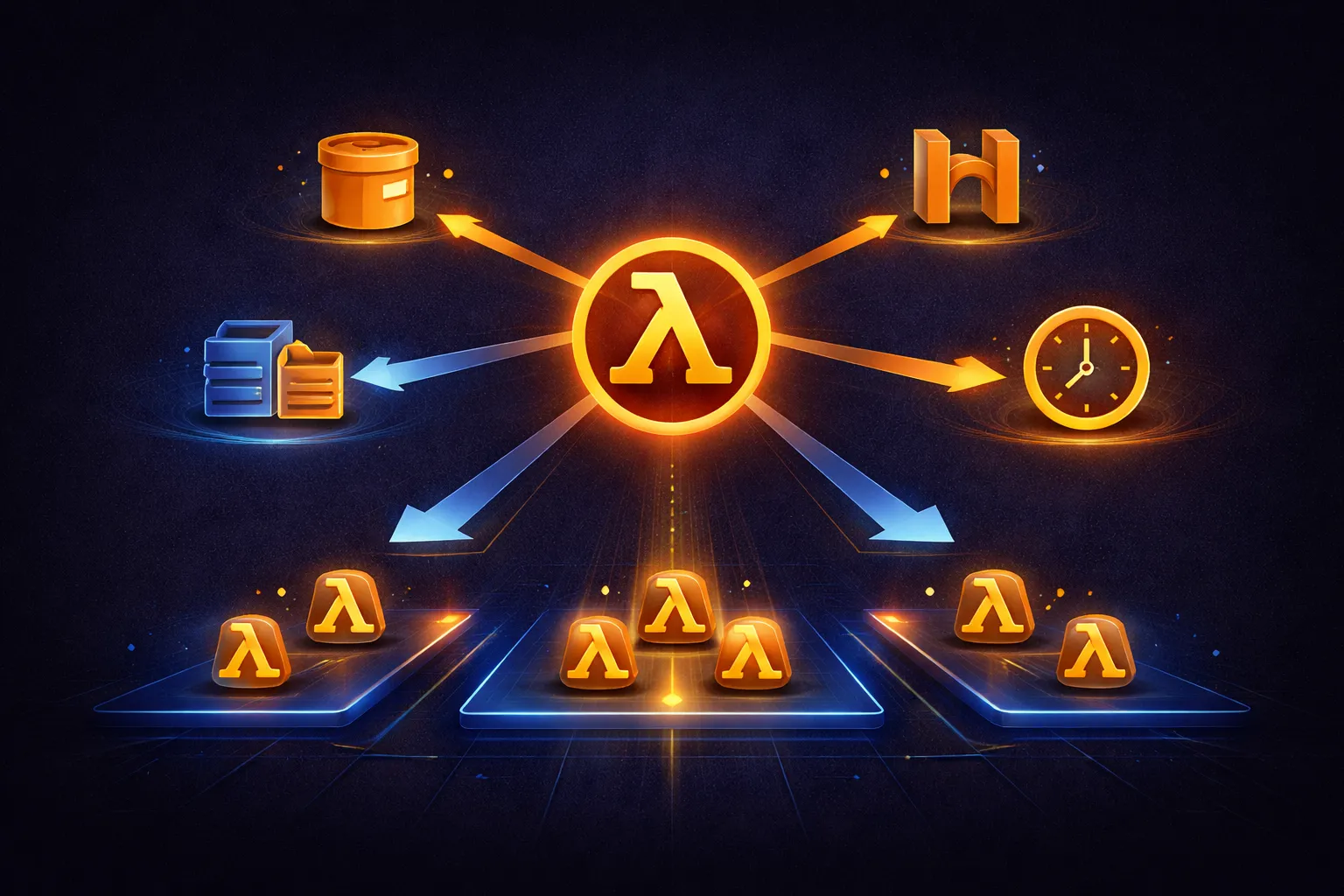
In the previous articles, we covered EC2 instances, instance types, and networking. EC2 gives you full control over virtual servers, but for many workloads you do not need a server at all. AWS Lambda lets you run code without provisioning or managing servers. You upload your code, define a trigger, and AWS handles everything else: provisioning, scaling, patching, and high availability.
This article covers Lambda from first principles to production patterns: the execution model, packaging and deployment, triggers, concurrency, cold starts, pricing, and the architectural patterns that make serverless work at scale.
What Is AWS Lambda?
Lambda is a compute service that runs your code in response to events. You write a function, upload it, and Lambda executes it when triggered. There are no servers to manage, no capacity to plan, and no idle costs. You pay only for the compute time your code actually consumes, measured in milliseconds.
Key characteristics:
- Event-driven: Functions run in response to triggers (S3 uploads, API calls, queue messages, schedules)
- Automatic scaling: Lambda scales from zero to thousands of concurrent executions without configuration
- Sub-second billing: Billed per millisecond of execution time, with a 1 ms minimum
- No idle cost: When no functions are running, you pay nothing
- Managed infrastructure: AWS handles OS patches, runtime updates, hardware maintenance, and capacity
The Execution Model
Understanding Lambda's execution model is essential to writing efficient functions.
Execution Environment Lifecycle
# Lambda execution environment phases:

INIT Phase (cold start)
  +-- Extension init    # Load extensions (if any)
  +-- Runtime init      # Start the runtime (Python, Node.js, etc.)
  +-- Function init     # Run code OUTSIDE the handler (module-level)
  Duration: 100ms - 10s depending on runtime and dependencies

INVOKE Phase
  +-- Run the handler function
  +-- Return response
  Duration: your function's execution time

SHUTDOWN Phase (when environment is recycled)
  +-- Runtime shutdown hooks
  +-- Extension shutdown
  Duration: up to 2 seconds
After the INIT phase completes, Lambda freezes the execution environment and reuses it for subsequent invocations. This is why code outside the handler runs only once per environment, while the handler runs on every invocation.
Handler Structure
# lambda_function.py

import boto3
import json

# INIT PHASE: This runs ONCE when the environment starts.
# Put expensive initialization here: SDK clients, DB connections, config loading.
dynamodb = boto3.resource('dynamodb')
table = dynamodb.Table('Users')

def lambda_handler(event, context):
    """
    INVOKE PHASE: This runs on EVERY invocation.

    Parameters:
        event  -- dict containing trigger-specific data
        context -- runtime information about the invocation

    context attributes:
        context.function_name         -- "my-function"
        context.memory_limit_in_mb    -- 256
        context.aws_request_id        -- unique invocation ID
        context.get_remaining_time_in_millis()  -- time before timeout
    """
    user_id = event.get('user_id')

    response = table.get_item(Key={'id': user_id})

    return {
        'statusCode': 200,
        'body': json.dumps(response.get('Item', {}), default=str)
    }
The event object structure depends entirely on the trigger. An S3 trigger sends bucket and key information. An API Gateway trigger sends HTTP method, headers, path parameters, and body. A DynamoDB Streams trigger sends the changed records.
Runtimes and Packaging
Supported Runtimes
# Managed runtimes (AWS maintains the runtime)
python3.13      # Latest Python, recommended
python3.12      # Stable, widely used
nodejs22.x      # Latest Node.js LTS
nodejs20.x      # Previous LTS
java21          # Latest Java LTS (supports SnapStart)
java17          # Previous Java LTS (supports SnapStart)
dotnet8         # .NET 8 LTS
ruby3.3         # Latest Ruby
provided.al2023 # Custom runtime on Amazon Linux 2023 (Go, Rust, C++, etc.)

# Check supported runtimes
aws lambda list-layers --compatible-runtime python3.12
Deployment: ZIP Package
The simplest deployment method. Package your code and dependencies into a ZIP file.
# Single file function
zip function.zip lambda_function.py

aws lambda create-function \
    --function-name my-function \
    --runtime python3.12 \
    --handler lambda_function.lambda_handler \
    --zip-file fileb://function.zip \
    --role arn:aws:iam::123456789012:role/lambda-execution-role \
    --memory-size 256 \
    --timeout 30

# Function with dependencies
mkdir package
pip install requests -t package/
cd package && zip -r ../deployment.zip . && cd ..
zip deployment.zip lambda_function.py

aws lambda update-function-code \
    --function-name my-function \
    --zip-file fileb://deployment.zip
ZIP package limits: 50 MB compressed, 250 MB uncompressed (including layers).
Deployment: Container Images
For larger dependencies or custom runtimes, package your function as a Docker container image (up to 10 GB).
# Dockerfile
FROM public.ecr.aws/lambda/python:3.12

# Install dependencies
COPY requirements.txt .
RUN pip install -r requirements.txt

# Copy function code
COPY lambda_function.py .

# Set the handler
CMD ["lambda_function.lambda_handler"]
# Build and push to ECR
docker build -t my-lambda-function .
aws ecr get-login-password | docker login --username AWS --password-stdin 123456789012.dkr.ecr.us-east-1.amazonaws.com
docker tag my-lambda-function:latest 123456789012.dkr.ecr.us-east-1.amazonaws.com/my-lambda-function:latest
docker push 123456789012.dkr.ecr.us-east-1.amazonaws.com/my-lambda-function:latest
# Create function from container image
aws lambda create-function \
--function-name my-function \
--package-type Image \
--code ImageUri=123456789012.dkr.ecr.us-east-1.amazonaws.com/my-lambda-function:latest \
--role arn:aws:iam::123456789012:role/lambda-execution-roleLambda Layers
Layers let you share libraries across multiple functions without including them in every deployment package. Each function can use up to 5 layers.
# Create a layer with shared dependencies
mkdir -p python/lib/python3.12/site-packages
pip install requests boto3-stubs Pillow -t python/lib/python3.12/site-packages/
zip -r my-layer.zip python/

aws lambda publish-layer-version \
    --layer-name shared-dependencies \
    --zip-file fileb://my-layer.zip \
    --compatible-runtimes python3.12 python3.13 \
    --compatible-architectures x86_64 arm64

# Attach layer to a function
aws lambda update-function-configuration \
    --function-name my-function \
    --layers arn:aws:lambda:us-east-1:123456789012:layer:shared-dependencies:1
Event Sources and Triggers
Lambda functions are useless without triggers. Here are the most common patterns.
S3 Event: Process Uploaded Files
# image_processor.py
import boto3
from PIL import Image
import io

s3 = boto3.client('s3')

def lambda_handler(event, context):
    bucket = event['Records'][0]['s3']['bucket']['name']
    key = event['Records'][0]['s3']['object']['key']

    # Download from S3
    response = s3.get_object(Bucket=bucket, Key=key)
    image = Image.open(io.BytesIO(response['Body'].read()))

    # Create thumbnails
    sizes = [(150, 150), (300, 300), (600, 600)]

    for size in sizes:
        resized = image.copy()
        resized.thumbnail(size, Image.Resampling.LANCZOS)

        buffer = io.BytesIO()
        resized.save(buffer, format='JPEG', quality=85)
        buffer.seek(0)

        s3.put_object(
            Bucket=bucket,
            Key=f"thumbnails/{size[0]}x{size[1]}/{key}",
            Body=buffer.getvalue(),
            ContentType='image/jpeg'
        )

    return {'statusCode': 200, 'body': f'Processed {key}'}
# Configure S3 trigger (via CLI)
aws s3api put-bucket-notification-configuration \
--bucket my-images-bucket \
--notification-configuration '{
"LambdaFunctionConfigurations": [{
"LambdaFunctionArn": "arn:aws:lambda:us-east-1:123456789012:function:image-processor",
"Events": ["s3:ObjectCreated:*"],
"Filter": {
"Key": {
"FilterRules": [{"Name": "prefix", "Value": "uploads/"}]
}
}
}]
}'Note: Pillow is not included in the Lambda runtime. You need to package it in your deployment or use a Lambda Layer.
API Gateway: HTTP API Backend
# api_handler.py
import json
import boto3
from decimal import Decimal

dynamodb = boto3.resource('dynamodb')
table = dynamodb.Table('Users')

# Helper to serialize Decimal types from DynamoDB
class DecimalEncoder(json.JSONEncoder):
    def default(self, obj):
        if isinstance(obj, Decimal):
            return str(obj)
        return super().default(obj)

def lambda_handler(event, context):
    http_method = event['httpMethod']

    if http_method == 'GET':
        user_id = event['pathParameters']['id']
        response = table.get_item(Key={'id': user_id})

        return {
            'statusCode': 200,
            'headers': {
                'Content-Type': 'application/json',
                'Access-Control-Allow-Origin': '*'
            },
            'body': json.dumps(response.get('Item', {}), cls=DecimalEncoder)
        }

    elif http_method == 'POST':
        body = json.loads(event['body'])
        table.put_item(Item=body)

        return {
            'statusCode': 201,
            'headers': {'Content-Type': 'application/json'},
            'body': json.dumps({'message': 'User created'})
        }

    return {
        'statusCode': 405,
        'body': json.dumps({'error': 'Method not allowed'})
    }
SQS: Queue Processing
# sqs_processor.py
import json

def lambda_handler(event, context):
    failed_records = []

    for record in event['Records']:
        try:
            body = json.loads(record['body'])
            process_message(body)
        except Exception as e:
            # Report failed record for partial batch failure
            failed_records.append({
                'itemIdentifier': record['messageId']
            })

    # Return failed records so SQS retries only those
    return {
        'batchItemFailures': failed_records
    }

def process_message(body):
    # Your business logic here
    order_id = body['order_id']
    # Process the order...
    pass
# Create SQS event source mapping
aws lambda create-event-source-mapping \
--function-name sqs-processor \
--event-source-arn arn:aws:sqs:us-east-1:123456789012:my-queue \
--batch-size 10 \
--function-response-types ReportBatchItemFailuresEventBridge: Scheduled Tasks
# daily_cleanup.py
import boto3
from datetime import datetime, timedelta

def lambda_handler(event, context):
    s3 = boto3.client('s3')

    # Delete temporary files older than 7 days
    cutoff = datetime.now() - timedelta(days=7)

    paginator = s3.get_paginator('list_objects_v2')
    for page in paginator.paginate(Bucket='my-bucket', Prefix='tmp/'):
        for obj in page.get('Contents', []):
            if obj['LastModified'].replace(tzinfo=None) < cutoff:
                s3.delete_object(Bucket='my-bucket', Key=obj['Key'])

    return {'cleaned': True}
# Schedule with EventBridge (runs daily at 02:00 UTC)
aws events put-rule \
--name daily-cleanup \
--schedule-expression "cron(0 2 * * ? *)"
aws events put-targets \
--rule daily-cleanup \
--targets '[{"Id": "1", "Arn": "arn:aws:lambda:us-east-1:123456789012:function:daily-cleanup"}]'
# Grant EventBridge permission to invoke the function
aws lambda add-permission \
--function-name daily-cleanup \
--statement-id eventbridge-invoke \
--action lambda:InvokeFunction \
--principal events.amazonaws.com \
--source-arn arn:aws:events:us-east-1:123456789012:rule/daily-cleanupDynamoDB Streams: React to Data Changes
# stream_handler.py
import json

def lambda_handler(event, context):
    for record in event['Records']:
        event_name = record['eventName']  # INSERT, MODIFY, REMOVE

        if event_name == 'INSERT':
            new_item = record['dynamodb']['NewImage']
            # Send welcome email for new user
            send_welcome_email(new_item)

        elif event_name == 'MODIFY':
            old_item = record['dynamodb']['OldImage']
            new_item = record['dynamodb']['NewImage']
            # Detect changes and notify
            detect_changes(old_item, new_item)

        elif event_name == 'REMOVE':
            old_item = record['dynamodb']['OldImage']
            # Archive deleted record
            archive_record(old_item)
Kinesis: Real-Time Stream Processing
# kinesis_processor.py
import json
import base64

def lambda_handler(event, context):
    for record in event['Records']:
        payload = json.loads(
            base64.b64decode(record['kinesis']['data']).decode('utf-8')
        )

        # Process each record from the stream
        if payload.get('temperature', 0) > 100:
            send_alert(f"High temperature: {payload['temperature']}")

        store_metric(payload)
Synchronous vs Asynchronous Invocation
Lambda supports two invocation models, and the choice affects error handling and retry behavior.
# Synchronous: caller waits for the response
# Used by: API Gateway, ALB, SDK invoke with RequestResponse
aws lambda invoke \
    --function-name my-function \
    --payload '{"key": "value"}' \
    --invocation-type RequestResponse \
    response.json

# Asynchronous: Lambda queues the event and returns immediately
# Used by: S3, SNS, EventBridge, SDK invoke with Event
aws lambda invoke \
    --function-name my-function \
    --payload '{"key": "value"}' \
    --invocation-type Event \
    response.json
Retry behavior differs:
# Synchronous invocation:
#   - No automatic retries by Lambda
#   - The caller is responsible for retries
#   - Errors return immediately to the caller

# Asynchronous invocation:
#   - Lambda retries twice on failure (configurable 0-2)
#   - Events are queued internally (up to 6 hours)
#   - Failed events can be sent to a Dead Letter Queue (DLQ)
#     or Lambda Destinations

# Poll-based invocation (SQS, Kinesis, DynamoDB Streams):
#   - Lambda polls the source and invokes your function
#   - Retries depend on the source (SQS visibility timeout, Kinesis iterator)
#   - Supports partial batch failure reporting
Dead Letter Queues and Destinations
# Configure DLQ for async invocations
aws lambda update-function-configuration \
    --function-name my-function \
    --dead-letter-config TargetArn=arn:aws:sqs:us-east-1:123456789012:dlq

# Configure destinations (more flexible than DLQ)
# On success: send to SNS topic
aws lambda put-function-event-invoke-config \
    --function-name my-function \
    --destination-config '{
        "OnSuccess": {"Destination": "arn:aws:sns:us-east-1:123456789012:success-topic"},
        "OnFailure": {"Destination": "arn:aws:sqs:us-east-1:123456789012:failure-queue"}
    }'
Memory, CPU, and Performance
Lambda allocates CPU proportionally to memory. This is the single most important performance lever.
# Memory-to-CPU allocation:
  128 MB  --  partial vCPU (throttled)
  256 MB  --  partial vCPU
  512 MB  --  partial vCPU
 1024 MB  --  partial vCPU
 1769 MB  --  1 full vCPU       <-- important threshold
 3538 MB  --  2 vCPUs
 5307 MB  --  3 vCPUs
 7076 MB  --  4 vCPUs
 8845 MB  --  5 vCPUs
10240 MB  --  6 vCPUs           <-- maximum

# Key insight: doubling memory doubles CPU AND can halve execution time.
# A function that takes 1000ms at 128 MB may take 250ms at 512 MB.
# The cost can be the SAME or LOWER because you pay for GB-seconds.
To find the optimal memory setting, use AWS Lambda Power Tuning (an open-source tool). It runs your function at different memory levels and plots cost vs duration:
# Deploy the power tuning state machine
aws serverlessrepo create-cloud-formation-change-set \
    --application-id arn:aws:serverlessrepo:us-east-1:451282441545:applications/aws-lambda-power-tuning \
    --stack-name lambda-power-tuning

# Run it against your function (tests memory from 128 to 3008 MB)
# Input to the state machine:
{
    "lambdaARN": "arn:aws:lambda:us-east-1:123456789012:function:my-function",
    "powerValues": [128, 256, 512, 1024, 1769, 3008],
    "num": 50,
    "payload": {"test": "data"}
}
Cold Starts
A cold start occurs when Lambda creates a new execution environment for your function. This adds latency to the first invocation.
What Causes Cold Starts
# Cold start happens when:
# 1. First invocation after deployment
# 2. Scaling up to handle more concurrent requests
# 3. Environment recycled after ~15 minutes of inactivity
# 4. After updating function code or configuration

# Cold start duration depends on:
# - Runtime: Python/Node.js ~200-500ms, Java ~3-10s
# - Package size: larger packages take longer to load
# - VPC: adds 1-2s for ENI attachment (improved with Hyperplane)
# - Dependencies: heavy libraries (pandas, numpy) add init time
Minimizing Cold Starts
# 1. Initialize outside the handler
# BAD: creates client on every invocation
def lambda_handler(event, context):
    dynamodb = boto3.resource('dynamodb')  # cold on every call
    table = dynamodb.Table('Users')
    return table.get_item(Key={'id': event['id']})

# GOOD: creates client once per execution environment
dynamodb = boto3.resource('dynamodb')
table = dynamodb.Table('Users')

def lambda_handler(event, context):
    return table.get_item(Key={'id': event['id']})
# 2. Use ARM64 (Graviton2) -- faster init and 20% cheaper
aws lambda update-function-configuration \
--function-name my-function \
--architectures arm64
# 3. Minimize package size
# Remove unnecessary files from deployment package
# Use Lambda Layers for shared dependencies
# Use --only-binary :all: with pip to avoid compiling C extensions
# 4. Avoid VPC unless necessary
# Lambda in a VPC adds cold start latency for ENI creation
# Only use VPC if you need to access VPC resources (RDS, ElastiCache)Provisioned Concurrency
For latency-sensitive workloads, Provisioned Concurrency keeps execution environments warm and initialized.
# Pre-warm 10 execution environments
aws lambda put-provisioned-concurrency-config \
    --function-name my-function \
    --qualifier my-alias \
    --provisioned-concurrent-executions 10

# Auto-scale provisioned concurrency with Application Auto Scaling
aws application-autoscaling register-scalable-target \
    --service-namespace lambda \
    --resource-id function:my-function:my-alias \
    --scalable-dimension lambda:function:ProvisionedConcurrency \
    --min-capacity 5 \
    --max-capacity 100

aws application-autoscaling put-scaling-policy \
    --service-namespace lambda \
    --resource-id function:my-function:my-alias \
    --scalable-dimension lambda:function:ProvisionedConcurrency \
    --policy-name target-tracking \
    --policy-type TargetTrackingScaling \
    --target-tracking-scaling-policy-configuration '{
        "TargetValue": 0.7,
        "PredefinedMetricSpecification": {
            "PredefinedMetricType": "LambdaProvisionedConcurrencyUtilization"
        }
    }'
SnapStart (Java)
For Java functions, SnapStart takes a snapshot of the initialized execution environment and restores it on invocation, reducing cold starts from seconds to under 200ms.
# Enable SnapStart for a Java function
aws lambda update-function-configuration \
    --function-name my-java-function \
    --snap-start ApplyOn=PublishedVersions

# Publish a version to activate SnapStart
aws lambda publish-version --function-name my-java-function
Concurrency
Concurrency is the number of function instances running simultaneously. Each concurrent invocation uses one execution environment.
# Account-level default: 1,000 concurrent executions per region
# This is shared across ALL functions in the account

# Reserved concurrency: guarantees capacity for a specific function
# Also acts as a maximum -- the function cannot exceed this limit
aws lambda put-function-concurrency \
    --function-name critical-function \
    --reserved-concurrent-executions 100

# This means:
# - critical-function: always has 100 slots available, max 100
# - all other functions: share the remaining 900 slots

# Remove reserved concurrency
aws lambda delete-function-concurrency --function-name critical-function

# Request a limit increase for the account
# Go to Service Quotas > Lambda > Concurrent executions
Versioning and Aliases
Versions are immutable snapshots of your function code and configuration. Aliases are pointers to versions, enabling safe deployments.
# Publish a version (immutable snapshot)
aws lambda publish-version \
    --function-name my-function \
    --description "v1.0 - initial release"
# Returns version number, e.g., 1

# Create an alias pointing to the version
aws lambda create-alias \
    --function-name my-function \
    --name prod \
    --function-version 1

# Deploy new code
aws lambda update-function-code \
    --function-name my-function \
    --zip-file fileb://new-code.zip

aws lambda publish-version \
    --function-name my-function \
    --description "v2.0 - added caching"
# Returns version 2

# Weighted alias for canary deployment (90% v1, 10% v2)
aws lambda update-alias \
    --function-name my-function \
    --name prod \
    --function-version 2 \
    --routing-config AdditionalVersionWeights='{"1": 0.9}'

# After validation, shift all traffic to v2
aws lambda update-alias \
    --function-name my-function \
    --name prod \
    --function-version 2 \
    --routing-config AdditionalVersionWeights='{}'
VPC Configuration
By default, Lambda functions run in an AWS-managed VPC and can access the public internet and AWS services. If your function needs to access resources in your own VPC (RDS databases, ElastiCache clusters, internal APIs), you must configure VPC access.
# Configure VPC access
aws lambda update-function-configuration \
    --function-name my-function \
    --vpc-config SubnetIds=subnet-abc123,subnet-def456,SecurityGroupIds=sg-xyz789

# Important: Lambda in a VPC loses direct internet access
# To access the internet from a VPC Lambda, you need:
# 1. Place the function in a PRIVATE subnet
# 2. Route through a NAT Gateway in a public subnet
# 3. Or use VPC endpoints for AWS services

# VPC endpoints avoid NAT Gateway costs for AWS service calls
# Gateway endpoints (free): S3, DynamoDB
# Interface endpoints ($0.01/hr + data): SQS, SNS, Secrets Manager, etc.
Environment Variables and Configuration
# Set environment variables
aws lambda update-function-configuration \
    --function-name my-function \
    --environment Variables='{
        "TABLE_NAME": "users-prod",
        "LOG_LEVEL": "INFO",
        "REGION": "us-east-1"
    }'

# Encrypt sensitive values with KMS
aws lambda update-function-configuration \
    --function-name my-function \
    --kms-key-arn arn:aws:kms:us-east-1:123456789012:key/my-key \
    --environment Variables='{
        "DB_PASSWORD": "AQICAHh...encrypted..."
    }'
# Access environment variables in code
import os
TABLE_NAME = os.environ['TABLE_NAME']
LOG_LEVEL = os.environ.get('LOG_LEVEL', 'WARNING')
# For encrypted values, decrypt at init time
import boto3
import base64
kms = boto3.client('kms')
ENCRYPTED_PASSWORD = os.environ['DB_PASSWORD']
DECRYPTED_PASSWORD = kms.decrypt(
CiphertextBlob=base64.b64decode(ENCRYPTED_PASSWORD)
)['Plaintext'].decode('utf-8')
# Better approach: use Secrets Manager or SSM Parameter Store
ssm = boto3.client('ssm')
db_password = ssm.get_parameter(
Name='/myapp/db-password',
WithDecryption=True
)['Parameter']['Value']IAM Execution Role
Every Lambda function needs an IAM execution role that defines what AWS services the function can access. Follow least privilege.
{
    "Version": "2012-10-17",
    "Statement": [
        {
            "Effect": "Allow",
            "Action": [
                "logs:CreateLogGroup",
                "logs:CreateLogStream",
                "logs:PutLogEvents"
            ],
            "Resource": "arn:aws:logs:us-east-1:123456789012:*"
        },
        {
            "Effect": "Allow",
            "Action": [
                "dynamodb:GetItem",
                "dynamodb:PutItem",
                "dynamodb:Query"
            ],
            "Resource": "arn:aws:dynamodb:us-east-1:123456789012:table/Users"
        },
        {
            "Effect": "Allow",
            "Action": [
                "s3:GetObject",
                "s3:PutObject"
            ],
            "Resource": "arn:aws:s3:::my-bucket/*"
        }
    ]
}
# Create the execution role
aws iam create-role \
--role-name lambda-execution-role \
--assume-role-policy-document '{
"Version": "2012-10-17",
"Statement": [{
"Effect": "Allow",
"Principal": {"Service": "lambda.amazonaws.com"},
"Action": "sts:AssumeRole"
}]
}'
# Attach the policy
aws iam put-role-policy \
--role-name lambda-execution-role \
--policy-name lambda-permissions \
--policy-document file://policy.json
# For VPC access, also attach AWSLambdaVPCAccessExecutionRole
aws iam attach-role-policy \
--role-name lambda-execution-role \
--policy-arn arn:aws:iam::aws:policy/service-role/AWSLambdaVPCAccessExecutionRoleDeployment with SAM
AWS SAM (Serverless Application Model) simplifies Lambda deployment by providing a higher-level CloudFormation syntax.
# template.yaml
AWSTemplateFormatVersion: '2010-09-09'
Transform: AWS::Serverless-2016-10-31

Globals:
  Function:
    Runtime: python3.12
    Timeout: 30
    MemorySize: 256
    Architectures:
      - arm64

Resources:
  # API function
  ApiFunction:
    Type: AWS::Serverless::Function
    Properties:
      Handler: api_handler.lambda_handler
      CodeUri: src/
      Policies:
        - DynamoDBCrudPolicy:
            TableName: !Ref UsersTable
      Events:
        GetUser:
          Type: Api
          Properties:
            Path: /users/{id}
            Method: get
        CreateUser:
          Type: Api
          Properties:
            Path: /users
            Method: post

  # S3 trigger function
  ImageProcessor:
    Type: AWS::Serverless::Function
    Properties:
      Handler: image_processor.lambda_handler
      CodeUri: src/
      MemorySize: 1024
      Timeout: 120
      Layers:
        - !Ref PillowLayer
      Policies:
        - S3CrudPolicy:
            BucketName: !Ref ImageBucket
      Events:
        S3Upload:
          Type: S3
          Properties:
            Bucket: !Ref ImageBucket
            Events: s3:ObjectCreated:*
            Filter:
              S3Key:
                Rules:
                  - Name: prefix
                    Value: uploads/

  # Scheduled function
  DailyCleanup:
    Type: AWS::Serverless::Function
    Properties:
      Handler: cleanup.lambda_handler
      CodeUri: src/
      Events:
        Schedule:
          Type: Schedule
          Properties:
            Schedule: cron(0 2 * * ? *)

  # DynamoDB table
  UsersTable:
    Type: AWS::DynamoDB::Table
    Properties:
      TableName: Users
      AttributeDefinitions:
        - AttributeName: id
          AttributeType: S
      KeySchema:
        - AttributeName: id
          KeyType: HASH
      BillingMode: PAY_PER_REQUEST

  # S3 bucket
  ImageBucket:
    Type: AWS::S3::Bucket

  # Lambda Layer
  PillowLayer:
    Type: AWS::Serverless::LayerVersion
    Properties:
      LayerName: pillow-layer
      ContentUri: layers/pillow/
      CompatibleRuntimes:
        - python3.12
# Build and deploy
sam build
sam deploy --guided
# Local testing
sam local invoke ApiFunction --event events/get-user.json
sam local start-api # Start local API Gateway on port 3000Monitoring and Debugging
CloudWatch Logs
# Lambda automatically sends print() and logging output to CloudWatch

import logging
logger = logging.getLogger()
logger.setLevel(logging.INFO)

def lambda_handler(event, context):
    logger.info(f"Processing request: {context.aws_request_id}")
    logger.info(f"Event: {json.dumps(event)}")

    try:
        result = process(event)
        logger.info(f"Result: {result}")
        return {'statusCode': 200, 'body': json.dumps(result)}
    except Exception as e:
        logger.error(f"Error processing request: {str(e)}", exc_info=True)
        return {'statusCode': 500, 'body': json.dumps({'error': str(e)})}
# View recent logs
aws logs tail /aws/lambda/my-function --follow
# Search logs for errors
aws logs filter-log-events \
--log-group-name /aws/lambda/my-function \
--filter-pattern "ERROR" \
--start-time $(date -d '1 hour ago' +%s000)Key Metrics to Monitor
# Critical Lambda metrics in CloudWatch:

Invocations          # Total number of invocations
Errors               # Invocations that resulted in an error
Throttles            # Invocations rejected due to concurrency limits
Duration             # Execution time (p50, p90, p99)
ConcurrentExecutions # Number of simultaneous executions
IteratorAge          # For stream-based triggers: how far behind processing is

# Set alarms for:
# - Error rate > 1%
# - Throttles > 0 (you are hitting concurrency limits)
# - Duration p99 approaching timeout
# - IteratorAge increasing (falling behind on stream processing)
Lambda Limits and Quotas
# Resource limits (per function):
Memory                128 MB -- 10,240 MB (10 GB)
Timeout               1 second -- 900 seconds (15 minutes)
/tmp storage          512 MB -- 10,240 MB (10 GB, configurable)
Environment vars      4 KB total
Layers                5 per function
Deployment package    50 MB zipped / 250 MB unzipped (with layers)
Container image       10 GB

# Account limits (per region):
Concurrent executions        1,000 (default, can request increase)
Burst concurrency            500-3,000 (depends on region)
Function storage             75 GB (all deployment packages combined)
Elastic network interfaces   250 (for VPC Lambda)
Lambda Pricing
Lambda pricing has two components: requests and duration.
# Request pricing:
$0.20 per 1 million requests
First 1 million requests per month: FREE

# Duration pricing (per GB-second):
x86_64:  $0.0000166667 per GB-second
ARM64:   $0.0000133334 per GB-second (20% cheaper)
First 400,000 GB-seconds per month: FREE

# What is a GB-second?
# 1 GB-second = a function with 1 GB memory running for 1 second
# 512 MB function running for 2 seconds = 1 GB-second
# 256 MB function running for 4 seconds = 1 GB-second
Pricing Examples
# Example 1: API backend
# 1 million requests/month, 256 MB memory, 200ms average duration
#
# Requests:  1,000,000 * $0.0000002  = $0.20
# Duration:  1,000,000 * 0.256 GB * 0.2s = 51,200 GB-seconds
#            51,200 * $0.0000166667     = $0.85
# Total:     $1.05/month

# Example 2: Image processing
# 100,000 images/month, 1024 MB memory, 3s average duration
#
# Requests:  100,000 * $0.0000002  = $0.02
# Duration:  100,000 * 1.024 GB * 3s = 307,200 GB-seconds
#            307,200 * $0.0000166667  = $5.12
# Total:     $5.14/month

# Example 3: Same image processing on ARM64
# Duration:  307,200 * $0.0000133334  = $4.10
# Total:     $4.12/month (20% savings)

# Provisioned Concurrency pricing (additional cost):
# $0.0000041667 per GB-second of provisioned capacity
# + $0.0000097222 per GB-second of invocation (replaces standard duration)
Architecture Patterns
Pattern 1: Serverless API
Client
  |
  v
CloudFront (CDN + caching)
  |
  v
API Gateway (REST or HTTP API)
  |
  v
Lambda Functions
  |
  +--> DynamoDB (data storage)
  +--> S3 (file storage)
  +--> SES (email)
  +--> SNS (notifications)
Pattern 2: Event-Driven Processing
S3 Upload --> Lambda (validate) --> SQS Queue --> Lambda (process) --> DynamoDB
                  |                                     |
                  v                                     v
              SNS (notify)                        S3 (results)
                  |
                  v
              Lambda (send email)
Pattern 3: Fan-Out / Fan-In
# Process large datasets by splitting into parallel tasks

Step Functions Workflow:
  1. Lambda: Split dataset into chunks
  2. Map State: Process each chunk in parallel (N Lambda invocations)
  3. Lambda: Aggregate results
  4. Lambda: Store final output

# Step Functions Map state handles parallelism up to 10,000 branches
Pattern 4: Scheduled Batch Processing
EventBridge Rule (cron)
  |
  v
Lambda (coordinator)
  |
  +--> Lambda (process batch 1)
  +--> Lambda (process batch 2)
  +--> Lambda (process batch 3)
  |
  v
Lambda (aggregate results) --> S3 (report) --> SES (email report)
Best Practices
Performance
- Initialize SDK clients and database connections outside the handler
- Use ARM64 (Graviton2) for 20% cost savings and comparable or better performance
- Right-size memory using Lambda Power Tuning -- more memory means more CPU
- Minimize deployment package size to reduce cold start duration
- Use Provisioned Concurrency for latency-sensitive functions
- Keep functions focused -- one function per task, not monolithic handlers
Reliability
- Configure Dead Letter Queues or Destinations for async invocations
- Use partial batch failure reporting for SQS and Kinesis triggers
- Set appropriate timeouts -- not too short (failures) or too long (cost)
- Use idempotent handlers -- events can be delivered more than once
- Use reserved concurrency for critical functions to guarantee capacity
Security
- Follow least privilege for execution roles -- only grant permissions the function needs
- Store secrets in Secrets Manager or SSM Parameter Store, not environment variables
- Use VPC only when needed to access VPC resources
- Enable X-Ray tracing for distributed request tracking
- Use resource-based policies to control who can invoke your function
Cost
- Use ARM64 architecture for 20% duration savings
- Take advantage of the free tier: 1M requests + 400,000 GB-seconds per month
- Right-size memory -- over-provisioning wastes money, under-provisioning wastes time
- Use Provisioned Concurrency only where cold start latency matters
- Monitor and set budget alarms for unexpected invocation spikes
When to Use Lambda vs EC2
# Use Lambda when:
# - Execution time < 15 minutes
# - Workload is event-driven (triggers from AWS services)
# - Traffic is variable or unpredictable
# - You want zero idle cost
# - You do not need persistent connections or state

# Use EC2 when:
# - Long-running processes (> 15 minutes)
# - Workload needs persistent state or connections (WebSockets, SSH)
# - You need full OS-level control
# - Consistent high throughput where per-request pricing is expensive
# - GPU workloads or specialized hardware
# - You need more than 10 GB memory
Many production systems combine both: Lambda for event handling, APIs, and glue logic, with EC2 or ECS for long-running services that require persistent compute.
Go Deeper: The State of AWS Security 2026
This article is just the start. Get the full picture with our free whitepaper - 8 chapters covering IAM, S3, VPC, monitoring, agentic AI security, compliance, and a prioritized action plan with 50+ CLI commands.
Toc Consulting: AWS Security & Cloud Architecture
Want expert help with AWS Mastery?
Our team helps engineering teams secure and architect AWS the right way: assessment in week one, a prioritized action plan in week two.
More Articles
AWS Architecture Patterns: Proven Blueprints for Scalable Cloud Applications
Six production-proven AWS architecture patterns: three-tier web apps, serverless APIs, event-driven processing, static websites, data lakes, and multi-region disaster recovery with diagrams and implementation guides.
AWS Cost Optimization: Reduce Your Cloud Bill Without Sacrificing Performance
Complete guide to AWS cost optimization covering Cost Explorer, Compute Optimizer, Savings Plans, Spot Instances, S3 lifecycle policies, gp2 to gp3 migration, scheduling, budgets, and production best practices.
AWS AI and ML Services: Add Intelligence to Your Applications
Complete guide to AWS AI services including Rekognition, Comprehend, Textract, Polly, Translate, Transcribe, and Bedrock with CLI commands, pricing, and production best practices.